


There is a moment every new e-commerce seller hits. Traffic is coming in, the product is solid, the price is fair. And still, barely anyone think for product photography tips.
Most people blame the ads. Or the copy. Or the checkout flow. They tweak the button colour and run another campaign and the numbers barely move.
Then someone tells them to look at the photos. And when they actually look, really look, they see it. Dark images. One angle. A slightly blurry close-up. A background that is technically white but looks more like an old pillowcase.
That is the problem. It was always the problem.
People buying online are being asked to trust a screen. They cannot feel the product, check the stitching, test the weight. Your photos are doing all of that work, or they are not doing it, which is worse. These product photography tips are the ones that actually change what happens when someone lands on your product page.
1. Lighting Is the Whole Game
Everything else in this list matters less than this one for product photography tips.
Get the light wrong and it does not matter how good the camera is, how clean the background is, or how carefully you have arranged the product. The image will look wrong and people will feel it even if they cannot name why.
Direct flash is the thing that kills more product photos than anything else. It hits the surface head-on, blows out texture and detail, drops a hard shadow directly behind the product. The result looks flat and cheap. Even a genuinely expensive product looks like it belongs on a dodgy marketplace listing when it is lit that way.
A window on an overcast day is better than most artificial setups, and it costs nothing. Clouds scatter the light. That scattered light is soft and wraps around objects instead of punching straight at them.
Put your product at roughly 45 degrees to the window and place a piece of white foam board on the other side to bounce light back into the shadows. Two pounds for the board and maybe ten minutes to figure out the positioning.
The reason photographers eventually move to softbox setups is not because they produce better light than a good window for product photography tips. Sometimes they do not. It is because you stop needing a specific time of day and stop losing half a session because it got sunny and harsh at the wrong moment.
2. White Backgrounds and Why Resisting Them Is a Mistake
The creative case against white backgrounds is understandable. They are not exciting. They do not communicate brand personality or tell a lifestyle story.
But there is a practical layer here that overrides the aesthetic conversation entirely.
Amazon requires white backgrounds for main product images. Google Shopping heavily favours them in how listings are displayed. The files are smaller because there is less visual information in them, which means faster load times. The product has nowhere to hide and nothing competing for attention, which is exactly the point.
And when someone lands on your store for the first time and every product is presented against the same clean background, the whole thing reads as intentional. Professional. Like a real shop. That impression forms in about two seconds and it affects whether they keep browsing or leave.
White poster board handles small products. A roll of white paper sweep works better for anything larger. The mistake most people make is not checking the result on screen.
Looks white under the studio light. Opens grey and slightly yellow on the monitor. Use the levels tool in editing software to push it to an actual white. Thirty seconds.
3. Just Buy the Tripod
A tripod is twenty pounds. Less, sometimes.
And it solves a whole category of problems that no amount of editing can fix after the fact. Blur introduced at the point of capture is not recoverable. Sharpening tools in Lightroom give the impression of crispness but the actual detail is gone.
Hand-holding looks fine in the viewfinder. It looks less fine when the image is open on a large screen and there is a softness around the product edges that makes everything look slightly uncertain.
In lower light the problem gets worse because the shutter has to stay open longer to let enough light in, and any movement during that window shows up in the final file.
Beyond sharpness, there is the consistency argument. When the camera is locked on a tripod, every shot is the same height, the same distance, the same angle. That regularity across a catalogue is something customers register without thinking about it. It reads as care.
And your hands being free to work with the product between shots speeds the whole session up considerably.
4. One or Two Photos Is Not Enough
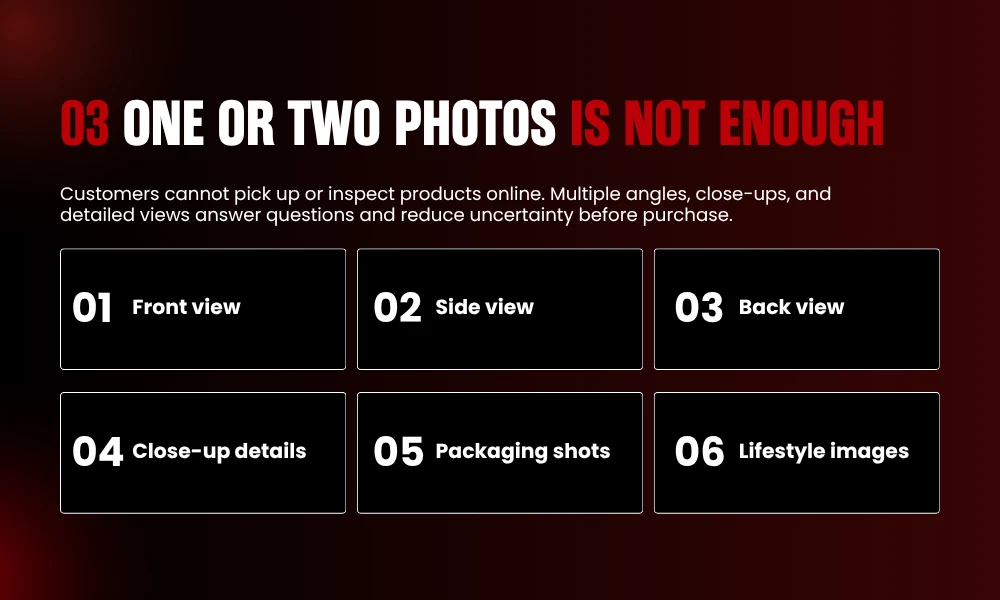
A buyer looking at your product is building a mental model of it. They need information from multiple directions to make that model feel complete enough to trust on product photography tips.
What does the back look like? Are the corners reinforced? What does the lining feel like, or at least look like. Is the hardware gold-toned or more brassy? How thick is it when it is closed?
These questions run in the background of the buying decision and if the photos do not answer them, the uncertainty stacks up until it outweighs the desire to buy.
Front and back is a start, not a finish. Add both sides. Top view. Close-ups of the detail that makes the product worth buying, the stitching, the finish, the texture, whatever it is. For bags, inside matters as much as outside. For clothing, flat lay plus on-body. For anything with ports or buttons or connectors, those need their own frames.
Five to eight images per listing is a workable minimum. Products over fifty pounds should probably have more. The honest truth is that when you look at what separates high-converting product pages from low-converting ones, more angles is one of the clearest signals. It keeps showing up for product photography tips.
5. Scale Is Something Your Customers Cannot Figure Out On Their Own
Sellers almost always underestimate how bad people are at picturing product size from listed dimensions.
You know how big the product is. You have packed and shipped it enough times that the size is completely automatic for you. So when you write the dimensions in the product description it feels like complete and useful information.
From the customer perspective it registers as abstract numbers that form a rough impression, and that impression is frequently wrong.
The product arrives. It is smaller than they pictured. Or bigger. That gap between expectation and reality, however small, is a return.
A hand in the photo closes that gap faster than any text. One lifestyle shot showing a hand holding or resting on or interacting with the product. People read object sizes relative to their own bodies automatically.
They do not need to think about it. You see a hand holding something and you know immediately whether it is small, medium, or substantial.
For larger items, an actual room gives the same reference. A lamp beside a sofa tells you more about its height than a number does. A rug under a coffee table gives you the scale. Context does what the product description cannot.
6. Consistent Editing Beats Impressive Editing
Post-processing has two jobs in product photography. One of them is making images look good. The other, which matters more, is making all images look like they belong together.
A catalogue where some products are warm and golden and others are cool and slightly overexposed and a few have deep saturated shadows looks like it was assembled from different sources. Even if each individual image is technically decent, the inconsistency reads as careless.
And carelessness is the thing you cannot afford to be when someone who does not know your brand is deciding whether to trust you with their money.
White balance is the main thing for product photography tips. Pick a setting and hold it across everything. Brightness and contrast follow. Save a preset, batch apply it, done. Lightroom makes this straightforward. Darktable is free and does the same job.
The one line to hold firmly: do not change the actual colour of a product in post. A slight exposure correction is fine. Shifting the hue so a navy item looks more of a clean blue because it photographs better is not fine. The customer receives the product. It does not match the listing. That is a review problem and a return problem at the same time.
7. Large Image Files Are Quietly Working Against You
The connection between product photography and SEO is not obvious until someone explains the file size part.
Page speed is a Google ranking factor. It has been for years. And while there are plenty of things that affect page speed, oversized image files are one of the most common and easiest to fix. A product image at 6MB is not providing 6MB worth of visual benefit over a well-compressed version at 300KB.
On screen they look identical. To a server delivering that page to someone on a mobile connection in average signal, they are completely different.
TinyPNG. Squoosh. ImageOptim. Takes about four seconds per image. Build it into the process so it happens before anything goes live.
File names are a separate but related thing for product photography tips. Search engines read file names as signals about what an image contains. A generic camera file name contains no information. A name like brown-leather-ankle-boot-side-view.jpg contains quite a lot.
For a store with a hundred product images all named descriptively, that adds up into real image search visibility over time. The individual effort per file is negligible.
8. Lifestyle Images and Studio Shots Are Not Doing the Same Thing
This is worth being clear about because some sellers treat them as interchangeable and they are not.
Studio shots on white are informational. They tell the buyer what the product looks like. Colour, shape, finish, size relative to other things in the frame. They are doing factual work.
Lifestyle images are doing something different. They are putting the product into a world the buyer recognises. A candle on a side table beside a plant and a stack of books is not really about the candle. It is about the kind of home the buyer wants to have. That image is selling the feeling, and the candle just happens to be in it.
Most purchases, especially in homeware, fashion, beauty, gifts, have some element of aspiration baked in. Lifestyle photography is where that aspiration lives. A white background shot cannot do this job no matter how well it is lit.
You do not need a big production for product photography tips. A clean, reasonably styled room. Natural light. An afternoon. Existing customers who post photos of the product in their own spaces are worth asking permission to use. Real photos in real homes, slightly rough around the edges, often outperform polished shoots because they look like something a human actually did.
9. Some Products Need to Move
Still images have a ceiling. Certain products hit it fast for product photography tips.
How a jacket moves when a person is wearing it. How a piece of jewellery catches light during natural movement. How a chair looks from the far side of an actual room rather than zoomed in close from a foot away. Photography can gesture at these things. A short video just shows them.
The conversion data on this is consistent across platforms. Product pages with video outperform static-only pages. The clip does not have to be long or cinematic. Ten seconds showing the product from multiple angles. Thirty seconds of someone using it. An unboxing. That is all the format requires.
360-degree spins offer a version of this that is easier to produce. The buyer drags the image and looks at whatever angle they want. It is the closest experience to turning something over in your hands that online shopping currently provides.
Both are achievable on a current smartphone. The same principles apply as for stills. Controlled light, stable mount, clean lens. The bar is not high. Anything is better than nothing and the gap between a decent ten-second clip and no video at all is measurable in sales. Stay tuned with BrandClickX for further info!
Frequently Asked Questions
Do I need a professional camera?
No. Current smartphones handle most e-commerce products well. Lighting and a stable mount matter more than camera hardware.
How many photos does each listing need?
Five to eight minimum. Cover multiple angles, include a detail close-up, and have at least one lifestyle image in the mix.
Do product images affect Google rankings?
Yes. Compressed images improve page speed, which Google measures directly. Descriptive file names and alt text feed into image search rankings.
What is the best background colour?
White. Required by most major marketplaces, loads fast, keeps attention on the product.
Can I shoot product photos on a phone?
Yes. Clean lens, controlled lighting, tripod mount, highest resolution available. That is all you need to start.
Why include lifestyle images when studio shots already look professional?
Studio shots handle product information. Lifestyle images help buyers picture owning the product. They are doing different jobs.


