Quick answer
In the dell vs hp laptops showdown for 2026, Dell wins for sustained professional work due to its superior cooling and industrial durability. HP takes the crown as the best laptop for students, offering better out-of-the-box value and vibrant OLED screens at lower prices.
Here we go again with the dell vs hp laptops debate. It never ends. The arrival of 2026 didn’t end it either. What this year did was make the choices much tighter than I figured, which is honestly more confusing than a blowout if you are just trying to buy a machine for school or your office.
Both brands make excellent hardware now. Both also charge a pretty penny because global chip shortages are keeping component costs high.
So I quit asking which specific model is the absolute fastest, because for normal people buying retail, that’s the wrong question. Here’s the one I actually care about:
Your hard-earned money was leaving your wallet anyway, so who gives you more machine for it?
I look at these laptop specs and enterprise pricing trends most weeks. Here is where I keep landing when comparing a modern hp laptop vs dell laptop.
The Short Version
Frames per dollar or vibrant screens? HP, and it’s barely a contest. The technical review over at LaptopOutlet ends up in the exact same place in their 2026 rundown.
The line everybody points at for entry-level academic value is the new HP OmniBook family. If you want a lightweight machine that won’t break the bank but still gives you a gorgeous display for media and writing, HP is your answer.
Now flip it. Are you working long hours with massive datasets, running local AI models, or managing enterprise deployments?
Dell takes it then. That same LaptopOutlet piece hands Dell the clear win on sustained cooling, robust build quality, and next-day on-site support. Dell just keeps the raw structural reliability crown with its newly updated Dell Plus and XPS series.
So your dell vs hp laptops call really boils down to one simple question: Corporate-grade reliability or creative budget value? Pick.
What Each Brand Is Actually Selling
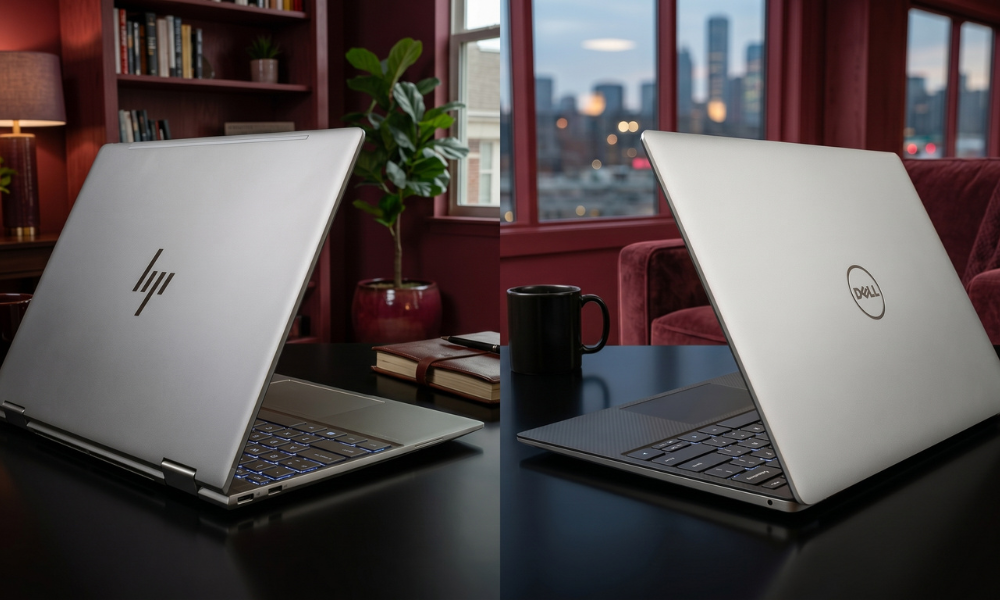
Dell’s 2026 lineup starts practical with the entry-level Inspiron and works its way up. You get the mainstream Dell Plus/Pro series, then the triumphant return of the flagship XPS line (the XPS 13, 14, and 16 running Intel Core Ultra Series processors), and finally the ultra-secure Latitude lines built for corporate IT deployments.
HP keeps it short, sweet, and heavily focused on its new branding. The budget-friendly Pavilion line handles the basics. Then comes the stylish Envy tier.
The absolute star of the show for them is the new OmniBook family (OmniBook 3, 5, X, and Ultra Flip) which completely consolidates their premium consumer laptops into sleek Copilot+ AI PCs running on both x86 and ARM Snapdragon architectures.
Down at the bottom, don’t ignore entry-level configurations under six hundred bucks if you are hunting for a basic best laptop for students setup. Retail analyses don’t mince words about it: Under a strict budget, HP packages better screen real estate and nicer keyboards into its cheaper shells.
And here’s the twist that caught me off guard. While Dell rolled into 2026 completely resurrecting the premium XPS branding because consumers kept searching for it on Google, HP spent its energy ripping up old labels to bet entirely on the OmniBook name.
So this really is the menu for the year. Nobody else is riding in to save your budget.
The Price Gap Tells the Whole Story
Okay, let’s talk about money. It is always the best part and the worst part of buying tech. Laptop pricing got pretty weird by early 2026, and honestly, the price gap between these two brands tells you most of what you need to know before buying the best laptop for work.
Top-shelf premium tiers first.
Retail trackers had the premium Dell XPS 14 sitting well north of two grand by spring. The comparable HP OmniBook X? Down near twelve hundred bucks at major outlets depending on the storage. Do that math out loud.
You are paying a massive premium for Dell’s top-tier machining. You get back incredible chassis rigidity and better peak performance, but your wallet takes a heavy beating.
The middle of the stack isn’t particularly kind to Dell’s pricing either. Review data shows an HP OmniBook 5 offering a gorgeous 120Hz OLED display at a price point where Dell is still offering a standard, basic LCD panel on their mid-range Inspiron or Pro configurations. Same money, way better screen experience from HP. That’s not a close call if you watch a lot of video.
Quick snapshot of mid-2026 street prices and targets (all ballpark figures):
| Laptop Model | Rough 2026 Price | Best For |
| HP Pavilion 15 | ~$450 | Strict budget student work |
| Dell XPS 13 (Student Promo) | ~$599 | Entry-level premium mobility |
| HP OmniBook 5 OLED | ~$799 | Best overall student value |
| Dell Pro Series 14 | ~$850 | Reliable mid-range office work |
| HP OmniBook X (Snapdragon) | ~$1,150 | All-day travel and cloud productivity |
| Dell XPS 14 (Core Ultra) | ~$1,950 | Premium creative work & battery life |
| Dell Latitude 7460 | ~$2,100 | Maximum enterprise data security |
These numbers move around all the time. Box UK tracking figures show that most retail laptop configurations dropped somewhere between five and fifteen percent since the post-holiday rush, but hardly any of them ever touch official launch MSRP anyway.
Check the live prices at BrandClickX or your preferred vendor the exact day you buy. Seriously, please.
Where Each Brand Actually Wins
Raw processing under pressure. No battery-saving tricks, no cutting corners, just the cooling system doing its job. This lane belongs to Dell. Benchmarks show that Dell’s slightly thicker frames allow for higher sustained power limits.
PC industry testers put it plainly: a Dell Pro or XPS model handles long data renders or massive multitasking queues without throttling down its speeds. HP prioritizes ultra-thin frames, meaning their machines run a bit warmer and will drop their speeds sooner to prevent overheating.
Screen quality at a reasonable price? This used to be a tie, but not anymore. HP wins this trophy easily. Their choice to put vibrant, color-accurate OLED panels into mid-range consumer laptops means you don’t have to spend a fortune to get deep contrast.
Dell does offer incredible tandem OLED screens on their high-end XPS 14 and 16, but they lock them behind premium price brackets that will make casual buyers blink.
Push to the ceiling on battery life, though, and things get wildly competitive. Dell’s 2026 XPS series uses cutting-edge high-density battery cells to hit incredible runtime figures on x86 platforms.
But HP punches right back within its ARM-based OmniBook lines. Laptop verification tests clocked the Snapdragon-powered OmniBook 5 surviving massive loops of local video playback on a single charge. If your day consists of web tools and traveling without a charger, HP’s power efficiency is tough to beat.
Keyboard Layouts and Software Realities
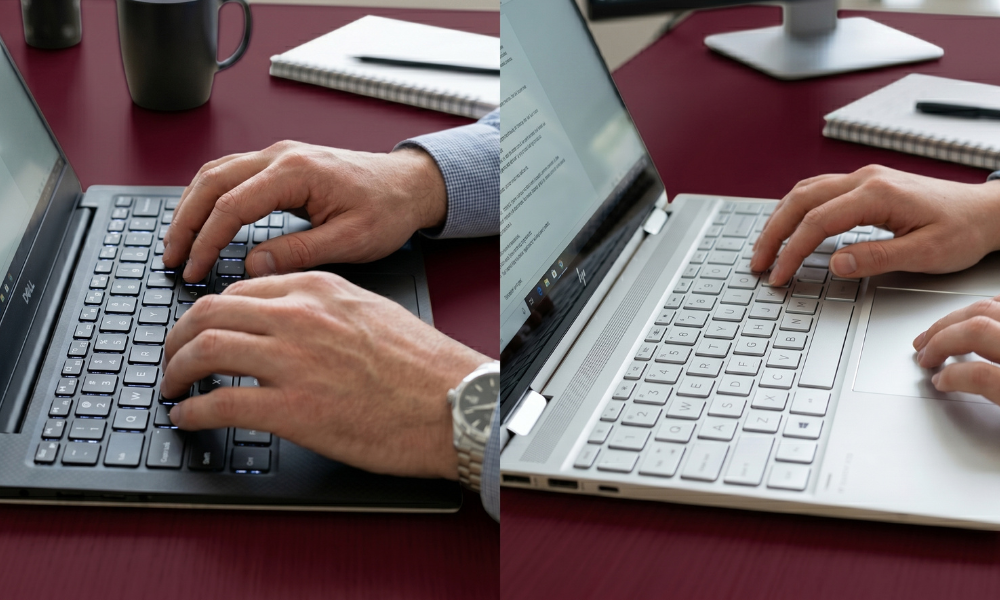
The physical typing experience keeps getting more important. It is half the hp laptop vs dell laptop argument at this point, especially if you write reports or essays all day.
Dell’s mainstream models use deep, satisfying key switches that corporate workers swear by.
However, their premium XPS line features a flat, gapless keyboard and a hidden haptic touchpad. It looks incredibly futuristic, but it does require some getting used to. HP plays it safe and comfortable. Their keyboards feature a traditional layout with a massive, clicking mechanical touchpad that feels familiar the second you open the lid.
On the software side, both brands have fully embraced local AI processing. Whether you buy an hp laptop vs dell laptop, you are getting dedicated NPUs capable of handling offline translation, live cameras, and productivity macros.
But if you look at the customer service ecosystem, Dell’s enterprise ProSupport remains the gold standard. If your machine dies during a critical work project, Dell’s ability to get an on-site technician to your door the next day is a massive safety net that HP’s standard retail warranties rarely match.
Best Laptop for Work or Study, by Budget
The best computer setup for your machine just comes down to your daily tasks plus your wallet. That’s it. No filler down here.
Under $600, grab an HP Pavilion for general coursework, or look out for Dell’s back-to-school promotional sales on the entry-level XPS 13 if you want a metal chassis on a budget.
$700 to $1,200 is the absolute sweet spot for value, full stop. The HP OmniBook 5 with an OLED screen is my hands-down pick for the best laptop for students. If you need a durable machine for business data or engineering software, lean toward a mid-range Dell Pro or entry XPS 14.
Over $1,500, you are looking at premium performance. A high-spec Dell XPS 14 or 16 is an incredible, long-term best laptop for work investment if you need sustained processing power.
One more thing because it quietly ruins modern computer setups: component shortages have made some brands skimp on base configurations. A laptop starved for RAM will stutter the moment you open more than five browser tabs alongside a Zoom call. Skip 8GB models entirely in 2026. Shoot for at least 16GB of RAM to give yourself enough memory headroom for future software updates. Trust me here.
So, Which Do You Buy?

Choose Dell if you want maximum physical durability, need a machine that can run heavy workloads for hours without slowing down, and want top-tier corporate warranty support. The Dell Pro and XPS lines are built to last for years in an office environment.
Choose HP if you want the most vibrant screen your money can buy, prefer a thin and ultra-lightweight design for your backpack, and want great out-of-the-box value without a premium price hike. The OmniBook series reigns supreme for daily student life.
Most remote workers and data analysts, go with Dell. Most students and creative writers, go with HP. Match the machine to your daily routine, your budget, and how long you want to go before the upgrade itch comes crawling back. That’s the whole thing. Stay tuned with BrandClickX for further tech insights and buying guides.
Frequently Asked Questions
Is HP or Dell better value in 2026?
For students and everyday buyers, HP offers much better value. They include high-end features like vibrant OLED displays and lighter designs at mid-range price points where Dell still charges a premium.
Is a Dell laptop better than an HP laptop for business work?
Yes, generally. Dell’s cooling systems handle sustained workloads better without slowing down, and their business configurations offer stronger hardware customization alongside superior on-site technical support.
Which laptop brand has the best battery life this year?
It is a close battle. HP’s ARM-based OmniBook models offer incredible efficiency for cloud workflows and travel, while Dell’s premium XPS lines lead the pack for raw battery capacity on traditional x86 processor platforms.
What is the best budget laptop for a university student?
The HP OmniBook 5 or a mid-tier Pavilion configuration. They offer a great balance of lightweight portability, solid performance, and highly colorful displays without breaking the bank.
Do I really need 16GB of RAM in 2026?
Yes, absolutely. Modern operating systems and local AI features eat up a lot of memory. Stepping up to 16GB prevents your laptop from hitting major performance slowdowns during everyday multitasking.
Are premium Dell laptops worth the extra cost?
If you plan to keep your laptop for four to five years and value structural durability, metal chassis rigidity, and top-tier performance cooling, then yes, Dell’s premium tiers earn their higher price tags.