Picking brand colors by hand? Painful. You open twenty tabs. Copy a few hex codes. Hate them all. Start over.
That’s where an AI color palette generator earns its keep. Not magic. Just a model that’s seen way more brand work than you ever will, handing you the shortcut.
Here’s 12 worth your time. Some free. A few paid. Each good at a different thing.
Why Teams Stopped Picking Colors by Hand
Color hits before words do. Red? Deadline. Sage? Yoga app. Navy? Bank. Pick wrong and people just don’t warm to your brand. Even if your copy’s brilliant.
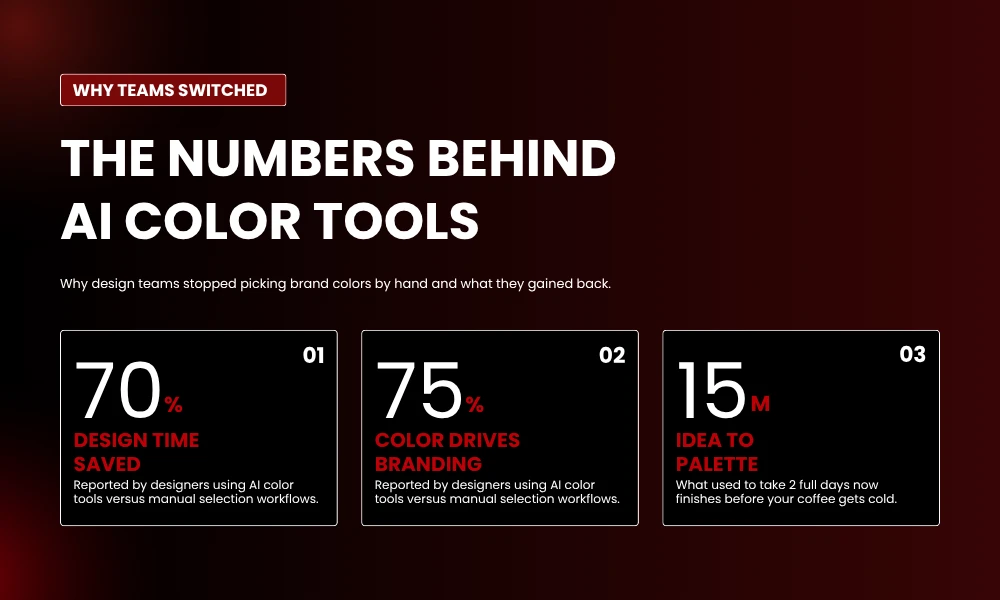
So things changed. AI took a job that ate full afternoons and shrunk it to maybe 15 minutes. The tool studies endless palettes, learns what works on real brands, hands you choices that pass color theory out the gate.
Small teams without a brand designer win the most here. You don’t need someone who’s memorized Pantone books anymore. Below: 12 picks. Match the tool to the project. Not the other way.
1. Khroma
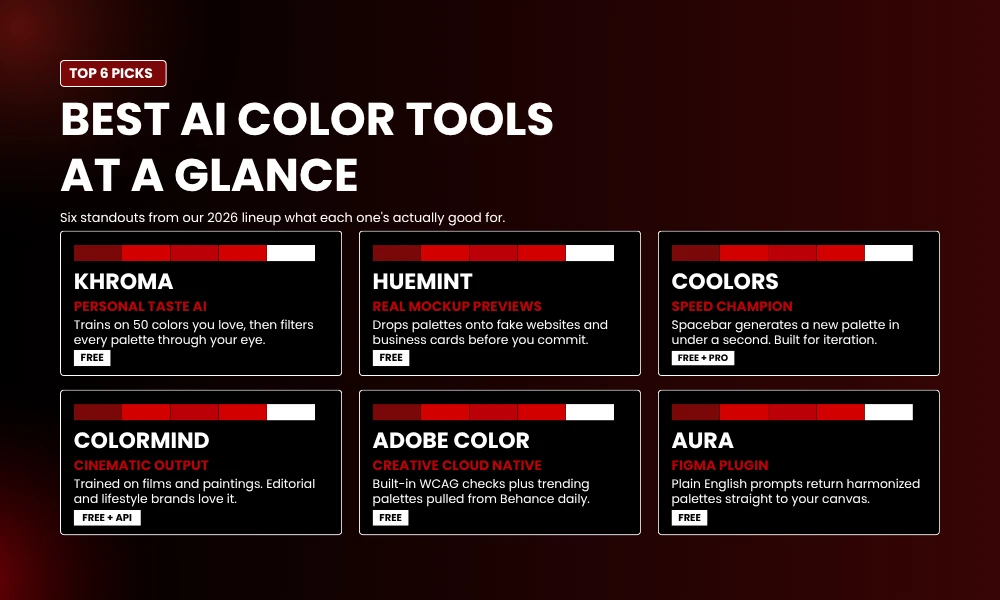
Khroma is clever. First thing it asks: pick 50 colors you like. That’s the training data. From then on, every palette gets filtered through your eye.
Previews come as typography, gradients, plain swatches. The search bar takes plain English. Type “sunset desert” and it works. Hex codes too. New to brand work? Start here.
Best for: Mood boards and exploration.
Pricing: Free.
2. Huemint
Huemint did what the others skipped. It drops your palette onto a real layout. Not just swatches, a fake website, sample business card, mock logo. You see how colors fight or play nice before committing.
There’s a creativity slider too. Drag from “safe corporate” all the way to “weird and bold.” Three ML models run under the hood. One is a diffusion model trained on over a million graphic designs. You can feel it. The output looks like real branding, not a lab exercise.
Best for: Startup brand kits, landing pages.
Pricing: Free.
3. Coolors
Coolors is the one most designers I know already use. Hit spacebar. Palette appears almost faster than you register it. They added an AI Color Bot recently. Plus a Tailwind preview that web devs spot instantly.
You also get image extraction, contrast checks, exports to Figma, CSS, PDF, SCSS. Pro plan unlocks the Palette Visualizer. Drops your scheme onto real UI mockups. That’s usually when the debating stops.
Best for: Speed, fast iteration.
Pricing: Free; Pro available.
4. Colormind
Colormind trained on something different. Photos, films, popular paintings, real UIs. The mix gives outputs a cinematic feel. Editorial and lifestyle brands keep returning to it.
You can lock colors and let AI fill the rest. Upload a photo. Done. One feature I keep using: Colormind tells you which color belongs in the background versus accents. Handy if layout decisions stress you out.
Best for: Editorial, fashion, creative agencies.
Pricing: Free; API from $19/month.
5. Adobe Color
Adobe Color’s been around forever. Still not stale. The Explore tab pulls trending palettes from Behance and Adobe Stock. So you see what designers are shipping this month. The Extract Theme tool grabs colors out of any uploaded image.
Living in Photoshop or Illustrator? This is your obvious pick. Everything syncs to Creative Cloud. WCAG checks are built in. You won’t accidentally ship something unreadable.
Best for: Adobe-native teams.
Pricing: Free with an Adobe account.
6. ColorMagic
ColorMagic takes any word and turns it into a palette. Brand name. Mood. A character name from a book. The interface stays simple on purpose. Beginners get it in seconds.
You can extract from images, blend two shades, generate gradients with CSS ready to paste. Exports are PNG. Easy to drop in a Slack thread. Nothing flashy. Just works.
Best for: Non-designers, content creators.
Pricing: Free.
7. Canva Color Palette Generator
Canva built its tool where most marketers already work. Drop an image. AI grabs a palette. That palette then flows through every template you touch. No copy-pasting hex codes.
The workflow win is huge. Lock in your brand colors once, every Canva graphic uses them automatically. Marketing teams running campaigns across Instagram, LinkedIn, email? Real value here from one feature alone.
Best for: Marketing teams making branded social content.
Pricing: Free with a Canva account.
8. Brandmark Color Wheel
Brandmark built its tool for logo and brand identity work, specifically. Doesn’t just throw colors at you. Shows how those colors land on real assets. Business cards. Packaging. Signage. Storefronts.
That context is what makes it stick. Every palette renders live on a sample logo and brand kit. Pair it with Brandmark’s logo maker and you’re surprisingly close to a finished brand kit before your morning coffee’s done.
Best for: Solo founders, small businesses building logo identity.
Pricing: Free for basics.
9. Palettemaker
Palettemaker shows your palette across nearly every surface a brand touches. Logos, posters, UI, patterns, illustrations. One dashboard, instant feedback.
Build with two, three, four, or five colors. Exports work for Procreate, Adobe ASE, images, code. Working designers built this for themselves. You can tell. Practical, no fluff.
Best for: Designers testing palettes across deliverables.
Pricing: Free.
10. Zoviz AI Color Palette Generator
Zoviz pairs its AI color palette generator with logo suggestions. Handy when you’re at the very start of a brand. Type your business name and industry. Out comes a color scheme plus matching logo ideas.
The output isn’t a final identity. Think of it as a strong first draft a designer can polish. Zoviz also rolls business cards, social headers, and merch into one workflow. If you want everything in one stop, it’s there.
Best for: Founders launching fast.
Pricing: Free; paid brand kit upgrades.
11. Hubspot Color Palette Generator
Hubspot’s tool is built for marketing. Feed it a base color or image. Get back complementary shades aimed at landing pages, email templates, lead magnets. Not abstract design stuff.
The interface is friendly for beginners. Includes notes on how each color shifts buyer psychology. Hubspot users get the bonus of palettes that drop right into the existing marketing stack.
Best for: Marketers building cohesive campaigns.
Pricing: Free.
12. Aura AI Color Palette Generator (Figma Plugin)
Aura runs inside Figma and works off plain English prompts. Type “elegant Swiss watch brand” or “playful kids’ education app.” Aura drops a harmonized palette right on your canvas.
The win? Zero friction. Your palette never leaves the file. No copy-pasting hex codes between tools. No version drift. No “wait, which palette did we agree on yesterday?” For teams in Figma all day, it’s as close to native as you’ll get.
Best for: UI and product teams in Figma.
Pricing: Free plugin.
How to Pick the Right Tool
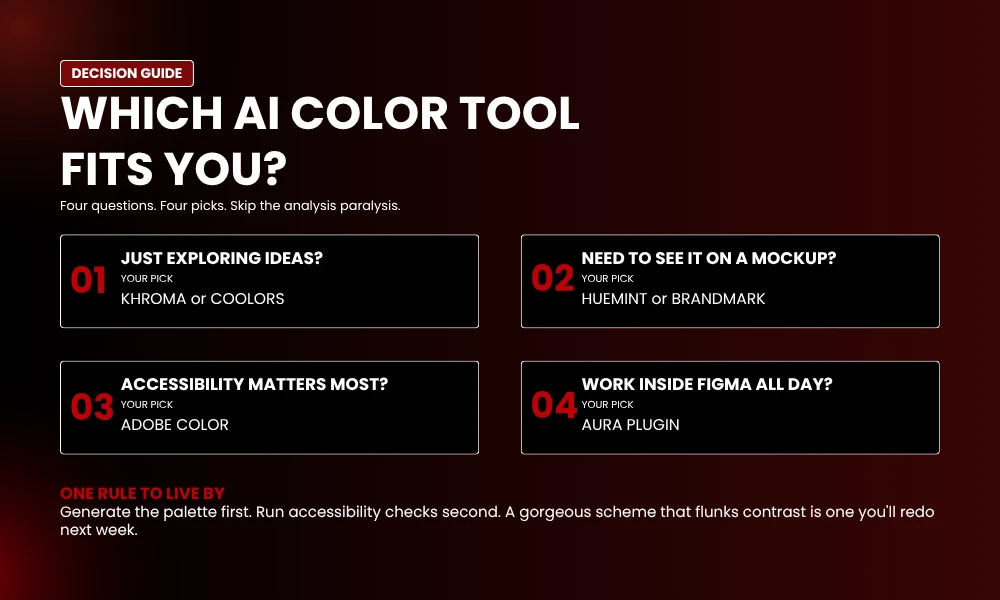
Start with what you’re building. Quick exploration? Khroma or Coolors gives you ideas in minutes. Need to see the palette on a real mockup before committing? Huemint and Brandmark, hard to beat. Accessibility-heavy work? Adobe Color leads.
One rule that’s saved me hours: generate fast, check accessibility second. A beautiful palette that flunks contrast is one you’ll redo next week. Most of these tools have WCAG checks built in. Use them every time.
Also, pick the tool that matches where your work ends up. Figma-first designers, grab Aura. Canva-first marketers, stay in Canva. Devs writing CSS will love Coolors and Colormind. The right AI color palette generator is the one that fits your day-to-day. Not the one with the slickest landing page.
Frequently Asked Question
What is an AI color palette generator?
A tool that uses machine learning to build color schemes from keywords, images, or hex codes. It’s studied massive sets of pro design work, so it suggests combos that follow color theory and hold up on real brand assets.
Which AI color palette generator is best for branding?
Huemint takes the top spot. It previews palettes on real logos, websites, business cards. Khroma and Brandmark are solid for brand identity too. Adobe Color is the obvious pick if you’re already on Creative Cloud.
Are AI color palette generators free?
Most of them, yes. Coolors, Colormind, Khroma, Huemint, Adobe Color all have free plans that cover basic use fine. Paid tiers usually unlock API access, mockup previews, bigger export limits.
Can AI tools pull brand colors from a logo or image?
Yes. The better ones nail it. Coolors, ColorMagic, Adobe Color, Brandfolder all extract dominant colors from uploads. AI tells the tool which are hero shades versus accents. Not just pixel counting.
How many colors should a brand palette have?
Three to five core colors. Plus a neutral or two. The 60-30-10 rule works well. 60% dominant, 30% secondary, 10% accent. Stick to it and your assets stay consistent everywhere.
Final Thoughts
A job that used to eat two days now takes 10 minutes. Pick the right AI color palette generator for your stage of work. You’ll walk away with a sharper visual voice. No weeks of revision.
Launching? Rebranding? Polishing a campaign? One of these 12 fits. Try two or three this week. See what clicks with your workflow. The palette your brand needs is honestly a few clicks away.