
Quick Answer
Time blocking is a scheduling method where you assign every task a specific start time, end time, and slot on your calendar, instead of working from an open-ended to-do list. Rather than asking “what should I do next?” all day, you decide in advance exactly when each task happens, then simply execute the plan.
The research behind it is stronger than most productivity techniques. A to-do list tells you what to do, not when, which is why most lists pile up instead of getting finished. Time blocking closes that gap, and a 2023 study titled “Focused Time Saves Nine” found that office workers with protected calendar blocks worked fewer after-hours, stayed more engaged, and reported higher productivity than a control group.
What Is Time Blocking?
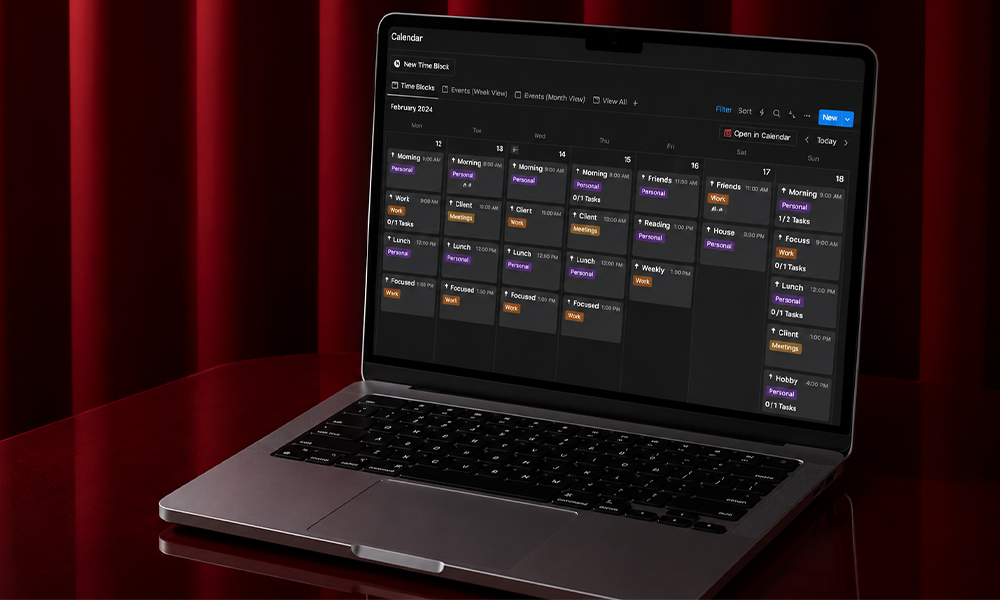
Time blocking is a scheduling method where you divide your day into dedicated blocks, each assigned to a specific task or category of work. Your calendar becomes your task manager instead of a record of meetings, with deep work treated as seriously as a client call.
This is different from a to-do list in one critical way: a to-do list records what needs to happen, but time blocking decides when. “Write the report” on a list stays vague and easy to postpone. “Tuesday 10am-12pm: draft the report” on a calendar becomes a real commitment, the same as any other appointment.
It’s also different from time boxing, a related but distinct technique. Time blocking assigns tasks to slots; time boxing sets a hard deadline for each task and forces you to stop when time’s up, finished or not. The highest performers often combine both: block your week at a high level, then time-box the hardest individual tasks inside those blocks.
The Research Behind the Time Blocking Method
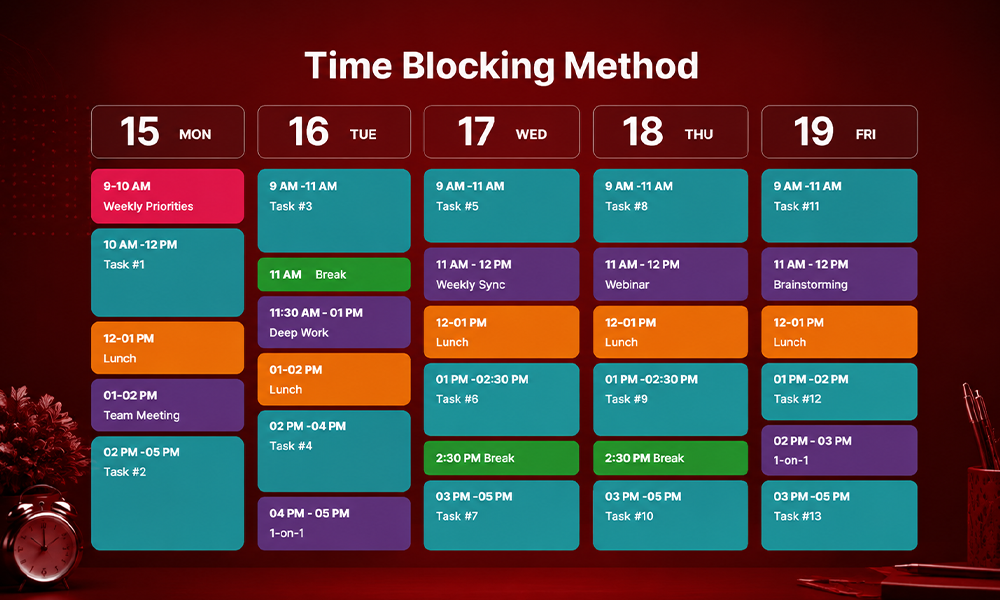
Three documented cognitive mechanisms explain why time blocking works, and none of them require willpower.
Attention residue. Sophie Leroy, a researcher at the University of Minnesota’s Carlson School of Management, found that switching tasks leaves a residue of attention still stuck on the previous task, degrading performance on the new one. Time blocking reduces switching by grouping similar work together.
The 23-minute switching tax. Research on interruption recovery consistently finds it takes about 23 minutes to fully regain concentration after a break in focus. With just 10 interruptions in a day, that’s nearly 4 hours lost to recovery alone, and the American Psychological Association’s review of task-switching research found multitasking can reduce productive output by up to 40% when switching is frequent.
Implementation intentions. A meta-analysis by psychologists Peter Gollwitzer and Paula Sheeran found that making a specific plan for when and where you’ll do something dramatically increases follow-through compared to a vague intention. “I’ll write the proposal sometime today” rarely happens. “Proposal, Tuesday, 9-11am” usually does.
Researcher Gloria Mark’s decades of tracking knowledge workers found that the ability to sustain focus on a single task has dropped 97% over 20 years, as smartphones and constant notifications became the baseline. Time blocking doesn’t fix that through discipline, it fixes it through calendar design, confining email and Slack to designated windows so focus isn’t interrupted in the first place.
How to Start Time Blocking: A 5-Step Framework
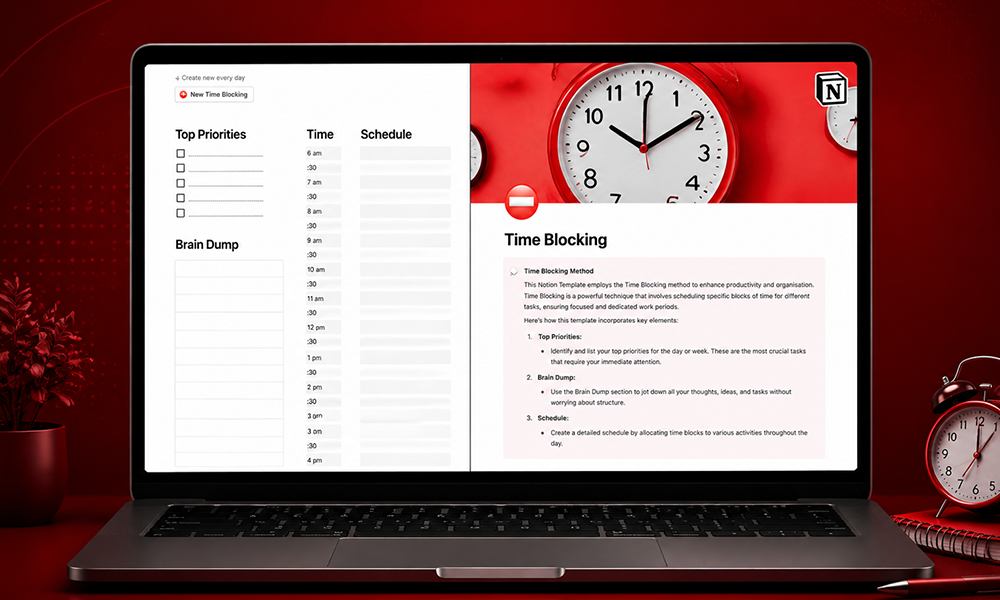
Step 1: List everything, then categorize it. Before you touch a calendar, write down every recurring task and commitment. Sort into rough categories: deep work, meetings, admin, communication, breaks.
Step 2: Identify your peak energy hours. Most people do their best cognitive work in a specific window, often mid-morning. Cognitive performance varies 15-30% depending on time of day, so your hardest tasks belong in your highest-energy block, not whenever there happens to be a gap.
Step 3: Block your deep work first. Reserve 90 to 120 minutes for your single most important task, before anything else goes on the calendar. This window should align with your peak energy hours and stay completely free of notifications.
Step 4: Batch communication into fixed windows. Instead of treating every email and Slack message as a live interruption, schedule two or three dedicated 30-minute windows, often late morning and late afternoon, for triage. Anything under two minutes gets handled immediately; everything else gets scheduled or delegated.
Step 5: Build in buffer time. A realistic schedule includes 30-40% buffer for the unexpected. Blocking 11 hours of deep work into an 8-hour day isn’t time blocking, it’s fantasizing about a day that won’t happen.
Time Blocking Template: A Sample Day
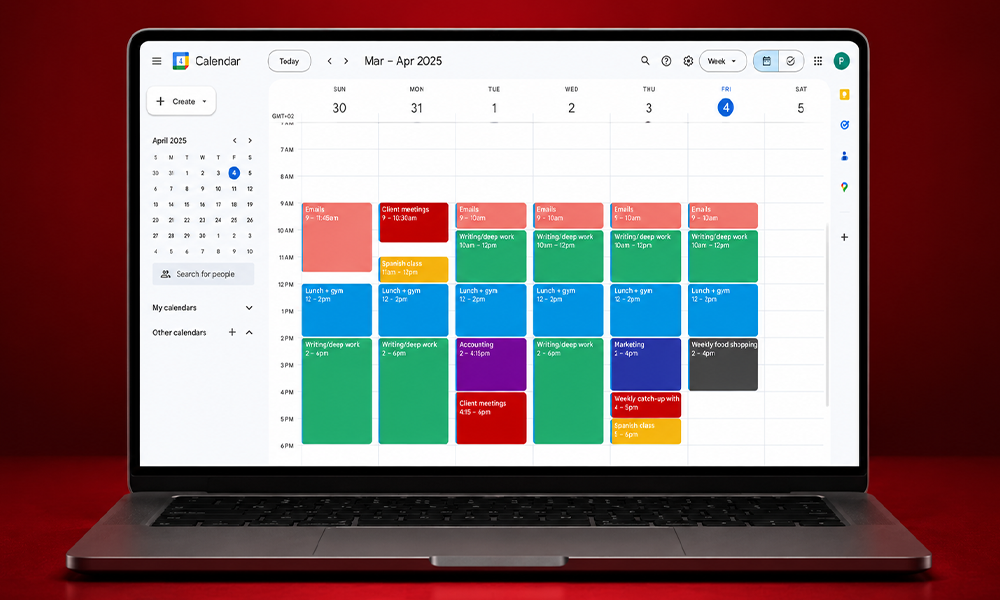
Here’s a basic daily planner structure you can adapt to your own schedule planning:
| Time | Block | Type |
| 7:00-8:00 AM | Morning routine, no screens | Personal |
| 8:00-9:00 AM | Email and message triage | Communication |
| 9:00-11:00 AM | Deep work: highest-priority task | Deep work |
| 11:00-11:30 AM | Break | Recovery |
| 11:30 AM-1:00 PM | Meetings | Collaboration |
| 1:00-2:00 PM | Lunch | Personal |
| 2:00-3:30 PM | Deep work: secondary project | Deep work |
| 3:30-4:00 PM | Email and message triage | Communication |
| 4:00-5:00 PM | Admin tasks, planning tomorrow | Admin |
| 5:00 PM | Day ends, calendar review | Reflection |
This template is a starting point, not a rule. The key is matching block difficulty to your actual energy at that hour, not copying someone else’s schedule wholesale.
Calendar Blocking vs. Other Productivity Techniques
Time blocking pairs well with other systems rather than replacing them entirely.
Time blocking + GTD. Use Getting Things Done to capture and organize every task and open loop, then time block your calendar using the prioritized GTD list. GTD handles the “what,” time blocking handles the “when.”
Time blocking + the Eisenhower Matrix. Sort tasks into urgent/important quadrants first, then assign the highest-priority quadrant to your protected deep work blocks.
Time blocking + Pomodoro. Use time blocking for your high-level daily structure, then break individual blocks into 25-minute Pomodoro sprints for tasks that benefit from a hard timer, like inbox triage or administrative work.
Each productivity technique solves a different problem. Time blocking eliminates drift by giving every hour a purpose; the system you pair it with should target whatever specifically breaks down in your current workflow.
Common Time Blocking Mistakes to Avoid
Overpacking the calendar. If your blocks don’t leave room for the unexpected, the first interruption collapses the entire day. Build in buffer deliberately.
Vague block labels. “Work on project” invites procrastination the same way an open-ended to-do list does. Be specific: “Draft sections 1-3 of Q3 report.”
Ignoring energy levels. Scheduling your hardest cognitive work during a natural energy dip wastes the technique’s biggest advantage. Match difficulty to energy, not just to open calendar space.
Treating the schedule as unbreakable. Dynamic time blocking treats changes as a feature, not a failure. When something urgent comes up, adjust the plan rather than abandoning the method entirely.
Skipping the weekly review. Time blocking improves through iteration. A quick weekly review of what worked and what didn’t sharpens the schedule over time.
Key Takeaways
- Time blocking moves decisions to your planning session, not your work session. When the calendar already says what to do, you skip the dozens of micro-decisions that drain mental energy throughout the day.
- The research is genuinely strong. Attention residue, the 23-minute switching tax, and implementation intention research all explain why protected, planned time outperforms reactive scheduling.
- Energy alignment matters as much as the blocking itself. Cognitive performance varies 15-30% by time of day, so match your hardest tasks to your highest-energy hours.
- Buffer time isn’t optional. A realistic schedule includes 30-40% slack; overpacking the calendar guarantees the plan breaks on day one.
- Time blocking works best combined with other systems. Pairing it with GTD, the Eisenhower Matrix, or Pomodoro covers prioritization and execution gaps that time blocking alone doesn’t solve.
FAQ: Time Blocking
What is the time blocking method?
A scheduling technique where you assign every task a specific start and end time on your calendar in advance, rather than working from an open-ended to-do list.
Is time blocking the same as time boxing?
No. Time blocking assigns tasks to calendar slots; time boxing sets a hard deadline that forces you to stop when time’s up, finished or not. Many people use both together.
How much buffer time should I include in my schedule?
Most productivity research recommends 30-40% buffer time built into a daily schedule to absorb interruptions, overruns, and unexpected priorities.
What’s the best daily planner structure for beginners?
Start with three to four blocks for your highest-priority work, including one protected 90-minute deep work session, then expand gradually as the habit sticks.
Does time blocking actually improve productivity?
Yes, research shows it reduces after-hours work, increases engagement during focus sessions, and improves follow-through by turning vague intentions into specific, time-stamped commitments.
The Bigger Picture
Time blocking isn’t a productivity trend, it’s a structural fix for a problem every knowledge worker faces: a default state that’s reactive rather than intentional. As a time management system, it works precisely because it removes that default. Email, meetings, and notifications will always compete for your attention unless something else claims it first.
The technique works because it’s grounded in real cognitive mechanisms, not motivation or willpower. Protecting time on a calendar removes the decision-making burden during the workday and puts it where it belongs: in a calm planning session, before the chaos starts.
Pick one method from this guide. Block out tomorrow’s first deep work session, 90 minutes, one task, no notifications. Review what worked at the end of the week, then iterate. That single block, repeated daily, is the foundation everything else in this guide builds on.