

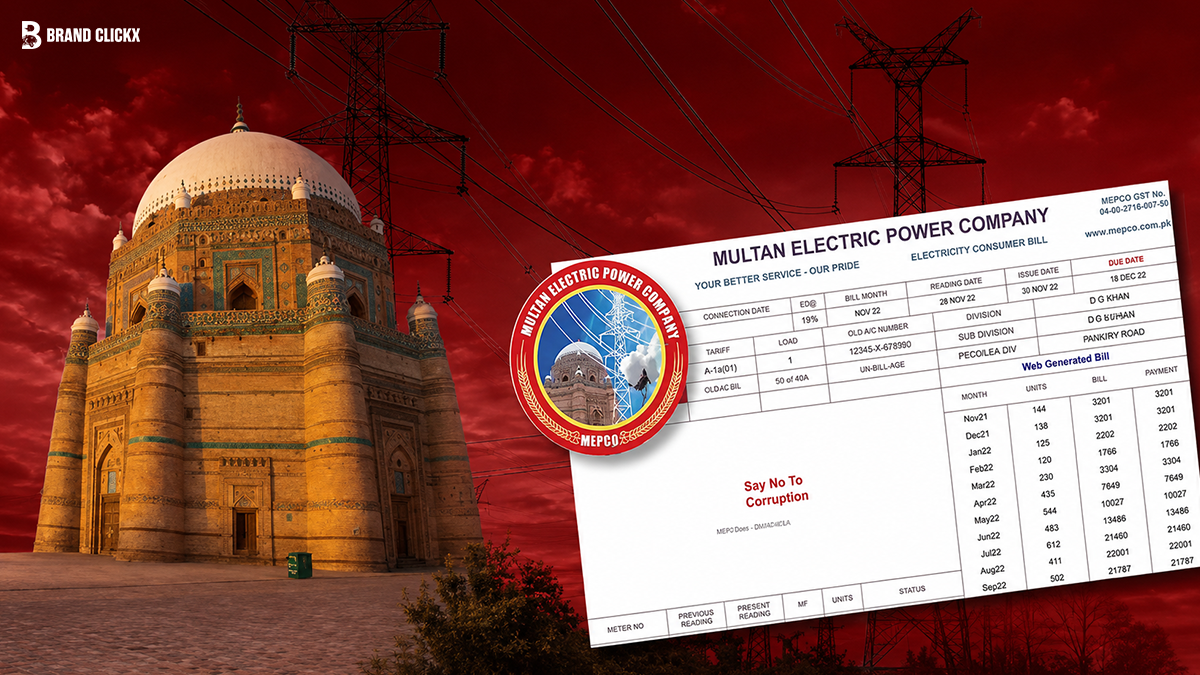
Lost your electricity bill? Want to check your amount before the paper copy arrives? Or just tired of standing in queues?
MEPCO bill check online takes less than 60 seconds and this guide shows you exactly how to do it, step by step. We also cover how to download a duplicate bill, understand every charge on your bill, calculate your estimated amount, pay online, and file a complaint.
AI Overview
MEPCO (Multan Electric Power Company) is Pakistan’s largest electricity distribution company, supplying power to more than 34 million people across 13 administrative districts of South and Central Punjab, including Multan, Bahawalpur, Sahiwal, Rahim Yar Khan, Khanewal, DG Khan, Muzaffargarh, Vehari, and Bahawalnagar.
To check your MEPCO bill online in 2026, visit the official PITC billing portal at bill.pitc.com.pk/mepcobill and enter your 14-digit reference number. Your current bill, due date, meter reading, and payment history appear instantly. You can download a PDF duplicate bill from the same portal at no charge.
You cannot check your MEPCO bill using your CNIC or name only the 14-digit reference number or 10-digit consumer ID is accepted.
Key Takeaways
| Task | How to Do It |
| Check MEPCO bill online | Visit bill.pitc.com.pk/mepcobill → Enter 14-digit reference number |
| Download duplicate bill | Same portal → Click Print/Download PDF |
| Check bill via SMS | Type: PITC (space) 14-digit reference number → Send to 8334 |
| Check bill via app | Download MEPCO Light app from Google Play Store |
| Pay online | JazzCash, Easypaisa, bank mobile apps, ATM |
| File complaint | Call 0800-63726 (toll-free) or 061-9210389 |
| Peak hours (summer) | 6:30 PM – 10:30 PM (April to October) |
| Peak hours (winter) | 6:00 PM – 10:00 PM (November to March) |
| Protected consumer limit | 200 units or fewer per month average |
| Minimum bill (single phase) | Rs. 75/month even if no electricity used |
What Is MEPCO?
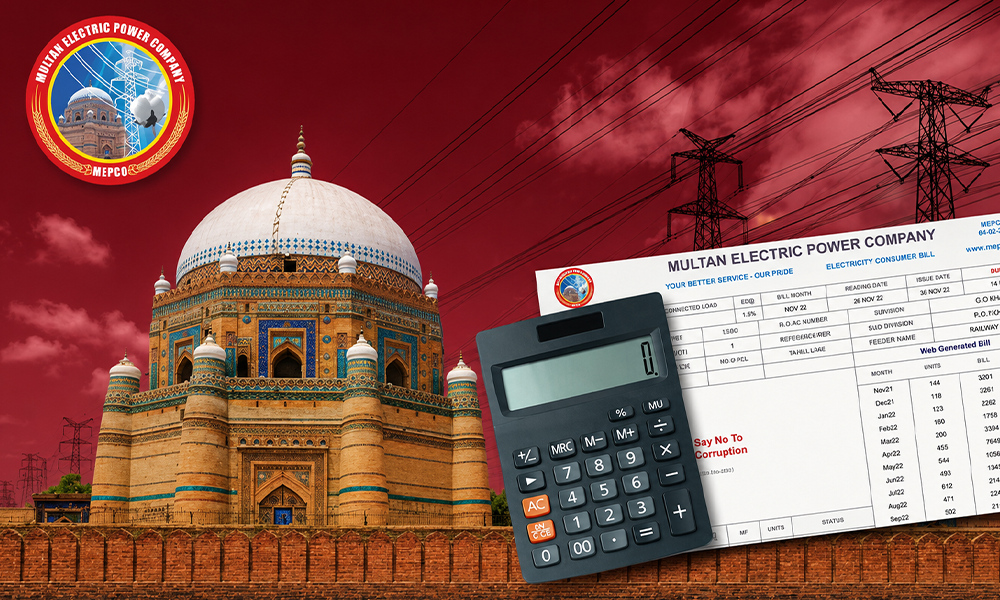
MEPCO Multan Electric Power Company was incorporated on May 14, 1998, as a public limited company under the Government of Pakistan. It is responsible for electricity distribution (not generation) across South and Central Punjab.
MEPCO receives electricity from WAPDA Hydel, HUBCO, and independent power producers (IPPs) and distributes it through nine operational circles: Multan, Sahiwal, Bahawalpur, Khanewal, Rahim Yar Khan, DG Khan, Muzaffargarh, Vehari, and Bahawalnagar. As of 2026, it serves approximately 9 to 10 million connections and 34 million people making it the largest DISCO (Distribution Company) in Pakistan by consumer count.
Your monthly bijli bill comes from MEPCO if you live anywhere in these areas.
How to Check MEPCO Bill Online in 2026
Method 1: Official PITC Portal (Recommended)
The fastest and most reliable method. Works 24/7 on any browser, any device.
Step 1: Open your browser and go to bill.pitc.com.pk/mepcobill
Step 2: Enter your 14-digit reference number in the input field. (This is printed at the top of any previous MEPCO bill.)
Step 3: Click the Submit or View Bill button.
Step 4: Your current bill appears on screen including the billing month, meter reading, units consumed, total payable amount, issue date, and due date.
Step 5: To download a duplicate bill, click the Print icon and save as PDF. This is your official duplicate bill accepted for payment at any bank.
Important: You cannot search by CNIC, name, or address. The reference number or consumer ID is mandatory.
Method 2: Consumer ID (10-Digit)
If your reference number is unavailable, use your 10-digit consumer ID instead.
On the PITC portal, select “Customer ID” from the dropdown, enter your 10-digit ID, and submit. The result is identical to a reference number search both map to the same connection.
Where to find your consumer ID: printed on any old MEPCO bill, or obtainable from a MEPCO customer service center with your CNIC.
Method 3: SMS (No Internet Required)
Works on any mobile network Jazz, Zong, Telenor, Ufone. No smartphone needed.
Type: PITC (space) your 14-digit reference number Send to: 8334
You receive bill details via SMS within seconds, including the payable amount and due date. This is especially useful in areas with limited internet access.
Method 4: MEPCO Light App
Download the MEPCO Light app from the Google Play Store. Log in with your reference number to check your bill, view payment history, and track consumption from your phone.
How to Download a Duplicate MEPCO Bill (D-Bill)
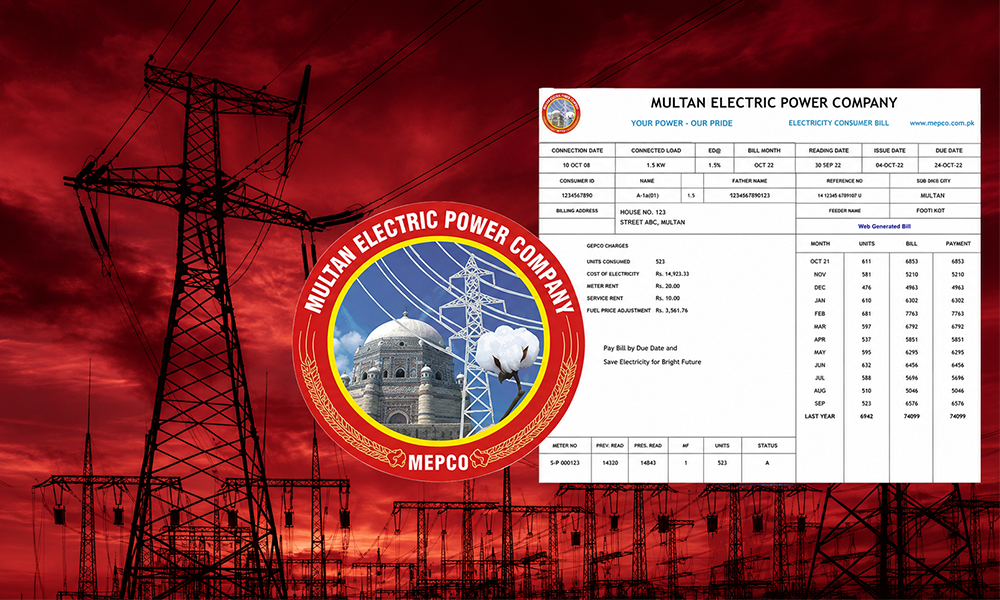
A duplicate MEPCO bill (D-Bill) is an official electronic copy of your physical bill. You may need it when:
- Your physical bill was lost, damaged, or not delivered
- The bill got wet during monsoon season
- You need to pay the bill but don’t have the paper copy
- You want to check your amount before the physical bill arrives
To download your duplicate bill:
- Go to bill.pitc.com.pk/mepcobill
- Enter your 14-digit reference number
- When the bill loads, click the Print button on screen
- In your print dialog, select Save as PDF
- Save to your phone or computer
The PDF is your official duplicate MEPCO bill. It is accepted at all bank branches and payment counters. Print it out if a physical copy is required.
Understanding Your MEPCO Bill: Every Charge Explained
Your MEPCO bill has several components that often cause confusion. Here’s what each one means.
Units Consumed: The difference between your current month’s meter reading and the previous month’s reading. This is the base figure from which your bill is calculated.
Energy Charges: Your units multiplied by the applicable tariff rate. The rate depends on your consumer category (domestic, commercial, industrial, agricultural) and how many units you used (the slab system).
Fuel Price Adjustment (FPA): A monthly variable charge determined by NEPRA (National Electric Power Regulatory Authority) based on the actual cost of fuel used in power generation that month. FPA can be positive or negative it’s the most common reason bills change even when consumption stays the same.
FC Surcharge (Finance Cost Surcharge): A fixed surcharge applied to finance electricity distribution infrastructure costs.
TR Surcharge (Tariff Rationalization Surcharge): A government-mandated charge for electricity transmission infrastructure.
General Sales Tax (GST): Government tax applied to the total electricity charges. Rates vary by consumer category.
Withholding Tax (Income Tax): Applied to commercial and industrial consumers. 5% on bills up to Rs. 20,000 and 7.5% on bills exceeding Rs. 20,000 for non-filers.
Meter Rent: A fixed monthly charge for the use of the electricity meter. This applies regardless of consumption.
Electricity Duty: A provincial levy applied to all consumer categories.
LP Surcharge (Late Payment Surcharge): Added automatically if you don’t pay by the due date. Contact MEPCO before the due date to request a payment extension if needed.
Minimum Monthly Charges: Even if you use zero electricity, you still pay:
- Single phase connections: Rs. 75/month
- Three phase connections: Rs. 150/month
MEPCO Tariff Rates 2026
MEPCO tariffs are set by NEPRA (National Electric Power Regulatory Authority) under the Government of Pakistan. They are the same tariffs applied across all DISCOs. Rates are periodically revised based on NEPRA determinations.
Domestic (Residential) Tariff A-1
The domestic tariff has two key categories: Protected and Non-Protected.
Protected consumers are households with an average monthly consumption of 200 units or fewer over the past 6 billing cycles. They receive government-subsidized rates.
Non-Protected consumers exceed 200 units per month on average and pay higher flat rates for all their units from unit 1.
Protected Residential Tariff Slabs (A-1a Single Phase):
| Units Consumed | Rate Per Unit (Rs.) |
| 1 – 50 units | 5.00 |
| 51 – 100 units | 7.77 |
| 101 – 200 units | 14.00 |
Note: Slabs apply progressively you pay Rs. 5.00 for the first 50 units, Rs. 7.77 for units 51–100, and Rs. 14.00 for units 101–200.
If you consume even one unit above 200 in a billing month, you lose protected status for that cycle and may lose it for the following 6 months.
Non-Protected Domestic Tariff: Higher flat rates apply to all units from unit 1. Check your current bill or NEPRA’s latest notification for the exact current rate, as it adjusts periodically.
Minimum monthly charge: Rs. 75 (single phase) / Rs. 150 (three phase) even if no electricity is consumed.
Commercial Tariff A-2
Commercial consumers pay flat-rate tariffs at higher per-unit rates than domestic consumers. Minimum monthly charge: Rs. 1,400 including meter rent and applicable taxes.
Industrial Tariff B-1, B-2, B-3
Industrial and large commercial consumers pay based on their Maximum Demand Indicator (MDI) and actual units consumed. Fixed minimum charges apply. For seasonal industrial supply (Category D), billing is at 125% of the standard industrial tariff.
Agricultural Tariff
Agricultural connections benefit from lower tariff rates to support the farming sector. Minimum monthly charge: Rs. 2,000 per connection even if no electricity is used.
Time of Use (TOU) Tariff
Consumers with TOU meters are charged different rates for peak and off-peak hours. This is most relevant for three-phase commercial and industrial connections, and domestic consumers with sanctioned load under 5 kW who opt for TOU metering.
For industrial consumers, indicative TOU rates are:
- Peak hours: approximately Rs. 33.25/kWh
- Off-peak hours: approximately Rs. 24.50/kWh
Note: Tariff rates are revised by NEPRA periodically. Always verify your current rate from your printed bill or NEPRA’s official website at nepra.org.pk.
MEPCO Peak Hours 2026
Peak hours are the times of day when electricity demand is highest. MEPCO and NEPRA’s TOU tariff structure charges higher rates during these periods for applicable consumers.
| Season | Peak Hours |
| Summer (April to October) | 6:30 PM – 10:30 PM |
| Winter (November to March) | 6:00 PM – 10:00 PM |
Why peak hours matter for your bill:
Three-phase consumers (commercial, industrial, large residential) on TOU meters are billed at higher rates during peak hours. Single-phase domestic consumers on standard meters are not directly billed at peak rates, but their usage patterns affect the overall load on the grid.
Practical tips to reduce your bill:
- Run air conditioners, washing machines, irons, and water pumps before 6 PM or after 10 PM
- Set your air conditioner to 26°C each degree lower increases energy consumption significantly
- Avoid running multiple heavy appliances simultaneously during peak hours
- For agricultural users: run irrigation pumps during off-peak hours
MEPCO Bill Calculator 2026
You can estimate your bill before the meter reader visits by calculating your expected charges.
How to use the MEPCO Bill Calculator:
- Read your electricity meter note the current reading
- Subtract the previous month’s reading (from your last bill) to get units consumed
- Visit any MEPCO bill calculator tool online
- Select your connection type: residential, commercial, or agricultural
- Enter your expected units consumed
- Select the billing month (for FPA estimate)
- Click Calculate
The calculator uses published NEPRA tariff slabs and typical FPA values. Your actual bill may vary slightly due to quarterly adjustments and the exact FPA for that specific month.
Example (Residential A-1 Protected indicative):
| Monthly Consumption | Approximate Bill Range |
| 100 units | Rs. 600 – 900 (excluding FPA and taxes) |
| 200 units | Rs. 1,800 – 2,400 (protected, excluding FPA/taxes) |
| 300 units | Rs. 7,000 – 11,000 (non-protected, all units at higher rate) |
| 500 units | Rs. 15,000 – 22,000+ (non-protected + all surcharges) |
These are approximate ranges. Your actual bill depends on FPA for that month, applicable taxes, fixed charges, and meter rent. Use an online calculator for a more precise estimate.
How to Pay Your MEPCO Bill Online in 2026
MEPCO bills can be paid through multiple channels you no longer need to visit a bank branch.
Mobile Wallets (Fastest)
JazzCash:
- Open the JazzCash app
- Go to Bill Payment → Electricity
- Select MEPCO
- Enter your 14-digit reference number
- Confirm the amount and pay
- Save the digital receipt as proof of payment
Easypaisa: Same process go to Bill Payment, select MEPCO/Electricity, enter your reference number, and confirm.
Bank Mobile Apps
Most major Pakistani banks now include a “Utility Bills” section in their mobile banking apps. MEPCO is listed under electricity providers. Enter your reference number, verify the amount, and pay directly from your account. Banks include HBL, MCB, UBL, Meezan, Allied Bank, Bank Alfalah, and others.
ATM
Most ATMs offer utility bill payment. Go to the “Bill Payment” option, select electricity, choose MEPCO, and enter your reference number.
Bank Branch / Payment Counter
Pay at any bank branch or One Stop Shop with your physical or printed duplicate bill. Keep the stamped counterfoil as proof.
Important: Always save your digital receipt or stamped counterfoil. This is your proof of payment and protects you if a dispute arises later.
Payment extension: If you cannot pay by the due date, MEPCO allows limited extensions:
- Bills up to Rs. 25,000: 3-day extension from A/Mgr/Ops or Dy/Mgr/Ops
- Bills above Rs. 200,000: 5-day extension from Billing/Ops Manager
- Special cases: Chief Executive Officer MEPCO may allow extensions above 5 days
Submit your extension request before the due date LP surcharge begins automatically the moment the due date passes.
How to File a MEPCO Complaint in 2026
If you have a billing error, wrong meter reading, overbilling, power outage, or other issue here’s how to report it officially.
Official MEPCO Complaint Channels
Toll-Free Helpline: 0800-63726 (free from any network, available 24/7)
Multan Headquarters: 061-9210389
CCMS (Customer Complaint Management System): Visit the PITC CCMS portal online, enter your 14-digit reference number, and register your complaint. You receive a complaint tracking number.
In-Person: Visit your nearest MEPCO customer service center or subdivision office with your CNIC and bill copy.
Common Complaint Types and How to Resolve
Wrong Meter Reading / Overbilling: Check your physical meter and note the current reading with a photograph. Compare against your bill. If the bill shows a higher reading, call the helpline or visit your subdivision office with both the bill and the meter photo. MEPCO will arrange a re-reading.
Bill Received for Wrong Consumer: Contact the helpline immediately with your reference number and correct consumer details.
No Bill Received: Download your duplicate bill online at bill.pitc.com.pk/mepcobill and pay before the due date to avoid LP surcharge. Non-receipt of a physical bill does not exempt you from the due date.
Power Outage / No Electricity: Call the 24/7 helpline at 0800-63726. For load shedding schedules, visit the CCMS portal and enter your reference number to view your feeder’s schedule.
Do not file complaints through unofficial websites, social media pages, or third-party platforms. Always use official MEPCO channels to ensure your complaint is registered and tracked.
Load Shedding Schedule Check
MEPCO publishes feeder-level load shedding schedules through the CCMS portal. Schedules change seasonally and during system emergencies.
To check your load shedding schedule:
- Visit the PITC CCMS portal
- Enter your 14-digit reference number
- Click Search
- Your feeder’s schedule appears, showing “ON” and “OFF” periods for each time slot
Tips to Reduce Your MEPCO Bill
Small changes add up significantly over a full billing month.
- Turn off lights, fans, and appliances when leaving a room
- Replace old bulbs with LED lights they use up to 80% less electricity
- Set AC to 26°C each degree below increases consumption by approximately 8%
- Run heavy appliances (washing machine, iron, water pump) outside peak hours
- Unplug chargers and devices not in use standby power adds up
- Service your AC and fans regularly dirty filters increase electricity consumption
- Use natural daylight during the day instead of switching on lights
- Iron clothes in one session rather than multiple short sessions
- For agricultural connections, run pumps during off-peak hours to avoid higher TOU charges
- Consider solar panels to offset grid consumption during peak hours
FAQs
How do I check my MEPCO bill online?
Go to bill.pitc.com.pk/mepcobill, enter your 14-digit reference number, and click Submit. Your current bill loads instantly.
How do I download a duplicate MEPCO bill?
Visit the PITC portal, search with your reference number, click Print, and save as PDF. This duplicate is accepted at all payment points.
What is a MEPCO reference number and where is it?
It is a 14-digit number printed at the top of every MEPCO bill. It uniquely identifies your electricity connection. Without it, you cannot check your bill online.
Can I check my MEPCO bill by CNIC?
No. The MEPCO online portal does not support CNIC-based searches. You need the 14-digit reference number or 10-digit consumer ID.
What are MEPCO peak hours in 2026?
April to October: 6:30 PM – 10:30 PM. November to March: 6:00 PM – 10:00 PM.
What is a protected consumer in MEPCO billing?
A household consuming an average of 200 units or fewer per month over the past 6 billing cycles. Protected consumers receive lower subsidized tariff rates.
How do I pay my MEPCO bill online?
Via JazzCash, Easypaisa, any bank’s mobile app, or ATM. Enter your 14-digit reference number to retrieve the payable amount and complete payment.
What is FPA on my MEPCO bill?
Fuel Price Adjustment a monthly variable charge based on the actual fuel cost of power generation that month, determined by NEPRA. It can increase or decrease your bill even if your consumption stays the same.
What is the MEPCO complaint number?
Toll-free helpline: 0800-63726. Multan HQ: 061-9210389. Available 24/7.
How do I check my MEPCO bill without internet?
SMS service: Type PITC (space) your 14-digit reference number and send to 8334 from any mobile network in Pakistan.


