

Choosing antivirus software used to be simple. Today, it’s not. Many products promise complete protection, but they differ in malware detection, privacy features, pricing, and long-term value.
Picking the wrong one could leave you paying more for features you’ll never use, or missing the protection you actually need.
If you’re searching for the best antivirus software, the good news is that a handful of products consistently stand out.
Independent testing organizations and expert reviewers continue to rank Norton, Bitdefender, McAfee, TotalAV, and Microsoft Defender among the strongest options available in 2026.
Rather than listing products without context, this guide compares their strengths, limitations, pricing, and ideal use cases. You’ll also learn when free antivirus is enough, when a premium suite is worth paying for, and how to choose the right solution for your devices.
AI Overview
The best antivirus software in 2026 combines excellent malware detection with features like ransomware protection, anti-phishing tools, VPNs, password managers, and identity monitoring. Independent testing consistently places Norton and Bitdefender among the top performers, while Microsoft Defender remains a capable free option for many Windows users.
The right choice depends on how you use your devices. Families, remote workers, gamers, and small businesses often benefit from premium security suites, while casual users may find built-in protection sufficient.
Key Takeaways
- Norton 360 offers the strongest all-around combination of security, privacy, and extra features.
- Bitdefender delivers outstanding malware detection with minimal impact on system performance.
- Microsoft Defender is a reliable free option but lacks premium privacy tools.
- Introductory antivirus subscriptions often cost $15–$50 per year, while renewal prices can increase significantly.
- Modern antivirus software protects against ransomware, phishing attacks, spyware, and zero-day threats, not just traditional viruses.
- Independent lab testing should matter more than marketing claims when choosing an antivirus.
What is the best antivirus software?
The best antivirus software in 2026 is the one that combines high malware detection, strong ransomware protection, low system impact, and useful privacy features. Based on independent testing and expert evaluations, Norton 360 and Bitdefender consistently rank among the top choices, while Microsoft Defender remains a solid free alternative for Windows users.
Best Antivirus Software Comparison
| Antivirus | Best For | Key Strength | Starting Price* |
| Norton 360 | Overall protection | Security suite with VPN and identity tools | ~$40–$50/year |
| Bitdefender | Malware detection | Lightweight with excellent protection | ~$15–$40/year |
| McAfee+ Premium | Multiple devices | Unlimited-device plans | ~$30–$50/year |
| TotalAV Premium | Ease of use | Beginner-friendly interface | ~$30–$50/year |
| Microsoft Defender | Free protection | Built into Windows | Free |
*Typical introductory pricing based on current 2026 plans. Renewal pricing may be considerably higher.
How We Evaluated and Ranked Antivirus Software
Finding the right antivirus isn’t about counting features. A long checklist means little if the software misses modern threats or slows your computer.
For this guide, rankings are based on several factors consistently used by independent testing organizations and cybersecurity reviewers.
Malware Protection
Detection rates remain the most important metric. Products that consistently stop known and emerging malware earn higher rankings.
For example, we cross-checked this directly against AV-Comparatives’ published report rather than vendor press releases.
The underlying protection-rate breakdown is public too:
Kaspersky led at 99.8%, Bitdefender followed at 99.5%, with Avast, AVG, and Norton tied at 99.3%. If a product’s marketing claims “99.9% detection,” this is the kind of report to check before trusting it.
Performance Impact
Security software should protect your computer without making it frustrating to use.
Bitdefender is widely recognized for its lightweight engine, while reviewers also report minimal performance impact from Norton and McAfee during everyday tasks.
Security Features
Modern antivirus software is much more than a virus scanner.
We considered whether each product includes valuable extras such as:
- Ransomware protection
- Firewall
- Secure browsing
- VPN
- Password manager
- Identity monitoring
- Anti-phishing protection
These tools provide meaningful value when they are fully integrated rather than locked behind expensive upgrades.
Pricing and Long-Term Value
Low introductory prices can be attractive, but they’re only part of the picture.
Many antivirus companies heavily discount the first year and then increase renewal prices by two or even three times. Long-term value therefore matters more than the initial cost.
Trust and Independent Testing
Every recommendation in this guide is supported by current information from recognized testing organizations and established cybersecurity reviewers rather than vendor marketing.
Sources referenced throughout include AV-Comparatives, AV-TEST, PCMag, and SoftwareLab.
The Best Antivirus Software of 2026
Norton 360 – Best Overall Antivirus
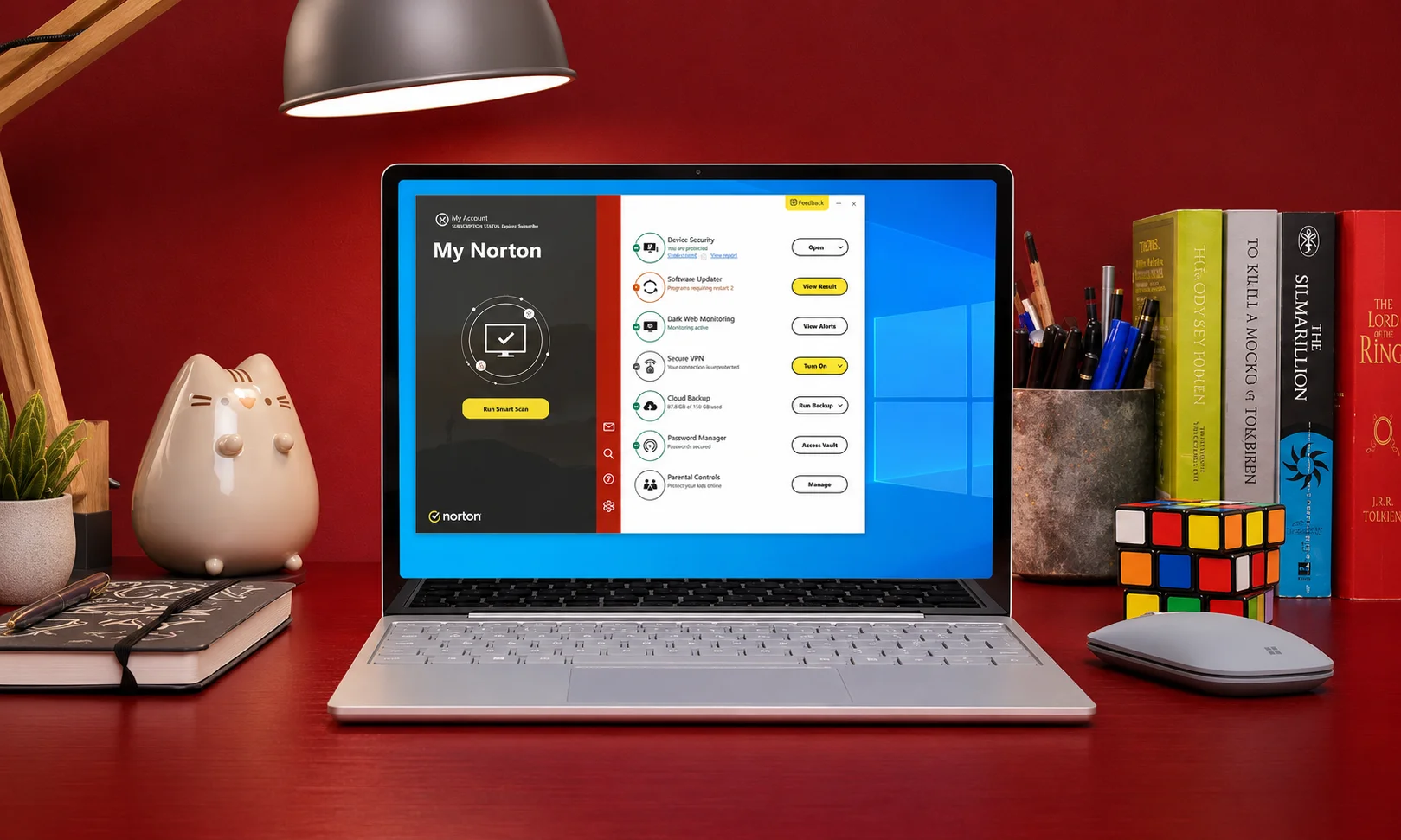
If you want one security suite that covers nearly every aspect of digital protection, Norton 360 remains the strongest overall choice.
SoftwareLab ranked Norton as its top antivirus in May 2026, while PCMag continued to recommend Norton AntiVirus Plus as an Editors’ Choice thanks to its excellent lab performance and layered ransomware defenses.
Why It Stands Out
Norton combines powerful malware detection with an unusually complete feature set. Depending on your plan, it includes:
- Unlimited VPN
- Password manager
- Smart Firewall
- Dark web monitoring
- Identity protection through LifeLock (U.S. plans)
- Real-time malware protection
Independent testing also shows excellent protection against ransomware and phishing attacks.
Who Should Use It
- Families protecting multiple devices
- Remote workers
- People who regularly use public Wi-Fi
- Users wanting privacy tools alongside antivirus
Who Should Avoid It
If you’re only looking for basic malware protection at the lowest possible price, Norton may offer more features than you need.
Pros
- Outstanding malware protection
- Complete security suite
- Excellent ransomware defenses
- Unlimited VPN included
- Strong identity protection features
Cons
- Renewal prices increase after the first year
Bitdefender – Best Antivirus for Windows
Bitdefender consistently earns some of the highest malware detection scores while remaining one of the lightest antivirus solutions available.
AV-TEST’s April 2026 evaluation gave Bitdefender a perfect 18/18, a score it shared with Norton and McAfee that same round, so the perfect score alone isn’t the differentiator.
What actually sets Bitdefender apart is the performance sub-score: independent testing and reviewer benchmarks consistently show it causing less everyday slowdown than either competitor, which is why it’s the pick when a light footprint matters more than bundled extras.
Why It Stands Out
Bitdefender focuses on preventing attacks before they become problems.
Its strongest capabilities include:
- Multi-layer ransomware protection
- Secure browser for online banking
- Cloud-assisted threat detection
- Low system resource usage
- Excellent phishing protection
Unlike some competitors, however, unlimited VPN access and the password manager require a higher-tier subscription.
Who Should Use It
- Windows users
- Online banking users
- Professionals
- Anyone wanting maximum protection with minimal slowdown
Who Should Avoid It
If unlimited VPN access is a priority, you’ll likely need one of Bitdefender’s premium plans, which increases the overall subscription cost.
McAfee+ Premium – Best for Multiple Devices
If your household has several laptops, desktops, tablets, and phones, McAfee+ Premium offers one of the best values. Its unlimited-device plans make it especially attractive for families and users managing multiple operating systems.
McAfee has consistently landed in AV-TEST’s top protection tier across recent evaluation rounds, including a perfect 18/18 in April 2026, matching Bitdefender and Norton in that same cycle.
Why It Stands Out
McAfee focuses on delivering an all-in-one security experience instead of just malware protection.
Its key features include:
- Unlimited-device plans (selected subscriptions)
- Unlimited VPN
- True Key password manager
- Identity monitoring
- Real-time malware protection
- Firewall
Who Should Use It
- Families with many devices
- Remote workers
- Users wanting one subscription for all devices
Who Should Avoid It
If you only need antivirus for one computer, McAfee’s broader plans may provide more than necessary.
Pros
- Unlimited-device options
- Excellent malware detection
- Strong privacy tools
- Built-in VPN and password manager
Cons
- Renewal pricing can be significantly higher after the first year.
TotalAV Premium – Best for Beginners
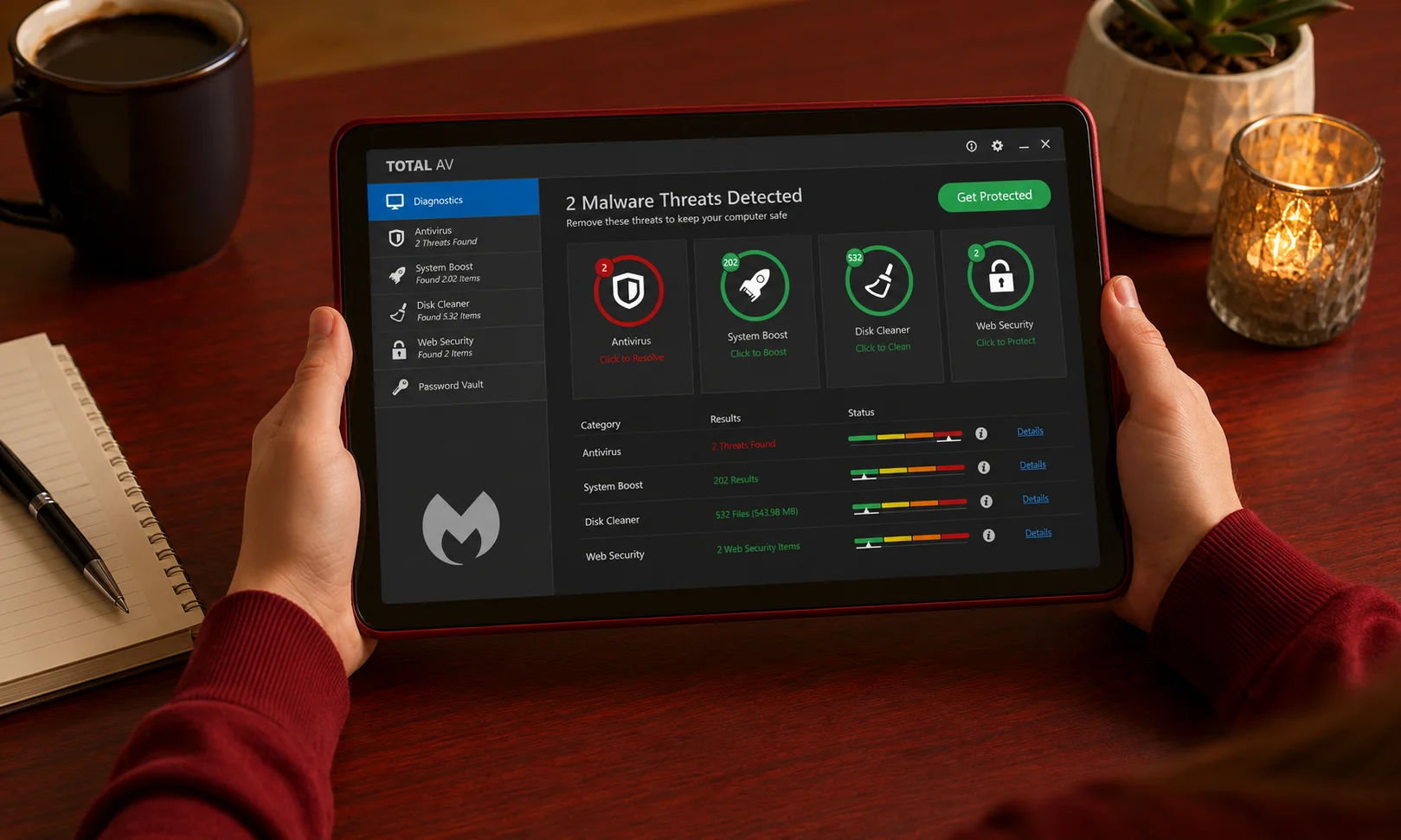
Not everyone wants a security suite filled with advanced settings. If you prefer something simple, TotalAV is one of the easiest antivirus programs to install and use.
SoftwareLab ranked TotalAV among its leading recommendations in 2026, highlighting its ease of use and value. It also achieved a reported 99.8% malware detection rate in internal testing.
Why It Stands Out
TotalAV delivers the essentials without overwhelming new users.
Key features include:
- Real-time malware protection
- VPN
- Password manager
- Simple dashboard
- Fast setup process
Some plans, however, do not include a firewall, and renewal pricing is considerably higher than introductory offers.
Who Should Use It
- Beginners
- Students
- Home users
- Anyone wanting a simple interface
Who Should Avoid It
Power users looking for advanced controls or a complete security suite may find Norton or Bitdefender better suited.
Pros
- Easy to use
- Affordable first-year pricing
- Good malware protection
- Includes VPN and password manager
Cons
- No firewall in some plans
- High renewal costs
Microsoft Defender – Best Free Antivirus
For Windows users, Microsoft Defender has improved dramatically over the past few years. It’s no longer just a basic built-in tool, it’s now a credible option for users who don’t need premium extras.
AV-Comparatives awarded Microsoft Defender its ADVANCED+ rating in the February–May 2026 Real-World Protection Test, placing it alongside several leading paid antivirus products.
Why It Stands Out
Because Defender is included with Windows, there’s nothing extra to install or pay for.
It provides:
- Real-time protection
- Built-in firewall
- Automatic Windows integration
- Frequent security updates
What it doesn’t include are the privacy and identity tools commonly found in premium suites.
Who Should Use It
- Casual Windows users
- Students
- Budget-conscious users
- People who practice safe browsing habits
Who Should Avoid It
If you regularly use public Wi-Fi, store sensitive financial information, or want a bundled VPN, password manager, or identity monitoring, a premium antivirus remains the better choice.
Pros
- Completely free
- Built into Windows
- Excellent malware protection
- No additional installation required
Cons
- No VPN
- No password manager
- No identity protection
Which Antivirus Is Right for You?
Choosing the best antivirus software isn’t about finding the product with the longest feature list. It’s about matching the software to how you actually use your devices.
| If You Are… | Recommended Choice | Why |
| Home user | Norton 360 | Best balance of protection and features |
| Windows user | Bitdefender | Outstanding detection with low system impact |
| Family | McAfee+ Premium | Unlimited-device coverage |
| Beginner | TotalAV | Easy setup and user-friendly interface |
| Budget user | Microsoft Defender | Strong free baseline protection |
Instead of paying for features you’ll never use, focus on what genuinely improves your security. For many people, malware protection and ransomware defense matter far more than an extensive list of premium extras.
Free Antivirus vs. Paid Antivirus
One of the most common questions is whether paying for antivirus software is actually necessary.
The answer depends on your online habits.
When Free Antivirus Is Enough
Free protection may be sufficient if you:
- Mainly browse trusted websites.
- Keep Windows updated.
- Avoid downloading unknown software.
- Don’t need a VPN or password manager.
Microsoft Defender already offers strong real-time protection, while Avast One Free and AVG Free add useful extras such as limited VPN access.
When Paid Antivirus Is Worth It
Premium antivirus makes sense if you:
- Shop or bank online regularly.
- Work remotely.
- Use public Wi-Fi.
- Protect multiple devices.
- Want identity monitoring.
- Need password management.
Beyond malware detection, these suites reduce your reliance on multiple standalone security tools.
Microsoft Defender vs. Third-Party Antivirus
Microsoft Defender performs well in independent protection tests, but premium suites differentiate themselves through additional privacy and convenience features.
| Feature | Microsoft Defender | Premium Suites |
| Malware Protection | Excellent | Excellent |
| Firewall | Yes | Yes |
| VPN | No | Usually Included |
| Password Manager | No | Often Included |
| Identity Monitoring | No | Available on Premium Plans |
| Multi-Device Protection | Limited | Yes |
For users seeking basic protection, Defender is a sensible starting point. Those wanting broader digital security will benefit more from a full-featured antivirus suite.
Essential Antivirus Features Explained
The best antivirus software protects against much more than traditional computer viruses. Modern cyber threats include ransomware, phishing scams, identity theft, and zero-day exploits, making a broader security approach essential.
Understanding these core features helps you avoid paying for tools you don’t need while ensuring you don’t miss the ones that matter.
Real-Time Protection
Real-time protection continuously monitors files, downloads, and applications before they can harm your device.
Instead of waiting for a scheduled scan, it blocks malicious activity immediately, making it the foundation of every quality antivirus solution.
Ransomware Protection
Ransomware encrypts your files and demands payment to restore access.
Modern antivirus software uses behavioral analysis to detect suspicious encryption activity before large numbers of files are affected. This feature is especially valuable for anyone storing work documents, personal photos, or financial records.
Firewall
A firewall monitors incoming and outgoing network traffic.
While Windows includes a built-in firewall, many premium antivirus suites provide additional controls that can better identify suspicious network connections and unauthorized applications.
VPN
A Virtual Private Network (VPN) encrypts your internet connection, helping protect sensitive information on public Wi-Fi networks.
Although a VPN doesn’t replace antivirus software, it’s a useful privacy feature included with products like Norton and McAfee.
Password Manager
Weak or reused passwords remain one of the biggest security risks.
An integrated password manager generates strong credentials, stores them securely, and automatically fills login details across trusted websites.
Identity Protection
Some premium security suites monitor for leaked personal information, credit-related risks, or compromised email addresses.
These services can alert you quickly if your personal information appears in known data breaches.
AI-Powered Threat Detection
Modern antivirus programs increasingly use artificial intelligence and machine learning to identify suspicious behavior rather than relying only on known malware signatures.
This allows them to detect previously unseen threats, including many zero-day attacks, before traditional signature updates become available.
Real Cost of Antivirus Software
The advertised price is rarely the amount you’ll pay over several years.
Many antivirus companies offer steep discounts for new customers but charge significantly more when the subscription renews.
First-Year vs. Renewal Pricing
Before purchasing, compare both the introductory and renewal prices.
A plan costing $29.99 today could renew at $79.99 or more, making long-term ownership substantially more expensive than it first appears.
Three-Year Cost Matters
Instead of comparing only first-year prices, estimate your total cost over three years.
A product with a slightly higher introductory price may actually provide better long-term value if its renewal pricing remains reasonable.
Hidden Subscription Costs
Before subscribing, check for:
- Automatic renewal settings
- Device limits
- VPN usage restrictions
- Premium support charges
- Optional identity protection upgrades
Reading these details beforehand helps prevent unexpected charges later.
Privacy and Data Collection
Security software protects your information, but it also processes some of your data.
Understanding how vendors handle that information is becoming increasingly important.
What Information Is Typically Collected?
Many antivirus companies collect:
- Device information
- Operating system details
- Malware samples
- Security event data
- Anonymous performance statistics
This data helps improve threat detection but should be handled transparently.
What to Look for in a Privacy Policy
Choose providers that clearly explain:
- What information is collected
- Why it’s collected
- How long it’s retained
- Whether it’s shared with third parties
- How users can control or delete their data
Transparent privacy practices are an important part of evaluating any security product.
How to Set Up Your Antivirus Properly
Installing antivirus software is only the first step. Proper configuration ensures you receive the highest level of protection.
- Install the latest version from the official website.
- Update malware definitions immediately.
- Enable automatic updates.
- Turn on real-time protection.
- Schedule weekly full-system scans.
- Activate ransomware protection if available.
- Review security notifications regularly.
These settings require only a few minutes but significantly improve your overall protection.
Common Antivirus Myths
“Macs Don’t Need Antivirus”
While macOS includes strong built-in security, it isn’t immune to phishing attacks, malicious downloads, or evolving malware. Mac users still benefit from layered protection, especially if they frequently download software or browse unfamiliar websites.
“Microsoft Defender Is Always Enough”
Microsoft Defender provides excellent baseline protection, but users who need identity monitoring, VPN services, password management, or advanced privacy tools will gain additional value from premium antivirus software.
“Antivirus Always Slows Down Your Computer”
Modern antivirus solutions are far more efficient than older generations. Products like Bitdefender and Norton are designed to minimize system impact during everyday use.
“Free Antivirus Offers the Same Protection”
Free antivirus software often provides solid malware detection but typically excludes advanced features such as ransomware rollback, identity protection, unlimited VPN access, and premium customer support.
Final Recommendation
After comparing protection, performance, pricing, and features, Norton 360 remains the best antivirus software for most users. It delivers a balanced combination of malware protection, privacy tools, identity monitoring, and overall value.
If performance is your top priority, Bitdefender is an outstanding choice with consistently excellent detection rates and minimal system impact. Families with many devices should consider McAfee+ Premium, while Microsoft Defender remains a dependable free option for users with basic security needs.
The right antivirus isn’t necessarily the one with the most features, it’s the one that matches how you use your devices. Focus on reliable protection, transparent pricing, and features you’ll actually use, and you’ll make a smarter long-term investment in your digital security.
Frequently Asked Questions
What is the best antivirus software overall?
Norton 360 is the strongest overall choice thanks to its excellent malware protection, privacy tools, VPN, password manager, and identity monitoring. Bitdefender is an equally strong alternative for users prioritizing performance.
Is Microsoft Defender enough?
For many casual Windows users, yes. However, people who frequently shop online, work remotely, or manage sensitive information may benefit from the additional security features offered by premium antivirus suites.
Which antivirus has the highest malware detection rate?
Independent testing consistently places Bitdefender, Norton, McAfee, and Microsoft Defender among the highest-performing products for malware detection.
Which antivirus is best for Windows?
Bitdefender remains one of the best options for Windows thanks to its excellent protection, lightweight performance, and advanced ransomware defenses.
Which antivirus is best for Mac?
Norton 360 offers one of the most complete security solutions for Mac users, combining malware protection with privacy and identity features.
Which antivirus is best for gaming?
Bitdefender is an excellent choice because it delivers strong protection while keeping system resource usage low, helping minimize interruptions during gameplay.
What features matter most?
Real-time protection, ransomware defense, phishing protection, regular updates, and independent testing performance should take priority over long feature lists.
Is antivirus still necessary in 2026?
Yes. Modern cyber threats extend beyond traditional viruses, making antivirus software an important layer of defense against ransomware, phishing, spyware, and identity-related attacks.
How often should antivirus software be updated?
Automatic updates should remain enabled so new malware definitions and security improvements are installed as soon as they’re released.
Can antivirus stop ransomware?
While no solution guarantees complete protection, leading antivirus products significantly reduce ransomware risk through behavioral detection, real-time monitoring, and dedicated ransomware defenses.



