


A few months ago, I was sitting in an airport, connected to free Wi-Fi while waiting for a delayed flight. Around me, dozens of people were checking bank accounts, replying to work emails, and logging into social media without giving security a second thought.
It made me wonder how many of us trust public networks simply because they’re convenient.
If you’ve searched for the best VPN software, you’re probably trying to solve a similar problem. Maybe you want to protect your privacy, stream content without interruptions, work safely on public Wi-Fi, or simply stop your internet provider from tracking every website you visit.
The challenge is that almost every VPN claims to be the fastest, safest, and most private. Yet once you compare them closely, the differences become much clearer. Some focus on streaming, others on privacy, while a few deliver an excellent balance of speed, security, and value.
This guide cuts through the marketing. You’ll see which VPNs stand out in 2026, what makes them different, where each one falls short, and how to choose the right service for your own needs instead of buying the most advertised option.
AI Overview
The best VPN software encrypts your internet connection, hides your IP address, and protects your online activity from local networks and internet providers.
In 2026, independent reviewers consistently place NordVPN, ExpressVPN, Surfshark, Proton VPN, and Private Internet Access among the strongest choices, each excelling in a different area: overall performance, streaming, value, privacy, and budget, respectively.
Current rankings depend less on marketing claims and more on independent audits, performance, and real-world usability.
Key Takeaways
- NordVPN is the most consistently recommended overall VPN by several major review organizations in 2026.
- ExpressVPN remains one of the strongest choices for streaming and ease of use.
- Surfshark offers unlimited simultaneous device connections, making it ideal for families and users with many devices.
- Proton VPN continues to stand out for privacy with repeated independent no-logs audits.
- Even the fastest VPNs usually reduce download speeds slightly because encryption adds overhead.
- A VPN improves privacy, but it does not make you completely anonymous online.
What is the best VPN software?
The best VPN software combines strong encryption, independently verified privacy practices, fast speeds, reliable streaming performance, and easy-to-use apps. Based on multiple major review organizations in 2026, NordVPN, ExpressVPN, Surfshark, and Proton VPN consistently rank among the best choices for most users.
Best VPN Software at a Glance
| VPN | Best For | Key Strength | Possible Drawback |
| NordVPN | Overall Performance | Speed, security, extensive server network | Premium features cost more |
| ExpressVPN | Streaming | Easy to use with excellent global coverage | Usually higher priced |
| Surfshark | Value | Unlimited device connections | Some early post-quantum rollout issues were reported and later fixed |
| Proton VPN | Privacy | Strong transparency and repeated no-logs audits | Premium features require a paid plan |
| Private Internet Access | Budget Users | Large server network and competitive pricing | Interface may feel technical for beginners |
| CyberGhost | Streaming & Torrenting | Dedicated optimized servers | Fewer advanced privacy tools than some rivals |
| Mullvad | Privacy Enthusiasts | Minimal account information required | Smaller feature set for casual users |
| IPVanish | Beginners | Simple apps and unlimited devices | Streaming performance can vary |
Why These VPNs Rank Above the Rest
Choosing a VPN isn’t about finding the service with the biggest advertising budget. It’s about finding the one that consistently delivers on privacy, speed, reliability, and transparency.
Across major 2026 reviews, four names appear repeatedly: NordVPN, ExpressVPN, Surfshark, and Proton VPN. While reviewers don’t always agree on the exact ranking, they consistently place these providers at the top because they perform well across the areas that matter most to everyday users.
Another trend has become clear this year. Independent security audits now influence rankings almost as much as speed tests. Providers that regularly verify their no-logs policies earn significantly more trust than those relying only on marketing promises.
Performance also remains important.
Independent 2026 testing tells a clearer story than most marketing claims. A 30-provider benchmark from TheBestVPN found the average speed loss across all tested VPNs was over 20%, but the top performers kept that loss under 7%. Separately, a 500-test benchmark measuring NordVPN and ExpressVPN found them retaining 87% and 81% of baseline speed, respectively.
The gap between a well-optimized premium VPN and a mediocre one is real, and it’s exactly why the provider you choose matters more than the fact that you’re using a VPN at all.
The biggest lesson from current rankings is simple: there is no single “perfect” VPN for everyone. The best choice depends on what you value most: streaming without buffering, protecting sensitive data on public Wi-Fi, keeping costs low, or maximizing online privacy. That’s exactly what the next sections will help you decide.
How We Evaluated These VPNs
Finding the best VPN software isn’t about picking the brand with the most advertisements. A reliable recommendation should be based on consistent evaluation criteria that reflect how people actually use a VPN every day.
Instead of focusing on a single feature, this guide considers the same factors that leading technology reviewers use when comparing VPN services. That includes security, speed, privacy, ease of use, streaming performance, pricing, and independent audits.
After that airport experience, I started paying closer attention to which VPNs actually deliver on their claims instead of just advertising the fastest speeds, that’s the lens this guide is built around.
Where this guide references testing or rankings, it reflects the research summarized earlier rather than claiming proprietary hands-on lab testing.
Security
Security is the foundation of every VPN. The leading providers all use strong encryption standards, but they differ in the extra protections they offer.
The highest-ranked VPNs include features such as a kill switch, DNS leak protection, split tunneling, and modern VPN protocols like WireGuard. These features help keep your internet traffic encrypted even if your connection unexpectedly drops.
Another factor that separates premium VPNs is how they manage their servers. Several top providers now use RAM-only server infrastructure, which automatically wipes data whenever a server restarts, reducing the risk of information remaining on physical storage.
Speed
Encryption naturally adds overhead, so every VPN reduces speed to some degree, the real question is how much, and that depends heavily on protocol.
Modern WireGuard-based protocols, including NordVPN’s NordLynx and ExpressVPN’s Lightway, typically cut speeds far less than older standards; older protocols like OpenVPN over TCP can slow a connection by 50% or more under the same conditions.
That’s why two VPNs can advertise similar security and deliver dramatically different real-world performance. Consistent speeds matter more than peak speeds, since 4K streaming and online gaming depend on stability, not just a high top-end number.
Privacy
A VPN should protect your browsing activity without collecting unnecessary information about you.
One of the strongest indicators of privacy is a verified no-logs policy. Instead of asking users to simply trust marketing claims, several leading VPN providers now undergo independent audits that verify they don’t retain identifiable browsing activity.
Transparent privacy policies and regular third-party verification have become major ranking factors across expert reviews.
Streaming Performance
Many people subscribe to a VPN primarily for streaming.
The best VPN software maintains fast enough speeds for HD and 4K playback while reliably accessing popular streaming platforms. Performance is measured not only by speed but also by connection stability and the consistency of server availability.
Providers that frequently update their server networks generally deliver a better streaming experience than those relying on older infrastructure.
Ease of Use
Powerful security features are valuable only if people can use them comfortably.
The highest-rated VPNs provide intuitive applications across Windows, macOS, Android, iPhone, Linux, browsers, and smart TVs. One-click connections, automatic server recommendations, and simple settings make a significant difference for beginners.
At the same time, advanced users still benefit from customizable protocols, manual server selection, and detailed connection settings.
Pricing and Value
The cheapest VPN isn’t always the best value.
A better approach is to compare what each subscription includes, such as simultaneous device connections, server coverage, premium security features, customer support, and long-term renewal pricing.
For example, Surfshark stands out because one subscription covers unlimited devices, while other providers often impose connection limits.
Independent Audits
Independent security audits have become one of the clearest indicators of trust.
Several leading VPN providers now invite external cybersecurity firms to review their infrastructure, applications, and no-logs policies. These assessments provide additional confidence that the services operate as advertised instead of relying solely on company statements.
When choosing a VPN in 2026, independently verified privacy practices should carry just as much weight as speed or pricing.
VPN Comparison Table
| VPN | Security | Privacy | Speed | Streaming | Torrenting | Devices | Audit Status | Starting Value |
| NordVPN | Excellent | Excellent | Excellent | Excellent | Excellent | 10+ | Independently audited | Premium |
| ExpressVPN | Excellent | Excellent | Excellent | Excellent | Very Good | 8+ | Independently audited | Premium |
| Surfshark | Excellent | Very Good | Excellent | Excellent | Very Good | Unlimited | Independently audited | High Value |
| Proton VPN | Excellent | Excellent | Very Good | Very Good | Very Good | Multiple | Independently audited | Mid Range |
| Private Internet Access | Very Good | Very Good | Very Good | Good | Excellent | Unlimited | Independently audited | Budget |
| CyberGhost | Very Good | Good | Good | Excellent | Excellent | Multiple | Audited | Mid Range |
| Mullvad | Excellent | Excellent | Very Good | Good | Very Good | Limited | Independently audited | Fixed Price |
| IPVanish | Very Good | Good | Good | Good | Good | Unlimited | Limited verification | Budget |
Best VPN Software Reviews
NordVPN
Best for: Overall performance
NordVPN consistently ranks at the top because it delivers one of the strongest combinations of speed, security, and usability. It performs well whether you’re streaming, gaming, working remotely, or protecting sensitive data on public Wi-Fi.
Key strengths include the WireGuard-based NordLynx protocol, a large global server network, strong encryption, and independently verified no-logs practices. It also offers advanced features such as Threat Protection, Double VPN, Meshnet, and Dark Web Monitoring.
Pros
- Excellent speed across long-distance servers
- Strong security and privacy features
- Reliable streaming performance
- Independently audited no-logs policy
- User-friendly applications
Cons
- Premium plans cost more than many competitors
- Some advanced features require higher-tier subscriptions
Best for: Users looking for the best all-around VPN without major compromises.
ExpressVPN
Best for: Streaming and simplicity
ExpressVPN has earned its reputation by combining excellent performance with an interface that almost anyone can understand within minutes.
Its Lightway protocol delivers fast connection times while maintaining strong security. The service also offers broad server coverage, making it a reliable option for travelers and users who frequently access international content.
Pros
- Easy setup on nearly every platform
- Excellent streaming reliability
- Fast connection speeds
- Strong privacy reputation
- Responsive customer support
Cons
- More expensive than many competitors
- Fewer advanced customization options than some rivals
Best for: Beginners and users who want a premium experience with minimal configuration.
Surfshark
Best for: Value and unlimited device connections
Surfshark has become one of the strongest value-for-money VPNs on the market. Unlike many competitors that limit the number of connected devices, Surfshark allows you to protect as many devices as you own under a single subscription.
Despite its competitive pricing, it includes premium features like WireGuard support, CleanWeb ad blocking, MultiHop connections, Dynamic MultiHop, split tunneling, and an independently audited no-logs policy. This combination makes it particularly attractive for families and users managing multiple laptops, phones, tablets, and smart TVs.
Pros
- Unlimited simultaneous device connections
- Excellent long-term value
- Fast WireGuard performance
- Strong security and privacy features
- Easy-to-use apps across major platforms
Cons
- Some advanced settings may overwhelm first-time users
- Premium add-on services increase the overall subscription cost
Best for: Families, households with many devices, and budget-conscious users who don’t want to sacrifice security.
Proton VPN
Best for: Privacy-focused users
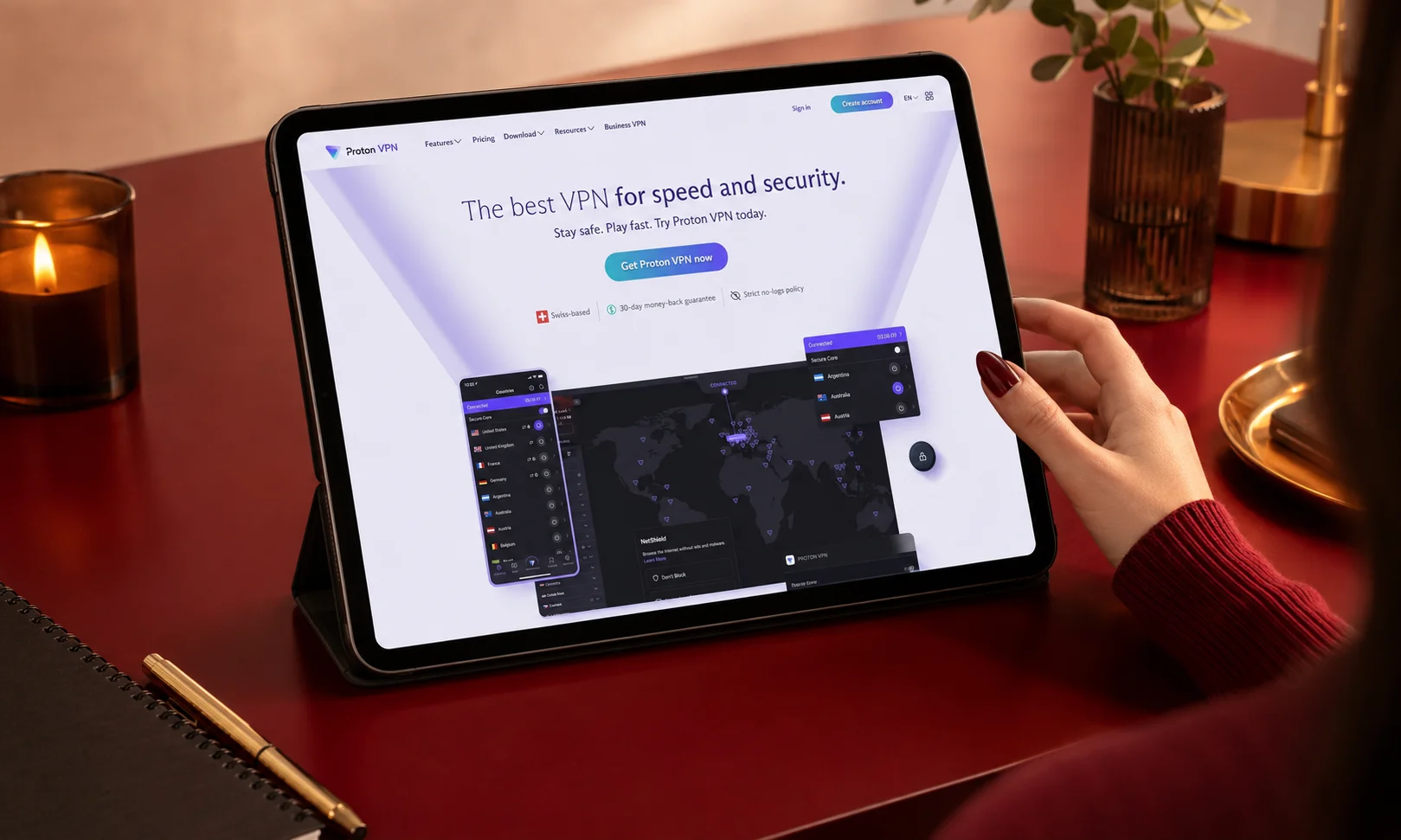
Proton VPN is built by the team behind Proton Mail, and its reputation centers on transparency rather than aggressive marketing. It consistently ranks among the most trusted VPN providers because of its independently audited no-logs policy, open-source applications, and strong focus on user privacy.
Its Secure Core architecture routes traffic through hardened servers before it reaches the public internet, adding another layer of protection for users facing higher privacy risks.
Unlike many free VPN services, Proton VPN also offers a free plan that avoids advertising and data selling, making it one of the few free options regularly recommended by cybersecurity reviewers.
Pros
- Excellent privacy reputation
- Independent security audits
- Open-source applications
- Secure Core privacy network
- Trustworthy free plan
Cons
- Premium subscription is needed for the fastest speeds
- Smaller server network than some competitors
Best for: Journalists, privacy-conscious users, and anyone who values transparency over extra features.
Private Internet Access (PIA)
Best for: Budget users and advanced customization
Private Internet Access has been a long-standing name in the VPN industry, offering one of the largest server networks available. It combines affordable pricing with a wide range of customization options, making it especially appealing to experienced users.
PIA supports WireGuard and OpenVPN, provides advanced encryption settings, split tunneling, port forwarding in supported regions, and unlimited device connections.
Although its interface is slightly more technical than some competitors, it rewards users who enjoy fine-tuning their VPN settings.
Pros
- Competitive pricing
- Large server network
- Unlimited device connections
- Extensive customization options
- Independently audited no-logs policy
Cons
- Interface may feel complex for beginners
- Streaming performance varies by server location
Best for: Experienced users who want flexibility without paying premium prices.
CyberGhost
Best for: Streaming and torrenting
CyberGhost is designed for users who want a straightforward VPN experience. One of its standout features is its specialized servers optimized for streaming and torrenting, making it easier to choose the right connection without manually testing dozens of locations.
The apps are clean and beginner-friendly, while the provider maintains a large global server network suitable for everyday browsing and entertainment.
Pros
- Dedicated streaming servers
- Beginner-friendly interface
- Large server network
- Good download performance
- Competitive long-term pricing
Cons
- Fewer advanced privacy tools than some premium competitors
- Shorter monthly plans can be relatively expensive
Best for: Users who primarily stream movies, TV shows, and download large files.
Mullvad
Best for: Maximum anonymity
Mullvad takes a different approach from most VPN providers. Instead of requiring an email address during registration, it generates a random account number, allowing users to sign up with minimal personal information.
Its applications are open source, its privacy policies are independently audited, and it has built a strong reputation among security professionals.
The service focuses on simplicity rather than offering numerous extra features, which appeals to users who prioritize privacy above everything else.
Pros
- Minimal personal information required
- Excellent privacy reputation
- Open-source software
- Transparent pricing
- Strong security architecture
Cons
- Smaller server network
- Fewer convenience features for streaming users
Best for: Users who place anonymity and privacy ahead of entertainment features.
IPVanish
Best for: Beginners and everyday browsing
IPVanish offers an approachable VPN experience with easy installation, simple navigation, and support for unlimited simultaneous device connections.
While it may not lead every performance category, it provides a balanced mix of speed, security, and affordability for users who mainly browse, shop online, or connect through public Wi-Fi.
Its straightforward interface reduces the learning curve, making it suitable for first-time VPN users.
Pros
- Easy-to-use applications
- Unlimited device connections
- Good everyday performance
- Affordable subscription options
- Reliable customer support
Cons
- Streaming reliability depends on server selection
- Privacy features are less extensive than premium competitors
Best for: New VPN users looking for a simple, affordable solution.
Which VPN Is Best for Different Needs?
Choosing the best VPN software depends on how you use the internet. Rather than focusing on one overall winner, it’s more useful to match each VPN to the tasks it performs best.
| Use Case | Recommended VPN | Why It Stands Out |
| Best Overall | NordVPN | Balanced performance, security, and speed |
| Best for Streaming | ExpressVPN | Reliable access to major streaming platforms |
| Best Value | Surfshark | Unlimited devices at a competitive price |
| Best Privacy | Proton VPN | Strong transparency and independently audited privacy practices |
| Best Budget | Private Internet Access | Affordable with advanced customization |
| Best for Torrenting | CyberGhost | Optimized servers and stable connections |
| Best for Travel | ExpressVPN | Broad global server coverage and easy switching |
| Best for Public Wi-Fi | NordVPN | Strong encryption and advanced security tools |
| Best for Beginners | IPVanish | Simple setup and intuitive applications |
| Best for Maximum Anonymity | Mullvad | Minimal account information and privacy-first design |
The right choice ultimately depends on your priorities. If privacy is your biggest concern, Proton VPN or Mullvad may be better than a streaming-focused service.
If you frequently travel or watch international content, ExpressVPN’s global coverage is a stronger fit. For users seeking the best balance of speed, security, features, and usability, NordVPN remains the most well-rounded recommendation based on the available research.
How to Choose the Best VPN Software
The best VPN isn’t necessarily the one with the most features or the highest price. It’s the one that matches your needs while offering strong privacy, consistent performance, and transparent security practices.
Before subscribing, compare these key factors.
Security Features
Strong encryption is only the starting point.
Look for essential features like a kill switch, DNS leak protection, split tunneling, and support for modern VPN protocols such as WireGuard. These tools help keep your connection secure, even if your VPN disconnects unexpectedly.
Providers that regularly undergo independent security audits also offer greater confidence than those relying solely on marketing claims.
Speed
Every VPN slightly reduces internet speed because your traffic is encrypted.
The best providers minimize this impact by using modern protocols and optimized server networks. If you regularly stream in 4K, join video meetings, or play online games, choose a VPN known for maintaining stable performance across nearby and international servers.
Privacy Policy
Privacy policies deserve as much attention as technical features.
A trustworthy VPN clearly explains what information it collects and what it doesn’t. Services with independently verified no-logs policies provide stronger assurance that your browsing activity isn’t stored or shared.
Avoid choosing a VPN based solely on advertising claims without checking its privacy practices.
Server Locations
A large server network offers more than convenience.
More server locations improve connection reliability, reduce congestion, and increase the chances of finding a nearby server for better speeds. They also provide greater flexibility when traveling or accessing region-specific content.
However, quality matters more than quantity. A well-managed network often performs better than thousands of poorly maintained servers.
Device Compatibility
Most people use multiple internet-connected devices every day.
Choose a VPN that supports Windows, macOS, Android, iPhone, Linux, smart TVs, and browser extensions if needed. Some providers also allow unlimited simultaneous connections, making it easier to protect an entire household with a single subscription.
Pricing
Don’t compare only the introductory price.
Many VPN providers offer attractive discounts during the first subscription period but renew at a significantly higher rate. Compare both the initial and renewal costs before making a long-term commitment.
Also check whether the subscription includes features like password managers, identity monitoring, or cloud storage, as these can affect overall value.
Independent Audits
Independent audits have become one of the strongest indicators of trust.
When external cybersecurity firms verify a provider’s infrastructure and no-logs policy, users gain additional confidence that the service operates as advertised.
Although an audit doesn’t guarantee perfection, it demonstrates a higher level of transparency than unsupported marketing statements.
VPN Features Explained
Understanding a few key VPN features makes it much easier to compare providers and avoid paying for capabilities you may never use.
WireGuard
WireGuard is a modern VPN protocol designed to improve both speed and security.
Its lightweight codebase helps providers deliver faster connection speeds while maintaining strong encryption, making it one of the preferred protocols for streaming, gaming, and everyday browsing.
OpenVPN
OpenVPN has been one of the industry’s most trusted protocols for many years.
Although it may be slightly slower than newer alternatives, it remains highly secure, widely supported, and reliable across different operating systems.
Many VPN providers allow users to switch between WireGuard and OpenVPN depending on their priorities.
Kill Switch
A kill switch automatically disconnects your internet connection if the VPN unexpectedly drops.
Without this feature, your real IP address and browsing activity could become visible until the VPN reconnects.
For anyone handling sensitive information or using public Wi-Fi, a kill switch is considered essential.
Split Tunneling
Split tunneling lets you choose which apps use the VPN and which connect directly to the internet.
For example, you can secure your web browser through the VPN while allowing online games or local banking apps to use your regular connection.
This improves flexibility without requiring you to constantly enable or disable the VPN.
Multi-Hop
Multi-Hop routes your encrypted traffic through multiple VPN servers instead of one.
This adds another layer of privacy by making it more difficult to trace the origin of your connection.
While it enhances anonymity, it can also reduce connection speeds because your traffic travels farther.
Dedicated IP
Most VPN users share IP addresses with many other customers.
A dedicated IP assigns one exclusive address to your account, making it useful for accessing business systems, hosting services, or websites that frequently challenge shared VPN addresses.
No-Logs Policy
A no-logs policy means the VPN provider states that it doesn’t record your browsing activity or connection history.
The most trustworthy providers support these claims with independent audits rather than relying only on privacy statements.
DNS Leak Protection
When DNS requests bypass the VPN tunnel, websites may still identify your internet provider and approximate location.
DNS leak protection ensures those requests remain encrypted, helping maintain your privacy throughout your browsing session.
Free VPN vs Paid VPN
| Feature | Free VPN | Paid VPN |
| Security | Usually basic | Advanced security features |
| Speed | Often limited | Faster and more consistent |
| Data Limits | Common | Usually unlimited |
| Server Locations | Limited | Large global networks |
| Streaming Support | Inconsistent | Better compatibility |
| Privacy | Varies widely | Stronger transparency and audits |
| Customer Support | Limited | Dedicated support channels |
| Best For | Occasional browsing | Daily privacy, work, streaming, and travel |
A free VPN can be suitable if you only need occasional encrypted browsing and choose a provider with a strong privacy reputation.
However, paid VPNs generally provide faster speeds, larger server networks, better streaming support, more advanced security features, and fewer usage restrictions. For users who depend on a VPN regularly, the additional value usually outweighs the subscription cost.
Common VPN Myths
Many misconceptions make choosing a VPN more confusing than it needs to be. Separating facts from marketing claims helps you make a better decision.
Myth 1: A VPN Makes You Completely Anonymous
A VPN improves your online privacy by encrypting your internet traffic and hiding your IP address.
It does not make you invisible online. Websites, browser tracking, account logins, and malware can still expose information if you don’t follow good security practices.
Myth 2: A VPN Protects Against Malware
A VPN encrypts internet traffic, but it isn’t a replacement for antivirus software.
Some providers include threat protection tools, but malware protection should be viewed as an additional feature rather than the VPN’s primary purpose.
Myth 3: Free VPNs Are Always Unsafe
Not every free VPN is unsafe.
Some reputable providers offer limited free plans supported by paid subscriptions instead of advertising or data collection. The important factor is the provider’s privacy practices, not simply whether the service is free.
Myth 4: VPNs Always Make Your Internet Slow
Modern VPN protocols have significantly reduced performance loss.
Although encryption introduces some overhead, many premium VPNs maintain speeds suitable for streaming, gaming, and video conferencing.
Myth 5: Every VPN Offers the Same Protection
VPN services differ in security features, server quality, independent audits, privacy policies, and application quality.
Choosing solely on price or advertising often means overlooking the factors that matter most for long-term privacy and performance.
What a VPN Cannot Protect You From
A VPN is one of the most effective tools for improving online privacy, but it’s important to understand its limitations. Knowing what a VPN cannot do helps you build better overall cybersecurity habits.
It Cannot Stop Malware
A VPN encrypts your internet connection, but it doesn’t scan files or remove viruses from your device.
If you accidentally download malicious software or open an infected email attachment, a VPN won’t prevent the infection. Reliable antivirus software and safe browsing practices are still essential.
It Cannot Prevent Phishing Attacks
Cybercriminals often trick users into revealing passwords or financial information through fake emails and websites.
A VPN cannot determine whether a website is legitimate. Always verify website addresses, avoid suspicious links, and enable multi-factor authentication whenever possible.
It Cannot Hide Information You Share Voluntarily
If you log into social media, online banking, or shopping websites, those services already know who you are.
A VPN hides your IP address, but it doesn’t prevent websites from recognizing your account activity once you sign in.
It Cannot Replace Good Security Habits
Strong passwords, software updates, secure backups, and cautious browsing remain essential.
Think of a VPN as one layer of protection rather than a complete cybersecurity solution.
Practical Setup Guide
Installing a VPN takes only a few minutes, but configuring it correctly ensures you get the best balance of privacy, speed, and security.
Step 1: Choose the Right VPN
Select a provider that matches your priorities.
- Privacy-focused users may prefer Proton VPN or Mullvad.
- Frequent travelers often benefit from ExpressVPN’s broad server network.
- Families usually get the best value from Surfshark’s unlimited device support.
- Users seeking the best overall balance should consider NordVPN.
Step 2: Install the Official Application
Download the VPN directly from the provider’s official website or your device’s app store.
Avoid downloading VPN software from unofficial sources, as modified applications may introduce security risks.
Step 3: Enable Essential Security Features
Before connecting, review the settings and enable important protections such as:
- Kill Switch
- DNS Leak Protection
- Auto Connect on Untrusted Networks
- WireGuard (when available)
- Automatic Updates
Most providers enable several of these features by default, but it’s worth confirming your configuration.
Step 4: Connect to the Best Server
For the fastest performance, connect to a nearby server.
If you’re accessing region-specific content, choose a server in the appropriate country. Switching to a closer location usually improves speed and reduces latency.
Step 5: Verify Your Connection
After connecting, confirm that your VPN is working properly.
Check that:
- Your IP address has changed.
- Your apparent location matches the selected server.
- DNS requests are routed through the VPN.
- There are no connection leaks.
This quick verification provides confidence that your browsing activity is actually protected.
Step 6: Optimize Performance
If your connection feels slower than expected:
- Switch to WireGuard if supported.
- Connect to a closer server.
- Avoid overloaded locations during peak hours.
- Restart the VPN application if necessary.
- Test several nearby servers before assuming the service is slow.
Small adjustments often produce noticeable improvements in speed.
Expert Buying Tips
Choosing a VPN becomes much easier when you look beyond promotional discounts and marketing claims.
- Compare renewal pricing. Introductory offers can be attractive, but long-term costs matter just as much.
- Review independent audits. Providers that verify their no-logs policies through external cybersecurity firms offer stronger transparency.
- Understand refund policies. A money-back guarantee lets you evaluate performance with less financial risk.
- Prioritize your own needs. A streaming-focused VPN isn’t automatically the best choice for someone primarily concerned with privacy or remote work.
- Evaluate long-term value. Features such as unlimited device connections, quality customer support, and frequent security updates often justify paying slightly more.
Final Recommendation
The best VPN software isn’t necessarily the one with the longest feature list or the biggest advertising campaign. It’s the one that solves your specific problem while maintaining strong privacy, dependable performance, and transparent security practices.
If you want the best all-around experience, NordVPN remains the strongest recommendation because it consistently balances speed, security, usability, and advanced features.
If streaming is your priority, ExpressVPN continues to deliver one of the most reliable experiences.
For users looking for outstanding value, Surfshark stands out with unlimited device connections and a competitive price.
If protecting your privacy is more important than anything else, Proton VPN and Mullvad deserve serious consideration thanks to their transparency and privacy-first approach.
Before making a decision, compare more than just pricing. Review independent audits, renewal costs, device support, and the features that matter most to your daily internet use. Choosing a VPN based on your own priorities, not marketing claims, is the most effective way to improve your online privacy and security.
Frequently Asked Questions
What is the best VPN software?
There isn’t a single VPN that’s perfect for everyone. Based on current research, NordVPN consistently provides the strongest overall balance of speed, privacy, security, and usability, while ExpressVPN, Surfshark, and Proton VPN also excel for specific needs.
Which VPN is the safest?
VPNs with strong encryption, independently audited no-logs policies, and advanced security features such as kill switches and DNS leak protection generally offer the highest level of protection.
Are free VPNs safe?
Some reputable providers offer trustworthy free plans with limited features. However, many free VPNs impose data limits, smaller server networks, or weaker privacy protections, so choosing a well-established provider is important.
Is a VPN worth paying for?
If you regularly use public Wi-Fi, stream online content, travel frequently, or value online privacy, a paid VPN usually provides better speed, security, reliability, and customer support than free alternatives.
Which VPN is fastest?
Modern VPNs using WireGuard-based protocols generally deliver the fastest performance. Actual speeds vary depending on your internet connection, server location, and network conditions.
Can a VPN improve streaming?
A VPN can help you maintain privacy while streaming and may provide access to content available in other regions. Streaming performance depends on the provider’s server network and ongoing compatibility with streaming services.
Is using a VPN legal?
VPNs are legal in many countries and are commonly used to improve online privacy and security. However, regulations differ by country, so it’s important to understand the local laws where you live or travel.
What is a no-logs policy?
A no-logs policy means the VPN provider states that it does not retain records of your browsing activity. Policies verified through independent audits provide greater confidence than marketing claims alone.
Can one VPN protect multiple devices?
Yes. Most VPN providers allow multiple simultaneous connections, while some, such as Surfshark, allow unlimited devices under a single subscription.
Do VPNs slow internet speed?
Some reduction in speed is expected because your internet traffic is encrypted. Premium VPN providers typically minimize this impact through optimized servers and modern VPN protocols.



