AI font pairing tools suggest typeface combos using machine learning. Top picks: Fontjoy, Monotype, Designwiz, Fontify, Taskade. Free and paid options exist for every workflow.
Picking fonts is brutal. You spend forty minutes scrolling Google Fonts, open seventeen tabs, and somehow end up back at Lato and Open Sans like every other site on the internet.
AI font pairing fixes part of that mess. Not all of it. The good tools spit out combinations in seconds, the great ones explain why the pair works, and a few of them genuinely save you from your own bad taste. Eleven of them are worth your time in 2026. The rest are marketing fluff with a generate button slapped on.
Here’s what actually works and what doesn’t.
Why bother with AI for font pairing
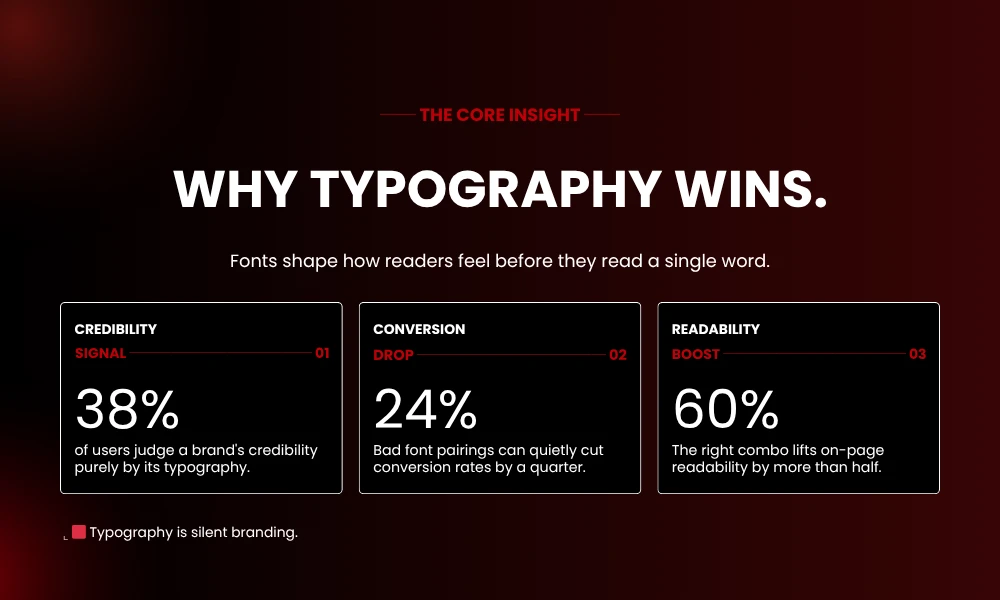
Honestly? Because typography is the thing nobody notices until it’s wrong.
A clean headline next to a clunky body font reads as cheap. Two similar fonts smashed together read as confused. Your reader can’t always tell you why something feels off, but they feel it. They bounce. They don’t trust your product. They scroll past your ad.
AI tools spot stuff humans skip. X-height ratios. Stroke contrast. The weird gap between a Didone serif and a humanist sans that makes the whole layout wobble. You don’t have to know what any of those mean. The machine knows, and that’s kind of the point.
Does it replace a real typographer? No. For an enterprise rebrand, hire a human. For a flyer, a Shopify store, or your fourth blog redesign this year, the AI gets you 90% there in three minutes.
1. Fontjoy
If you’ve used one AI font pairing tool, it’s probably this one.
Fontjoy runs a neural network that balances three things: contrast, similarity, and harmony. Hit the generate button, get three fonts back (heading, sub-heading, body). There’s a slider for contrast level. Drag left for tight pairs that almost match. Drag right for combos with serious visual tension.
The lock feature is what keeps people coming back. Picked your headline font already? Lock it. Generate again. The system finds partners for what you’ve kept. Everything pulls from Google Fonts, so you can grab the CSS and paste it into your project without licensing headaches.
It’s free. There’s no sign-up. The interface looks like it was designed in 2018 and never updated, which honestly works in its favor.
Best for: Bloggers, web designers, anyone who wants something now.
2. Monotype Studio Font Pairing Generator
This is the grown-up option.
Monotype has been making typefaces for over a century, and their AI was trained on harmonious sans and serif pairings with attention to the stuff that matters: stem joins, terminal apertures, x-heights, weight balance. Translation: the pairings feel like they came from someone who actually thinks about type for a living.
The library is licensed, so you’re not picking from Google Fonts here. Which means premium results and also premium pricing. For a magazine, a brand book, or any print job where the type needs to look expensive, this is the choice. For a Shopify dropshipping store? Total overkill.
Best for: Brand designers, editorial work, print projects.
3. Designwiz AI Font Pairing Generator
Designwiz nails the visual side.
You see your fonts rendered as actual heading, subheading, and description text right on the page. Click generate, watch them swap, lock the ones you want to keep. Each font links out to its own page so you can read up on it before committing. Nice touch for designers who like knowing what they’re using.
The one-click download is the bit that sold me. You get the full pair packaged and ready to drop into Figma or Canva. Built primarily for flyer designers, but I’ve used it for client decks and one-page websites without any issues.
Best for: Flyers, posters, freelance gigs.
4. Taskade AI Font Pairing Generator
Taskade is doing the everything-in-one-place thing, and font pairing is part of it.
You write a prompt describing your project (wedding invite, fintech landing page, podcast cover, whatever) and the AI picks fonts that match the tone. The matching part actually works. A SaaS dashboard gets clean geometric sans options. A boutique bakery gets something warmer with more personality.
The catch: Taskade is a productivity platform first, font tool fifth. If you’re already inside the ecosystem for project management or AI agents, this is a freebie. If you’re not, the standalone font tool isn’t worth signing up for an account.
Best for: Teams who already live in Taskade.
5. Fontify
Shopify owners, this one’s for you.
Fontify lives inside your Shopify dashboard. No code. No theme editing. You browse the font library, pick the pairings the AI suggests for your store’s vibe, and apply them across product pages, checkout, and headers in a few clicks. Custom font uploads work too, which matters if your brand has licensed typefaces in its style guide.
The AI suggestion engine looks at your store design and recommends pairs that fit. It’s not magic, but it’s smart enough to stop you from putting Comic Sans on a luxury jewelry site.
Best for: Shopify merchants who don’t have a designer.
6. Dropmagic Instant Branding Generator
Dropmagic isn’t really a font tool. It’s a full Shopify store builder with branding baked in.
Answer some questions about your brand, and the system generates a typography system, color palette, and logo direction all at once. The fonts come pre-applied to your store template. Mobile-first by default, which matters because most Shopify traffic is phone traffic.
You give up control to get speed. Customization is light compared to Fontify or Font Pro. But if you’re spinning up a store this weekend and the typography decision is one more thing you don’t want on your plate, Dropmagic handles it.
Best for: First-time Shopify owners launching fast.
7. Font Pro
Font Pro is the unfussy Shopify pick.
It costs less than Fontify, supports custom uploads (Fontio doesn’t), and the AI pairings are solid. You’re not getting fancy kerning tools or hierarchy controls. You’re getting good font pairs applied to your store without drama.
For most small stores doing under six figures a year, that’s the right amount of tool. Anything more is just features you’ll never touch.
Best for: Budget Shopify with custom font needs.
Quick comparison
| Tool | Best For | Free Tier | Custom Fonts | Platform |
|---|---|---|---|---|
| Fontjoy | Web designers | Yes | No | Web |
| Monotype Studio | Print and brand | No | Yes | Web |
| Designwiz | Flyers and posters | Yes | Limited | Web |
| Taskade | Project teams | Yes | No | Web |
| Fontify | Shopify stores | No | Yes | Shopify |
| Font Pro | Budget Shopify | Trial | Yes | Shopify |
| Fontio | New stores | Yes | No | Shopify |
| Typewolf | Research | Yes | N/A | Web |
| Canva Magic | Social content | Yes | Limited | Web |
| Adobe Sensei | Pro designers | No | Yes | Creative Cloud |
| FontFlame | Quick picks | Yes | No | Web |
8. Fontio
Fontio is for the absolute beginner.
Everything runs on Google Fonts, which means free commercial licensing across the board. The AI looks at your store and suggests pairings that match the energy. One click to apply.
The trade-off is no custom uploads. If your brand has a paid typeface, Fontio can’t help. For a new store still figuring out who it is, Google Fonts covers about 95% of the typography you’ll ever need.
Best for: New stores with zero design budget.
9. Typewolf
Real talk: Typewolf is barely AI.
What it is, though, is better than half the “AI” tools on this list for one reason. The site catalogs font combinations from real websites in the wild, sites that actual designers built and shipped. You can search by typeface and see what working designers paired it with on real projects.
Pattern matching beats pure generation when the patterns come from people who know what they’re doing. Typewolf also runs typography lookbooks and trend reports, so you learn while you browse. Free, useful, and probably the most underrated tool in this whole list.
10. Canva Magic Design Typography
Canva tucked AI typography into Magic Design.
Drop in a template, write a prompt, and Canva auto-picks fonts that fit. The library is huge and includes Canva-original fonts plus licensed options. Brand Kits let you lock in approved fonts so the AI plays inside your rules instead of doing whatever it wants.
The font choices are safe. That’s the whole pitch and the whole limitation. For Instagram posts, slide decks, and quick marketing graphics, safe is good. For a luxury rebrand, you’ll find the pairings too generic to use.
Best for: Content creators, social media, fast marketing assets.
11. Adobe Sensei Font Matching
If you’re already paying for Creative Cloud, Sensei is already in your tools.
The AI runs across Photoshop, Illustrator, and InDesign. It identifies fonts from photos (this alone is worth the subscription if you do client work). It suggests similar typefaces. It pairs fonts based on what you’re designing. The Adobe Fonts library is massive, with tens of thousands of options to draw from.
The downside is obvious. You need the Creative Cloud subscription, and that’s not cheap. But pros who already live in Adobe get a font pairing system that’s deeply integrated with everything else they use.
Best for: Professional designers on Creative Cloud.
Picking the right one
A few questions to ask before you commit:
- What platform are you on? Shopify owners get more from Fontify or Font Pro than from Fontjoy.
- Do you need custom fonts? Fontio and most free tools can’t handle paid typefaces.
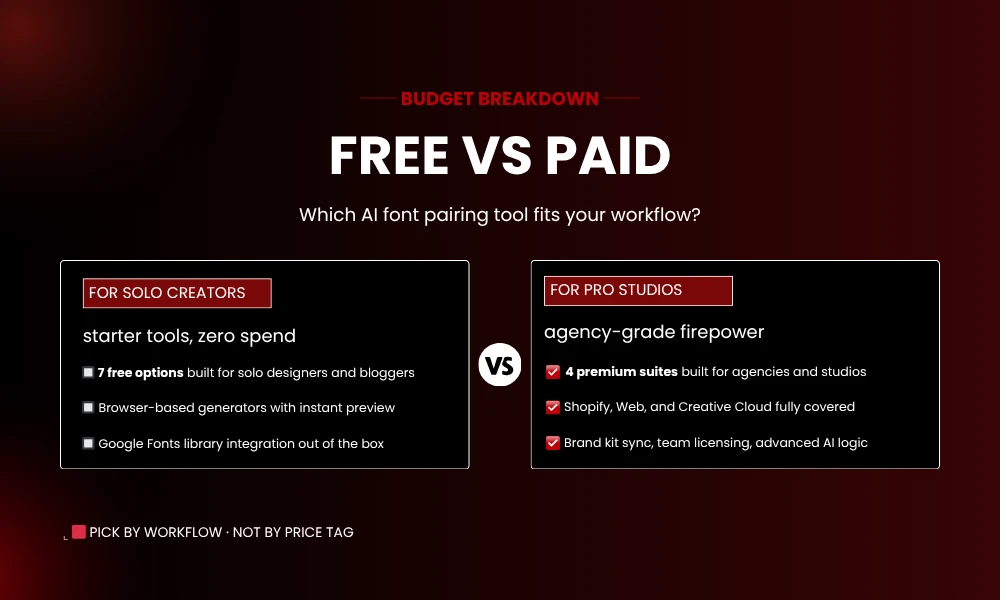
- What’s your budget? Fontjoy and Typewolf cost zero. Monotype and Adobe sit way up the price ladder.
- Does it fit your workflow? The best tool is the one that lives where you already work. Switching apps to pair fonts is a habit that won’t stick.
Getting better results
The AI gives you a starting point. You have to use it well.
Test at real sizes. A pairing that looks fire at 48px headline and 16px body can fall apart at smaller scales. Preview at the actual sizes you’ll publish.
Check on mobile. Phones are most of your traffic. If a serif body font feels heavy at 14px on a phone, kill it.
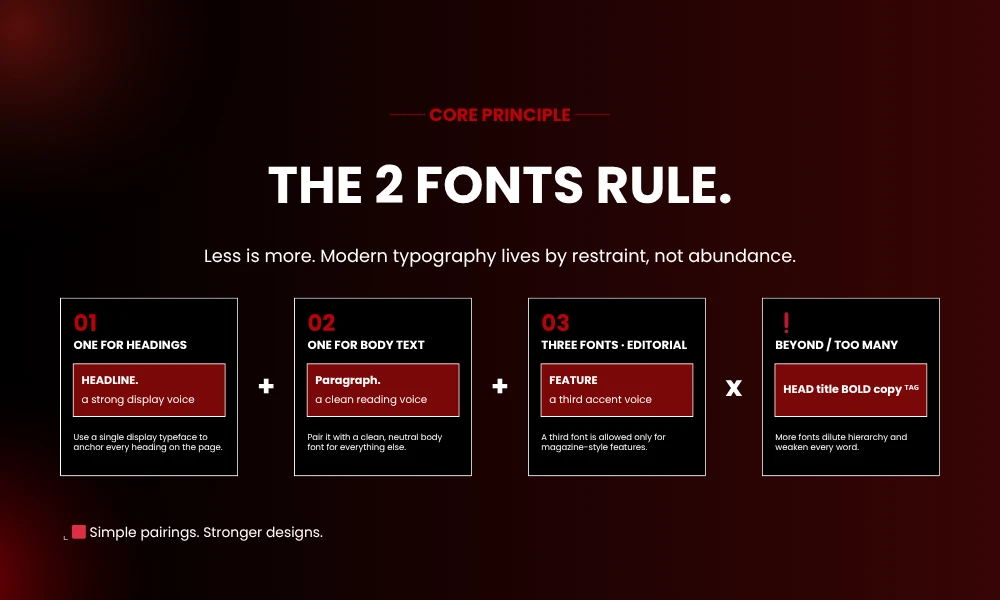
Two fonts, not four. AI tools will happily generate three or more. Most projects work better with one heading, one body. That’s it.
Lock your brand font. If you’ve already chosen a headline typeface, lock it first. Don’t reinvent the brand every time you generate.
Frequently Asked Questions
What is AI font pairing?
It’s machine learning suggesting typeface combinations that work together. The systems look at contrast, harmony, weight, and proportion to recommend pairs.
Are AI font pairing tools free?
Some are. Fontjoy and Typewolf cost nothing. Monotype Studio and Adobe Sensei need paid subscriptions or font licenses.
Best tool for beginners?
Fontjoy. No sign-up, free, and the interface explains itself.
Can AI replace a human typographer?
For most projects, yes. For complex brand work where typography drives the whole identity, hire a human.
Do these tools work on Shopify?
Fontify, Font Pro, and Fontio were built for Shopify. They integrate directly with your dashboard.
How many fonts should I use?
Two. One for headings, one for body. Three works for magazines and editorial layouts. Beyond that, you’re making it harder for your reader.
Wrapping up
AI font pairing turned a forty-minute design chore into a thirty-second decision. The tools above each have their strengths, and the right pick depends on where you work and what you’re building.
Try Fontjoy for a free starting point. Move up to Monotype or Adobe if you need premium results. Stick with Fontify on Shopify. The science is handled. The taste is still yours to bring.