Quick Answer
Apple rolled out a major Apple Creator Studio update on June 30, 2026, adding on-device AI tools across Final Cut Pro, Logic Pro, Pixelmator Pro, Motion, Compressor, and the iWork suite. The $12.99/month Apple Creator Studio subscription price stays unchanged, and the update is free for all existing subscribers.
The headline Apple Creator Studio new features are Final Cut Pro Generate Captions (on-device AI transcription), Final Cut Pro Auto Mask (AI subject isolation on Mac), and Final Cut Pro Edit Detection (automatic clip splitting from rendered video). Pixelmator Pro integration is now live across Final Cut Pro, Keynote, Pages, and Numbers. Logic Pro gets a rebuilt Chord ID and a new Producer Project.
What Is Apple Creator Studio?
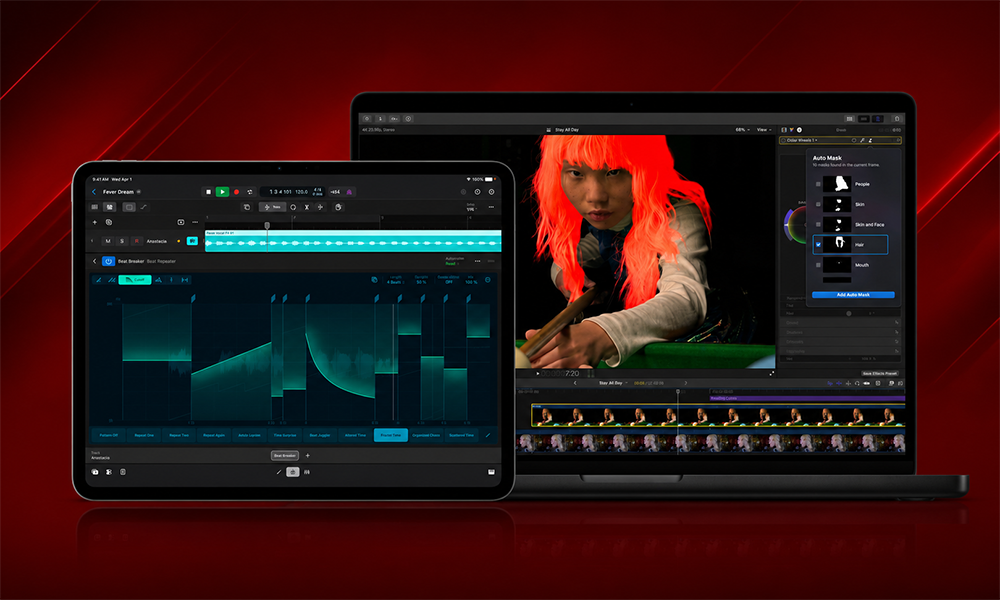
Apple Creator Studio is Apple’s subscription bundle for professional creative apps, launched earlier in 2026. It includes Final Cut Pro, Logic Pro, Pixelmator Pro, Motion, Compressor, Freeform, and the full iWork suite (Pages, Keynote, Numbers) for $12.99 per month. The Apple Creator Studio AI tools added in this update span the full bundle, not just Final Cut Pro.
The bundle is positioned as a direct challenger to Adobe Creative Cloud, offering a unified cross-app subscription at a price point well below Adobe’s professional plans. This June 30 Final Cut Pro 2026 update and companion app updates are the first major feature push since launch, and they lean heavily on Apple Intelligence and on-device AI to differentiate from both Adobe’s Sensei and standalone competitors like DaVinci Resolve. As Apple video editing software goes, this is the most significant AI update the platform has shipped.
Final Cut Pro: The Biggest Updates
Final Cut Pro is the headline act of this Apple Creator Studio update, receiving new AI video editing tools across both Mac and iPad.
Generate Captions Final Cut Pro
Generate Captions is one of the most requested Final Cut Pro features. It lets users automatically transcribe audio and place the resulting subtitles perfectly in the timeline. Options to animate the style and customize font, color, and position give editors the flexibility to add their personal style to any project.
The feature runs on-device using Apple Silicon’s Neural Engine no cloud upload, no privacy concern, no ongoing API cost. Current support favors US English, with additional languages expected to follow. For video creators producing content for social media, the ability to generate animated captions inside Final Cut Pro without exporting to a third-party tool is a significant workflow improvement.
Final Cut Pro Auto Mask
Auto Mask is a new way for video editors to easily isolate and refine specific elements in their footage. On-device AI automatically recognizes various subjects, including skin, hair, sky, foliage, and clothing, without the need for manual tracking.
Users hover over their clip, and Final Cut Pro’s Auto Mask tool shows a live preview of what it detects. Users can then click on the detected subject or select it from a drop-down list inside the app’s inspector. These masks can be paired with color correction or effects tools to edit a subject locally.
Auto Mask is Mac-only in this release. It directly competes with DaVinci Resolve’s Magic Mask and Adobe Premiere’s AI masking tools, bringing this capability natively into Final Cut Pro without requiring a round-trip to Motion or a third-party plugin.
Final Cut Pro Edit Detection
Edit Detection analyzes rendered video and automatically splits it back into the original clips on the timeline. Editors can jump back in to refine their edit, or quickly assemble a cut-down highlight clip for sharing on social media, without having to manually identify previous edit points.
This is a particularly useful feature for editors who receive already-rendered exports, recut footage, or need to create social media clips from long-form content without manually re-identifying every cut.
Advanced Trimming Final Cut Pro
On Mac, Final Cut Pro makes it even easier to refine incoming and outgoing frames with Advanced Trimming. This is an improved trim interface that streamlines the process of adjusting edit points a refinement rather than a new feature category, but meaningful for editors who spend significant time in the trim workflow.
Match Color Final Cut Pro
Match Color has been enhanced in this update. The tool automatically matches the color grade between clips to create a more consistent look across a sequence useful for multicam edits or footage from different sources that need to match.
Creator Themes
Final Cut Pro now includes new Creator Themes with support for multiple aspect ratios, dynamic titles, and customizable backgrounds. This targets social media creators who need to adapt content for different platforms (16:9, 9:16, 1:1) without rebuilding titles from scratch for each format.
Final Cut Camera: Clean HDMI Out
For Final Cut Camera, Apple’s dedicated video capture app on iPhone and iPad, there is new support for Clean HDMI Out, letting filmmakers send a “pristine video signal” directly to external monitors and recorders. There is also new ProRes support, including for ProRes LT.
Final Cut Camera Clean HDMI Out is a meaningful addition for filmmakers using iPhone as a primary camera on professional shoots. Sending a clean signal to an external monitor or recorder without on-screen UI overlays is standard practice in professional production, and this brings that capability to the iPhone camera ecosystem.
Pixelmator Pro Integration
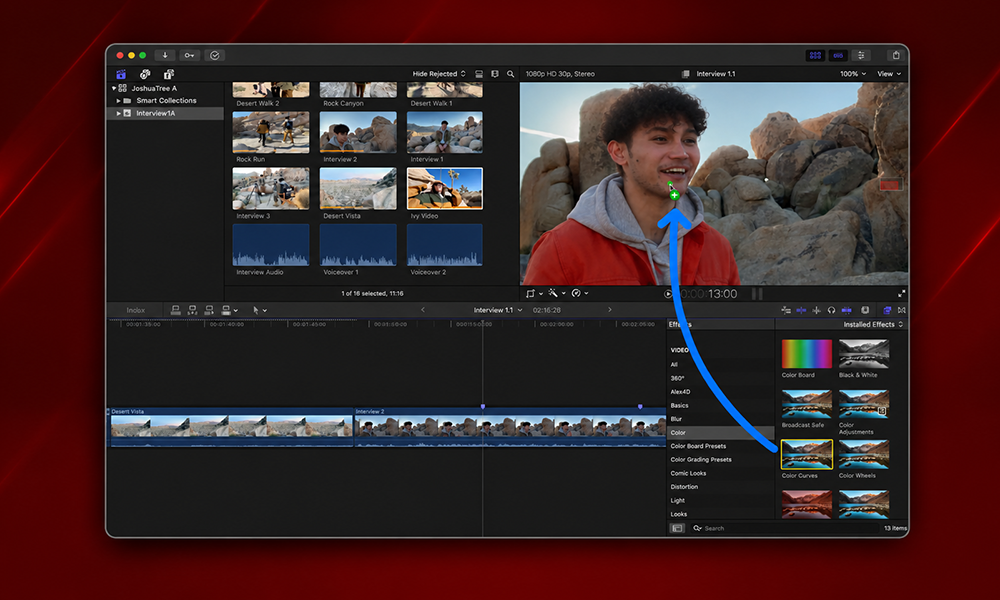
Users can open and customize any image placed in Keynote, Pages, and Numbers, or even send a key frame from Final Cut Pro directly to Pixelmator Pro.
The Final Cut Pro to Pixelmator Pro workflow specifically targets thumbnail and social media graphic creation. An editor can pull a key frame from their timeline, open it directly in Pixelmator Pro, apply edits, and save it back without exporting, switching apps manually, or losing context.
Pixelmator Pro AI Image Generation
Apple is also bringing its generative AI image tools directly into Pixelmator Pro in this update, adding capabilities comparable to what Adobe Photoshop offers through Firefly. The integration with Apple Intelligence brings Pixelmator Pro into the broader Apple AI ecosystem for creators doing image manipulation alongside video work.
Logic Pro: Chord ID and Producer Project
Logic Pro receives two significant Logic Pro AI features in this Creator Studio release.
The rebuilt Chord ID feature improves chord recognition accuracy for musicians analyzing their own recordings or working with samples a quality-of-life improvement for songwriters and producers who use the tool as part of their composition process.
The new Producer Project feature introduces a curated project template from a Grammy Award-winning producer, giving Logic Pro users a structured starting point for music production. This is part of Apple’s broader strategy of bundling premium content alongside software features.
The Final Cut Pro caption generator powering Generate Captions and Logic Pro’s improved AI tools both run on-device via Apple Silicon, the same core architecture enabling the broader Apple Intelligence push.
Apple Motion Update and Compressor Update
Both Motion and Compressor received updates as part of this Creator Studio release, expanding their toolsets for motion graphics artists and video encoding workflows.
Motion, Apple’s motion graphics app, gains new capabilities for generating custom shapes and visual elements, building on the Pixelmator Pro integration to create a more connected design-to-motion pipeline.
Compressor, Final Cut Pro’s companion encoding app, receives workflow improvements that connect more directly with the updated Final Cut Pro export and delivery tools.
iWork and Freeform Updates
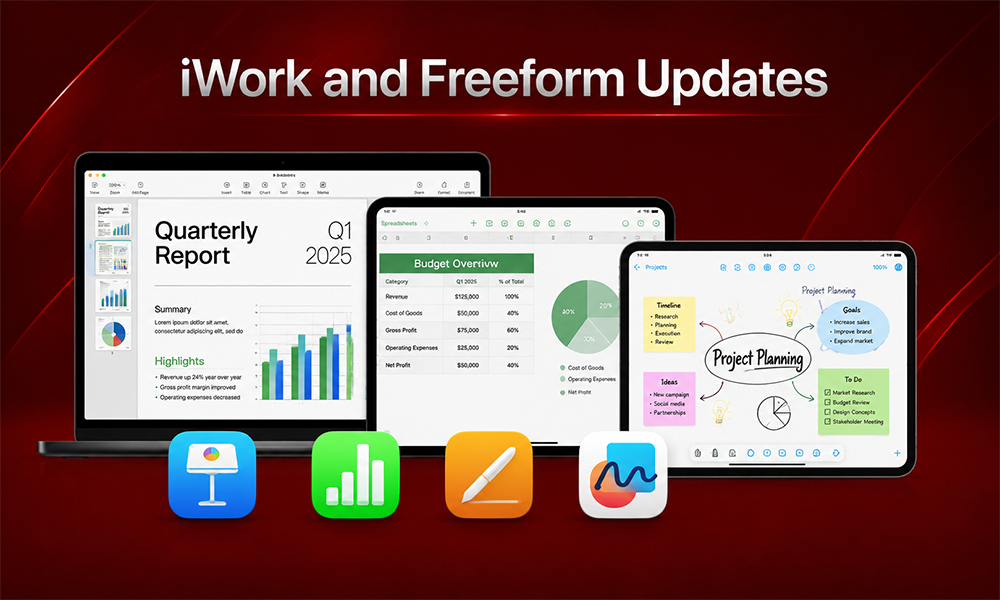
Pages, Keynote, Numbers, and Freeform all receive updates in this release, primarily around the Pixelmator Pro integration.
Users can now open and edit any image embedded in a Pages document, Keynote presentation, or Numbers spreadsheet directly in Pixelmator Pro applying full non-destructive image editing without leaving the iWork workflow. This closes a gap that previously required exporting images, editing externally, and reimporting.
Freeform receives updates that improve collaboration and visual design capabilities, though Apple’s announcements were lighter on specifics for Freeform compared to the main creative apps.
Apple Creator Studio Subscription: Price and Availability
The Apple Creator Studio subscription remains at $12.99 per month. The June 30, 2026 update is free for all existing subscribers no additional purchase required.
The subscription covers Final Cut Pro, Logic Pro, Pixelmator Pro, Motion, Compressor, Freeform, Pages, Keynote, and Numbers across Mac, iPad, and iPhone. Apps are available across devices tied to the same Apple ID.
At $12.99 per month, Apple Creator Studio significantly undercuts Adobe Creative Cloud’s professional plans, which start around $54.99/month for the full suite. The pricing is a deliberate strategic choice Apple controls the hardware margin and can afford to use software as a loyalty and ecosystem tool rather than a primary profit center.
What This Means for Apple AI Video Editing Software
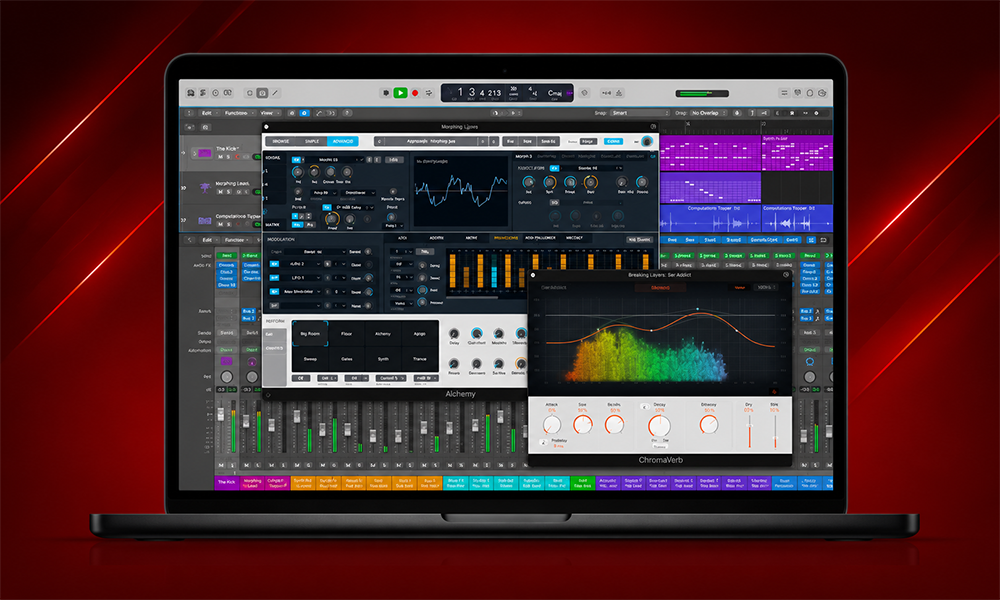
The June 30 update is the clearest statement yet of Apple’s AI video editing software ambitions. By running Generate Captions, Auto Mask, and Edit Detection on-device via the Neural Engine, Apple is making a specific argument: AI video editing tools that are faster, more private, and more battery-efficient than cloud-dependent competitors.
Six months after the bundle first arrived in January, Apple is stitching its apps closer together, sprinkling in fresh on-device AI, and handing editors a few toys they have been quietly begging for. If you pay the monthly fee, the apps you already own just got noticeably smarter overnight.
The cross-app integrations between Final Cut Pro, Pixelmator Pro, and iWork are also significant. Apple is building a workflow that keeps creators inside its ecosystem from capture (Final Cut Camera) through editing (Final Cut Pro) to delivery (Motion, Compressor) and asset creation (Pixelmator Pro) all under one subscription.
Key Takeaways
- Apple Creator Studio updated June 30, 2026 with major AI features across Final Cut Pro, Logic Pro, Pixelmator Pro, and the full iWork suite. Free for existing subscribers. Price stays at $12.99/month.
- Final Cut Pro Generate Captions brings on-device AI transcription and animated subtitle creation to Mac and iPad one of the most requested Final Cut Pro features.
- Final Cut Pro Auto Mask uses on-device AI to isolate subjects (skin, hair, sky, foliage, clothing) for local color correction and effects, without manual tracking. Mac-only.
- Final Cut Pro Edit Detection automatically splits rendered video back into its original clips a workflow changer for social media clip creation.
- Pixelmator Pro integration now spans Final Cut Pro, Keynote, Pages, and Numbers, enabling seamless image editing across the full creative workflow.
- Apple Intelligence features power all on-device AI tools via Apple Silicon’s Neural Engine, with no cloud upload required.
FAQ: Apple Creator Studio Update
What’s new in the Apple Creator Studio update?
Final Cut Pro adds Generate Captions, Auto Mask, Edit Detection, Advanced Trimming, and enhanced Match Color. Logic Pro adds rebuilt Chord ID and a Producer Project. Pixelmator Pro integrates across Final Cut Pro and iWork apps. Final Cut Camera adds Clean HDMI Out and ProRes LT support.
What is Final Cut Pro Generate Captions?
An on-device AI tool that automatically transcribes audio and places animated subtitles in the Final Cut Pro timeline, with options to customize font, color, position, and animation style.
What does Final Cut Pro Auto Mask do?
It uses on-device AI to automatically isolate subjects skin, hair, sky, foliage, clothing from footage without manual tracking, so editors can apply local color correction or effects to specific elements.
How much does Apple Creator Studio cost?
$12.99 per month, unchanged from launch. The June 30 update is free for all existing subscribers.
Is the Apple Creator Studio update free?
Yes. The update rolled out June 30, 2026 at no additional cost to existing Apple Creator Studio subscribers.
The Bigger Picture
Apple Creator Studio launched in January 2026 as a direct challenge to Adobe Creative Cloud. Six months in, the first major feature update is doing exactly what the initial positioning promised: tighter cross-app integration, more on-device AI, and lower friction for the creator workflows that generate the most platform loyalty.
Generate Captions and Auto Mask alone would have been significant Final Cut Pro updates as standalone releases. Bundled together with Pixelmator Pro integration, Logic Pro improvements, and Final Cut Camera hardware features in a single subscription update, they make the $12.99/month case significantly stronger than it was in January.
Apple’s bet is that on-device AI faster, more private, with no ongoing inference cost is the differentiator that cloud-dependent AI features in competing tools can’t easily match. The June 30 update is the first real test of whether that argument lands with professional creators.