
An AI agent can look impressive in a demo but struggle with real work. If it gets poor information, too much access, or no way to check its actions, even a powerful model can make costly mistakes.
AI agent architecture is what makes the difference. It decides how an agent gets information, remembers things, makes decisions, uses tools, and checks its work before moving to the next step.
This article breaks down how AI agent architecture actually works, from memory and planning to tools, multi-agent systems, security, and the decisions that separate a useful production agent from an impressive prototype.
What Is AI Agent Architecture?
AI agent architecture is the technical structure that defines how an AI agent processes information and completes tasks. It determines how the model interacts with memory, reasoning systems, external tools, applications, and feedback loops.
An AI model can generate an answer, but an AI agent can take several steps toward a goal. It can collect information, choose an action, use a tool, inspect the result, and continue working if the task is still incomplete.
AI Model vs. AI Agent
An AI model is the system that generates predictions or responses based on the information it receives. It can write text, classify data, summarize information, or perform other tasks depending on its capabilities.
An AI agent uses the model as part of a larger system. It combines the model with tools, memory, workflows, and external data so it can complete multi-step tasks instead of simply responding once.
AI Agent Architecture vs. Agentic AI
AI agent architecture describes how the individual parts of an agent work together. It covers the system design behind information flow, decision-making, memory, actions, and feedback.
Agentic AI is a broader term for systems that can pursue goals and perform tasks with some level of autonomy. An AI agent is usually a specific system built using those ideas.
Term | What it means |
AI model | Generates predictions or output |
AI agent | Uses a model and tools to complete a goal |
AI agent architecture | Defines how the agent’s components work together |
Agentic AI | A broader approach to goal-directed AI systems |
The Core Components of an AI Agent
Most AI agents follow a similar cycle. They receive information, retrieve useful context, decide what to do, perform an action, and check whether the result solved the problem.
The actual system can be simple or highly complex. Still, most AI agent architecture includes the same core areas: input, memory, reasoning, execution, and feedback.
Perception and Input Layer
The perception layer is where the agent receives information about the task. Input can come from a user message, email, support ticket, database event, webhook, sensor, or another AI system.
A support agent might receive the customer’s message along with an account ID, subscription details, previous tickets, product information, and urgency signals. The system then decides which information is useful for the task.
Why Input Filtering Matters
Sending every available piece of information into the model is usually a mistake. Too much irrelevant context increases cost and can distract the agent from the information that actually matters.
A good input layer filters and organizes information before the agent starts reasoning. The goal is to provide useful context without turning every request into a data dump.
Working Memory
Working memory contains information the agent needs while completing its current task. This can include the conversation, tool results, instructions, intermediate decisions, and the agent’s current state.
Once the task ends, much of this information may no longer be necessary. Working memory is mainly about helping the agent stay focused while completing one active process.
Persistent Memory
Persistent memory stores information that may matter beyond the current interaction. This could include customer preferences, historical records, previous outcomes, or important business knowledge.
Persistent memory needs careful management. Saving everything forever creates privacy, cost, relevance, and retrieval problems that can eventually make the agent less reliable.
Memory type | Main purpose | Example |
Working memory | Supports the current task | Conversation and tool results |
Persistent memory | Stores information across sessions | Customer preferences |
Episodic memory | Records past events | Previous support incidents |
Semantic memory | Stores reusable knowledge | Policies and documentation |
Memory Retrieval and RAG
Many AI systems use retrieval-augmented generation, commonly called RAG, to retrieve relevant information when needed. Instead of sending an entire knowledge base to the model, the system searches for information related to the current task.
Vector databases are often used for this type of retrieval. They help the system find documents or information with similar meaning and return the most relevant results.
Memory Requires Rules
Memory is not useful simply because more information is stored. The architecture should define what information deserves to be saved, how long it should remain available, and who can update or remove it.
Incorrect information can also create problems if it is stored and later retrieved as trusted context. Memory should be treated as data that needs validation, ownership, and clear trust boundaries.
Planning and Reasoning
The planning layer determines what the agent should do next. For a simple task, the next step may be obvious. For a complicated problem, the agent may need to gather information and adjust its approach.
Imagine a customer reporting a duplicate charge. The agent may need to check payment history, compare transactions, determine whether one charge was a renewal, and then decide what should happen next.
Reasoning and Action Loops
A common agent pattern combines reasoning with action. The agent reviews the current situation, identifies what information is missing, calls a tool, checks the result, and then decides on the next step.
This approach is often associated with the ReAct pattern. The agent moves between understanding the task and taking actions that provide new information.
Fixed Rules vs. Model Decisions
Not every decision should be left to the model. Some actions must follow strict business, security, or compliance rules that should not change based on the model’s interpretation.
A practical system lets fixed rules handle non-negotiable requirements while the model handles ambiguity. This gives the agent flexibility without allowing it to improvise around important controls.
Execution and Tool Layer
The execution layer allows the agent to interact with systems outside the AI model. This is where the agent can retrieve information, call APIs, search databases, send messages, or perform approved actions.
Common tools include CRM systems, databases, internal APIs, search systems, email platforms, and business applications. The agent uses these tools to move from reasoning to actual work.
Tool Permissions
Tool access should never be unrestricted. The application should validate the action requested by the model before allowing it to happen.
For example, a refund agent may be allowed to retrieve account information and prepare a refund request. Refunds above a certain amount could require human approval before the transaction is completed.
Model Context Protocol
The Model Context Protocol, commonly called MCP, provides a standard way for AI systems to connect with external tools and data sources. It can make integrations easier by creating a common structure for communication.
MCP does not remove the need for security. Authentication, permissions, logging, and validation are still necessary because connecting more tools also increases the potential impact of mistakes.
Feedback and Verification
The feedback layer checks whether the agent’s action produced the expected result. It helps the system decide whether the task is complete, whether another step is needed, or whether the issue should be escalated.
For example, if an API call fails, the agent can inspect the error and determine whether a retry or correction makes sense. Without feedback, the system may incorrectly assume that the action succeeded.
Reflection Should Be Evidence-Based
Reflection does not mean asking the model again and again whether it did a good job. That can create unnecessary loops and increase cost without improving the result.
Useful feedback relies on measurable evidence. The system can check whether an API call succeeded, whether a record changed, or whether a customer confirmed that the issue was resolved.
Architecture Patterns: Reactive, Deliberative, and Hybrid
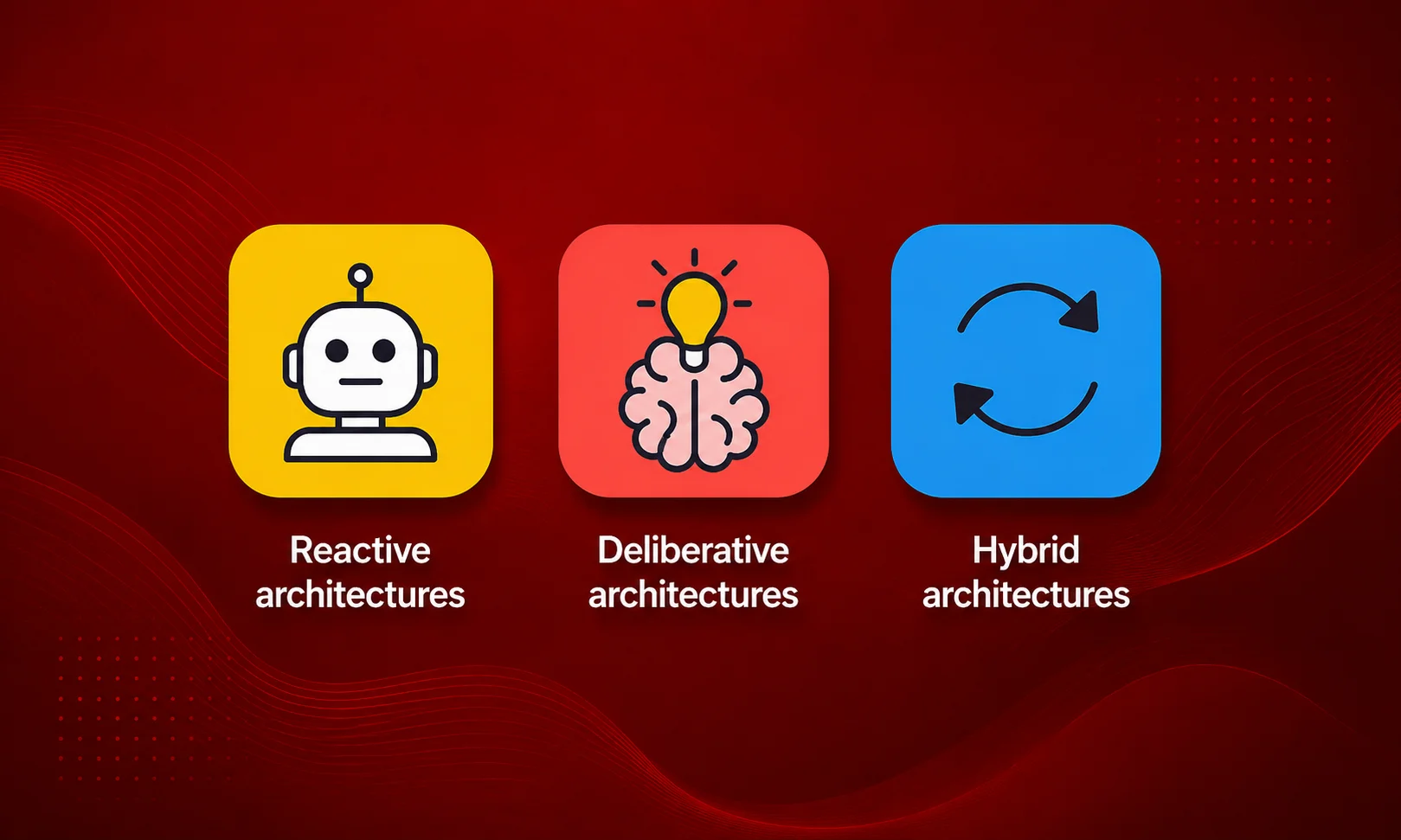
AI agents are commonly built using reactive, deliberative, or hybrid architecture patterns. The main difference is how much planning and reasoning happens before the agent acts.
Reactive systems respond quickly, deliberative systems spend more time planning, and hybrid systems combine fixed workflows with model-based reasoning.
Pattern | How it works | Strength | Limitation |
Reactive | Responds to current input | Fast and simple | Limited planning |
Deliberative | Plans before acting | Handles complex tasks | Higher cost and latency |
Hybrid | Combines rules and reasoning | Flexible and controlled | Requires careful design |
Reactive Architecture
A reactive agent responds to the current situation with little long-term planning. A simple example is a support system that reads a ticket, identifies the topic, assigns a priority, and routes it to the right team.
This architecture works best when the task is narrow and predictable. It is often faster and cheaper because the agent does not need to create a detailed plan before acting.
Deliberative Architecture
A deliberative agent spends more time thinking through the task. It can break a goal into smaller steps, identify which tools are needed, collect information, and revise its approach when new results appear.
This pattern can work well for research agents, complex coding tasks, and longer business processes. The downside is higher cost and slower responses because the system performs more reasoning steps.
Hybrid Architecture
Hybrid architecture combines deterministic workflows with model-based reasoning. For many production systems, this is often the most practical approach because it keeps strict rules in place while allowing the agent to handle messy information.
For example, the model can understand a customer’s complaint and determine the likely issue. A fixed workflow can still require approval for refunds above a certain amount.
Neural-Symbolic Design
Some environments need stronger rules and more predictable decisions. Neural-symbolic systems combine model-based reasoning with explicit logic and constraints.
The model can interpret complicated information while deterministic rules enforce requirements that cannot be ignored. This approach can be useful for systems dealing with compliance, security, or strict business policies.
Single-Agent vs. Multi-Agent Architecture
A single-agent system uses one primary agent to manage the task. A multi-agent architecture divides work between several agents, with each one handling a specific responsibility.
More agents do not automatically create a better system. Every additional agent adds communication, coordination, cost, and more opportunities for information to be misunderstood.
When One Agent Is Enough
A single agent is usually enough when the task has one clear goal and the same set of tools can complete the work. It is also easier to manage when context sharing is straightforward.
Take a support-ticket system that classifies requests, checks customer details, searches documentation, and routes tickets. One well-designed agent can often handle all of that without creating separate agents for every small step.
Why Starting Simple Makes Sense
Many teams create multi-agent systems too early because the idea sounds advanced. In practice, extra agents can make debugging and testing harder.
Start with one agent and measure where it struggles. Add another agent only when specialization solves a real problem that a single-agent architecture cannot handle well.
Common Multi-Agent Orchestration Patterns
Multi-agent systems can coordinate in several ways. The most common patterns are sequential, hierarchical, parallel, and shared-memory orchestration.
The right choice depends on whether agents need to work in a fixed order, report to a coordinator, complete independent tasks, or access the same information.
Sequential Orchestration
In sequential orchestration, one agent completes its task before passing the result to the next agent. The workflow follows a defined order.
For example, one agent could research a topic, another could review the findings, and a final agent could prepare the finished output. This works well when later tasks depend on earlier results.
Hierarchical Orchestration
Hierarchical orchestration uses a coordinator or manager agent that assigns tasks to specialist agents. The coordinator decides which agent should handle each part of the work.
This can be useful for complex tasks where the work cannot be planned entirely in advance. The downside is that the coordinator itself becomes another point where decisions can fail.
Parallel Orchestration
Parallel orchestration allows multiple agents to work on separate tasks at the same time. Their results are combined once the individual tasks are complete.
This can reduce overall processing time when tasks are genuinely independent. It does not help much when every agent needs information from another agent before continuing.
Shared-Memory Architecture
In a shared-memory architecture, multiple agents can access the same state or memory system. This can help agents stay informed about what others have already completed.
The challenge is controlling who can read and change shared information. Poor access controls can lead to conflicting updates, incorrect assumptions, or sensitive information reaching the wrong agent.
The Error-Amplification Problem
Multi-agent systems can spread mistakes through the workflow. If one agent produces incorrect information and another agent accepts it as trusted input, the error can influence later decisions.
This is why validation matters. Agent messages should not automatically be treated as correct simply because they came from another part of the same system.
A larger agent system can solve bigger problems, but it can also create bigger debugging problems. Add complexity only when the task clearly justifies it.
Popular Frameworks for Building Agent Architecture
Several frameworks can help developers build AI agents, but they approach orchestration, memory, state, and tool usage differently.
The framework should support the architecture you need. Choosing a framework first and then forcing the use case to fit it usually creates unnecessary complexity.
Framework Comparison
Framework | Main approach | Best suited for | Learning curve |
LangGraph | Graph-based workflows | Complex stateful systems | Medium to high |
CrewAI | Role-based agents | Specialized agent collaboration | Medium |
AutoGen / AG2 | Agent conversations | Multi-agent experimentation | Medium to high |
OpenAI Agents SDK | Tools and handoffs | Fast agent development | Low to medium |
Google ADK | Agent composition | Google ecosystem projects | Medium |
Framework features change quickly, so teams should always review current documentation before choosing a production stack. The comparison should focus on actual system requirements rather than popularity alone.
LangGraph
LangGraph is useful for teams that need explicit control over workflows and agent state. Its graph-based design can handle branching paths, retries, checkpoints, and human approval steps.
The additional control requires more architectural planning. It is a stronger fit for teams building complex stateful systems than for someone creating a simple prototype in an afternoon.
CrewAI
CrewAI focuses on role-based collaboration between agents. It can be useful when different parts of the task genuinely require separate responsibilities.
The main risk is creating too many roles. A framework making it easy to create agents does not mean every task needs a researcher, planner, reviewer, and writer.
AutoGen and AG2
AutoGen introduced widely used patterns for conversational multi-agent systems. AG2 continues the open-source approach to agent interaction and orchestration.
These frameworks can help teams experiment with agent communication and tool usage. Production systems still need proper permissions, monitoring, persistence, evaluation, and failure handling.
OpenAI Agents SDK
The OpenAI Agents SDK supports agent workflows involving tools, handoffs, guardrails, and tracing. It can reduce development work for teams already building with OpenAI technologies.
The SDK helps with implementation, but the surrounding architecture still needs careful planning. Teams must decide how state is managed, what tools are allowed, and how sensitive actions are controlled.
Google ADK
Google ADK supports building and coordinating agents within a wider agent development environment. It can be particularly useful for teams already working with Google’s cloud and AI services.
Infrastructure often matters as much as framework features. Existing data systems, identity services, deployment tools, and monitoring platforms can strongly influence the best choice.
Worked Example: Architecting a Support-Ticket Triage Agent
A practical example makes AI agent architecture easier to understand. Imagine a SaaS company receiving 20,000 support tickets every month.
The company wants an agent that can classify tickets, collect relevant information, recommend the next action, and route cases to the correct team without giving it unrestricted access to customer accounts.
Step 1: Receive and Prepare the Ticket
The agent receives a new ticket through the company’s help desk API. The input system extracts the ticket text, customer ID, account plan, product area, language, and recent support history.
The system filters unnecessary information before sending context to the agent. A simple ticket classification should not require the model to process years of account data.
Step 2: Retrieve Relevant Context
The system searches for information connected to the issue. It may retrieve previous tickets, known product incidents, approved troubleshooting steps, and relevant historical cases.
A retrieval system can locate useful documents without placing the entire company knowledge base into the model’s context. Results should also be ranked by relevance and freshness.
Step 3: Plan the Next Actions
Suppose a customer writes: “My team can’t log in after changing our company SSO settings.”
The agent needs to identify the organization, check the SSO configuration, review recent authentication errors, and retrieve the approved troubleshooting process before deciding what should happen next.
Step 4: Use the Required Tools
The agent may access CRM data, authentication logs, an internal knowledge base, and the ticketing platform. Each tool should provide only the permissions required for triage.
The agent may be allowed to read configuration information and create an escalation ticket, but it should not automatically change administrator settings or security configurations.
Step 5: Verify the Result
After gathering information, the system checks whether the agent reached a valid result. The ticket may be resolved, routed automatically, escalated to a specialist, or paused because important information is missing.
The system should record which tools were used, what information was retrieved, what decision was made, and whether the final outcome was later corrected.
What the Final Architecture Looks Like
The overall workflow could look like this:
Help Desk Event → Input Processing → Context Retrieval → Planning → Tools and APIs → Validation → Ticket Action → Feedback
Notice that this architecture does not require a large collection of specialized agents. One well-designed agent with controlled tools, retrieval, validation, and clear escalation rules may be enough.
Security and Governance Considerations

Once an AI agent can access business systems, security becomes part of the architecture. A system that can read data, send messages, or change records needs stronger controls than a simple chatbot.
The main risks include prompt injection, excessive tool permissions, and incorrect information entering long-term memory.
Prompt Injection
Prompt injection happens when untrusted content tries to influence the agent’s instructions. An email, document, or webpage may contain hidden or visible text designed to change what the agent does.
The architecture should treat external content as untrusted data. A document can provide information, but it should not automatically gain the authority to redefine the agent’s instructions.
Tool Misuse
Giving an agent too much access can turn a reasoning mistake into a real operational problem. A prompt telling the model to be careful is not enough.
Use scoped permissions, validation rules, confirmation steps, and human approval for sensitive actions. The system should assume that the model can make mistakes and limit the damage those mistakes can cause.
Memory Poisoning
Memory poisoning happens when incorrect or malicious information enters persistent memory and is later retrieved as trusted context.
Memory entries should include information about their source, ownership, and age. Stored information should not automatically be considered trustworthy simply because it has been inside the system for a long time.
Centralized Governance
As agent systems grow, managing separate security rules inside every agent becomes difficult. Shared controls should be handled centrally where possible.
Authentication, permissions, logging, policy enforcement, and audit requirements are easier to manage when the organization has clear system-wide standards.
When Not to Use an Agent
Not every process needs an AI agent. Sometimes a traditional workflow or automation is faster, cheaper, and far easier to maintain.
If a process follows fixed rules with predictable inputs and outputs, introducing an autonomous reasoning loop may create problems without adding meaningful value.
Use Automation for Predictable Workflows
A standard automation is often the better choice when the process has clear conditions and little ambiguity.
For example, sending an invoice reminder 30 days after a missed payment can follow a simple process: check the payment status, confirm the due date, and send the reminder.
Where AI Agents Make More Sense
AI agents become more useful when information is messy, incomplete, or difficult to interpret. They can gather missing context, choose between several possible actions, and adapt when new information changes the situation.
The key question is simple: does the task require judgment, or can a fixed workflow handle it? If the workflow already solves the problem reliably, adding an agent may only make the system more complicated.
How to Choose the Right Architecture for Your Use Case
The right AI agent architecture should start with the problem, not the framework. Before choosing tools or adding multiple agents, understand what the system actually needs to do and where traditional automation stops being useful.
Look at the level of ambiguity, the number of dependent steps, memory requirements, security risks, and the consequences of a wrong decision. Those factors should shape the architecture.
How Repeatable Is the Task?
Highly repetitive tasks usually work better with standard automation. If the same input always requires the same action, a fixed workflow is often faster and easier to test.
AI agents become more useful when the system must interpret unclear language, handle incomplete information, or respond differently based on changing conditions.
Does the Agent Need Memory?
Not every agent needs persistent memory. If each task is independent, storing information across sessions may add unnecessary cost and complexity.
Persistent memory makes more sense when the agent needs customer history, previous decisions, preferences, or information that must remain available for future tasks.
How Many Dependent Steps Are Involved?
A simple classification task may need only a reactive system. The agent receives information, makes a decision, and completes the task.
A longer process involving research, planning, tool calls, and verification may require a hybrid or deliberative architecture with stronger state management.
Does the Agent Take Real Actions?
An agent that only provides recommendations has a different risk level from one that can send emails, change customer records, process payments, or interact with infrastructure.
The more authority an agent receives, the more important permissions, validation, monitoring, and approval controls become.
How Much Risk Can the Business Accept?
Low-risk mistakes may be acceptable in some situations. A wrong recommendation can often be corrected without causing serious damage.
High-risk actions require stronger controls. Human approval, deterministic validation, and restricted permissions should be considered before allowing the agent to act independently.
Start With the Smallest Useful System
A common mistake is building for future complexity before the current problem is even solved. Teams often add memory systems, multiple agents, and orchestration layers that the use case does not yet require.
Start with the smallest architecture that can reliably complete the task. Add complexity when real performance data shows where the existing system is struggling.
AI Agent Architecture Best Practices
Good architecture is less about using the newest framework and more about controlling how the agent receives information, makes decisions, and performs actions.
The best systems are usually easier to understand and test. If nobody can explain why an agent made a decision, debugging the system later will become difficult.
Keep the Agent’s Job Narrow
Give the agent a clear responsibility. A system designed to handle everything often becomes difficult to evaluate because there is no clear definition of success.
Start with a specific problem, such as ticket triage, document analysis, or account research. Broader capabilities can be added later when the agent performs reliably.
Limit Tool Access
The agent should receive only the tools and permissions required for its task. Broad access may be convenient during development, but it creates unnecessary risk in production.
Sensitive actions should have stronger controls. Read-only access, approval steps, and scoped credentials can reduce the impact of incorrect model decisions.
Design for Failure
Agents will fail. APIs will return errors, data will be missing, users will provide unclear requests, and models will sometimes make incorrect assumptions.
The architecture should define what happens when those failures occur. Retry rules, fallback workflows, escalation paths, and clear stopping conditions should be designed before deployment.
Make Actions Observable
You need to know what the agent did and why. Production systems should record important events, including tool calls, retrieved information, decisions, failures, and final outcomes.
Good observability makes debugging possible. Without logs and traces, finding the source of an incorrect action can become guesswork.
Evaluate Real Outcomes
Testing an agent with a few impressive demonstrations is not enough. The system should be evaluated using realistic tasks, edge cases, and failure scenarios.
Measure outcomes that actually matter to the business. Accuracy alone may not tell you whether the agent is saving time, reducing errors, or creating additional work for human teams.
Common AI Agent Architecture Mistakes
Many agent projects become unnecessarily complicated before they reach production. The most common problems usually come from poor system design rather than a weak AI model.
Avoiding these mistakes early can save significant development time and prevent expensive redesign work later.
Building a Multi-Agent System Too Early
Multiple agents can look impressive in a system diagram. That does not mean the architecture needs them.
Start with one agent whenever possible. Add specialist agents only when the task clearly requires separate roles or independent areas of expertise.
Giving the Model Too Much Context
More context does not always produce better results. Large amounts of irrelevant information can distract the model and increase processing costs.
Retrieve information based on the current task instead of sending every available document and conversation into the agent’s context.
Treating the Model as the Security Layer
A prompt cannot replace proper access controls. Asking the model not to perform dangerous actions does not prevent mistakes or malicious input from influencing its behavior.
Security needs to exist outside the model. Permissions, authentication, validation, and approval systems should control what actions are actually possible.
Letting Agents Run Without Limits
An agent without stopping conditions can repeat tool calls, retry failed actions, or continue reasoning long after it should have stopped.
Set limits for execution steps, time, cost, retries, and tool usage. Clear boundaries make the system more predictable.
Storing Everything as Memory
Saving every interaction forever creates a growing collection of information that may become irrelevant, inaccurate, or difficult to retrieve.
Memory should have rules for storage, retrieval, updates, expiration, and deletion. The goal is useful memory, not the largest possible memory database.
How AI Agent Architecture Is Changing
AI agent architecture is moving away from simple chatbot-style systems toward applications that can use tools, manage state, and complete longer workflows.
The biggest changes are not limited to larger language models. Better orchestration, memory systems, tool standards, evaluation methods, and security controls are becoming equally important.
Agents Are Becoming More Connected
Early AI systems mainly generated responses. Modern agents increasingly connect with databases, APIs, business software, and internal tools.
That creates more useful systems, but it also increases responsibility. Every new connection adds another permission boundary and another possible failure point.
State Management Is Becoming More Important
As agents handle longer tasks, keeping track of state becomes essential. The system needs to know what has already happened, what information was retrieved, and what still needs to be done.
Frameworks are increasingly focusing on persistent workflows, checkpoints, and recoverable execution. These features matter because production tasks rarely follow a perfect straight line.
Standardized Tool Connections Are Growing
Standards such as the Model Context Protocol are helping create more consistent ways for AI systems to connect with tools and external data.
Standard connections can reduce integration work, but organizations still need to review the security and permissions of every connected system.
Evaluation Will Matter More Than Demos
An agent can look impressive during a controlled demonstration and still perform poorly in real conditions.
The focus is shifting toward measuring reliability, task completion, error rates, cost, latency, and how often human intervention is required.
Final Thoughts
AI agent architecture is not about building the biggest system or adding as many agents as possible. The best design is the one that gives the agent enough memory, reasoning, tools, and control to complete the job without creating unnecessary complexity.
Start with a clear problem and build the smallest system that can solve it reliably. Test it with real tasks, watch where it fails, and add more memory, orchestration, or agents only when there is a genuine need.
That approach produces systems that are easier to manage, cheaper to run, and far easier to improve over time.