Honestly? Hiring a designer for every blog graphic just isn’t worth it anymore. You wait days. You pay too much. Half the drafts miss what you wanted in the first place. So most of us have just stopped doing it. A solid AI illustration generator handles 90% of that work now, and it costs you almost nothing.
I run content for like a dozen brands at this point, and I haven’t briefed a freelance illustrator in months. Stuff that used to eat two weeks now wraps before lunch. So in this guide I’ll walk you through eight tools I actually use or have tested for client work. Some cost real money. A few are free. I’ll be honest about which ones earn the spend and which ones don’t.
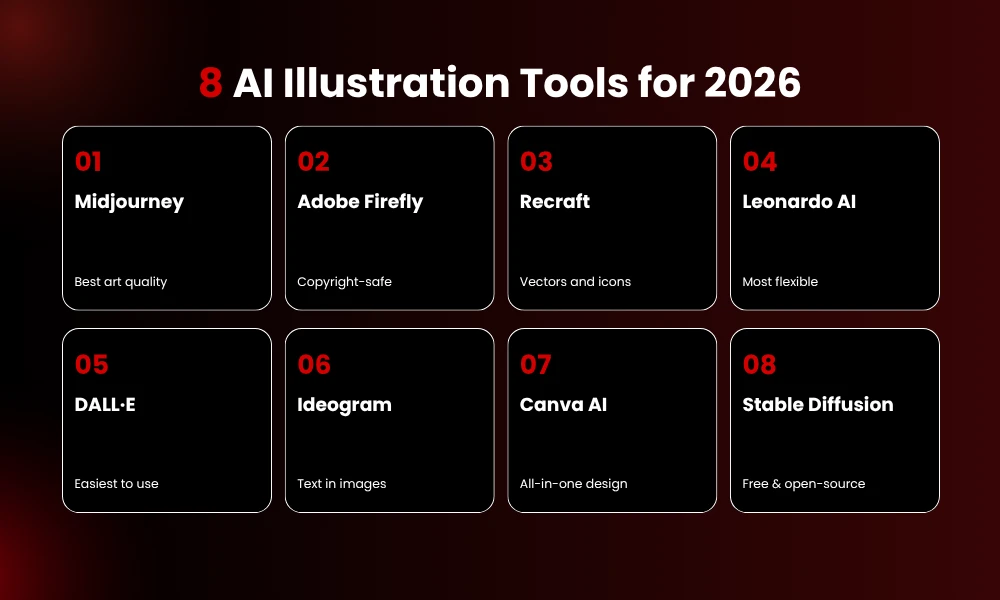
Best AI illustration generator picks for 2026: Midjourney (best-looking art), Adobe Firefly (copyright-safe), Recraft (vectors and icons), Leonardo AI (most flexible), DALL·E in ChatGPT (easiest), Ideogram (text inside images), Canva AI (built into a design app), Stable Diffusion (free and open-source).
Pick based on what you make, your budget, and whether copyright cover matters for client work.
Why Most Teams Have Already Dropped Freelance Illustrators
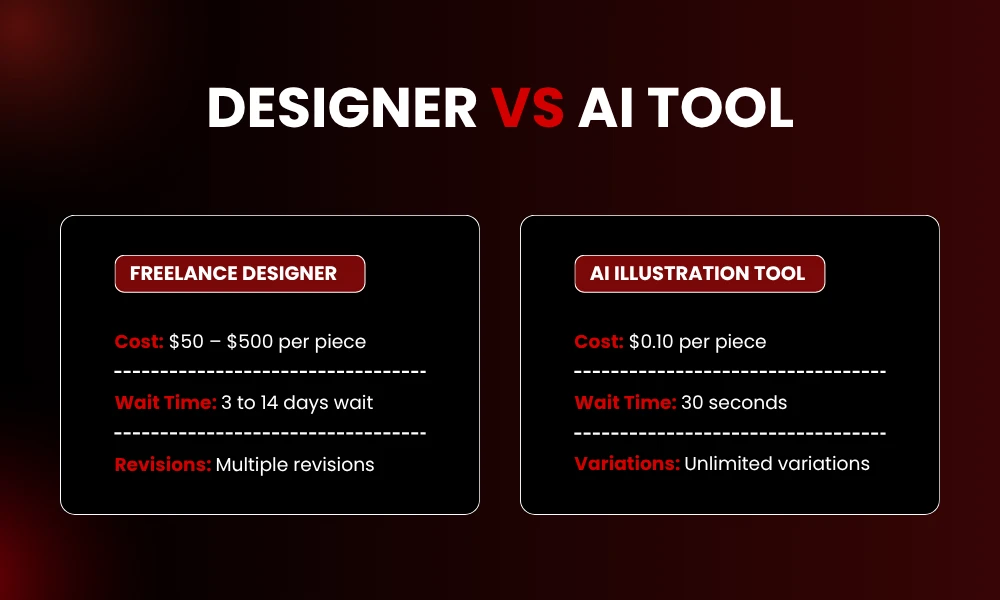
A freelance illustrator? $50 to $500 per piece. Agencies? Don’t even ask. A decent AI illustration generator does the same job for cents and finishes in under a minute. The math is just brutal. It’s why so many small content teams stopped hiring out for one-off blog graphics two years ago.
Quality used to be the catch. AI art back then looked, well, weird. Hands had extra fingers sometimes. Text came out as gibberish. Faces had that uncanny thing going on. Most of that’s gone. GPT Image 2 and Ideogram handle text fine now. Recraft locks down a character look across a whole campaign. So the stuff you ship today honestly compares to what a mid-tier illustrator hands you.
One catch though. Treat AI output as a draft, not a final. You’ll still wanna crop it, fix the color, drop a logo on. The AI gets you 80% there. Your taste handles the rest.
1. Midjourney
Pure visual quality? Midjourney’s still the king. Not even close on most days. The output just looks intentional, like an actual person sat down and made it. Moody illustrations, fantasy stuff, editorial portraits, cinematic scenes, that’s its lane.
You can run it through Discord or the web app. Drop your prompt, get four versions back, pick one and refine it. Reference images help a lot when you need a consistent style across a series.
Pricing: No free tier, which sucks. Basic at $10/month gets you about 200 fast images. Standard at $30/month is what I tell most folks to grab because it adds unlimited relax mode. Pro at $60/month adds stealth mode for private client work. Mega at $120/month is overkill unless you’re running an art shop full-time.
Best for: Illustrators, art directors, anyone making mood-heavy visuals where style beats precision.
Watch out: Text in images is still rough. Letters get jumbled or invented. And every image you make goes public by default unless you pay for stealth mode.
2. Adobe Firefly
This is the one you use when copyright actually matters. Adobe trained Firefly on licensed Stock and public-domain content only. No scraped web data like most other models pull from. They even back it with a written promise to defend enterprise customers if any IP claim comes up. Nobody else does that.
Also it plugs right into Photoshop and Illustrator through Generative Fill. If your team already lives in Adobe apps, that integration alone is worth the sub.
Pricing: Standard is $9.99/month with 2,000 credits. Pro is $19.99/month with 4,000 credits plus Adobe Express and Photoshop web. Pro’s the better deal for most people, honestly.
Best for: Agencies, in-house brand teams, freelancers selling to bigger clients.
Watch out: Stylized art just isn’t as nice as Midjourney’s. Real-person prompts get blocked a lot too.
3. Recraft
Recraft is the only tool here that outputs proper editable vectors. Other tools spit out a flat JPEG. Recraft hands you something you can blow up to billboard size with no blur, no quality loss. For icons, logos, flat brand work? Nothing else really competes.
Character consistency is the other huge thing. Building a mascot or a recurring illustrated character? Recraft holds the look across twenty pieces way better than anything else right now.
Pricing: Free tier works for testing. Paid plans start around $12/month with bigger limits and commercial rights.
Best for: Designers, brand teams, anyone making icons or flat illustrations that gotta scale clean.
Watch out: Photorealism isn’t its thing. Don’t try. Use Midjourney or DALL·E for photos.
4. Leonardo AI
Leonardo is for folks who want real control without setting up Stable Diffusion on their own machine. The free tier alone hands you 150 tokens daily, which works out to like 50-75 images. Way more than what Midjourney (zero) or Firefly’s stingy free credits give.
You also pick your own model, format, quality, plus a bunch of other knobs. Custom model training is on the table too if you’ve got a brand look you wanna lock in.
Pricing: Free tier with 150 daily tokens. Paid plans kick in at $12/month (Apprentice) and go up from there for team use.
Best for: Game devs, illustrators, creators who want range and don’t mind a learning curve.
Watch out: Harder to pick up than chat-based tools. Free tier output can’t be used commercially, so you’ll need to upgrade for any paid client work.
5. DALL·E (via ChatGPT)
Easiest tool on this list, no contest. DALL·E lives inside ChatGPT now, so you just chat your way to an image. Describe it. Ask for tweaks. Keep going till it’s right. No prompt syntax tricks, no menu of settings, no model picker.
The current version follows prompts shockingly well. Tons of reviewers rank it as the best all-rounder right now and honestly, I get it. Solid prompt fidelity, decent realism, easy to use, clean output. Nothing flashy. Just consistently solid.
Pricing: Comes with ChatGPT Plus at $20/month. Same sub also gets you the text assistant, code help, voice mode, all that.
Best for: Solo creators, writers, marketers who want one tool for both words and visuals.
Watch out: Less stylistic range than Midjourney. Slows down during peak hours.
6. Ideogram
Need readable text in your image? Ideogram’s the pick. Slogan on a poster. Quote on a social card. Headline on a flyer. Most generators butcher this. Ideogram doesn’t.
General image quality is also pretty solid, which is why marketers keep quietly switching to it for hybrid copy-plus-graphic work. Brand posters, event flyers, quote cards, all come out clean.
Pricing: Free tier with daily caps. Paid plans from $7/month.
Best for: Social media managers, marketers, anyone making visuals where words sit inside the art.
Watch out: Way smaller user base than Midjourney, so you’ll find fewer prompt guides online if you get stuck.
7. Canva AI
Canva bolted AI image generation right into its design app. If you’re a Canva user already? Free upside basically. Generate an image, drop it into a template, add text, export. All in one tab.
The models underneath are a mix (Stable Diffusion, DALL·E, others), so quality holds up fine. Real value here isn’t the generator though. It’s the design ecosystem around it. Templates, brand kits, team folders, all that.
Pricing: Free tier with caps. Canva Pro at $15/month unlocks higher generation limits and the full Canva feature set.
Best for: Small business owners, social teams, anyone using Canva daily.
Watch out: As a pure generator it lags behind the specialists. The strength is the platform, not the model itself.
8. Stable Diffusion
Free. Open-source. Basically infinite if you’ve got the hardware to run it. Stable Diffusion lives on your own machine (or in the cloud through DreamStudio) and gives you total control over every setting.
Setup’s the tradeoff. You need a decent GPU, 8GB VRAM minimum, plus some patience for the install. Once it runs your cost per image is literally zero. That math wins big if you’re cranking hundreds of images monthly.
Pricing: Free if self-hosted. Cloud services bill per image or by sub, usually under $10/month for light use.
Best for: Devs, technical creators, high-volume shops looking to cut ongoing costs.
Watch out: No copyright cover. Output depends heavy on which model and which settings. Setup eats a chunk of your weekend.
How to Pick the Right One
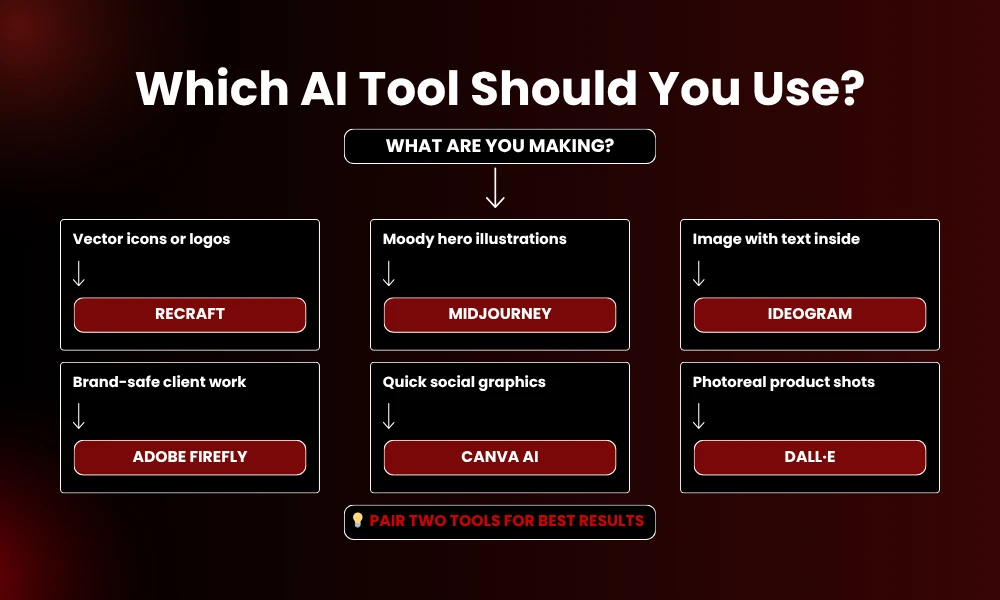
Three questions. That’s it.
What are you making? Vector icons send you to Recraft. Moody hero images send you to Midjourney. Visuals with words inside? Ideogram or Firefly. Photoreal product shots? GPT Image.
What’s your budget? Free tiers from Leonardo and Stable Diffusion handle casual use just fine. The $10-30/month range is where most pros end up. Past that you’re paying for volume or team features you probably don’t need.
Does copyright safety matter for your work? Selling to brand clients or running paid ads? Firefly’s IP cover is genuinely useful. For everything else, the other tools work fine.
Real talk: pair two, not one. Midjourney for hero art plus Recraft for icons is a killer combo. Or DALL·E for fast drafts and Firefly for final client deliverables. No single tool does everything well.
Mistakes That Wreck Your Output
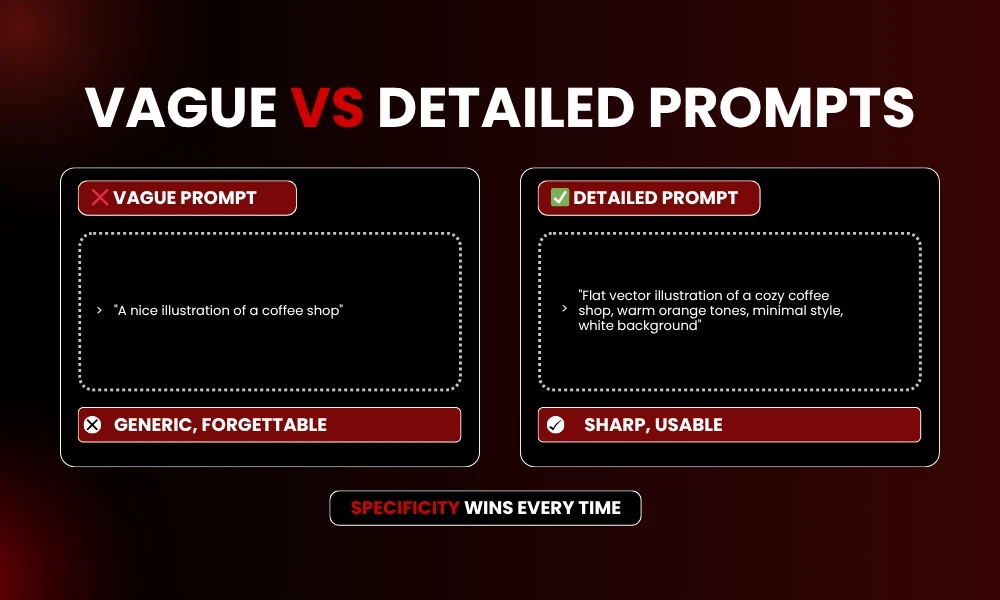
Vague prompts give vague results. “A nice illustration of a coffee shop” gets you something forgettable every single time. Spell it out instead. Style, color, mood, layout, all of it. Try: “flat vector illustration of a cozy coffee shop, warm orange tones, minimal style, white background.” Night and day.
Don’t skip the commercial fine print. Free tiers almost always block business use. Read the terms before you drop AI art into a paid client job. Some platforms also block real people and trademarked stuff outright.
And please don’t ship raw output. AI gives you a draft. Smart creators crop tighter, color-correct, add proper typography in Canva or Photoshop. That last polish step is the gap between amateur and pro work.
FAQs
What is the best AI illustration generator for beginners?
DALL·E inside ChatGPT is the easiest start. You describe what you want in normal English and the AI refines through chat. No prompt syntax, no setup. Just a $20/month ChatGPT Plus account and you’re rolling.
Can I use AI-generated illustrations for commercial work?
Yeah but read the terms first. Adobe Firefly has the strongest copyright protection for paid users, so it’s the safest pick for client work. Midjourney, Leonardo AI, and Recraft also grant commercial rights on paid plans. Free tiers usually block commercial use, so upgrade if money’s on the line.
Are AI illustration generators free to use?
A bunch of them, yeah. Leonardo AI gives 150 daily tokens. Stable Diffusion’s free if you self-host. Canva and Ideogram both have free plans with daily caps. Midjourney’s the holdout, paid-only from $10/month with no trial.
Which AI tool is best for creating logos and icons?
Recraft, hands down. It outputs editable vector files, which means infinite scaling without losing quality. Bare minimum for real brand work. Illustrator users can pair Firefly with manual vector tracing for the same result, but Recraft’s way faster.
How do I make AI illustrations look more professional?
Write detailed prompts. Style, color, lighting, composition, the works. Generate a few options, pick the strongest. Then polish in an editor: tighter crop, color tweaks, clean type on top. That last 10% of effort is what splits pro from generic.
Final Thoughts
A solid AI illustration generator flips the math on visual content. What used to cost hundreds and a week of waiting now costs cents and wraps before your coffee cools. Right pick depends on what you make and who pays for it. Test two or three from this list on real work and within a few days you’ll know which one earns a spot in your daily stack. Begging designers for every little graphic? Done. The tools sit one prompt away.