

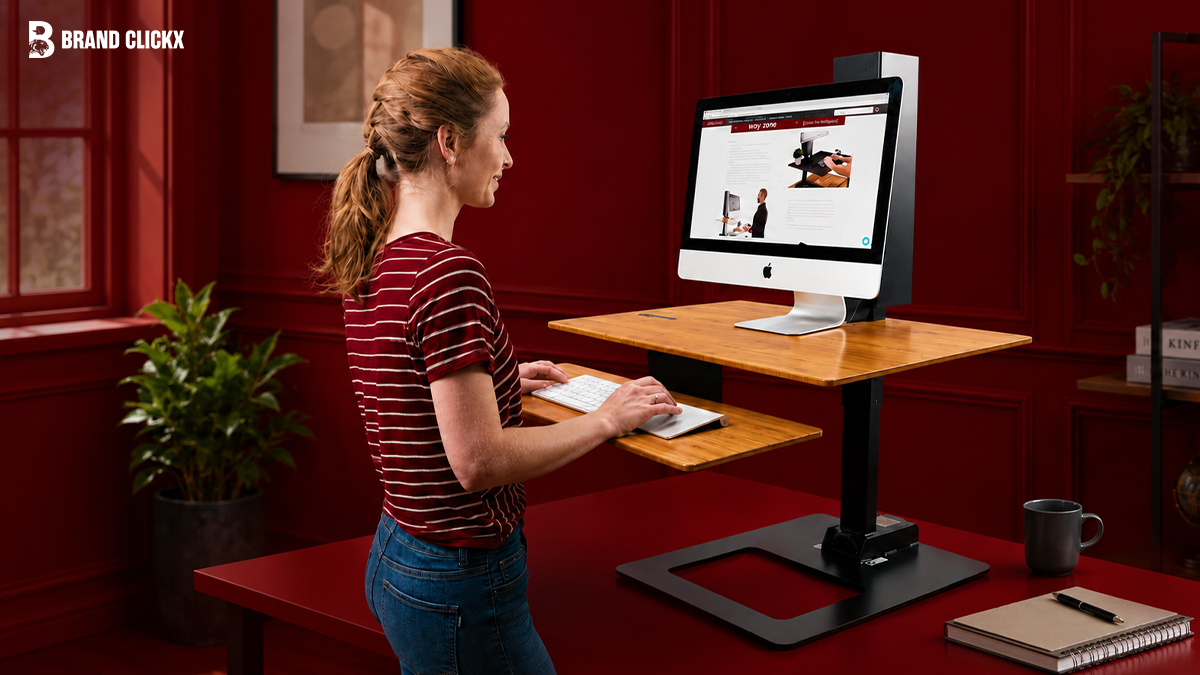
For years, I thought upgrading my workspace meant buying a completely new desk.
Like many people working from home, I spent entire days sitting in front of a monitor, telling myself I’d stand up “after finishing this task.” Hours passed, my shoulders tightened, my neck became stiff, and I realized the problem wasn’t my chair, it was how little I moved during the day.
Replacing my desk wasn’t practical. It was expensive, time-consuming, and honestly unnecessary. That’s when I started researching the best riser desks, also known as standing desk converters.
What surprised me wasn’t how many options existed, it was how different they felt despite looking almost identical online.
Some models stayed rock solid while typing.
Others shook every time the keyboard moved.
Some looked spacious in product photos but barely had enough room for a laptop and notebook.
After comparing leading models, manufacturer specifications, long-term owner feedback, warranty coverage, and ergonomic recommendations, one thing became clear: choosing the right standing desk converter isn’t about buying the most expensive option. It’s about buying the one that matches how you actually work.
This guide is designed to help you make that decision.
You’ll learn which standing desk converters offer the best value, which models are worth paying extra for, which ones suit dual-monitor setups or small desks, and what features genuinely improve everyday comfort instead of simply increasing the price.
AI Overview
A standing desk converter is an adjustable platform that sits on top of your existing desk, allowing you to alternate between sitting and standing without replacing your furniture. It’s one of the most affordable ways to create a healthier workstation while keeping your current desk.
The best standing desk converter depends on three things:
- The size of your workspace.
- The weight of your equipment.
- How many hours you spend at your desk each day.
For most professionals, a quality converter with a stable frame, smooth height adjustment, and enough room for a monitor, keyboard, and mouse offers the best balance between comfort, productivity, and value.
If you’re working from home, studying, gaming, or spending long hours at a computer, a standing desk converter can be a practical upgrade without the cost of purchasing a full sit-stand desk.
Key Takeaways
- A standing desk converter costs significantly less than replacing your entire desk.
- Stability matters more than extra features. A solid platform improves everyday usability far more than built-in accessories.
- Most users don’t need the most expensive model. Mid-range converters now offer excellent performance for typical home office setups.
- Dual-monitor users should prioritize workspace dimensions and weight capacity before anything else.
- Compact converters are ideal for small apartments, dorm rooms, and shared workspaces.
- Switching between sitting and standing throughout the day is generally more beneficial than remaining in either position continuously.
What Is the Best Standing Desk Converter?
The best standing desk converter is one that fits your workspace, supports your equipment safely, adjusts smoothly between sitting and standing heights, and remains stable during everyday use. For most people, models like the VariDesk Pro Plus 36 and FlexiSpot M7 provide the best combination of durability, ergonomics, and long-term value.
Quick Comparison
| Product | Best For | Weight Capacity | Dual Monitor Support | Warranty* | Value Score |
| VariDesk Pro Plus 36 | Best Overall | High | Yes | Manufacturer warranty | 9.8/10 |
| FlexiSpot M7 | Best Value | High | Yes | Manufacturer warranty | 9.7/10 |
| VIVO K Series | Budget Buyers | Medium | Yes | Manufacturer warranty | 9.4/10 |
| Mount-It! Converter | Small Desks | Medium | Limited | Manufacturer warranty | 9.2/10 |
| Ergotron WorkFit-T | Premium Offices | High | Yes | Manufacturer warranty | 9.6/10 |
| FLEXISPOT AlcoveRiser | Home Office | High | Yes | Manufacturer warranty | 9.5/10 |
| FITUEYES Converter | Large Workspace | High | Yes | Manufacturer warranty | 9.1/10 |
| Rocelco DADR | Heavy Equipment | High | Yes | Manufacturer warranty | 9.0/10 |
| Seville Classics AIRLIFT | Portable Setup | Medium | Limited | Manufacturer warranty | 8.9/10 |
| HUANUO Converter | Entry-Level | Medium | Limited | Manufacturer warranty | 8.8/10 |
*Always verify current warranty terms before purchasing, as manufacturers occasionally update their policies.
How We Evaluated These Standing Desk Converters
One thing became obvious while researching this guide: many product roundups rely almost entirely on manufacturer specifications.
Specifications are useful, but they rarely tell you how a product feels after months of everyday work.
Instead of ranking converters by marketing claims, I focused on the factors that consistently influence long-term satisfaction, including independent ergonomic guidance, product documentation, verified customer feedback across multiple retailers, warranty information, and real-world buying concerns that repeatedly appear in professional reviews and user discussions.
Each product was evaluated using the following criteria:
- Stability while typing.
- Smoothness of height adjustment.
- Workspace size.
- Keyboard tray usability.
- Build quality and materials.
- Weight capacity.
- Ease of assembly.
- Warranty coverage.
- Overall value for money.
One pattern appeared repeatedly.
People rarely complain because a converter lacks an extra feature.
They complain because it wobbles.
That single characteristic affects productivity more than almost anything else. A stable platform allows comfortable typing, smoother mouse movement, and greater confidence when supporting expensive monitors.
Research also supports creating a more dynamic workspace rather than remaining seated all day. According to the World Health Organization, insufficient physical activity remains a major global health concern.
Meanwhile, guidance from the Occupational Safety and Health Administration recommends arranging computer workstations to reduce strain on the neck, shoulders, wrists, and back.
A standing desk converter isn’t a cure for poor posture or inactivity. Still, when paired with proper workstation setup and regular movement, it can make long working days noticeably more comfortable.
The 10 Best Standing Desk Converters
1. VariDesk Pro Plus 36 – Best Overall
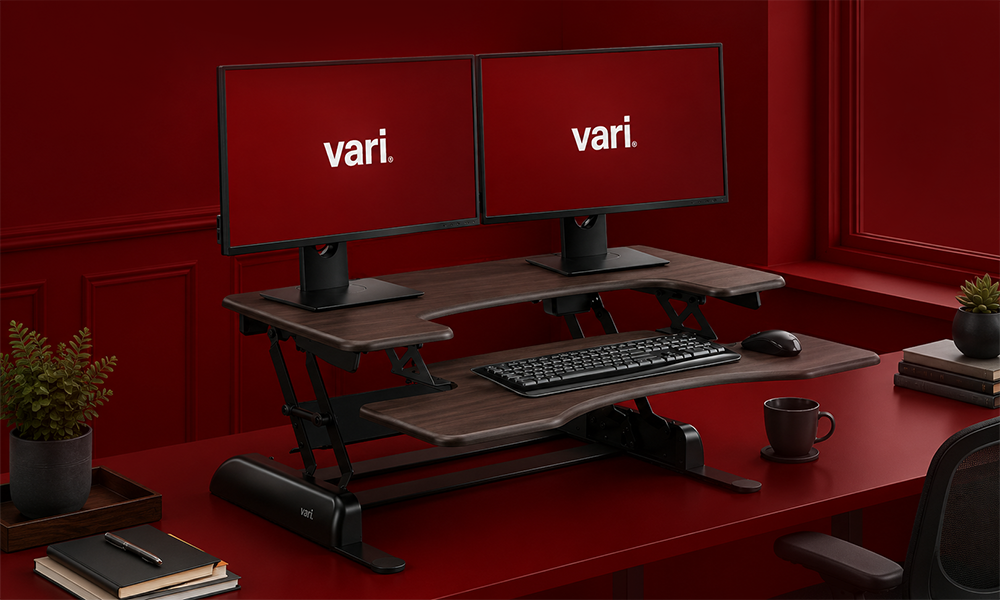
Best for: Professionals, remote workers, and anyone who spends most of the day at a computer.
VariDesk helped popularize standing desk converters long before dozens of competitors entered the market, and the Pro Plus 36 remains one of the strongest all-around choices.
What separates it from many alternatives isn’t flashy design, it’s consistency. The platform feels solid throughout its height range, the lifting mechanism is predictable, and the spacious work surface easily accommodates a typical dual-monitor setup.
That combination makes it especially appealing for people who write, design, code, or manage spreadsheets for hours every day.
Pros
- Excellent stability
- Spacious workspace
- Smooth spring-assisted lift
- Arrives fully assembled
- Strong reputation for durability
Cons
- Costs more than many competitors
- Heavy to reposition frequently
Who Should Buy It?
- Remote professionals
- Office workers
- Writers
- Designers
- Dual-monitor users
Who Should Skip It?
- Students with a very limited budget
- Users who need a lightweight portable converter
- People working with extremely small desks
Why It Stands Out
Many converters look similar online, but stability becomes immediately noticeable during everyday work. The VariDesk earns its reputation because it minimizes movement while typing, even with heavier monitor setups, a detail that experienced users tend to appreciate more over time than any extra feature.
2. FlexiSpot M7 – Best Value for Money
Best for: Home office professionals, freelancers, and remote workers who want premium features without paying premium prices.
If the VariDesk is the “safe premium choice,” the FlexiSpot M7 is the converter that offers the best balance between price and performance.
Over the last few years, FlexiSpot has earned a strong reputation in ergonomic office furniture. Instead of trying to compete only on price, the company has focused on building products that feel more expensive than they actually are.
The M7 is a good example.
Its gas-spring lifting mechanism makes switching between sitting and standing effortless, and the desktop provides enough space for a monitor, laptop, notebook, and everyday accessories without feeling crowded.
Pros
- Excellent value for money
- Smooth gas-spring adjustment
- Spacious work surface
- Stable during typing
- Modern design
Cons
- Slight movement with extremely heavy monitor arms
- Premium accessories sold separately
Who Should Buy It?
- Remote workers
- Hybrid employees
- Content creators
- Freelancers
- Small business owners
Who Should Skip It?
- Users needing commercial-grade durability
- People looking for the cheapest possible converter
Why It Stands Out
Many mid-range converters force buyers to compromise between quality and affordability. The FlexiSpot M7 is one of the few that feels like a premium product without carrying a premium price tag.
3. VIVO K Series – Best Budget Standing Desk Converter
Best for: Students, first-time buyers, and anyone shopping under a limited budget.
Budget products often receive unfair criticism.
The reality is that not everyone needs a commercial-grade standing workstation. If you primarily use a single monitor and laptop, spending twice as much rarely doubles your experience.
That’s why the VIVO K Series continues to be one of the most recommended best budget standing desk converters.
It delivers reliable everyday performance while remaining considerably less expensive than flagship models.
Pros
- Affordable pricing
- Good overall stability
- Easy to assemble
- Available in multiple sizes
- Strong value
Cons
- Smaller keyboard tray
- Manual adjustment isn’t as smooth as premium gas-spring models
Who Should Buy It?
- Students
- Home office beginners
- Single-monitor users
- Budget-conscious professionals
Who Should Skip It?
- Heavy dual-monitor users
- Creative professionals with large workstations
Why It Stands Out
Rather than adding unnecessary premium features, VIVO focuses on getting the fundamentals right.
For many buyers, that’s exactly what’s needed.
4. Mount-It! Standing Desk Converter – Best for Small Spaces
Best for: Apartments, dorm rooms, compact home offices, and shared workspaces.
One lesson many buyers learn too late is that desk space disappears quickly.
A converter may look compact in promotional photos but dominate an average desk once installed.
Mount-It! avoids that problem.
Its smaller footprint makes it one of the best riser desks for small spaces, while still providing enough room for a monitor, keyboard, and mouse.
Pros
- Compact footprint
- Lightweight
- Easy height adjustment
- Affordable
- Good stability
Cons
- Limited room for dual monitors
- Smaller keyboard tray
Who Should Buy It?
- Apartment dwellers
- Students
- Shared office users
- Laptop users
Who Should Skip It?
- Designers
- Developers
- Financial analysts using multiple displays
Why It Stands Out
Finding furniture for smaller workspaces usually means sacrificing usability.
This converter minimizes that compromise remarkably well.
5. Ergotron WorkFit-T – Best Premium Choice
Best for: Corporate offices, executives, engineers, and professionals who view office equipment as a long-term investment.
Ergotron has spent decades building ergonomic office equipment.
Its products frequently appear in commercial offices, hospitals, universities, and enterprise environments where durability matters more than upfront cost.
The WorkFit-T reflects that philosophy.
Instead of focusing on appearance, Ergotron invests heavily in engineering, stability, and longevity.
Pros
- Exceptional build quality
- Outstanding stability
- Counterbalance adjustment
- Commercial-grade durability
- Minimal assembly
Cons
- Premium pricing
- Heavier than most competitors
Who Should Buy It?
- Engineers
- Architects
- Office managers
- Corporate buyers
- Enterprise environments
Who Should Skip It?
- Casual home users
- Buyers on a limited budget
Why It Stands Out
Some office equipment is designed for occasional use.
The WorkFit-T is designed for daily use over many years.
That difference becomes increasingly valuable in professional environments.
6. FLEXISPOT AlcoveRiser – Best Home Office Setup
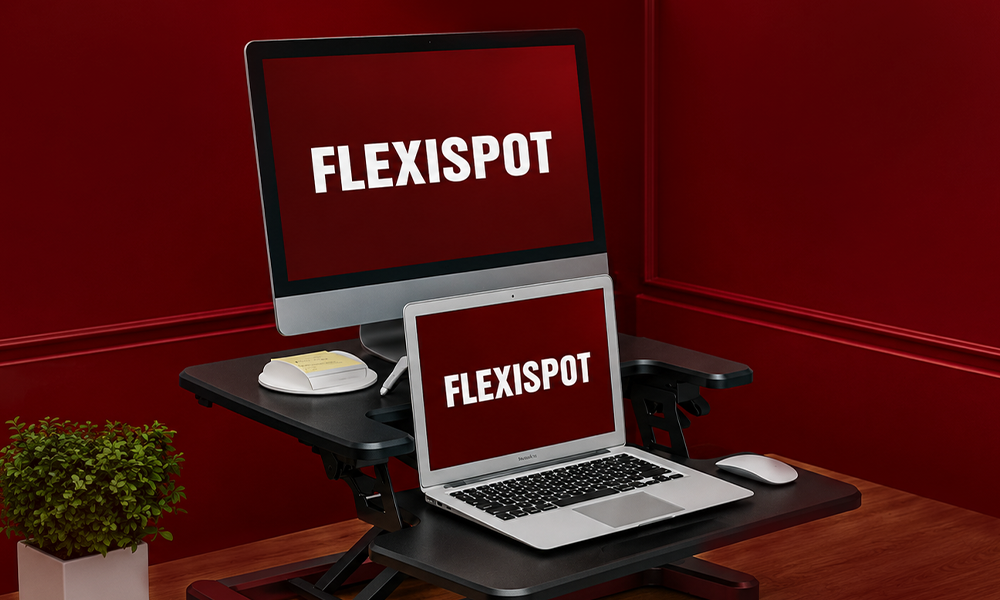
Best for: Professionals building a dedicated work-from-home office.
Not every converter needs to impress with maximum lifting capacity.
Sometimes, thoughtful design matters more.
The AlcoveRiser combines generous workspace with clean aesthetics and smooth adjustment, making it particularly appealing for modern home offices.
It comfortably accommodates a monitor, laptop, notebook, coffee mug, and other everyday essentials without feeling cluttered.
Pros
- Large desktop
- Smooth operation
- Attractive appearance
- Excellent stability
- Comfortable keyboard tray
Cons
- Larger footprint than compact models
Who Should Buy It?
- Remote workers
- Home office professionals
- Writers
- Consultants
Who Should Skip It?
- Users with very limited desk depth
Why It Stands Out
It strikes an impressive balance between functionality and workspace organization.
Buying Advice Before You Continue
After comparing dozens of standing desk converters, one buying pattern appears again and again.
People rarely regret spending slightly more on stability.
They often regret saving a small amount on a converter that wobbles every time they type.
If your converter will support equipment worth over $1,000, including monitors, laptops, and accessories, it usually makes sense to prioritize build quality over chasing the lowest possible price.
A standing desk converter isn’t something most people replace every year.
Choosing the right one the first time is almost always the better investment.
7. FITUEYES Standing Desk Converter – Best for Dual Monitor Setups
Best for: Designers, developers, video editors, stock traders, and anyone working with two monitors.
Using two monitors changes what you should look for in a standing desk converter.
A platform that’s perfectly stable with a single display can begin to flex once you add another monitor, speakers, and a laptop.
That’s where the FITUEYES converter performs well.
Its wide desktop comfortably supports dual monitors while leaving enough room for accessories, making it one of the strongest options for users who multitask throughout the day.
Pros
- Excellent workspace for dual monitors
- Strong steel frame
- Spacious keyboard tray
- Good stability
Cons
- Requires a deeper desk
- Less portable than compact models
Who Should Buy It?
- Developers
- Designers
- Financial professionals
- Content creators
- Multi-monitor users
Who Should Skip It?
- Laptop-only users
- Small apartment setups
- Compact desks
Why It Stands Out
If your workflow depends on multiple displays, the extra workspace quickly becomes more valuable than premium cosmetic features.
8. Rocelco DADR – Best Heavy-Duty Standing Desk Converter
Best for: Large workstations and heavier office equipment.
Some buyers focus only on desktop size while forgetting about total weight.
A pair of 27-inch monitors, monitor arms, speakers, webcam, microphone, and accessories can easily exceed the capacity of entry-level converters.
The Rocelco DADR is built specifically for these heavier setups.
Pros
- High weight capacity
- Excellent stability
- Large workspace
- Durable construction
Cons
- Larger footprint
- Heavier than most competitors
Who Should Buy It?
- Engineers
- Video editors
- Professionals with heavy equipment
- Multi-monitor users
Who Should Skip It?
- Students
- Minimalist workspaces
- People needing portability
Why It Stands Out
Instead of chasing sleek aesthetics, Rocelco focuses on structural strength, something many buyers appreciate after months of daily use.
9. Seville Classics AIRLIFT – Best Portable Standing Desk Converter
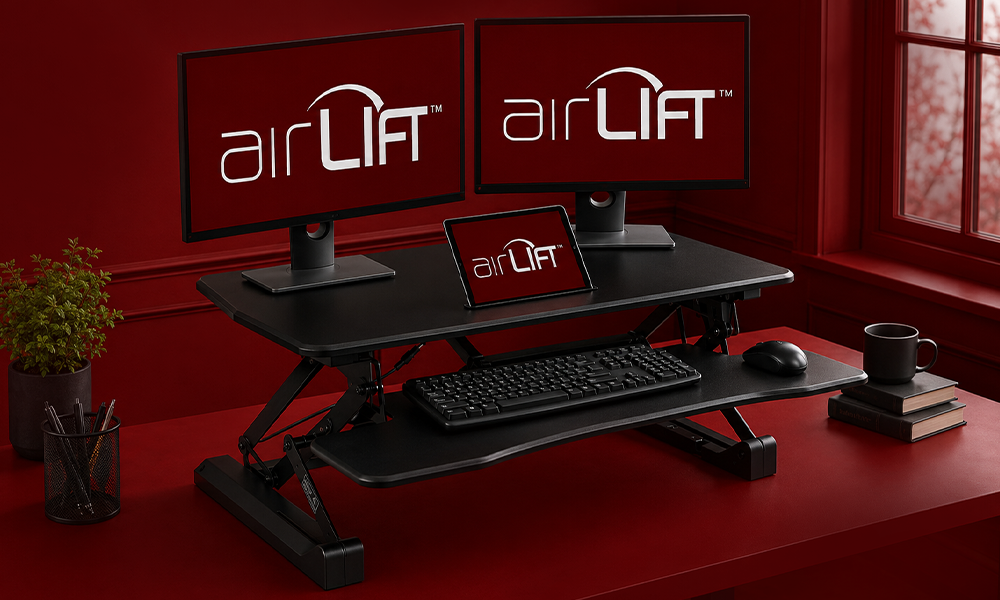
Best for: Hybrid workers and shared office environments.
Not everyone works from the same desk every day.
If you regularly move between home and office, or simply rearrange your workspace often, a lighter converter becomes much easier to live with.
The AIRLIFT strikes a nice balance between portability and everyday usability.
Pros
- Lightweight
- Easy to move
- Affordable
- Smooth adjustment
Cons
- Smaller work surface
- Less suitable for large dual-monitor setups
Who Should Buy It?
- Hybrid workers
- Shared office users
- Laptop users
- Flexible workspaces
Who Should Skip It?
- Permanent dual-monitor setups
- Heavy office equipment
Why It Stands Out
Mobility isn’t a feature people usually think about until they actually need it.
For flexible work environments, it’s surprisingly valuable.
10. HUANUO Standing Desk Converter – Best Entry-Level Option
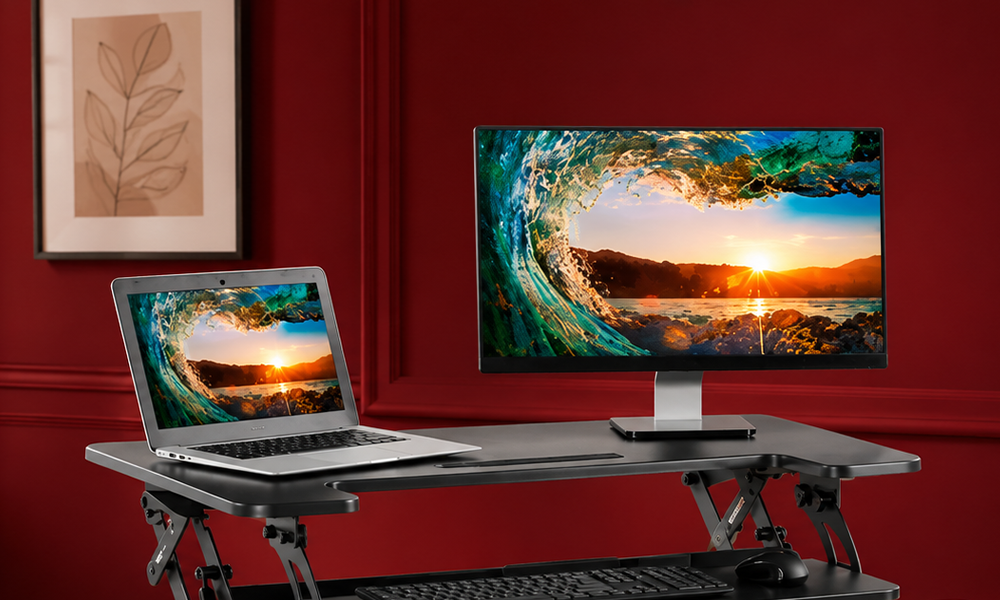
Best for: First-time buyers.
Sometimes you simply want to try standing while working without making a major investment.
The HUANUO converter delivers exactly that.
It includes the features most people need while keeping the price accessible.
Pros
- Budget friendly
- Quick assembly
- Compact design
- Good value
Cons
- Smaller workspace
- Limited weight capacity
Who Should Buy It?
- Students
- Casual home office users
- First-time buyers
Who Should Skip It?
- Heavy workstation users
- Creative professionals with multiple displays
Why It Stands Out
For someone entering the ergonomic workspace market for the first time, it’s difficult to justify spending twice as much before knowing whether a sit-stand workflow suits your routine.
Standing Desk Converter vs Standing Desk
Many buyers ask whether they should purchase a converter or replace their desk completely.
The answer depends on your workspace and budget.
| Feature | Standing Desk Converter | Full Standing Desk |
| Cost | Lower | Higher |
| Installation | Simple | Requires replacing desk |
| Portability | Excellent | Limited |
| Existing Desk | Keep using it | Replace it |
| Best For | Most home offices | Permanent office setups |
If you’re happy with your current desk, a converter usually delivers the best value.
Buying Guide: What Actually Matters
When comparing products, ignore flashy marketing and focus on these five factors.
Stability
A stable platform improves comfort more than almost any premium feature.
Workspace
Think beyond today’s setup.
If you plan to add another monitor later, buy accordingly.
Weight Capacity
Always calculate the combined weight of your equipment before purchasing.
Height Adjustment
Gas-spring and counterbalance systems generally provide smoother daily use than manual adjustment.
Warranty
A longer warranty often reflects better engineering and long-term durability.
Common Buying Mistakes
Avoid these mistakes before placing your order.
- Buying the cheapest converter without checking stability.
- Ignoring monitor weight.
- Forgetting to measure desk depth.
- Choosing a converter that’s too small for future upgrades.
- Standing all day instead of alternating between sitting and standing.
The best ergonomic setup encourages movement, not constant standing.
Final Verdict
Choosing the best standing desk converter isn’t about finding the model with the longest feature list.
It’s about finding the one that matches the way you actually work.
For most people, the VariDesk Pro Plus 36 remains the strongest overall recommendation thanks to its exceptional stability, generous workspace, and long-term reliability.
If you’re looking for the best balance between performance and price, the FlexiSpot M7 is difficult to beat.
Budget-conscious buyers should consider the VIVO K Series or HUANUO, while professionals running heavier dual-monitor setups will appreciate the additional stability offered by the FITUEYES or Rocelco DADR.
No matter which model you choose, remember that a standing desk converter is only one part of an ergonomic workspace. Adjust your monitor to eye level, keep your keyboard at a comfortable height, and alternate between sitting and standing throughout the day.
Those simple habits often make a bigger difference than buying the most expensive converter available.
Frequently Asked Questions
Are standing desk converters worth it?
Yes. They’re one of the most affordable ways to improve workplace ergonomics without replacing your existing desk.
Can standing desk converters hold dual monitors?
Many premium models can, but always verify the manufacturer’s weight limit and workspace dimensions first.
Which standing desk converter offers the best value?
For most buyers, the FlexiSpot M7 offers one of the strongest combinations of price, build quality, and usability.
How often should I alternate between sitting and standing?
Many ergonomics experts recommend changing position every 30–60 minutes instead of remaining in one posture all day.
Will a standing desk converter improve posture?
It can support better posture when combined with correct monitor placement, keyboard positioning, and regular movement.
Do standing desk converters wobble?
Higher-quality models remain stable during normal typing, while cheaper converters may become less stable when fully extended or supporting heavier equipment.


