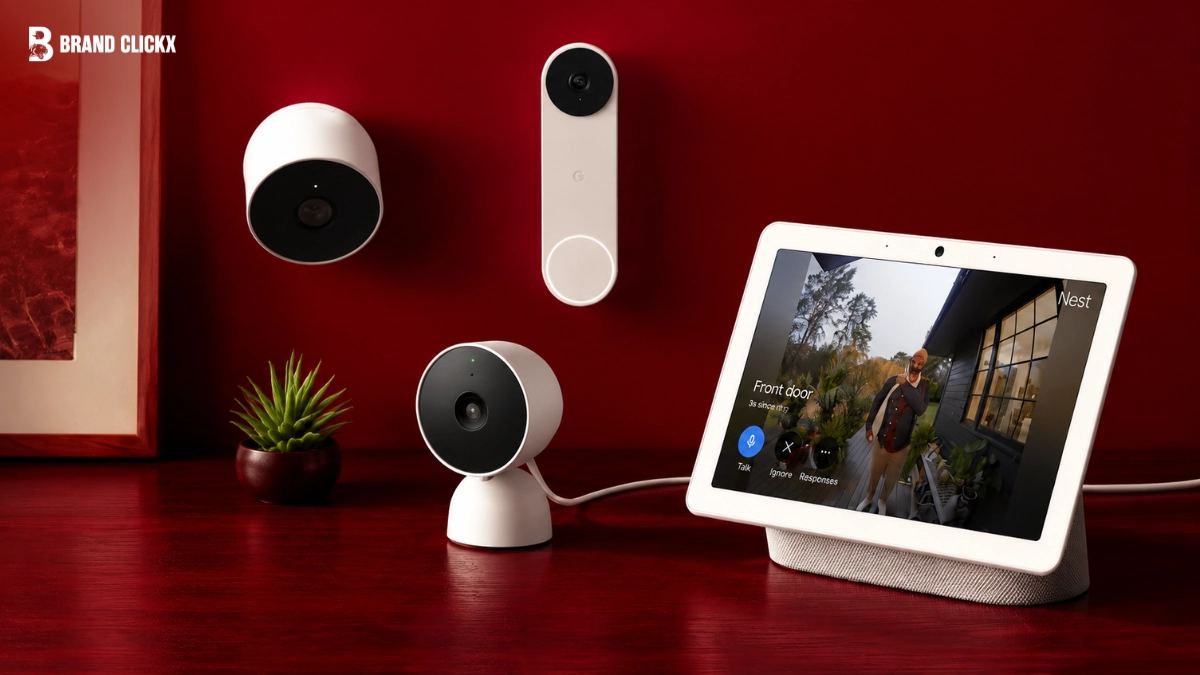
A smart security camera does much more than record video. Today’s models can recognise people, send instant alerts, store footage securely, and even integrate with your smart home. Whether you want to monitor your front door, protect your family, or keep an eye on your business, choosing the right camera can make a big difference.
The market has grown rapidly, making it harder to know which camera is worth your money. Some focus on crystal-clear video, while others stand out for smart AI features, longer battery life, or affordable cloud storage. Finding the right balance depends on your needs and budget.
This guide reviews the 10 best smart security cameras available in 2026. We compare their key features, strengths, and ideal use cases so you can confidently choose the best option for your home or office.
Quick Answer
If you’re looking for the best overall smart security camera, the Google Nest Cam (Battery) offers an excellent mix of image quality, AI-powered detection, smart home compatibility, and reliable performance.
For those who want local storage without monthly fees, EufyCam S3 Pro is a fantastic choice. If affordability matters most, Wyze Cam v4 delivers impressive features at a budget-friendly price.
How We Chose the Best Smart Security Cameras
Selecting the right smart security camera isn’t only about choosing the newest model. We compared cameras using the features that matter most to everyday users.
Our evaluation focused on:
- Video quality
- Night vision performance
- Motion detection accuracy
- AI person, pet, and vehicle detection
- Smart home compatibility
- Mobile app experience
- Storage options
- Battery life
- Weather resistance
- Overall value for money
We also considered ease of installation because many homeowners prefer cameras that require little or no professional setup.
Comparison Table
| Camera | Resolution | Storage | Power | Best For |
| Google Nest Cam (Battery) | 1080p HDR | Cloud | Battery/Wired | Best Overall |
| Arlo Pro 5S | 2K HDR | Cloud & Local | Battery | Premium Features |
| Ring Stick Up Cam Pro | 1080p HDR | Cloud | Battery/Wired | Alexa Users |
| EufyCam S3 Pro | 4K | Local + Cloud | Battery | No Monthly Fees |
| Blink Outdoor 4 | 1080p | Cloud & Local | Battery | Long Battery Life |
| Reolink Argus 4 Pro | 4K | microSD | Battery | High Resolution |
| TP-Link Tapo C425 | 2K QHD | microSD & Cloud | Battery | Budget Wireless |
| Wyze Cam v4 | 2.5K | microSD & Cloud | Wired | Budget Indoor |
| Lorex 4K Smart Camera | 4K | Local | Wired | Business Security |
| Aqara Camera Hub G5 Pro | 2K | Local & Cloud | Wired | Apple Home Users |
1. Google Nest Cam (Battery)
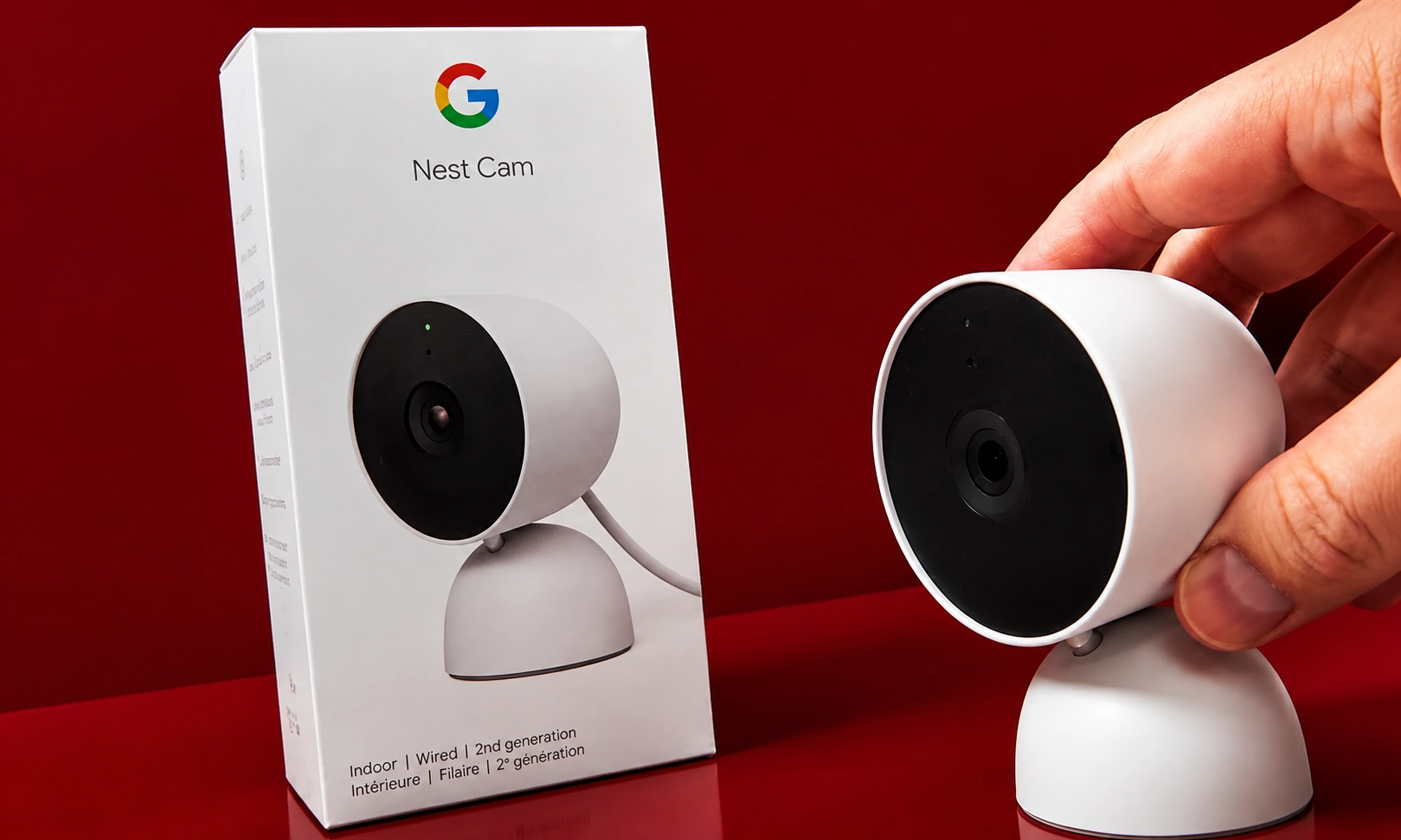
Best Overall Smart Security Camera
The Google Nest Cam remains one of the easiest cameras to recommend because it combines reliable hardware with intelligent software. It works well indoors and outdoors, making it a flexible choice for most homes.
The camera can recognise people, animals, and vehicles, reducing unnecessary notifications. It also continues recording important events even if your internet connection temporarily drops.
Key Features
- 1080p HDR video
- Intelligent AI detection
- Colour night vision
- Weather-resistant design
- Two-way audio
- Battery or wired installation
- Google Home integration
Pros
- Excellent image quality
- Easy installation
- Accurate smart alerts
- Reliable mobile app
- Works indoors and outdoors
Cons
- Advanced history requires a subscription
- Not ideal for Apple Home users
Best For
Homeowners who want dependable security with minimal setup.
2. Arlo Pro 5S
Best Premium Smart Security Camera
The Arlo Pro 5S is designed for users who want premium performance. Its 2K HDR video produces sharp footage during the day and impressive clarity after dark.
Its AI-powered detection distinguishes between people, packages, pets, and vehicles. As a result, you receive fewer unnecessary alerts and more meaningful notifications.
Key Features
- 2K HDR resolution
- 160-degree viewing angle
- Advanced colour night vision
- Dual-band Wi-Fi
- Smart object recognition
- Local and cloud storage
Pros
- Outstanding video quality
- Fast motion detection
- Excellent night vision
- Reliable weather protection
Cons
- Premium price
- Subscription unlocks most AI features
Best For
Users who want top-tier image quality and advanced smart features.
3.Ring Stick Up Cam Pro
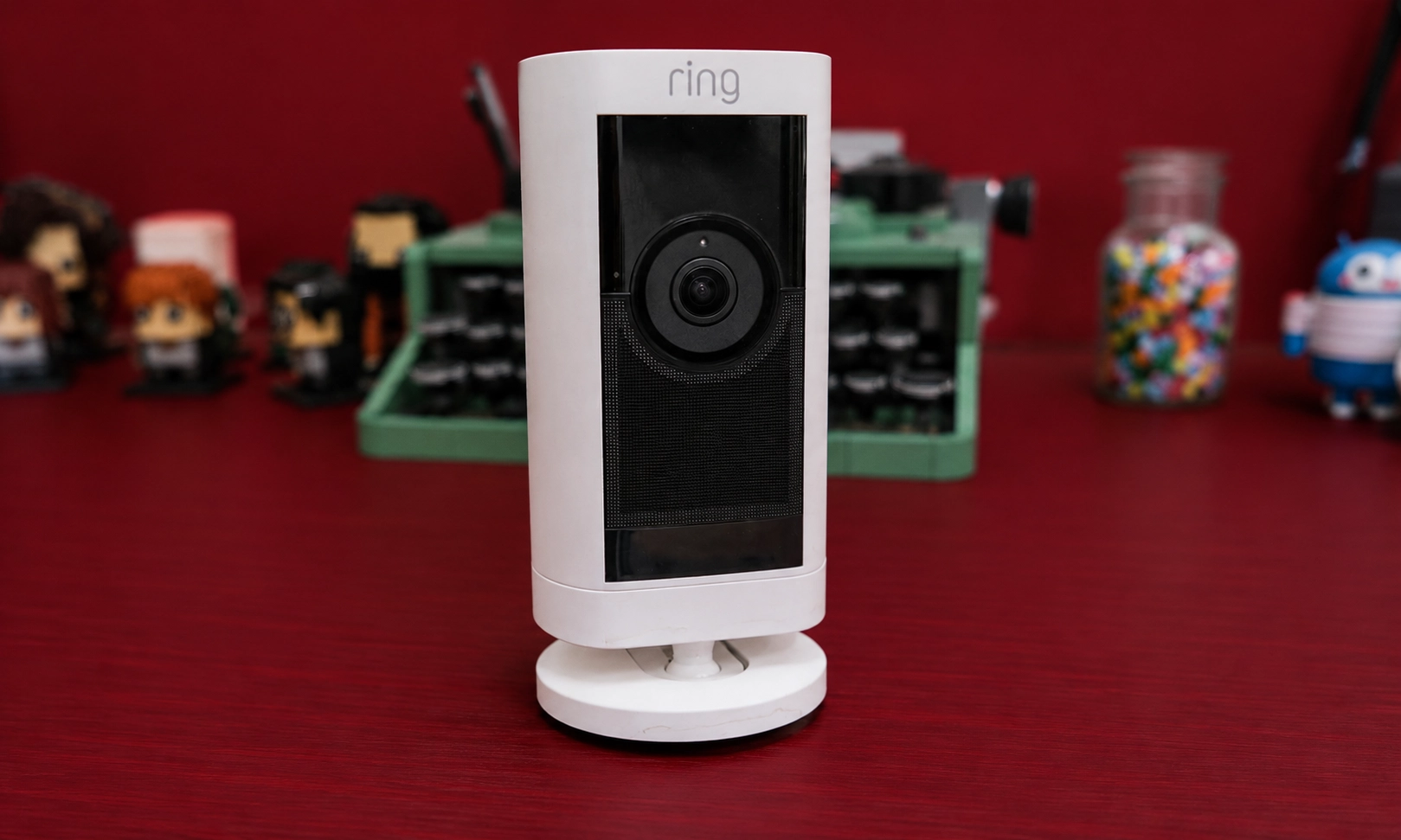
Best for Alexa Smart Homes
Ring continues to be one of the most popular names in home security. The Stick Up Cam Pro integrates naturally with Alexa devices, allowing voice commands and live viewing through Echo displays.
Installation is straightforward, and multiple power options make it suitable for different locations around your property.
Key Features
- 1080p HDR video
- Bird’s Eye View
- Two-way communication
- Motion alerts
- Colour night vision
- Alexa integration
Pros
- Great smart home features
- Easy installation
- User-friendly app
- Flexible mounting options
Cons
- Cloud storage requires Ring Protect
- Fewer local storage options
Best For
Homes already using Amazon Alexa devices.
1. EufyCam S3 Pro
Best Subscription-Free Smart Security Camera
Many buyers want to avoid monthly fees. The EufyCam S3 Pro stands out because it stores recordings locally while still offering premium security features.
Its impressive 4K resolution captures fine details such as faces, licence plates, and package deliveries. Solar charging also helps reduce maintenance throughout the year.
Key Features
- 4K Ultra HD
- Local AI processing
- Solar charging support
- Facial recognition
- Expandable local storage
- Long battery life
Pros
- No mandatory subscription
- Excellent video quality
- Strong privacy protection
- Long-lasting battery
Cons
- Higher upfront cost
- Some advanced features require the HomeBase
Best For
Buyers who prefer local storage and lower long-term costs.
5. Blink Outdoor 4
Best Battery Life
Battery life is one of Blink’s biggest strengths. Depending on usage, the Outdoor 4 can operate for months without frequent battery replacements.
Despite its affordable price, it delivers dependable motion detection and weather resistance. Therefore, it remains a practical choice for outdoor monitoring.
Key Features
- 1080p HD recording
- Enhanced motion detection
- Infrared night vision
- Long battery life
- Alexa support
- Cloud and local storage
Pros
- Excellent battery performance
- Affordable pricing
- Quick installation
- Reliable outdoor durability
Cons
- Basic video quality compared with premium models
- Some features require a subscription
Best For
Users looking for an affordable outdoor camera with long battery life.
6. Reolink Argus 4 Pro
Best 4K Wireless Security Camera
The Reolink Argus 4 Pro is a great choice if image quality is your top priority. Its 4K resolution captures fine details, while the wide field of view helps cover larger areas with fewer blind spots.
Unlike many wireless cameras, it also supports local storage, giving you more control over your recordings.
Key Features
- 4K Ultra HD video
- Colour night vision
- AI person, pet, and vehicle detection
- Wi-Fi connectivity
- microSD card support
- Rechargeable battery
Pros
- Crisp 4K footage
- Wide viewing angle
- No required monthly subscription
- Reliable AI detection
Cons
- Larger design than some competitors
- Cloud storage options are limited
Best For
Homeowners who want detailed footage without ongoing subscription costs.
7. TP-Link Tapo C425
Best Budget Wireless Camera
The TP-Link Tapo C425 offers excellent value for buyers who want a wireless camera without spending a fortune. It delivers clear 2K video and works well both indoors and outdoors.
Its rechargeable battery and weather-resistant design make installation simple in almost any location.
Key Features
- 2K QHD resolution
- Wire-free setup
- AI motion detection
- Colour night vision
- Local and cloud storage
- Two-way audio
Pros
- Affordable price
- Simple mobile app
- Good battery performance
- Easy installation
Cons
- AI features are more basic
- Premium cloud features require a subscription
Best For
Budget-conscious buyers looking for dependable everyday security.
8. Wyze Cam v4
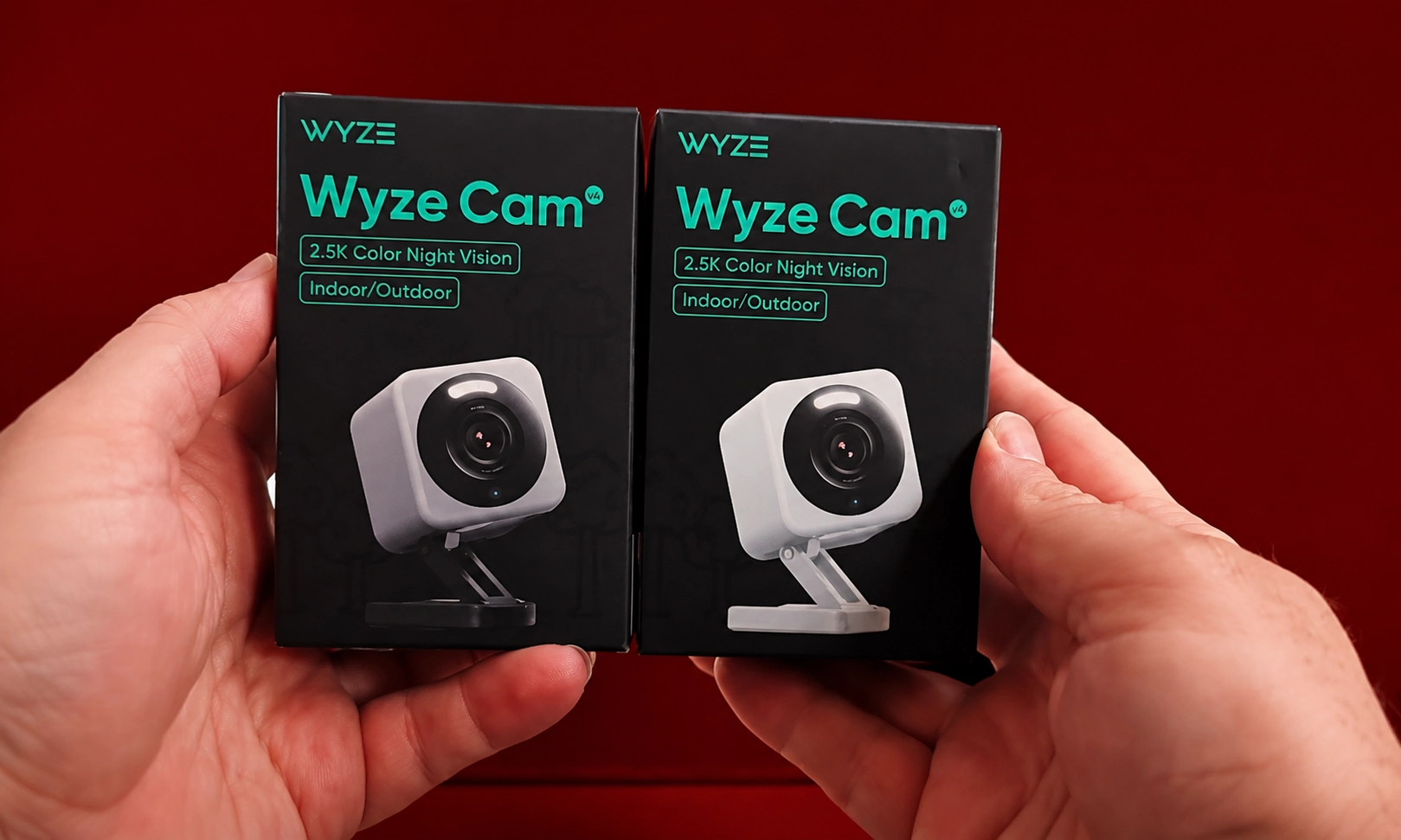
Best Budget Indoor Camera
The Wyze Cam v4 proves that a low price doesn’t always mean fewer features. It records sharp video, supports local storage, and offers useful smart alerts.
For apartments, bedrooms, nurseries, or small offices, it’s one of the best value options available.
Key Features
- 2.5K video
- Colour night vision
- Motion detection
- Two-way audio
- microSD support
- Smart home compatibility
Pros
- Excellent value
- Sharp video quality
- Compact design
- Local recording support
Cons
- Wired power only
- Some advanced features require a subscription
Best For
Indoor monitoring on a smaller budget.
9. Lorex 4K Smart Camera
Best for Business Security
If you need professional-grade surveillance, the Lorex 4K Smart Camera delivers impressive image quality and dependable recording.
Its local storage approach appeals to businesses that want to keep footage private while avoiding monthly cloud fees.
Key Features
- 4K recording
- Smart motion detection
- Local storage
- Weather-resistant housing
- Colour night vision
- Wide viewing angle
Pros
- Outstanding image quality
- Reliable recording
- Strong privacy features
- Durable construction
Cons
- Installation can take longer
- Higher upfront cost
Best For
Shops, offices, warehouses, and larger properties.
10. Aqara Camera Hub G5 Pro
Best for Apple Home Users
The Aqara Camera Hub G5 Pro is designed for people invested in Apple’s smart home ecosystem. It works smoothly with Apple Home while also supporting other popular platforms.
In addition to security monitoring, it can act as a smart home hub for compatible devices.
Key Features
- 2K video
- Smart home hub
- AI recognition
- Two-way audio
- Local and cloud storage
- Secure encryption
Pros
- Excellent Apple integration
- Strong privacy controls
- Good image quality
- Smart automation support
Cons
- Best experience within the Apple ecosystem
- Limited advanced cloud features
Best For
Apple Home users wanting an all-in-one smart home solution.
Other Excellent Smart Security Cameras
These cameras also deserve a place among the 10 best smart security cameras:
| Camera | Best For |
| Ring Floodlight Cam Pro | Driveways and gardens |
| Google Nest Cam Indoor | Indoor monitoring |
| Eufy Indoor Cam S350 | Dual-lens indoor security |
| Blink Mini 2 | Budget indoor use |
| Arlo Essential XL | Extended battery life |
| Reolink Duo 3 | Wide-angle outdoor coverage |
| TP-Link Tapo C520WS | Pan and tilt monitoring |
| Ezviz H8 Pro | 360° outdoor coverage |
| Imou Cruiser | Smart pan and tilt security |
| Ubiquiti UniFi Protect G5 | Advanced business installations |
How to Choose the Right Smart Security Camera
Before buying a camera, think about how and where you’ll use it.
Indoor or Outdoor
Outdoor cameras should have a weather-resistant design, while indoor models usually focus on compact size and easy placement.
Wired or Wireless
Wireless cameras are easier to install, but wired models provide continuous power and require less battery maintenance.
Video Quality
Choose at least 1080p resolution. If you want clearer facial details or licence plates, consider a 2K or 4K camera.
Storage Options
Some cameras save footage to the cloud, while others support local storage using a microSD card or dedicated hub. Local storage can reduce long-term costs.
Smart Features
Look for AI-powered person detection, package alerts, two-way audio, activity zones, and smart home integration with Google Assistant, Amazon Alexa, or Apple Home.
Comparison of Storage Options
| Storage Type | Advantages | Drawbacks |
| Cloud Storage | Easy remote access | Usually requires a subscription |
| microSD Card | No monthly fees | Limited storage capacity |
| Local Hub | Better privacy | Higher initial cost |
| Network Video Recorder (NVR) | Ideal for multiple cameras | More complex setup |
Expert Tips
- Place outdoor cameras at a height that reduces tampering while keeping faces visible.
- Position cameras away from direct sunlight to minimise glare.
- Enable two-factor authentication to protect your account.
- Update camera firmware regularly for better security.
- Test motion detection zones after installation to reduce unnecessary alerts.
Common Mistakes to Avoid
- Buying a camera without checking Wi-Fi coverage.
- Ignoring monthly subscription costs.
- Installing cameras too high or too low.
- Choosing low resolution for large outdoor spaces.
- Forgetting to review local privacy laws before recording public areas.
Smart Security Camera Buying Checklist
| Feature | Recommended |
| Resolution | 1080p minimum, 2K or 4K preferred |
| Night Vision | Colour night vision if available |
| AI Detection | Person, pet, vehicle recognition |
| Audio | Two-way communication |
| Storage | Local or cloud based on your needs |
| Mobile App | Reliable and easy to use |
| Smart Home Support | Google, Alexa, or Apple compatibility |
| Weather Rating | IP65 or higher for outdoor use |
Frequently Asked Questions
Which smart security camera is best overall?
The Google Nest Cam (Battery) is one of the best all-round choices thanks to its reliable performance, intelligent alerts, and easy installation.
Are wireless security cameras reliable?
Yes. Modern wireless cameras offer dependable performance as long as they have a strong Wi-Fi connection and sufficient battery power.
Do I need a subscription?
Not always. Brands like Eufy, Reolink, and Lorex offer local storage options that reduce or eliminate monthly fees.
Is 4K worth it?
If you need detailed footage for larger properties or identifying faces and licence plates, 4K cameras are worth considering.
Can smart security cameras work without Wi-Fi?
Some models can continue recording locally without internet access, but remote viewing and instant alerts usually require Wi-Fi.
Conclusion
The best smart security camera depends on your budget, property size, and preferred features. While premium models offer advanced AI, sharper video, and broader smart home integration, many affordable cameras now provide excellent everyday protection.
If you want the best overall experience, the Google Nest Cam (Battery) is a dependable choice. For subscription-free recording, the EufyCam S3 Pro stands out. Buyers looking for value should consider the Wyze Cam v4 or TP-Link Tapo C425, both of which deliver strong performance at a reasonable price.
By comparing video quality, storage options, installation, and smart features, you can choose a camera that keeps your home or business secure for years to come.
Key Takeaways
- Choose at least 1080p resolution, with 2K or 4K for sharper detail.
- AI detection helps reduce false alerts.
- Local storage can save money over time.
- Weather resistance is essential for outdoor cameras.
- Consider compatibility with Google Home, Amazon Alexa, or Apple Home.
- Compare subscription costs before making a purchase.
- Select a camera that matches your property’s size and security needs.