Look, AI animation tools are everywhere now and most of them are mid. A few are genuinely worth your subscription money. The rest are just wrappers around the same three models. I tested a bunch over the past few months and put together this list of 14 that actually do the job, whether you need a quick TikTok loop or a real product ad.
Why Static Images Stopped Working
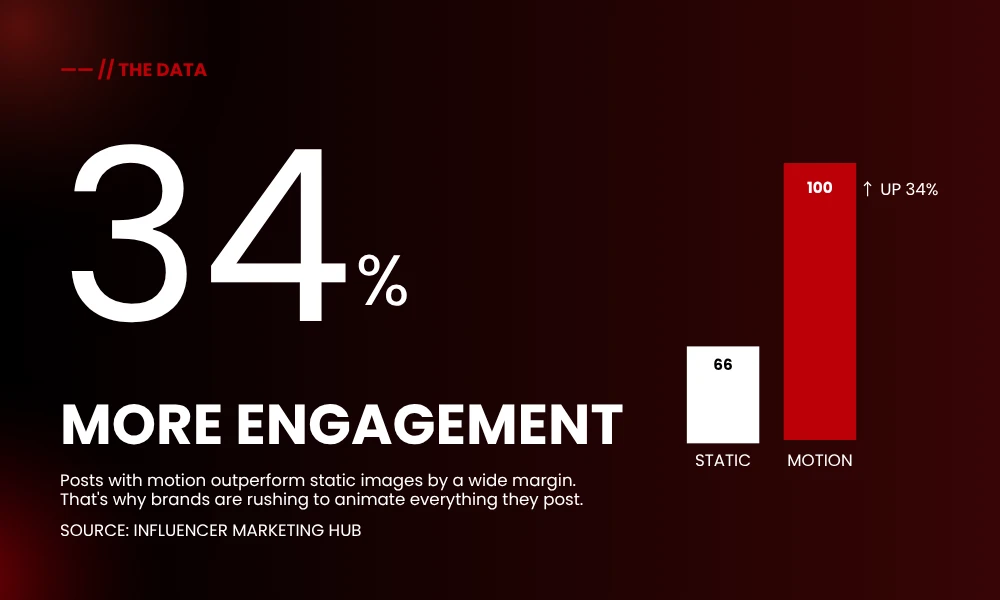
Flat photos still get scrolled past. Motion does not. Engagement on posts with movement runs about 34% higher than static ones, give or take depending on the platform. Brands figured this out around 2023 and now everybody wants their product shots to do something.
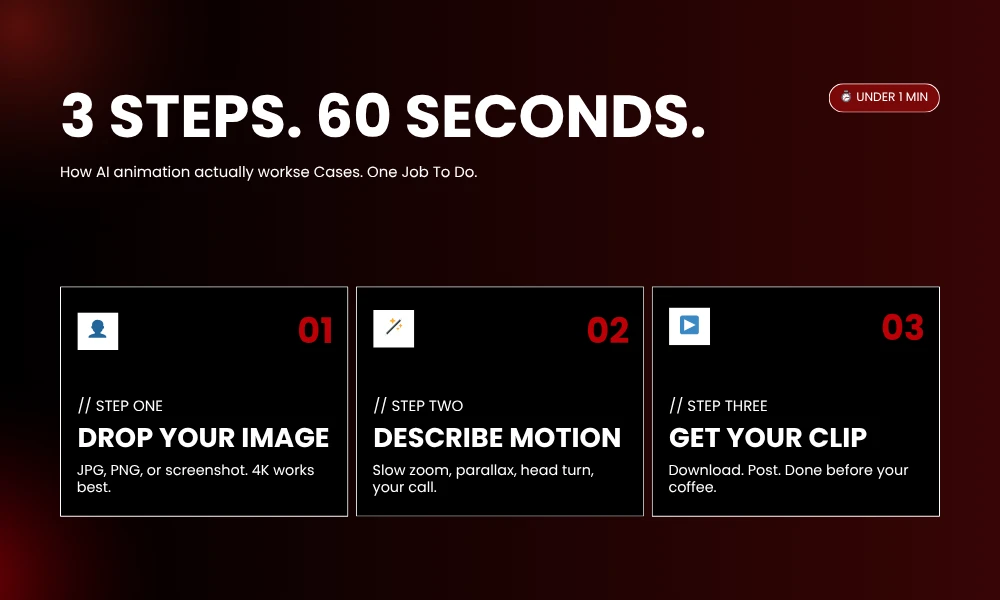
Used to be you needed a motion designer. Or three weeks with After Effects tutorials. AI animation tools killed that requirement. Upload the photo. Type what you want. Wait a minute. Done.
That is genuinely it. Some platforms ask for a prompt. Some let you pick presets. A handful just look at your image and guess what should move, which works surprisingly often.
Quick Comparison Table
| Tool | Best For | Free Plan | Starting Price |
|---|---|---|---|
| Runway Gen-4 | Cinematic motion | Limited credits | $15/month |
| Kling AI | Portrait animation | Yes | $10/month |
| Pika Labs | Social media clips | Yes | $10/month |
| Luma Dream Machine | Natural physics | Yes | $9.99/month |
| Google Veo 3 | Image plus audio sync | No | $19.99/month |
| OpenAI Sora | Creative storytelling | No | $20/month |
| Vidu AI | Old photos and anime | 40 monthly credits | $5.99/month |
| LeiaPix | 3D parallax effect | Yes | Free |
| Canva Magic Studio | Quick social posts | Limited | $15/month |
| HitPaw Animate | Beginner-friendly | Yes | $9.99/month |
| Deep Nostalgia | Family photo revival | Limited | Pay per photo |
| DomoAI | Anime style transfer | Yes | $9.99/month |
| Pixverse | Mobile-first creators | Yes | $10/month |
| Hailuo MiniMax | Cinematic prompts | Yes | $9.90/month |
The 14 Tools Worth Knowing
1. Runway Gen-4
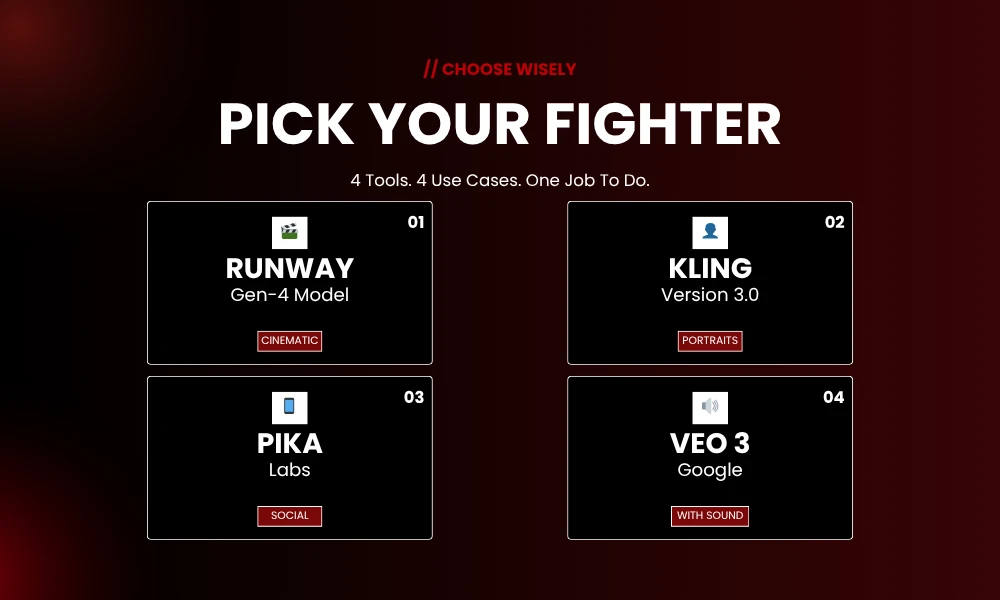
You have seen Runway clips even if you did not know it. Half the AI ads on Instagram run through Gen-4. The model handles image-to-video without that early-days warping where faces turned into mush halfway through the clip.
Camera angles, lighting, mood, all controllable through prompts if you bother to write them properly. AI animation tools in this tier get used by ad agencies and indie filmmakers because the output does not scream AI. Free tier exists. It is stingy. You will outgrow it in a week.
2. Kling AI
Kling came out of China and just sort of demolished the portrait category. Blinks, micro-smiles, the way people tilt their head when listening. Kling reads all of it from a single photo and animates it cleanly.
Five seconds of usable loop in about three minutes. That is the speed-to-quality ratio TikTok creators wanted. Version 3.0 also fixed the physics, so hair and cloth and water stopped melting.
3. Pika Labs
Pika is stupid fast. Even a first-timer can get a usable clip on attempt one. That almost never happens with this kind of software.
The thing that makes Pika worth keeping around is start-and-end-frame control. Most AI animation tools make you accept whatever the model dreams up in between. Pika lets you lock both ends, so your output is predictable instead of a roulette spin. Free tier is real, not bait.
4. Luma Dream Machine
Luma understands depth. Like, actually understands it. The mountain goes behind the tree, not on top of it. Drop a product shot in and the parallax feels earned, not faked.
Photographers love this one. Portfolio shots turn into mini-trailers. No shimmer. No melt. The physics just work.
5. Google Veo 3
Veo did the audio thing first. Image goes in. Motion comes out, with sound. Ambient noise, music, lip-sync if you need it. One less app in your stack.
It is pricier than most options here. If you publish daily, the math works. If you are dabbling, get something cheaper.
6. OpenAI Sora
Sora rides ChatGPT Plus, so $20 a month gets you access without a separate subscription. Where Sora wins is physical simulation. Fabric folds like fabric. Water moves like water. Small stuff, but it stacks up.
Community feed is genuinely useful. Remix what other people made instead of starting cold.
7. Vidu AI
Vidu is the one I push on people who want to animate weird things. Old family photos. Anime. Paintings. Sketches. It eats them all.
Templates do the heavy lifting. “Hug,” “kiss,” “AI outfit,” whatever. Pick one, upload, wait. 40 free credits monthly, enough to actually test the platform properly. First and last frame control means you steer the output instead of praying.
8. LeiaPix
LeiaPix only does depth-based 3D parallax. That is the whole product. The kind of subtle dimension shift you see in Instagram Stories.
No prompts, no text-to-video, none of that. Just depth. Free, web-based, takes about ten seconds. For social mockups and product shots where you want classy motion instead of glitchy chaos, this is the answer.
9. Canva Magic Studio
Already in Canva? You already have this. Image-to-video sits right inside Magic Studio next to your usual tools.
“Smart” mode auto-animates. “Custom” mode takes a prompt. After it renders you can stack text, music, effects from the regular Canva library. For non-designers and small business owners, this is the path of least resistance.
10. HitPaw Animate
Browser-based. No download. Upload a clear face shot and get back blinks, smiles, tiny head movement. Free version is watermark-free for most casual jobs.
It will not win awards. Birthday cards, social posts, quick visuals, yes. Anything cinematic, no.
11. Deep Nostalgia
MyHeritage built this for one job: bringing old family photos back. Sepia portraits, fading great-grandparents, that kind of thing. AI finds the facial landmarks and adds soft motion.
Clips are short, maybe a few seconds. But the emotional weight is heavy. That is why it went viral originally and why genealogy people still pay for it. Pay-per-photo, which makes sense if you only need it now and then.
12. DomoAI
DomoAI is the style transfer tool. Upload a clip or image, pick an animation style. Anime, claymation, watercolor, whatever you want. A normal talking-head turns into something that looks Ghibli-adjacent in the time it takes to brew coffee.
VTubers basically live in DomoAI. Music video people too. Catch is it only does stylized output, so if you want photorealism, look elsewhere.
13. Pixverse
Built for phones. Most of these tools were not, which matters when you are working on the go. Vertical video, fast renders, presets tuned to whatever is trending on TikTok this week.
Daily free credits reset. Both text-to-video and image-to-video. Output fits Reels and Shorts natively, no reformatting needed.
14. Hailuo MiniMax
Sleeper pick. Free tier is generous in a way the others are not. Output hits 1080p. Cinematic prompt handling closer to Runway than the price suggests.
Character consistency holds. Complex environments do not fall apart. If your budget is tight and Runway feels like too much commitment, Hailuo is where you start.
Picking The Right One
Match the tool to the job. Simple cheat sheet:
- Product ads and ecommerce: Runway or Luma
- Portraits and old family photos: Kling, Vidu, or Deep Nostalgia
- TikTok, Reels, Shorts: Pika, Pixverse, or Canva
- Story-driven content with sound: Veo 3 or Sora
A clip for Instagram does not need 4K. A landing page hero probably does. Buy the tool the project needs, not the most expensive one on the shelf.
Stuff That Actually Helps
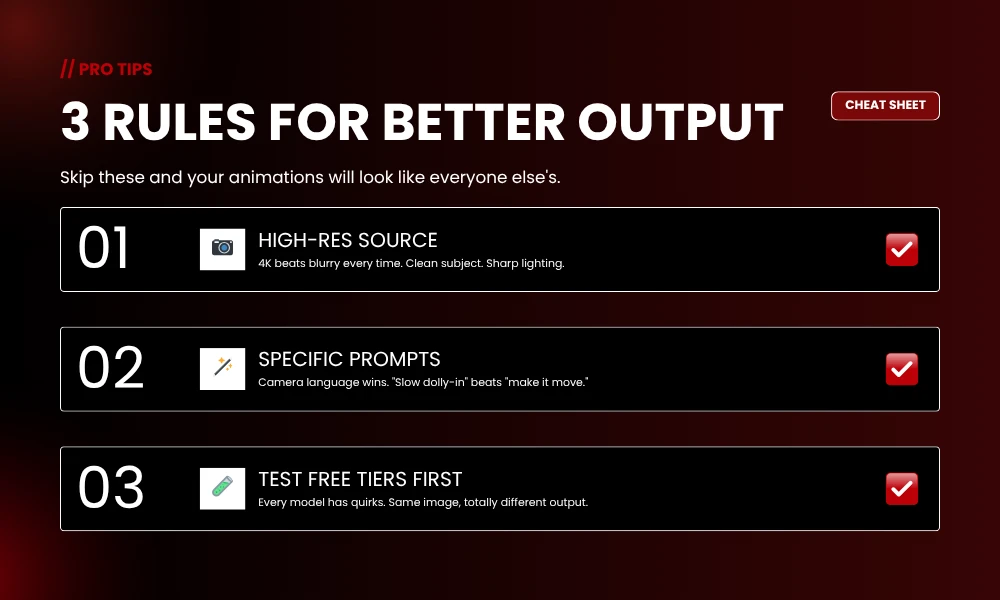
Your source image matters more than your tool choice. Cluttered, blurry photo in, cluttered blurry animation out. 4K resolution. Clean subject separation from the background. Decent lighting. The AI is interpolating what is already there, not inventing new pixels from thin air.
Prompts need detail. “Make it move” gets you nothing. “Slow dolly-in on the subject’s eyes, warm dim light flickering, soft bokeh behind” gets you close to what you imagined. Camera language helps. Mood helps even more.
Test on free tiers before you pay. Every model has quirks. Same image, same prompt, totally different output between Kling and Runway. You will not know until you press the button.
Frequently Asked Questions
What are AI animation tools, exactly?
AI animation tools are software platforms using machine learning to turn images, text, or motion data into animated video. They handle keyframing, motion design, and scene work that used to require trained animators and expensive software.
Can I do this for free?
Yes. LeiaPix is fully free. Pika, Kling, Vidu, HitPaw, and Hailuo all have free plans or daily credits. Free tiers cap clip length, resolution, and sometimes add watermarks, but for testing and casual social, you can absolutely get away with not paying.
Best tool for animating old photos?
Deep Nostalgia, Vidu, and Kling. Deep Nostalgia specifically for family portraits, that is its whole thing. Vidu handles a wider range including paintings and sketches. Kling is the cleanest option for modern portraits with subtle motion.
How long does this take?
Most AI animation tools wrap a 3 to 10 second clip in under three minutes. Higher resolution adds time. Even premium platforms like Runway and Veo 3 usually finish inside five minutes.
Do I need design skills?
Nope. Canva, HitPaw, and Pika are built for people who have never opened motion software in their life. Drag, drop, prompt. Easier than Photoshop.
Image-to-video versus text-to-video?
Image-to-video starts from your photo, so the output keeps your subject and composition. Text-to-video generates the whole thing from scratch using what you describe. More creative freedom with text, more control with images.
Are these clips good enough for client work?
For short-form ads, social, explainers, and most marketing, yes. Runway, Luma, Kling, and Veo 3 all hit 1080p or 4K easily. For broadcast or feature work, traditional animation still wins on fine control, but that gap closes more every quarter.
Closing
Short-form animation work used to need a team. Now it needs a subscription. AI animation tools are the reason. Pick two or three from the list, run the same image through each, figure out which one fits your style. Takes an afternoon. Six months from now the rankings will shuffle, that is just how the space moves. Build your workflow now and swap tools later when something better drops. Stay tuned with BrandClickX for further info!