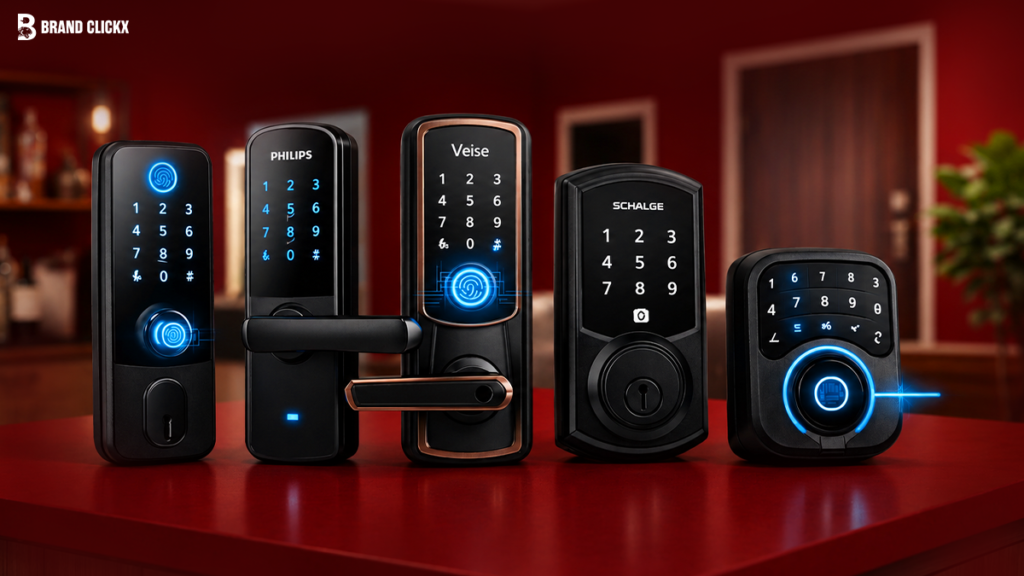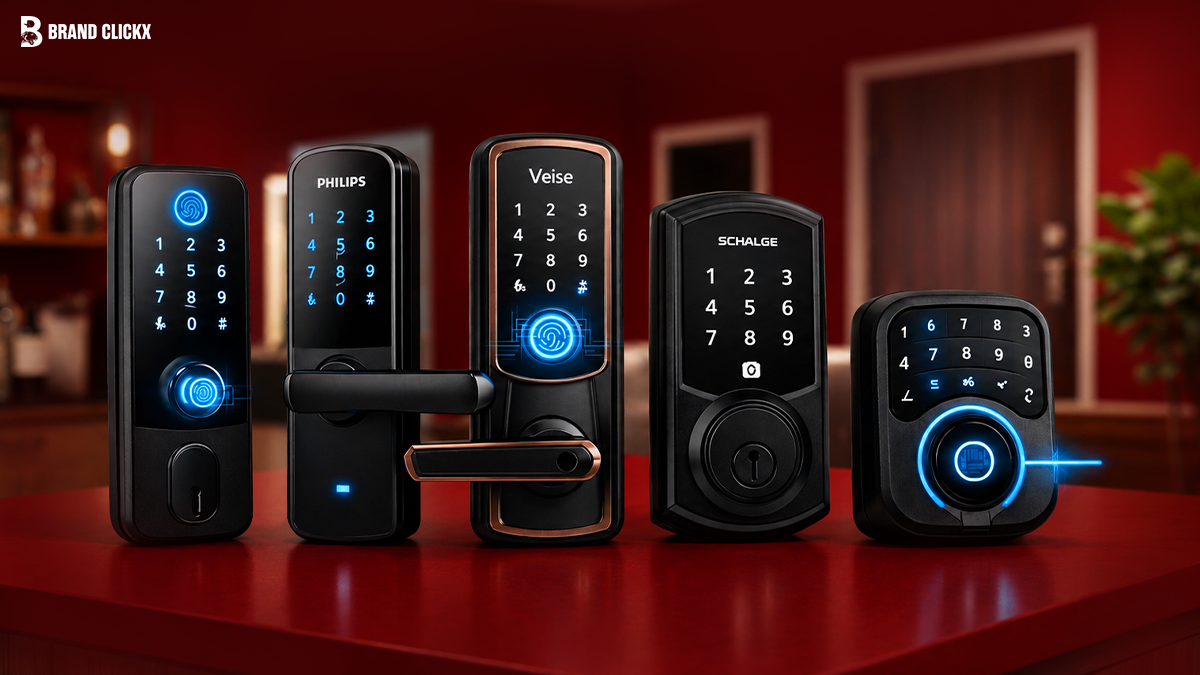
Smart locks have become one of the easiest ways to improve home security without replacing your entire security system. They let you unlock your door with a phone, fingerprint, keypad, or voice assistant while giving you better control over who can enter your home.
Whether you’re replacing an old deadbolt, securing an Airbnb property, or building a smart home, there’s a smart lock that fits both your needs and your budget.
This guide compares 20 of the best smart locks available today. You’ll find affordable models for first-time buyers, feature-rich options for families, and premium locks packed with advanced security features.
Quick Answer
If you want the best overall smart lock, the Schlage Encode Plus is an excellent choice thanks to its built-in Wi-Fi, Apple Home Key support, strong security, and reliable performance.
For buyers looking to save money, the Wyze Lock Bolt offers fingerprint unlocking and solid everyday performance at a budget-friendly price.
If you’re looking for advanced technology, the Lockly Visage Zeno Series delivers premium features including facial recognition, fingerprint access, and remote smart home control.
Smart Lock Comparison Table
| Smart Lock | Best For | Unlock Methods | Smart Home Support | Price |
| Schlage Encode Plus | Best Overall | App, Keypad, Key | Apple Home, Alexa, Google Home | Premium |
| Yale Assure Lock 2 | Families | App, Keypad, Key | Matter, Alexa, Google Home | Mid-range |
| August Wi-Fi Smart Lock | Renters | Phone, Auto Unlock | Apple Home, Alexa, Google Home | Mid-range |
| Ultraloq U-Bolt Pro | Fingerprint Security | Fingerprint, PIN, Key | Alexa, Google Home | Mid-range |
| Aqara Smart Lock U100 | Apple Users | Home Key, Fingerprint | Apple Home, Matter | Mid-range |
| Wyze Lock Bolt | Budget Buyers | Fingerprint, PIN | Bluetooth | Budget |
| SwitchBot Lock Pro | Apartments | App, Existing Key | Alexa, Google Home | Budget |
| Eufy Smart Lock C220 | Everyday Use | Fingerprint, PIN, App | Alexa, Google Home | Budget |
| Level Lock+ | Minimalist Homes | Phone, Key | Apple Home | Premium |
| Lockly Visage Zeno | Luxury Homes | Face, Fingerprint, PIN | Alexa, Google Home | Premium |
How We Selected the Best Smart Locks
A smart lock should do more than unlock your door. It should improve your daily routine while keeping your home safe and providing dependable performance over time.
We compared each smart lock using several important factors that matter to everyday users.
Security and Reliability
Strong encryption, secure authentication methods, durable construction, and a trusted brand reputation were among our top priorities. Every recommendation comes from a manufacturer known for producing reliable smart home products.
Ease of Installation
Not everyone wants to hire a professional installer. We gave preference to smart locks that fit standard doors and can usually be installed with basic household tools.
Smart Home Compatibility
Many homeowners already use Alexa, Google Home, Apple Home, or Matter-enabled devices. Locks that work seamlessly with these ecosystems ranked higher in our comparison.
Features That Matter
Useful features like auto lock, remote access, fingerprint recognition, temporary passcodes, activity history, and emergency backup keys can make everyday life much easier.
Overall Value
The most expensive lock isn’t always the best option. We selected products that offer excellent performance at different price points so there’s something for every budget.
The 20 Best Smart Locks for Every Budget
1. Schlage Encode Plus
The Schlage Encode Plus is one of the most complete smart locks available today. It combines excellent build quality, dependable security, and support for the most popular smart home platforms.
Its built-in Wi-Fi means you don’t need an extra hub, and Apple Home Key allows compatible iPhones and Apple Watches to unlock the door with a simple tap.
Why We Recommend It
It delivers premium features without making installation complicated, making it an excellent long-term investment.
Key Features
- Built-in Wi-Fi
- Apple Home Key support
- Remote locking and unlocking
- Backlit keypad
- Auto lock
- Activity history
Pros
- Outstanding security
- Excellent app experience
- Supports multiple smart home platforms
- Easy to install
Cons
- Costs more than budget models
- Slightly larger exterior design
Best For
Homeowners who want the best overall smart lock.
2. Yale Assure Lock 2
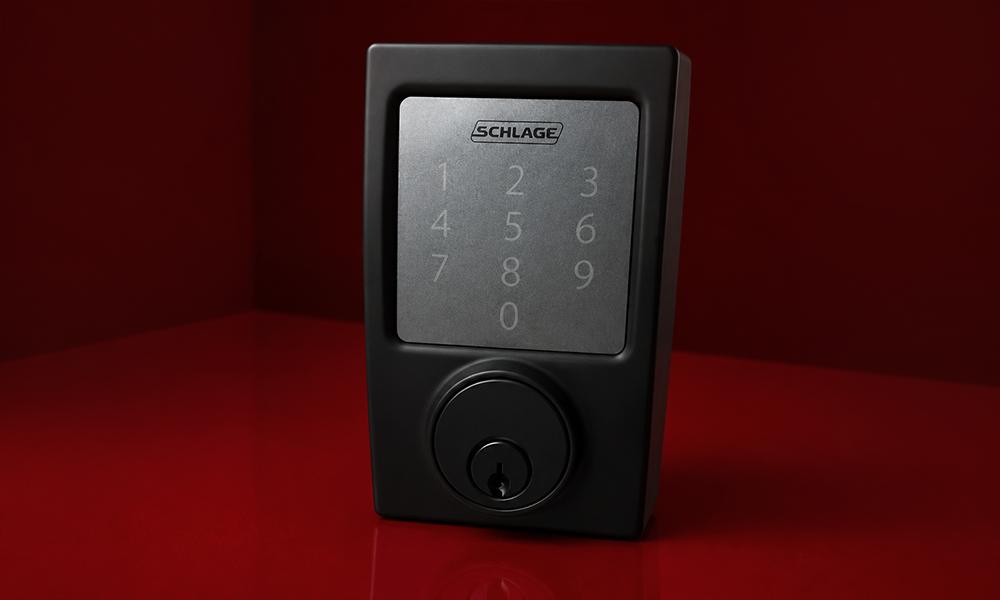
The Yale Assure Lock 2 offers a sleek design and flexible smart home compatibility. Thanks to Matter support, it works across multiple ecosystems, making it a smart choice for homes with different devices.
It also comes in several configurations, allowing buyers to choose keypad, touchscreen, or key-free options depending on their preferences.
Why We Recommend It
Its balance of design, security, and compatibility makes it suitable for almost any household.
Key Features
- Matter compatibility
- Auto lock
- Remote management
- Multiple finishes
- Optional keypad versions
Pros
- Modern appearance
- Reliable app
- Excellent ecosystem support
- Easy daily operation
Cons
- Some features depend on the selected model
Best For
Families building a connected smart home.
3. August Wi-Fi Smart Lock
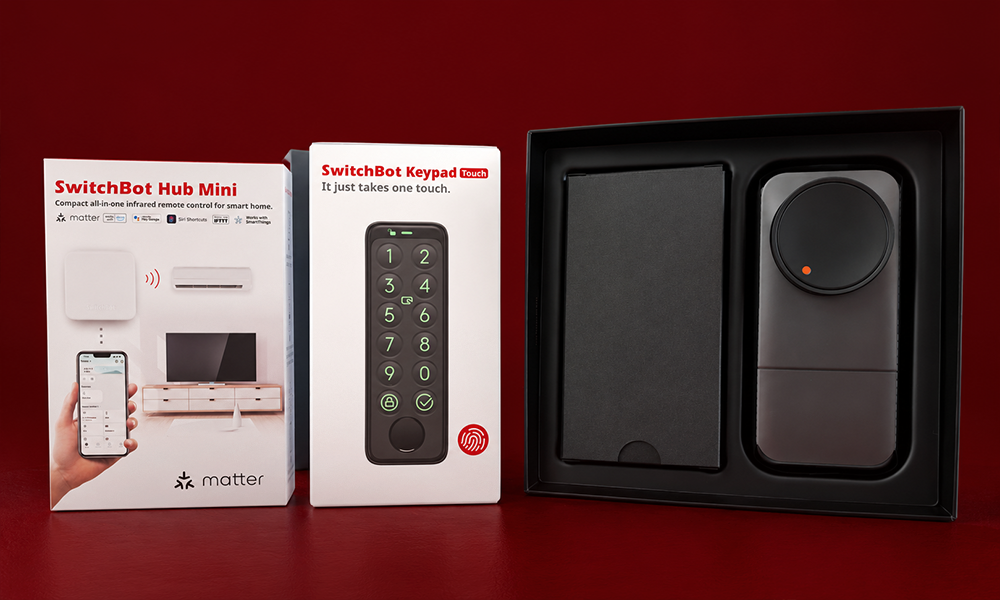
Instead of replacing your existing deadbolt, the August Wi-Fi Smart Lock fits over many standard locks from the inside. This means you can continue using your original key while adding smart features.
Its Auto Unlock feature works well for people who regularly carry shopping bags, luggage, or children into the house.
Why We Recommend It
It upgrades your existing lock without changing your home’s exterior appearance.
Key Features
- Built-in Wi-Fi
- Auto Unlock
- Remote access
- Guest access
- Activity log
Pros
- Keeps your existing key
- Simple DIY installation
- Excellent smartphone app
- Great for renters
Cons
- Battery life could be better
Best For
Apartments and rental properties.
4. Ultraloq U-Bolt Pro
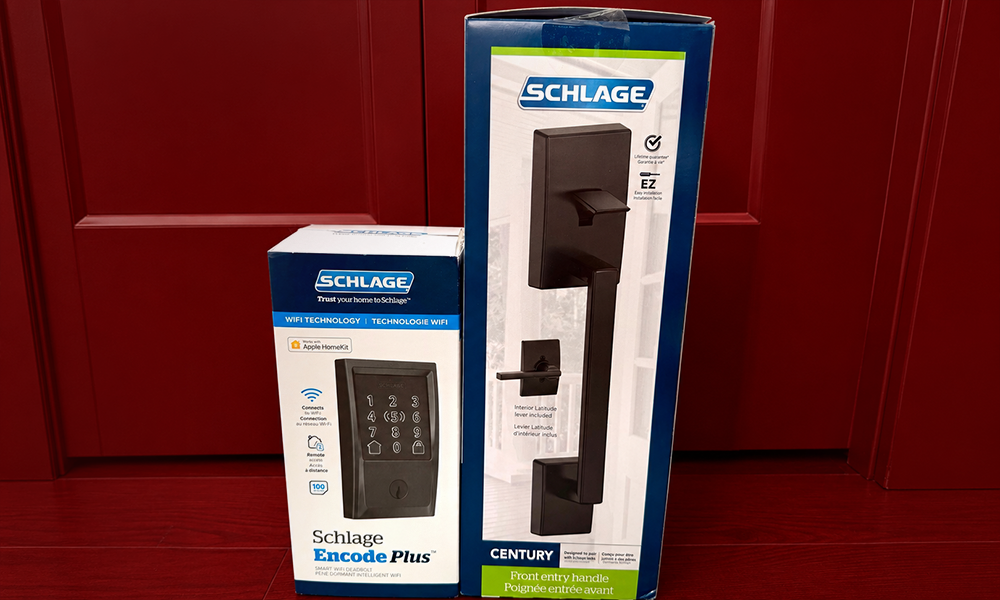
The Ultraloq U-Bolt Pro is designed for households that want multiple ways to unlock the front door. You can use a fingerprint, keypad, smartphone, or physical key depending on the situation.
Its fingerprint sensor is fast and accurate, making it a practical option for busy families.
Why We Recommend It
Having several backup unlocking methods adds extra peace of mind.
Key Features
- Fingerprint scanner
- Anti-peep keypad
- Smartphone access
- Auto lock
- Mechanical key backup
Pros
- Fast fingerprint recognition
- Strong construction
- Good battery life
- Multiple access methods
Cons
- App interface may take time to learn
Best For
Families that need flexible access options.
5. Aqara Smart Lock U100
The Aqara U100 is especially attractive for Apple users because it supports Apple Home Key. You can unlock your door using an iPhone or Apple Watch without opening an app.
It also includes a fingerprint reader and temporary passcodes for visitors.
Why We Recommend It
It provides premium Apple integration at a competitive price.
Key Features
- Apple Home Key
- Fingerprint unlock
- Temporary passcodes
- Matter support
- Physical backup key
Pros
- Excellent Apple compatibility
- Attractive design
- Reliable fingerprint reader
- Easy setup
Cons
- Best experience is within the Apple ecosystem
Best For
Apple Home users.
6. Wyze Lock Bolt
The Wyze Lock Bolt proves you don’t have to spend a lot to enjoy the convenience of a smart lock. It offers fingerprint unlocking, a backlit keypad, and dependable battery life at an affordable price.
Its straightforward design also makes it easy for first-time smart lock buyers.
Why We Recommend It
It delivers excellent everyday performance while keeping costs low.
Key Features
- Fingerprint sensor
- PIN keypad
- Auto lock
- Bluetooth connection
- Long battery life
Pros
- Excellent value
- Fast unlocking
- Easy installation
- Responsive keypad
Cons
- No built-in Wi-Fi
Best For
Budget-conscious homeowners.
7. SwitchBot Lock Pro
The SwitchBot Lock Pro attaches to many existing deadbolts instead of replacing them. This makes installation easier for renters and anyone who doesn’t want to modify their door.
When paired with the optional hub, it also supports remote control and voice assistants.
Why We Recommend It
It’s one of the simplest smart lock upgrades available.
Key Features
- Retrofit design
- Smartphone control
- Voice assistant support
- Existing key compatibility
Pros
- No drilling for many doors
- Great for rented homes
- Quick installation
Cons
- Hub required for full functionality
Best For
Apartments and rental homes.
8. Eufy Smart Lock C220
The Eufy Smart Lock C220 combines fingerprint access, keypad entry, and smartphone control in one dependable package. It offers a clean design and responsive performance without becoming overly expensive.
Why We Recommend It
It strikes a strong balance between affordability and everyday convenience.
Key Features
- Fingerprint reader
- Mobile app
- PIN codes
- Auto lock
- Remote management
Pros
- Good value
- Fast fingerprint recognition
- Easy installation
- User-friendly app
Cons
- Limited advanced automation features
Best For
Families wanting dependable daily security.
9. Level Lock+
Unlike many smart locks, the Level Lock+ hides almost all of its technology inside the deadbolt itself. From the outside, your door still looks like it has a traditional lock.
This makes it a great choice for homeowners who prefer a discreet appearance.
Why We Recommend It
It blends smart technology with a classic design.
Key Features
- Hidden smart technology
- Apple Home support
- Touch unlocking
- Physical key backup
Pros
- Elegant appearance
- Quiet operation
- Premium construction
Cons
- Higher price than most competitors
Best For
Modern homes with minimalist styling.
10. Lockly Visage Zeno Series
The Lockly Visage Zeno Series introduces advanced security features rarely found in residential smart locks. Facial recognition works alongside fingerprint access and traditional PIN codes, giving homeowners multiple secure ways to unlock the door.
Its premium design also makes it a standout option for luxury homes.
Why We Recommend It
It offers one of the most advanced smart lock experiences currently available.
Key Features
- Facial recognition
- Fingerprint scanner
- Smartphone control
- Remote management
- Multiple authentication methods
Pros
- Innovative security
- Fast recognition
- Premium build quality
- Excellent user experience
Cons
- Premium price
Best For
Luxury homes and smart home enthusiasts.
11. Philips Wi-Fi Palm Recognition Smart Lock
The Philips Wi-Fi Palm Recognition Smart Lock takes keyless entry a step further by using palm vein recognition instead of fingerprints. This technology is designed to work even if your hands are slightly wet or dirty, making it a practical choice for busy households.
Why We Recommend It
Its advanced biometric system offers a unique blend of convenience and security for users who want something beyond traditional fingerprint readers.
Key Features
- Palm recognition
- Built-in Wi-Fi
- PIN codes
- Mobile app control
- Remote access
Pros
- Innovative biometric technology
- Fast authentication
- Easy remote management
- Modern design
Cons
- More expensive than standard smart locks
Best For
Homeowners looking for premium biometric security.
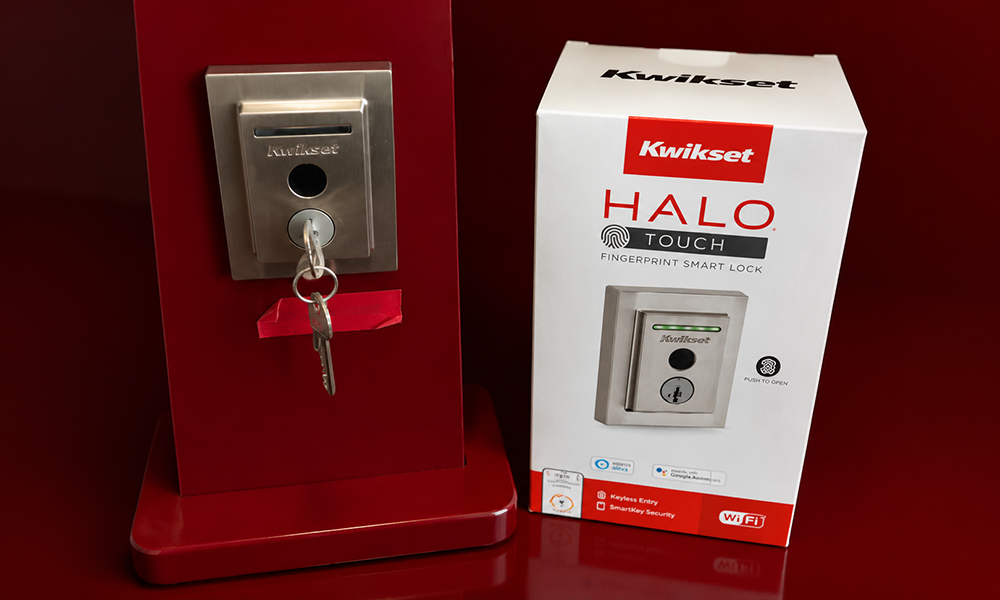
12. Kwikset Halo Touch
The Kwikset Halo Touch combines fingerprint unlocking with built-in Wi-Fi, allowing users to manage their lock remotely without needing an additional hub.
Why We Recommend It
It offers reliable fingerprint access with straightforward installation and dependable remote control.
Key Features
- Fingerprint reader
- Built-in Wi-Fi
- Auto lock
- Smartphone app
- Physical key backup
Pros
- No hub required
- Easy installation
- Reliable app
- Good battery life
Cons
- Fewer smart home integrations than some competitors
Best For
Homeowners wanting a simple Wi-Fi smart lock.
13. Lockly Secure Pro
The Lockly Secure Pro stands out with its rotating PIN keypad, which changes the number positions to help prevent others from guessing your code.
Why We Recommend It
It combines strong security with several unlocking options for added flexibility.
Key Features
- Fingerprint unlock
- Rotating keypad
- Smartphone control
- Voice assistant support
Pros
- Excellent security features
- Unique PIN protection
- Good build quality
Cons
- Learning the app may take a little time
Best For
Families who value extra keypad security.
14. Yale Approach Lock with Wi-Fi
The Yale Approach Lock is designed for homeowners who want a modern smart lock that’s simple to operate. Built-in Wi-Fi allows remote locking, unlocking, and guest access without requiring additional accessories.
Why We Recommend It
Its clean design and user-friendly app make it suitable for everyday use.
Key Features
- Built-in Wi-Fi
- Auto lock
- Guest codes
- Activity history
Pros
- Reliable performance
- Easy setup
- Good app interface
Cons
- Fewer premium features than flagship models
Best For
Busy households.
15. Eufy Smart Lock E30
The Eufy Smart Lock E30 supports Matter, making it easier to connect with multiple smart home ecosystems. It also provides quick fingerprint recognition and reliable remote management.
Why We Recommend It
It balances modern connectivity with strong everyday performance.
Key Features
- Matter support
- Fingerprint sensor
- App control
- PIN access
Pros
- Excellent value
- Wide compatibility
- Easy installation
Cons
- Limited advanced automation options
Best For
Users building a Matter-compatible smart home.
16. U-tec Ultraloq Bolt Fingerprint
Designed with simplicity in mind, this smart lock focuses on dependable fingerprint recognition while remaining easy to install and maintain.
Why We Recommend It
It delivers fast access without overwhelming users with unnecessary features.
Key Features
- Fingerprint unlock
- PIN keypad
- Auto lock
- Mechanical key backup
Pros
- Fast fingerprint reader
- Durable construction
- Good battery life
Cons
- Basic smart home integration
Best For
Everyday residential use.
17. Aqara Smart Lock D200i
The Aqara D200i is a premium smart lock that supports facial recognition, Apple Home, and Matter. It combines several unlocking methods with a stylish modern appearance.
Why We Recommend It
It’s ideal for users who want advanced features while staying within the Apple ecosystem.
Key Features
- Facial recognition
- Fingerprint unlock
- Apple Home support
- Matter compatibility
Pros
- Premium build quality
- Excellent ecosystem support
- Multiple unlock methods
Cons
- Premium pricing
Best For
Luxury smart homes.
18. Schlage Sense Smart Deadbolt
The Schlage Sense remains a dependable option thanks to its strong security reputation and straightforward operation.
Why We Recommend It
It offers trusted Schlage quality with dependable smart functionality.
Key Features
- Touchscreen keypad
- Smartphone control
- Auto lock
- Activity history
Pros
- Excellent security
- Reliable hardware
- Attractive design
Cons
- Older connectivity options than newer models
Best For
Homeowners wanting a trusted traditional brand.
19. Level Bolt
The Level Bolt transforms your existing deadbolt into a smart lock while keeping the original appearance of your door.
Why We Recommend It
It’s one of the most discreet smart lock upgrades available.
Key Features
- Hidden installation
- Smartphone access
- Apple Home support
- Key compatibility
Pros
- Invisible design
- Quiet operation
- Easy installation
Cons
- Fewer unlock methods
Best For
Minimalist homes.
20. Nuki Smart Lock Pro
The Nuki Smart Lock Pro is popular among users who prefer retrofitting an existing lock instead of replacing it completely. Installation is simple, and the app provides remote access, scheduling, and automation features.
Why We Recommend It
It’s a practical upgrade for homeowners and renters who want smart features without changing their door hardware.
Key Features
- Retrofit installation
- Wi-Fi connectivity
- Auto Unlock
- Smartphone control
Pros
- Easy installation
- Good automation features
- Reliable mobile app
Cons
- Availability varies by region
Best For
Existing deadbolt upgrades.
Smart Lock Buying Guide
Choosing the right smart lock depends on your home, budget, and preferred features. Before buying, consider these factors.
Security
Look for trusted brands with strong encryption, secure authentication, and regular firmware updates.
Connectivity
Bluetooth locks usually cost less and save battery life, while Wi-Fi models let you control your lock from anywhere.
Smart Home Compatibility
Make sure the lock works with the ecosystem you already use, whether that’s Alexa, Google Home, Apple Home, or Matter.
Battery Life
Most smart locks run on AA batteries and can last anywhere from six months to over a year, depending on usage and connectivity.
Installation
Some smart locks replace the entire deadbolt, while retrofit models fit over your existing lock and are often easier to install.
Budget vs Premium Smart Locks
| Feature | Budget Smart Locks | Premium Smart Locks |
| Price | Lower | Higher |
| Wi-Fi | Sometimes | Usually built in |
| Fingerprint Reader | Available on many models | Faster and more accurate |
| Facial Recognition | Rare | Available on select models |
| Matter Support | Limited | Common |
| Build Quality | Good | Excellent |
| Smart Home Integration | Basic | Extensive |
Smart Home Compatibility Comparison
| Smart Lock | Alexa | Google Home | Apple Home | Matter |
| Schlage Encode Plus | ✓ | ✓ | ✓ | ✓ |
| Yale Assure Lock 2 | ✓ | ✓ | ✓ | ✓ |
| Aqara U100 | ✓ | ✓ | ✓ | ✓ |
| August Wi-Fi | ✓ | ✓ | ✓ | ✗ |
| Eufy E30 | ✓ | ✓ | ✓ | ✓ |
Benefits of Smart Locks
- Unlock your door without carrying keys.
- Give family members or guests temporary access codes.
- Monitor who enters your home through activity logs.
- Lock or unlock your door remotely using a mobile app.
- Integrate with other smart home devices for added convenience.
- Reduce the chances of losing or copying physical keys.
Drawbacks of Smart Locks
- Premium models can be expensive.
- Batteries need replacing periodically.
- Some features depend on Wi-Fi or internet connectivity.
- Advanced functions may require learning a new app.
Expert Tips
- Keep your smart lock firmware updated for improved security.
- Replace batteries before they become completely drained.
- Create unique PIN codes for each family member.
- Enable two-factor authentication if the mobile app supports it.
- Always keep a backup access method available.
Common Mistakes to Avoid
- Buying a lock without checking door compatibility.
- Ignoring smart home ecosystem support.
- Choosing based only on price.
- Forgetting to update firmware.
- Using weak PIN codes.
- Skipping battery maintenance.
- Sharing permanent access codes with guests.
Smart Lock Buying Checklist
Before making your purchase, ask yourself:
- Does it fit my existing door?
- Does it work with Alexa, Google Home, Apple Home, or Matter?
- Does it support the unlocking method I prefer?
- Is remote access important to me?
- How long does the battery typically last?
- Is installation simple enough for DIY?
- Does it include a physical backup key?
Frequently Asked Questions
Are smart locks safe?
Yes. Smart locks from trusted manufacturers use encryption, secure authentication, and regular firmware updates to help protect your home.
Can smart locks be hacked?
No connected device is completely immune to cyber threats. Keeping your firmware updated, using strong passwords, and enabling two-factor authentication where available helps reduce risk.
Do smart locks work without Wi-Fi?
Yes. Many models continue to work using Bluetooth, fingerprint recognition, PIN codes, or physical keys even if your internet connection is unavailable.
How long do smart lock batteries last?
Battery life varies by model and usage but generally ranges from six to twelve months. Many locks provide low-battery alerts before replacement is needed.
Can renters install smart locks?
Yes. Retrofit smart locks are especially popular because they usually fit over an existing deadbolt without permanently modifying the door.
Conclusion
Smart locks have become a practical upgrade for homeowners, renters, and anyone looking to improve everyday convenience without compromising security. Whether you prefer a simple keypad lock or a feature-rich model with fingerprint access and smart home integration, there are excellent choices available at every price point.
If you want the best overall performance, the Schlage Encode Plus remains a standout option thanks to its reliable security, broad compatibility, and built-in Wi-Fi. Budget-conscious buyers will appreciate the value offered by the Wyze Lock Bolt, while users seeking cutting-edge technology may find the Lockly Visage Zeno Series or Aqara D200i worth the investment.
Choose a smart lock that matches your home’s existing hardware, works with your preferred smart home platform, and includes the features you’ll actually use. A well-chosen smart lock can make your home more secure and much more convenient every day.
Key Takeaways
- Smart locks offer better convenience and improved access control than traditional locks.
- Budget, mid-range, and premium options are available for different needs.
- Check compatibility with your smart home ecosystem before buying.
- Fingerprint readers, Wi-Fi, Matter support, and remote access are among the most valuable features.
- Battery life, installation, and long-term reliability are just as important as price.
- Selecting a trusted brand helps ensure better security, software support, and overall performance.