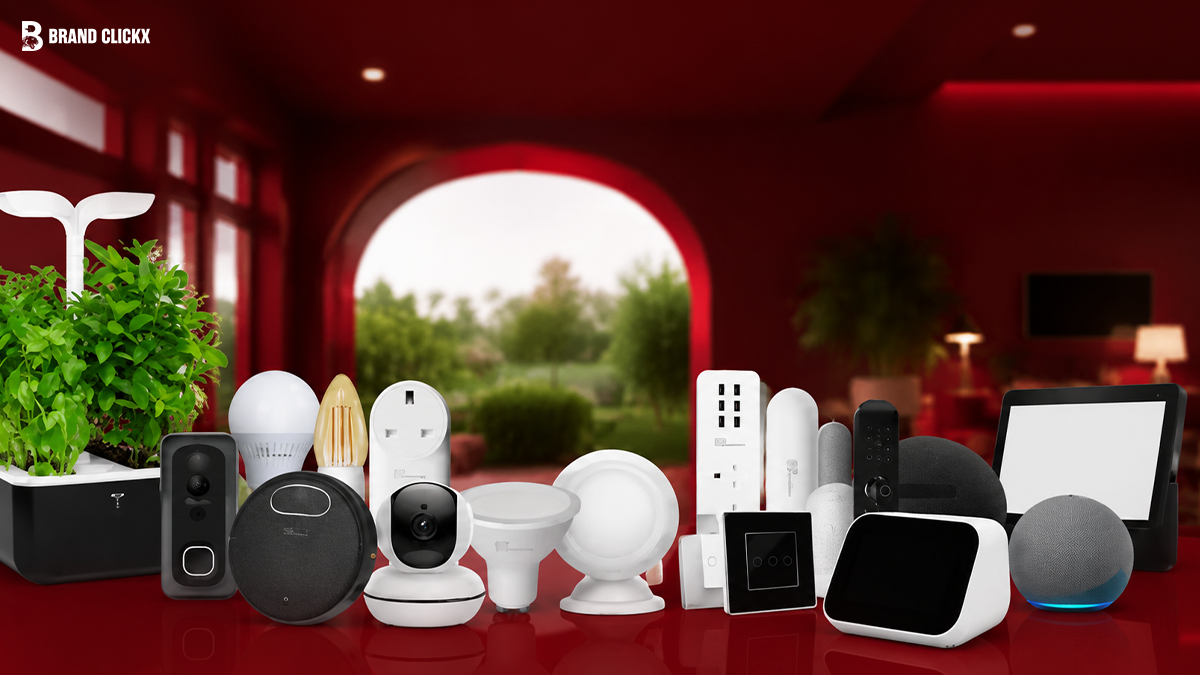
Smart home technology has come a long way over the past few years. What once felt like a luxury is now becoming a practical part of everyday life. From controlling lights with your voice to checking your front door from another city, smart devices make daily routines easier and give you greater peace of mind.
The good news is that you don’t need to spend thousands to enjoy these benefits. Whether you’re upgrading one room or planning a fully connected home, there are smart devices available for every budget and lifestyle.
This guide features the 25 best smart home devices in 2026, carefully chosen for their reliability, ease of use, compatibility, and overall value. Instead of overwhelming you with technical jargon, we’ll explain what each device does, who it’s best for, and how it can improve your home.
Quick Answer
The best smart home devices in 2026 help you automate everyday tasks, improve home security, reduce energy use, and make your home more comfortable. Smart speakers, lighting systems, security cameras, robot vacuums, smart locks, and video doorbells are among the most useful upgrades. Choosing products that support Matter and work with Amazon Alexa, Google Home, or Apple Home will make it easier to expand your smart home in the future.
Why Smart Home Devices Are Worth Buying in 2026
They Make Everyday Life Easier
Smart home devices handle everyday tasks automatically. You can switch off lights without getting out of bed, lock your front door from your phone, or ask a voice assistant to play music while you’re cooking.
These small conveniences save time and make daily routines feel smoother without changing how you live.
Better Home Security
Keeping an eye on your home has never been easier. Smart cameras, video doorbells, and smart locks let you see what’s happening even when you’re away.
You’ll receive instant notifications if someone approaches your front door, a package arrives, or unusual activity is detected. That extra awareness gives many homeowners greater peace of mind.
Lower Energy Bills
Many smart devices are designed to use energy more efficiently. Smart thermostats adjust heating or cooling based on your routine, while smart plugs prevent appliances from wasting electricity when they’re not in use.
Over time, these small changes can reduce unnecessary energy consumption without affecting your comfort.
More Comfort Every Day
Automation allows your home to respond to your lifestyle. Lights can gradually brighten in the morning, blinds can open automatically, and your preferred room temperature can be ready before you arrive home.
Instead of adjusting everything manually, your home works around your schedule.
Simple Voice Control
Voice assistants have become much more accurate and responsive. A simple command can dim the lights, lock the doors, start the robot vacuum, or answer questions without touching your phone.
This hands-free experience is especially useful when you’re busy or carrying groceries.
Control Your Home From Anywhere
One of the biggest advantages of a smart home is remote access. Whether you’re at work or travelling, you can check security cameras, unlock the door for a family member, or turn off lights you forgot to switch off.
Having this level of control helps you stay connected to your home wherever you are.
How We Selected the Best Devices
Not every smart home product deserves a place in this guide. We focused on devices that provide real value, reliable performance, and long-term usability.
Reliability
Every recommendation comes from a brand with a strong reputation for dependable hardware and regular software updates.
Reliable devices continue performing well for years instead of becoming outdated after a few months.
Easy Installation
Many readers are buying their first smart home device. That’s why we prioritised products with simple installation and user-friendly mobile apps.
Most devices can be set up in just a few minutes without professional help.
Compatibility
Compatibility is one of the most important factors when building a smart home. Devices that work across multiple ecosystems give you more flexibility as your setup grows.
Products supporting Matter, Amazon Alexa, Google Home, or Apple Home received higher priority.
Performance
A smart device should respond quickly and work consistently. Slow connections or unreliable automation can quickly become frustrating.
We selected products known for stable performance in everyday use.
Value for Money
Expensive doesn’t always mean better. We looked at the balance between price, features, build quality, software support, and long-term usefulness.
Several affordable devices deliver an excellent experience without costing a fortune.
Future-Proof Features
Technology changes quickly, so buying products that support newer standards makes sense.
Devices with Matter compatibility and regular firmware updates are better prepared for future smart home improvements.
Understanding Smart Home Ecosystems
Before buying your first smart home device, it’s worth deciding which ecosystem you want to use. Staying within one ecosystem usually creates a smoother experience and makes automation much easier.
Amazon Alexa
Amazon Alexa remains one of the most widely supported smart home platforms. It works with thousands of products, making it a great choice for beginners and experienced users alike.
Advantages
- Excellent voice recognition
- Wide compatibility with smart home brands
- Easy automation routines
- Large range of supported devices
Considerations
- Some advanced features work best with Amazon services.
- Review privacy settings during the initial setup for greater control.
Google Home
Google Home integrates naturally with Android phones and Google’s services. Its voice assistant is especially good at answering questions, managing schedules, and controlling connected devices.
Advantages
- Intelligent voice assistant
- Excellent integration with Google services
- Easy-to-use mobile app
- Reliable automation features
Considerations
- Some features depend on support from individual device manufacturers.
- Advanced automation options vary between products.
Apple Home
Apple Home is designed for people who already use an iPhone, iPad, Apple Watch, or Mac. It focuses on privacy, security, and a simple user experience.
Advantages
- Strong privacy protections
- Smooth integration across Apple devices
- Easy setup process
- Reliable performance
Considerations
- Works best within Apple’s ecosystem.
- Compatible products are fewer than those available for Alexa.
Matter
Matter is a universal smart home standard that allows compatible devices from different brands to work together more easily.
Instead of worrying whether one product supports another, Matter helps create a simpler and more flexible smart home.
Why Matter Matters in 2026
- Better compatibility across brands
- Faster and easier setup
- More reliable communication between devices
- Greater flexibility for future upgrades
Choosing Matter-compatible devices today helps keep your smart home ready for tomorrow.
Thread
Thread is a modern wireless networking technology used by many newer smart home products. Unlike traditional Wi-Fi connections, Thread allows compatible devices to strengthen the overall network by communicating directly with one another.
Why Thread Is Important
- Faster response times
- Improved reliability
- Better performance as your smart home grows
- Lower power consumption for supported devices
If you plan to add more smart products over time, Thread provides a stronger foundation for a connected home.
Comparison Table of the 25 Best Smart Home Devices
| Device Category | Main Purpose | Best For | Compatible With | Matter Support |
| Smart Speaker | Voice control | Everyday use | Alexa, Google Home, Apple Home | Selected models |
| Smart Display | Home dashboard | Families | Alexa, Google Home | Selected models |
| Smart Lights | Lighting automation | Energy savings | All major ecosystems | Many models |
| Smart Plug | Appliance control | Beginners | Alexa, Google Home, Apple Home | Many models |
| Smart Thermostat | Climate control | Lower energy use | Alexa, Google Home, Apple Home | Selected models |
| Smart Lock | Door security | Homeowners | Alexa, Google Home, Apple Home | Growing support |
| Video Doorbell | Visitor monitoring | Home security | Alexa, Google Home | Selected models |
| Security Camera | Indoor and outdoor monitoring | Property protection | Most ecosystems | Limited models |
| Robot Vacuum | Automated cleaning | Busy households | Alexa, Google Home | Selected models |
| Smart Sensor | Motion and door detection | Home automation | Most ecosystems | Many models |
| Smart Air Quality Monitor | Indoor air monitoring | Health-conscious homes | Major ecosystems | Selected models |
| Smart Garage Door Controller | Garage automation | Houses with garages | Alexa, Google Home | Some models |
| Smart Blinds | Automatic light control | Comfort and efficiency | Alexa, Google Home, Apple Home | Growing support |
The 25 Best Smart Home Devices in 2026
Choosing the right smart home device depends on your lifestyle, budget, and preferred ecosystem. Some products focus on security, while others make everyday tasks more convenient or help reduce energy use.
Below are the first 13 devices that stand out for their performance, reliability, and overall value in 2026.
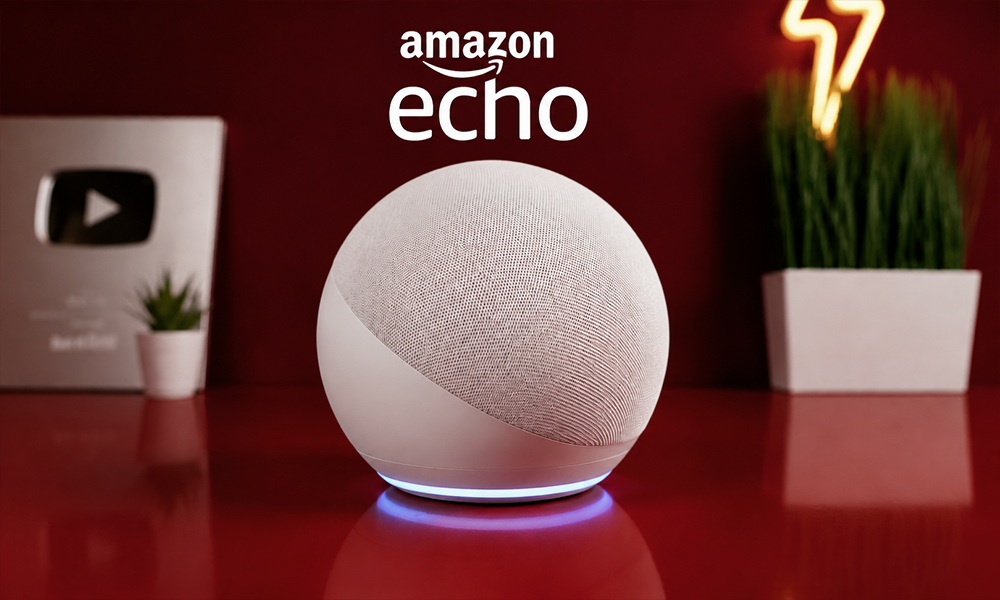
1. Amazon Echo (4th Generation)
Best For
Voice control and managing an entire smart home from one device.
Key Features
- Built-in Amazon Alexa
- Smart home hub functionality
- High-quality speaker
- Voice-controlled routines
- Matter and Thread border router support
Pros
- Supports thousands of smart devices
- Easy to set up
- Excellent voice recognition
- Good sound quality
Cons
- Some advanced features work best with Amazon services.
Why We Recommend It
The Amazon Echo remains one of the easiest ways to start a smart home. It connects with a huge range of devices and handles everyday voice commands quickly and reliably.
Who Should Buy It
Anyone looking for an affordable smart speaker with excellent compatibility.
2. Google Nest Audio
Best For
Android users and homes built around Google services.
Key Features
- Google Assistant
- Rich, balanced sound
- Multi-room audio
- Voice commands
- Smart home control
Pros
- Excellent voice assistant
- Strong music quality
- Easy integration with Google apps
- Simple setup
Cons
- Works best within Google’s ecosystem.
Why We Recommend It
Nest Audio combines smart home control with impressive sound, making it a great option for both entertainment and automation.
Who Should Buy It
Users who rely on Android phones or Google services every day.
3. Apple HomePod mini
Best For
Apple users who want seamless smart home control.
Key Features
- Siri voice assistant
- Compact design
- High-quality audio
- Home hub support
- Thread border router
Pros
- Excellent privacy features
- Easy pairing with Apple devices
- Reliable automation
- Compact size
Cons
- Best experience requires Apple products.
Why We Recommend It
For Apple users, few smart speakers offer such smooth integration across iPhone, iPad, Apple Watch, and Mac.
Who Should Buy It
Anyone already invested in the Apple ecosystem.
4. Amazon Echo Show 8
Best For
Homes that benefit from both voice and touchscreen controls.
Key Features
- 8-inch HD display
- Video calling
- Smart home dashboard
- Recipe assistance
- Streaming support
Pros
- Combines display and speaker
- Excellent kitchen companion
- Supports video doorbells
- Easy-to-read interface
Cons
- Takes up more space than a standard smart speaker.
Why We Recommend It
The Echo Show adds a visual element to smart home control, making it easier to view security cameras, calendars, recipes, and reminders.
Who Should Buy It
Families and users who prefer a touchscreen interface.
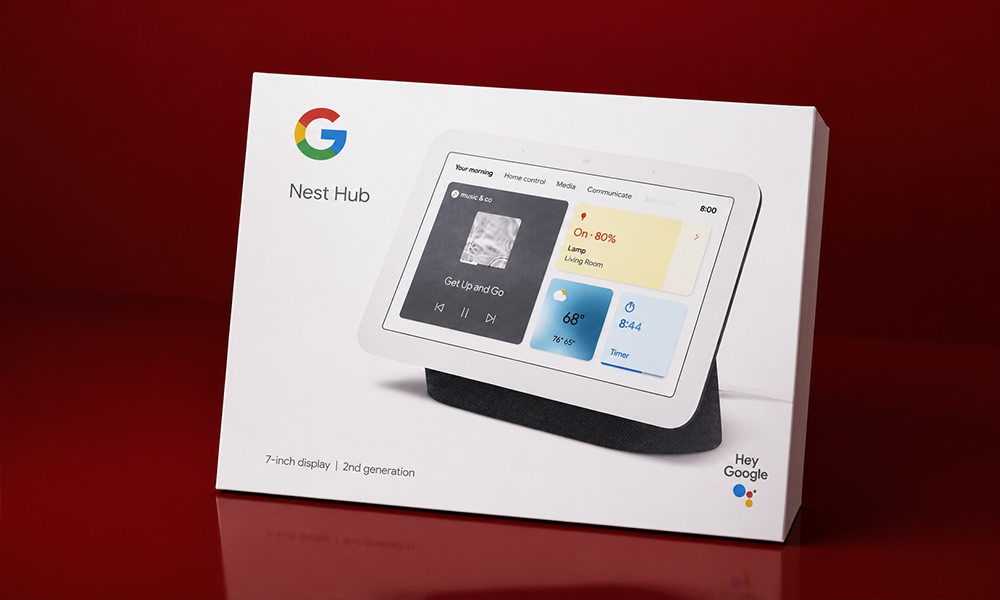
5. Google Nest Hub (2nd Generation)
Best For
Bedroom and living room automation.
Key Features
- Smart display
- Sleep sensing
- Google Assistant
- Home controls
- Streaming support
Pros
- Bright display
- Useful home dashboard
- Compact design
- Simple controls
Cons
- No built-in camera for video calls.
Why We Recommend It
The Nest Hub offers an excellent balance of convenience, entertainment, and home automation in one compact device.
Who Should Buy It
Google Home users looking for a central control screen.
6. Philips Hue Starter Kit
Best For
Smart lighting throughout the home.
Key Features
- Millions of colour options
- Scheduling
- Voice control
- Automation routines
- Energy-efficient LED bulbs
Pros
- Outstanding lighting quality
- Reliable mobile app
- Wide compatibility
- Easy automation
Cons
- Higher price than many competitors.
Why We Recommend It
Philips Hue continues to lead the smart lighting market thanks to its dependable performance and excellent software support.
Who Should Buy It
Anyone who wants premium smart lighting.
7. Govee Smart Light Bulbs
Best For
Affordable smart lighting.
Key Features
- Colour-changing LEDs
- App control
- Voice commands
- Timers
- Scene modes
Pros
- Budget-friendly
- Easy installation
- Bright lighting
- Fun lighting effects
Cons
- Fewer advanced automation features than premium systems.
Why We Recommend It
Govee offers excellent value for people who want colourful smart lighting without spending a large amount.
Who Should Buy It
First-time smart home buyers.
8. TP-Link Kasa Smart Plug
Best For
Turning ordinary appliances into smart devices.
Key Features
- Remote control
- Scheduling
- Energy monitoring on selected models
- Voice assistant support
- Compact design
Pros
- Very easy to install
- Affordable
- Reliable app
- Works with major ecosystems
Cons
- Limited automation compared to dedicated smart appliances.
Why We Recommend It
A smart plug is one of the simplest upgrades you can make. It lets you automate lamps, fans, coffee makers, and many other household devices.
Who Should Buy It
Anyone starting a smart home on a budget.
9. Eve Energy Smart Plug
Best For
Apple Home users who want detailed energy tracking.
Key Features
- Energy monitoring
- Thread support
- Scheduling
- Voice control
- Compact build
Pros
- Strong privacy
- Excellent Apple integration
- Reliable performance
- Tracks electricity usage
Cons
- Best suited to Apple Home users.
Why We Recommend It
Eve Energy combines smart control with useful energy insights, helping users understand how much electricity connected appliances consume.
Who Should Buy It
Apple users focused on energy efficiency.
10. Google Nest Learning Thermostat
Best For
Reducing heating and cooling costs.
Key Features
- Learns daily routines
- Remote temperature control
- Energy reports
- Voice assistant compatibility
- Automatic scheduling
Pros
- Simple interface
- Energy-saving features
- Attractive design
- Easy scheduling
Cons
- Higher upfront cost than basic thermostats.
Why We Recommend It
By learning your habits over time, the Nest Learning Thermostat helps keep your home comfortable while reducing unnecessary energy use.
Who Should Buy It
Homeowners looking to improve comfort and efficiency.
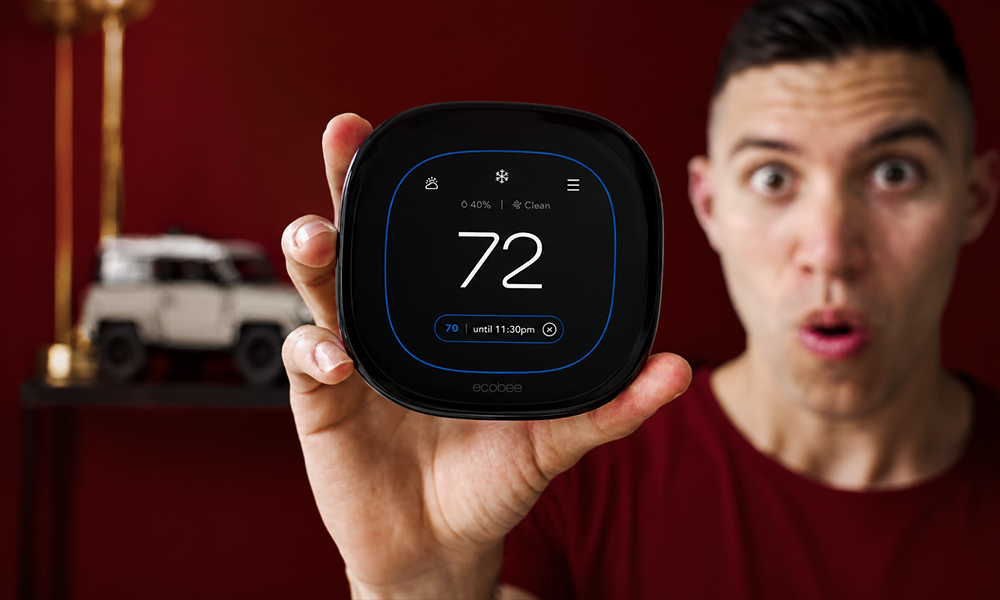
11. Ecobee Smart Thermostat Premium
Best For
Large homes with multiple rooms.
Key Features
- Smart room sensors
- Voice assistant support
- Air quality monitoring
- Energy-saving schedules
- Remote access
Pros
- Excellent room-by-room comfort
- Detailed energy controls
- Premium build quality
- Reliable app
Cons
- More features may require additional setup.
Why We Recommend It
Ecobee’s room sensors help maintain a more consistent temperature throughout the house instead of focusing on a single location.
Who Should Buy It
Families with larger homes.
12. Yale Smart Lock
Best For
Keyless home security.
Key Features
- Smartphone unlocking
- Temporary access codes
- Auto-lock
- Activity history
- Voice assistant support
Pros
- Strong security
- Convenient keyless entry
- Easy guest access
- Reliable locking mechanism
Cons
- Battery replacement is required periodically.
Why We Recommend It
A smart lock removes the need for spare keys while making it easier to manage access for family members and visitors.
Who Should Buy It
Homeowners who want a more secure and convenient entrance.
13. August Wi-Fi Smart Lock
Best For
Upgrading an existing deadbolt without replacing it.
Key Features
- Fits many existing locks
- Remote access
- Auto-lock and auto-unlock
- Guest access
- Activity tracking
Pros
- Straightforward installation
- Keeps existing keys
- Compact design
- Reliable mobile app
Cons
- Battery life depends on usage.
Why We Recommend It
The August Wi-Fi Smart Lock is ideal for people who want smart features without replacing their entire lock. It offers convenience while keeping the familiar look of your existing door hardware.
Who Should Buy It
Homeowners and renters who want an easy smart lock upgrade.
Comparison Table: Devices 1–13
| Device | Category | Best For | Compatible With |
| Amazon Echo | Smart Speaker | Voice control | Alexa, Matter |
| Google Nest Audio | Smart Speaker | Google users | Google Home |
| Apple HomePod mini | Smart Speaker | Apple users | Apple Home |
| Echo Show 8 | Smart Display | Families | Alexa |
| Nest Hub | Smart Display | Smart dashboards | Google Home |
| Philips Hue Starter Kit | Smart Lighting | Premium lighting | Alexa, Google Home, Apple Home |
| Govee Smart Bulbs | Smart Lighting | Budget homes | Alexa, Google Home |
| TP-Link Kasa Smart Plug | Smart Plug | Beginners | Alexa, Google Home, Apple Home |
| Eve Energy | Smart Plug | Apple users | Apple Home |
| Nest Learning Thermostat | Thermostat | Energy savings | Alexa, Google Home |
| Ecobee Smart Thermostat Premium | Thermostat | Large homes | Alexa, Google Home, Apple Home |
| Yale Smart Lock | Smart Lock | Home security | Alexa, Google Home, Apple Home |
| August Wi-Fi Smart Lock | Smart Lock | Existing deadbolts | Alexa, Google Home, Apple Home |
14. Ring Battery Doorbell
Best For
Monitoring your front door and receiving visitor alerts.
Key Features
- HD video
- Two-way audio
- Motion detection
- Mobile notifications
- Night vision
Pros
- Easy installation
- Clear video quality
- Reliable motion alerts
- User-friendly app
Cons
- Some features require a subscription.
Why We Recommend It
The Ring Battery Doorbell makes it easy to see who’s at your door, whether you’re at home or away. It’s one of the simplest ways to improve home security.
Who Should Buy It
Homeowners and renters looking for an easy-to-install video doorbell.
15. Google Nest Doorbell
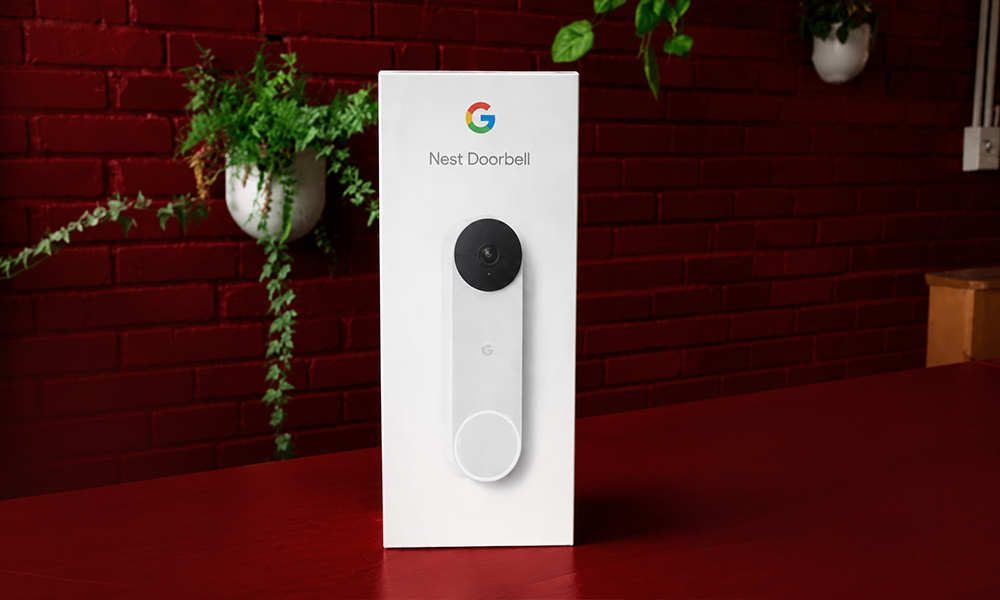
Best For
Google Home users who want smart visitor notifications.
Key Features
- HD video
- Package detection
- Two-way communication
- Intelligent alerts
- Cloud recording options
Pros
- Excellent image quality
- Smart notifications
- Easy Google integration
- Attractive design
Cons
- Best features work within Google’s ecosystem.
Why We Recommend It
It delivers accurate notifications and integrates naturally with other Google Home devices.
Who Should Buy It
Android users and Google Home enthusiasts.
16. Arlo Pro 5S
Best For
Indoor and outdoor security monitoring.
Key Features
- 2K HDR video
- Colour night vision
- Motion detection
- Weather-resistant design
- Smart notifications
Pros
- Excellent video quality
- Long battery life
- Reliable mobile app
- Wide viewing angle
Cons
- Subscription unlocks additional features.
Why We Recommend It
Arlo continues to offer some of the best image quality available for wireless security cameras.
Who Should Buy It
Families wanting premium home security.
17. Google Nest Cam
Best For
Reliable everyday home monitoring.
Key Features
- HD video
- Intelligent alerts
- Two-way audio
- Indoor and outdoor options
- Cloud storage support
Pros
- Easy installation
- Excellent app
- Clear recordings
- Reliable performance
Cons
- Some advanced history features require a subscription.
Why We Recommend It
Nest Cam balances performance, simplicity, and smart notifications, making it suitable for most homes.
Who Should Buy It
Anyone already using Google Home.
18. Blink Outdoor 4
Best For
Affordable outdoor security.
Key Features
- Wireless operation
- Long battery life
- Motion alerts
- HD recording
- Weather resistance
Pros
- Budget friendly
- Easy installation
- Excellent battery life
- Compact design
Cons
- Video quality isn’t as detailed as premium models.
Why We Recommend It
Blink Outdoor provides dependable security at a reasonable price.
Who Should Buy It
Homeowners looking for value without sacrificing reliability.
19. Roborock Qrevo Series
Best For
Automated floor cleaning.
Key Features
- Vacuum and mop
- Smart mapping
- Obstacle avoidance
- Scheduled cleaning
- Self-maintenance features on selected models
Pros
- Powerful cleaning
- Accurate navigation
- Quiet operation
- Easy scheduling
Cons
- Premium models cost more than basic robot vacuums.
Why We Recommend It
Roborock continues to lead with excellent cleaning performance and intelligent navigation.
Who Should Buy It
Busy households with hard floors and carpets.
20. iRobot Roomba Combo Series
Best For
Reliable everyday cleaning.
Key Features
- Vacuuming
- Mopping
- Smart mapping
- App control
- Voice assistant support
Pros
- Trusted brand
- Good cleaning performance
- Easy maintenance
- Reliable software
Cons
- Premium models can be expensive.
Why We Recommend It
Roomba remains one of the most recognised names in robot vacuums because of its dependable performance.
Who Should Buy It
Families wanting consistent automatic cleaning.
21. Aqara Motion Sensor
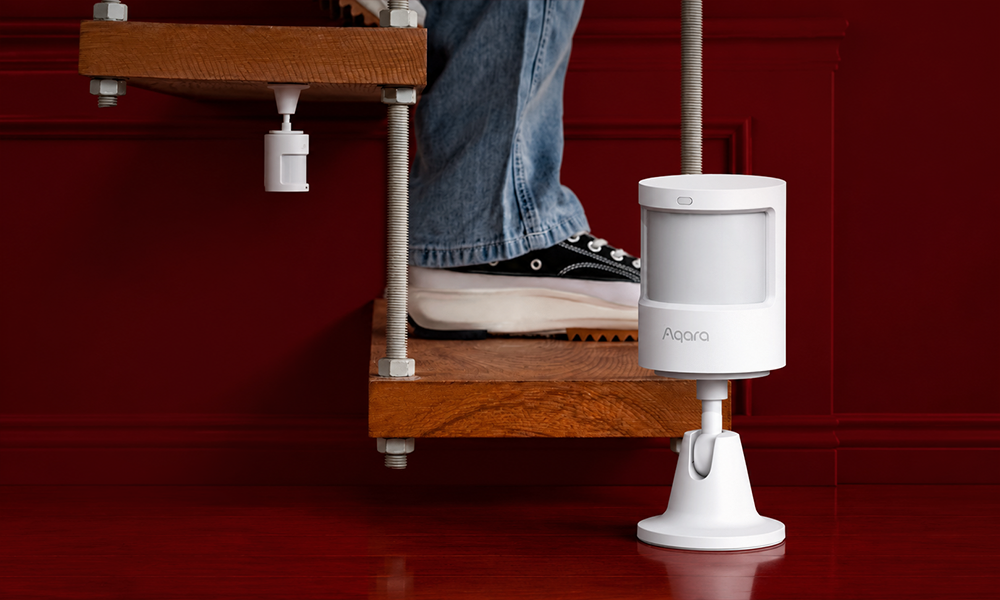
Best For
Creating smart automation.
Key Features
- Motion detection
- Compact design
- Low power consumption
- Automation support
- Fast response
Pros
- Reliable detection
- Small size
- Affordable
- Long battery life
Cons
- Some setups require an Aqara hub.
Why We Recommend It
Motion sensors make automation far more useful by triggering lights and routines automatically.
Who Should Buy It
Users building a more advanced smart home.
22. Eve Door & Window Sensor
Best For
Monitoring doors and windows.
Key Features
- Open and close detection
- Thread support
- Notifications
- Automation routines
- Compact design
Pros
- Excellent build quality
- Reliable alerts
- Strong privacy
- Quick installation
Cons
- Best experience for Apple Home users.
Why We Recommend It
It’s a simple way to improve both security and automation.
Who Should Buy It
Apple Home users wanting extra peace of mind.
23. Chamberlain myQ Smart Garage Control
Best For
Managing garage doors remotely.
Key Features
- Smartphone control
- Activity history
- Scheduling
- Guest access
- Notifications
Pros
- Easy installation
- Reliable app
- Convenient remote control
- Useful alerts
Cons
- Compatibility should be checked before purchase.
Why We Recommend It
It removes the worry of wondering whether you left the garage door open.
Who Should Buy It
Homeowners with compatible garage door openers.
24. SwitchBot Blind Tilt
Best For
Automating existing window blinds.
Key Features
- Scheduled opening
- Voice control
- Solar charging option
- App control
- Automation support
Pros
- Doesn’t require replacing blinds
- Easy installation
- Quiet operation
- Energy efficient
Cons
- Only works with compatible blind types.
Why We Recommend It
It’s an affordable way to enjoy automated blinds without replacing your existing setup.
Who Should Buy It
People wanting smarter lighting and privacy control.
25. X-Sense Smart Water Leak Detector
Best For
Detecting water leaks before they become costly.
Key Features
- Water detection
- Instant alerts
- Loud alarm
- Mobile notifications
- Easy placement
Pros
- Simple setup
- Reliable alerts
- Compact size
- Helps reduce water damage
Cons
- Multiple sensors may be needed for larger homes.
Why We Recommend It
A small leak can become an expensive repair. This device helps you spot problems early.
Who Should Buy It
Anyone wanting to protect kitchens, bathrooms, or basements.
Best Smart Home Devices by Category
| Category | Best Pick |
| Best Overall | Amazon Echo (4th Gen) |
| Best Smart Speaker | Amazon Echo |
| Best Smart Display | Echo Show 8 |
| Best Smart Lighting | Philips Hue Starter Kit |
| Best Budget Device | TP-Link Kasa Smart Plug |
| Best Smart Lock | Yale Smart Lock |
| Best Video Doorbell | Ring Battery Doorbell |
| Best Security Camera | Arlo Pro 5S |
| Best Robot Vacuum | Roborock Qrevo Series |
| Best Thermostat | Google Nest Learning Thermostat |
| Best for Apple Users | Apple HomePod mini |
| Best for Google Users | Google Nest Audio |
| Best for Beginners | TP-Link Kasa Smart Plug |
How to Choose the Right Smart Home Devices
Choose One Ecosystem
Pick Amazon Alexa, Google Home, or Apple Home before buying multiple devices. Staying within one ecosystem makes setup and automation much easier.
Check Compatibility
Always confirm that new devices work with your preferred platform. Matter-certified products offer better flexibility if you plan to expand later.
Buy Devices That Solve Real Problems
Start with products you’ll actually use every day. A smart speaker, smart plug, or video doorbell often provides more value than buying several advanced gadgets at once.
Plan for Future Expansion
Think about where your smart home might be in two or three years. Choosing products with ongoing software support helps protect your investment.
Common Buying Mistakes
- Buying devices without checking compatibility.
- Mixing too many smart home ecosystems.
- Ignoring Matter support.
- Forgetting to improve Wi-Fi coverage.
- Choosing products based only on price.
- Skipping firmware updates.
- Buying more devices than you actually need.
Smart Home Privacy and Security Tips
Use Strong Passwords
Create unique passwords for every smart home account and avoid reusing old ones.
Enable Two-Factor Authentication
Adding an extra layer of security helps protect your devices from unauthorised access.
Keep Software Updated
Install firmware updates as soon as they become available to improve security and performance.
Secure Your Home Network
A reliable router with modern security settings helps keep your connected devices protected.
Review Privacy Settings
Take a few minutes to adjust camera, microphone, and data-sharing preferences according to your comfort level.
Smart Home Checklist
| Task | Complete |
| Choose a smart home ecosystem | ☐ |
| Check Wi-Fi coverage | ☐ |
| Buy Matter-compatible devices where possible | ☐ |
| Install official mobile apps | ☐ |
| Enable two-factor authentication | ☐ |
| Update firmware | ☐ |
| Create automation routines | ☐ |
| Organise devices by room | ☐ |
| Test voice commands | ☐ |
Frequently Asked Questions
What is the best smart home device to buy first?
A smart speaker or smart plug is usually the best starting point. They’re affordable, easy to install, and provide a solid foundation for future automation.
Are smart home devices worth buying?
Yes. They improve convenience, strengthen home security, and can help reduce energy waste when used effectively.
Which smart home ecosystem is the best?
Amazon Alexa offers the widest compatibility, Google Home works especially well with Android devices, and Apple Home is an excellent choice for users invested in Apple’s ecosystem.
What is Matter?
Matter is a smart home standard that improves compatibility between supported devices from different manufacturers.
Can smart home devices work without Wi-Fi?
Some devices continue to perform basic functions locally, but remote access, voice control, and cloud-based features generally require an internet connection.
Do smart home devices save electricity?
Many do. Smart thermostats, smart plugs, and automated lighting help reduce unnecessary energy use.
Are smart home devices secure?
Products from trusted manufacturers are generally secure when kept up to date and protected with strong passwords and two-factor authentication.
Can renters use smart home devices?
Yes. Devices such as smart plugs, smart speakers, smart bulbs, and battery-powered video doorbells are ideal because they usually don’t require permanent installation.
Conclusion
Smart home technology continues to improve every year, making connected living more practical than ever. The best devices aren’t always the most expensive. They’re the ones that solve everyday problems, save time, improve security, and fit naturally into your lifestyle.
Start with a few essential products such as a smart speaker, lighting system, or security camera, then expand gradually as your needs grow. By choosing reliable brands and Matter-compatible devices, you’ll build a smart home that’s easier to manage today and better prepared for tomorrow.
Key Takeaways
- Smart home devices make everyday life more convenient and secure.
- Choose one ecosystem for a smoother experience.
- Matter-compatible devices offer better long-term flexibility.
- Start with essential products before expanding your setup.
- Reliable Wi-Fi is the foundation of every smart home.
- Keep firmware updated to improve security and performance.
- Buy devices that solve real needs instead of chasing unnecessary features.
- A well-planned smart home can save time, improve comfort, and provide greater peace of mind.