
An IT services firm tells small businesses that marketing Copilots will give them back five to ten hours a week. Plenty of other vendors promise “hours saved” without explaining how they counted them. The largest published workplace trial, involving 20,000 UK civil servants, found an average of 26 minutes a day. Even that figure came from participants estimating their own time savings.
A marketing AI copilot is an assistant built into software your team already uses, so it can work with your email, files, CRM or designs. What matters is not gross time saved. It is net time: the minutes removed from a task minus the minutes spent checking and correcting the output.
Judged that way, the strongest evidence points to roughly one to two hours a week for an active user, not the five to ten hours often promised in sales material. The licence price is also one of the smallest parts of the decision. What matters more is which recurring tasks the tool can actually remove.
What a Copilot Actually Is
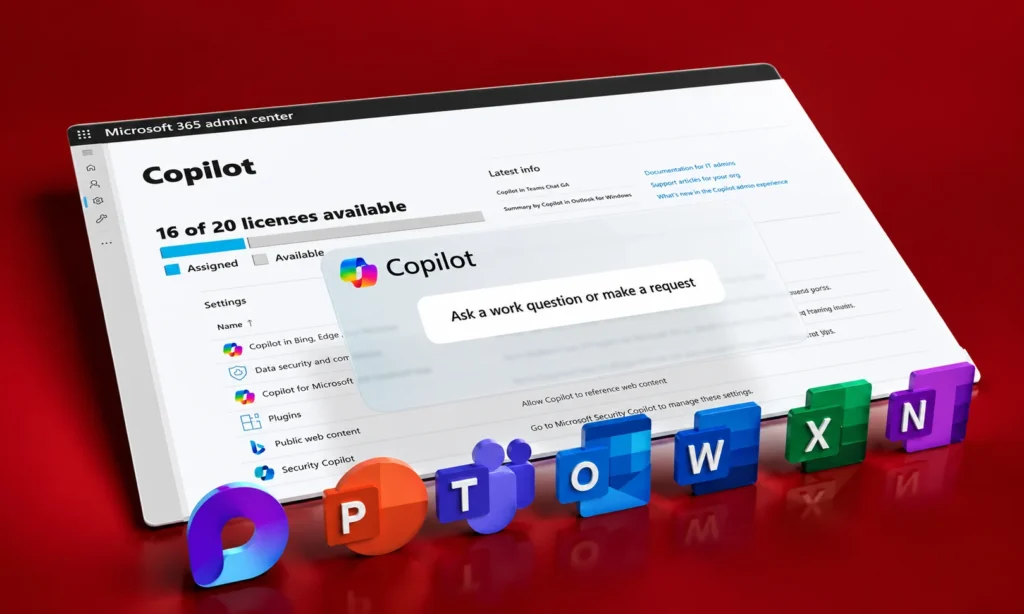
Three different products are often sold under the same label. A copilot sits inside software you already use and suggests or creates work while a person remains responsible for the decision. Microsoft 365 Copilot, Gemini in Google Workspace and Canva’s AI tools fit this model.
A standalone assistant is a separate workspace that you bring information into. Jasper and general-purpose AI chatbots are examples. They can be useful for drafting and ideation but usually need more manual context.
An agent goes further. It can carry out a defined workflow and return the result for review. The difference is simple: with a copilot, the person usually holds the pen. With an agent, the system can perform more of the task before the person checks the outcome.
Context matters more than the model
A tool inside your existing systems can work from information that is already available there, subject to permissions. An assistant in a separate window may only know what someone pastes or uploads.
That difference can matter more than which language model sits underneath. If your team spends ten minutes gathering information before asking an AI tool to do five minutes of work, the tool hasn’t really saved five minutes.
The Four Types of Marketing Copilot
Marketing copilots fall into four useful groups. Each sees a different part of the work, so each tends to save time in different places.
| Type | Examples | Strongest at | Main limitation |
| Work-suite copilot | Microsoft 365 Copilot, Gemini in Workspace | Email, meetings, documents, summaries and drafts | Limited visibility outside the work suite |
| Marketing-platform copilot | HubSpot Breeze | CRM-based content, customer records and campaign work | Weak outside the platform |
| Creative-suite copilot | Canva Magic Studio | Resizing, adapting and producing creative variations | Limited view of strategy and business data |
| Standalone marketing assistant | Jasper or general AI assistants | High-volume drafting and campaign content | Requires more manual context |
This is why feature-by-feature rankings can be misleading. Two tools can both claim to save hours while removing completely different tasks. A tool that saves 15 minutes from a meeting recap isn’t directly comparable with one that saves 15 minutes from producing ten ad variations. Compare copilots by the work they remove, not the number of features they advertise.
Where the Hours Actually Come From
Most “hours saved” figures are based on people estimating how much time they saved. A large workplace trial found an average of 26 minutes a day, with results varying considerably between job types. Another large study of 25,000 workers found self-reported savings of 2.8% of working hours.
Other research shows why those numbers need caution. In one controlled experiment, professionals completed writing tasks about 40% faster with ChatGPT and their work was rated more highly. But real marketing work includes fact-checking, brand review, editing and approvals that a controlled writing task doesn’t capture.
The opposite can happen too. A randomized study involving experienced developers found that participants believed AI made them faster even though they actually took longer. The lesson isn’t that AI saves no time. It’s that perceived time savings and measured net time savings are different things.
A practical weekly model
The following model uses the measured writing improvement as the basis for the first row. The other review times are illustrative assumptions, so a marketing team should replace them with its own timings.
| Task | Minutes removed | Review added back | Net minutes saved |
| First draft, 300–600 words | About 10 | 3–5 | 5–7 |
| Meeting recap and actions | 10–15 | 2–4 | 6–13 |
| Resize and reformat assets | 10–20 | 1–3 | 7–19 |
| Data pull and reporting | 10–20 | 8–15 | -5 to 12 |
| Brief from previous briefs | About 20 | About 10 | About 10 |
Imagine a marketer handling four drafts, three meeting recaps, two asset reformats, one report and one brief each week. That could produce roughly 90 net minutes saved per week under these assumptions.
Notice the reporting row. It can produce almost no net savings or even become negative once checking is included. That is one of the most important findings for anyone buying a marketing copilot: the task that looks most automated isn’t necessarily the task that saves the most time.
Compare the Tools by Work Removed
Prices change, so confirm the current plan before purchasing. The more important comparison is what each tool can actually touch.
| Microsoft 365 Copilot | Gemini in Workspace | HubSpot Breeze | Canva Magic Studio | Jasper | |
| Where it lives | Word, Excel, PowerPoint, Outlook, Teams | Gmail, Docs, Sheets, Slides, Meet | CRM and marketing workspace | Canva editor | Jasper app |
| What it can see | Mail, meetings and files within permissions | Workspace mail and files | CRM, campaign and content data | Designs and brand assets | Information you provide |
| Strongest task | Meeting recaps and document-based drafts | Drafting and summarising | CRM-based content and customer work | Creative adaptation and resizing | High-volume on-brand drafting |
| Weakest task | Work outside the Microsoft environment | Work outside Google | Work outside the CRM | Strategy and business data | Live company information |
| Pricing structure | Per-user licence plus qualifying base plan | Often bundled into Workspace plans | Marketing platform subscription plus usage | Individual or business creative plans | Per-seat subscription |
| Setup burden | Permissions, files and meeting settings | Relatively low if Workspace is already organised | Higher because CRM quality matters | Low | Medium |
| Best fit | Teams living in Microsoft 365 | Teams living in Google Workspace | Teams already deep in the CRM | Creative-heavy marketing teams | Content-heavy marketing teams |
Two rows deserve more attention than the price column. What can the tool see? And: What additional work is required before it becomes useful? A cheap seat that cannot access the information your team needs is not cheap. A more expensive tool that can complete a task from information already sitting inside the system may produce more net value.
What the Licence Price Doesn’t Include
The monthly subscription is only the visible cost. The first hidden cost is setup. Someone needs to organise permissions, connect the right information, enable relevant features and teach the team how to use the tool.
The second is review time. Every minute saved in production can create another minute of checking if the output touches customer data, pricing, claims, reporting or brand-sensitive material.
Seats can hide the real cost
In the large workplace trial, 17% of participants reported no time saved. That matters when you calculate ROI. If a $30 seat produces no measurable savings, its cost doesn’t disappear because the rest of the team is productive. Your effective cost per productive user rises as unused seats accumulate.
The same principle applies to cheaper plans. A low monthly price is irrelevant if the tool is opened twice a month.
The break-even is surprisingly low
Suppose a marketer’s loaded hourly cost is $45. A $30 monthly licence needs to create only about 40 minutes of net time savings per month to cover itself.
A $21 licence needs about 28 minutes. That sounds easy, and it often is. But the real risk isn’t the price of the seat. It is paying for seats that aren’t used or counting gross minutes as if they were net savings.
Which Copilot Fits Which Team?

A small team with no technical resources
Start with the copilot inside the software you already use. If your team lives in Microsoft 365, start there. If it lives in Google Workspace, start there. Don’t add a separate marketing platform just because it has a longer AI feature list.
Time three recurring tasks first. If the native tool cannot produce a measurable improvement, adding another AI subscription probably won’t solve the underlying workflow problem.
A team already committed to one marketing platform
Use the platform’s native AI before buying another assistant. A CRM-based copilot can work from customer records, campaigns and content that a standalone writing tool doesn’t automatically see.
That context can remove the manual work of collecting information before the drafting begins. Only add another tool when you can identify a specific task the native system still doesn’t handle well.
A creative-heavy marketing team
Prioritize the tool that removes production work. If the team’s biggest time drain is turning one campaign asset into multiple sizes, formats and variations, a creative-suite copilot can produce more value than another writing assistant.
The important metric is not how many images the system can generate. It’s how many minutes disappear from the production process after review.
A content-heavy marketing team
A standalone marketing assistant can make sense when volume is the bottleneck. It becomes more useful when the team already has its brand voice, product information and content standards organised.
But if the biggest problem is pulling information from your CRM, analytics or internal documents, a standalone writing tool may create another manual step instead of removing one.
How to Test One Before Buying
Don’t begin with a vendor demo. Run a two-week test using three tasks your team performs every week.
- Time the task without AI.
Use a stopwatch. Don’t estimate. - Run the same task with the copilot.
Include prompting and preparation time. - Time the review.
Count fact-checking, editing, formatting and corrections. - Measure quality separately.
Have another person review outputs where possible without knowing which version was produced by AI. - Track errors.
One serious reporting or customer-data error can erase the time saved from several successful tasks. - Track actual usage.
A licence used twice in two weeks has already answered your ROI question. Then calculate:
Net time saved = original task time − AI production time − review time
Multiply that by the employee’s loaded hourly cost and compare it with the all-in monthly cost. That is a much more useful AI ROI calculation than asking employees whether they “feel faster.”
The Real Ranking
The best marketing copilot isn’t necessarily the one with the most features.
| Team situation | Best starting point | Why |
| Microsoft-heavy team | Microsoft 365 Copilot | Already connected to documents, meetings, email and collaboration |
| Google-heavy team | Gemini in Workspace | Strong fit when work already lives in Google |
| CRM-heavy marketing team | HubSpot’s native AI | Customer and campaign context is already inside the platform |
| Creative-heavy team | Canva Magic Studio | Removes repetitive asset production work |
| Content-heavy team | Jasper or another standalone assistant | Useful when high-volume drafting is the main bottleneck |
| Multi-system team | Start with the dominant work platform | Reduces the number of separate AI systems and review queues |
The Verdict
The small team should start with the AI assistant inside the software it already uses. A Microsoft-heavy team should test Microsoft 365 Copilot. A Google-heavy team should test Gemini. A CRM-heavy team should start with its platform’s native AI. A creative team should prioritise production automation.
A content-heavy team can consider a standalone marketing assistant when drafting volume is genuinely the bottleneck. The deciding number isn’t five hours saved. It isn’t even one hour saved. It is net minutes saved on a recurring task after the human checks the work.
If a tool removes 15 minutes from a task but requires 12 minutes of review, it didn’t save 15 minutes. It saved three. And if a $30 seat saves 40 minutes of productive work every month, it has already crossed the basic financial break-even at a $45 hourly cost.
That’s why the smartest way to choose a marketing AI copilot is not to compare feature lists. Time the work. Count the checking. Measure the output. Then buy the tool that removes the most real work.