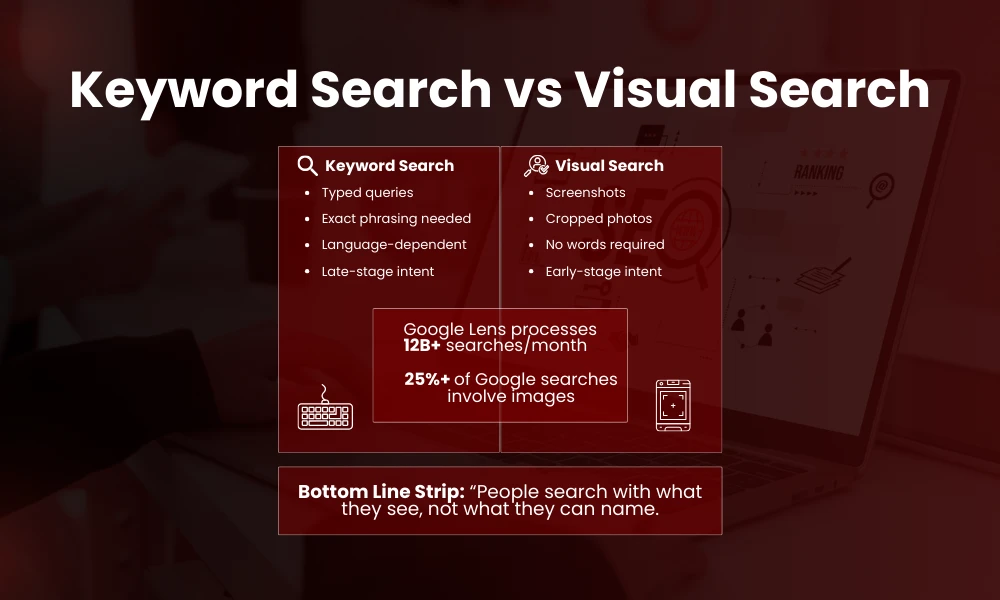
You’re pouring time and budget into content, but traffic isn’t growing. Why? Because today’s users don’t search the way they used to. Traditional text search is being overtaken by visual behavior based on advanced image search techniques. Google Lens handles over 12 billion visual searches per month, and image search contributes to more than 25 % of total Google search traffic.
Screenshots replace typed queries. Photos replace descriptions. People are searching with what they see, not what they can name.
That’s why advanced image search techniques optimization is no longer a bonus, it’s infrastructure. Visuals now carry intent before words show up, leak context faster, and influence decisions earlier in the journey. Search engines are adapting; users already moved there; most strategies haven’t.
To understand how visuals can be optimized effectively for search engines, exploring image SEO best practices can help you build a strong foundation.
Advanced image search techniques isn’t clean or predictable. Signals overlap, logic bends, and tools don’t explain everything. What matters is alignment, visuals, context, intent, timing.
If your images aren’t discoverable, your content isn’t complete.
Everything else is secondary.
Why Image Search Techniques Matter Now
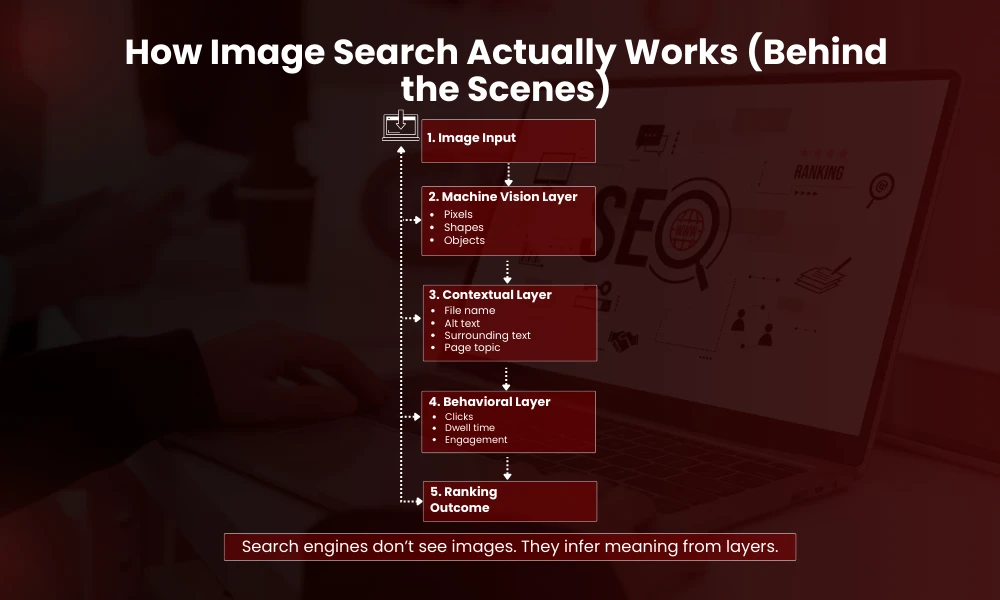
Image search didn’t grow overnight. It crept in while most SEO playbooks stayed stuck on keywords and links. What changed is not technology alone, but behavior. People point cameras before they type. That shift forces different thinking.
The Shift From Keywords to Visual Intent
Image search is no longer secondary. Google Lens, Bing Visual Search, Pinterest Lens, even Instagram’s internal discovery systems. They all rely on visual understanding, not captions alone.
People search with screenshots. Cropped product photos. Blurry references. Not keywords. That shift breaks old SEO habits.
Visibility, Traffic, and Missed Opportunity
Advanced Image search techniques help you reverse engineer intent when words are missing. Or wrong. This evolution reflects changing human search intent, where visual cues often replace traditional keyword-based searches.
And ranking images brings traffic that text pages never see. Especially for ecommerce, design, local services, recipes, tutorials, events.
One line truth. If your images are invisible, your content is partially dead.
How Search Engines Actually Read Images
Search engines don’t guess. They infer. Every image is broken down, simplified, and cross-checked against context. The process is mechanical, layered, and often misunderstood.
Machine Vision and Pattern Recognition
They don’t see like humans. Not fully.
Search engines analyze pixels, patterns, shapes. Colors. Edges. Objects. Then they stack context on top. File names. Alt text. Surrounding text. Page topic. User behavior.
Many of these processes align closely with technical SEO, which determines how efficiently search engines interpret and rank visual content.
Contextual Layers and Interpretation
Vision models detect what’s inside an image. A chair, a face, text printed on packaging. OCR reads text embedded in the image. EXIF data sometimes leaks clues, location, device, time.
But meaning comes from alignment. Image plus page plus query. Miss one, relevance drops.
This is where most advanced image search techniques fail. People optimize one layer only.
Reverse Image Search Beyond the Obvious
Reverse image search is treated like a trick. It’s not. It’s a diagnostic tool. Used properly, it exposes gaps competitors don’t notice.
Using Multiple Search Engines Strategically
Most people stop at Google Images. Upload. Done.
That’s surface level.
Advanced image search techniques involve using multiple engines because each indexes differently. Google prioritizes context. Bing leans more on visual similarity. Yandex is aggressive with facial and object matching. Pinterest focuses on aesthetic clusters.
Competitive and Contextual Insights
Results differ. Dramatically.
Use reverse search to track image theft, yes. But also to see where similar visuals rank, what pages host them, what text surrounds them.
That surrounding text matters. It tells you how algorithms interpret the image.
One short paragraph. This is where strategy begins.
Using Google Lens Like an Analyst Not a User
Lens is often used casually. Point. Scan. Move on. But under that surface is a classification system revealing how Google categorizes the world.
Cropping, Framing, and Visual Priority
Google Lens is not just a search tool. It’s a classifier.
Crop intentionally. Change the frame. Exclude backgrounds. Focus on objects. Each crop changes results.
Lens prioritizes the dominant object in frame. If your product is small, cluttered background hurts discovery.
SERP Variation as Signal
Try this. Search the same image three times. Full frame. Tight crop. Rotated. You’ll see different SERPs.
Those differences reveal what Google thinks your image is about.
That insight feeds optimization.
Visual Similarity vs Contextual Relevance
Images rank for two reasons. How they look. Where they live. Ignore either and rankings wobble.
Two Competing Ranking Signals
Advanced image search techniques split into two camps. Visual matching and contextual matching.
Visual similarity finds things that look alike. Same color, shape, layout.
Contextual relevance connects images to topics. Articles. Categories. Intent.
Why Original Images Win
Ranking high requires both. A visually similar image on an irrelevant page loses. A relevant page with weak visuals also loses.
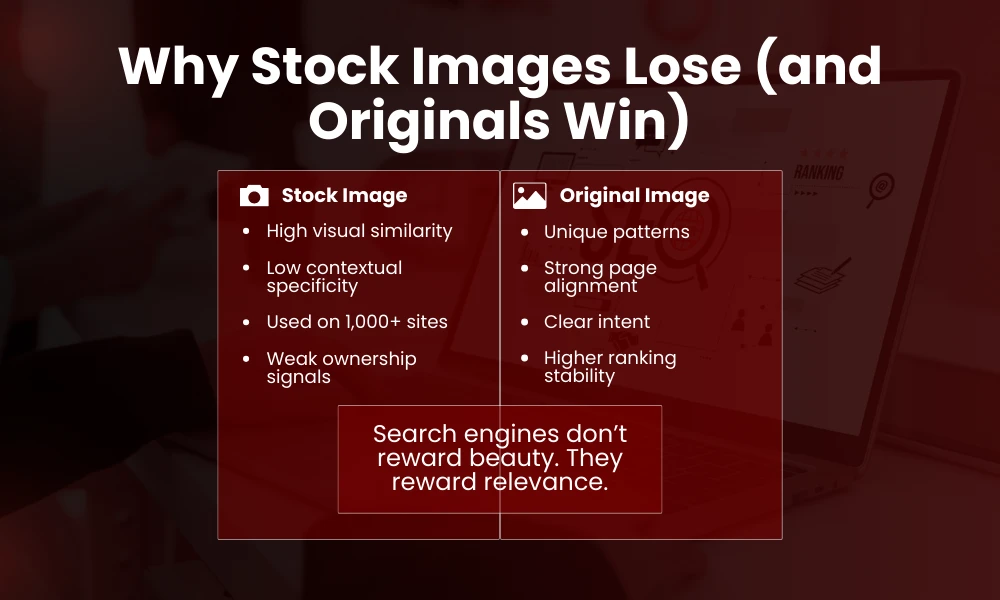
This tension explains why stock photos underperform. They look good but say nothing specific.
Custom images win because context and content align.
Not always perfect. But closer.
File Names Still Matter More Than People Admit
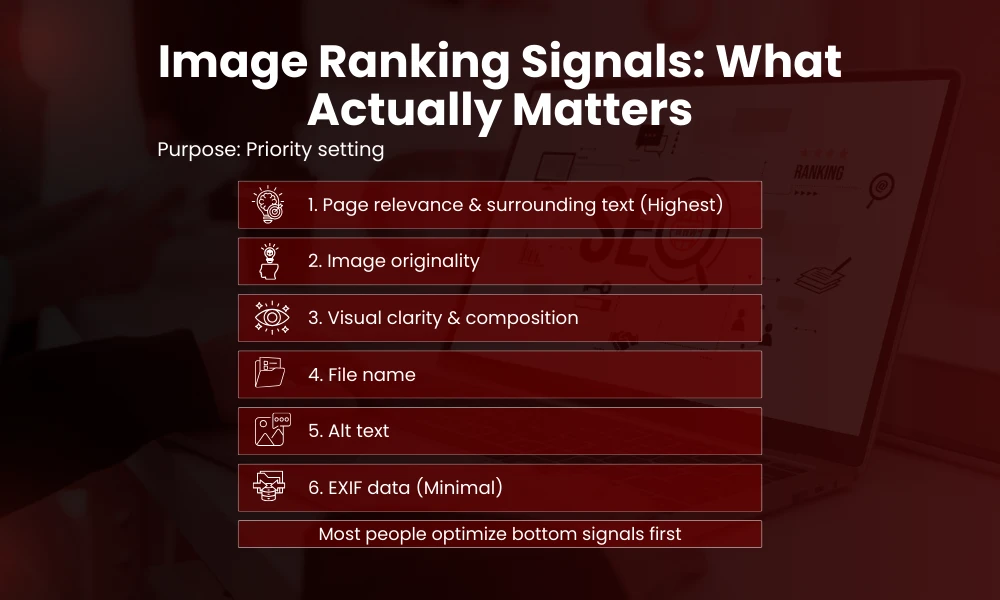
This is basic. Which is why it’s skipped. File names are early signals. Small, but cumulative.
Semantic Value in Plain Language
Yes it’s old advice. Still ignored.
IMG_4589.jpg means nothing. blue-ceramic-coffee-mug-handmade.jpg carries intent.
Search engines read file names early. Before alt text sometimes. It’s a weak signal but cumulative. This small detail supports broader on-page SEO best practices, where every element contributes to overall relevance and ranking.
Avoid stuffing. Just describe. Plain words.
Messy truth. File names won’t save bad images. But they can lift good ones.
Alt Text Is Not For SEO Alone
Alt text lives at the intersection of accessibility and semantics. Treated lightly. It shouldn’t be.
Accessibility and Semantic Reinforcement
Alt text exists for accessibility. Screen readers. Compliance.
But it doubles as semantic reinforcement.
Write alt text like you’re explaining the image to someone who cannot see it. Short. Concrete. No fluff.
Avoid repeating the same phrase across images. Variation helps. Slight differences signal depth.
And don’t keyword jam. That backfires quietly.
Image Surrounding Text Carries More Weight Than Alt Text
Context isn’t optional. It’s the frame that gives an image meaning.
Proximity and Relevance Signals
This is often missed.
The paragraph before the image. The heading above. The caption below. Even the anchor text linking to the page.
Search engines tie images tightly to nearby text. Closer than meta descriptions. This connection between visuals and context is a key pillar of an effective SEO content strategy.
If your image shows a process, place it near the explanation. Not at the top just for aesthetics.
Alignment beats decoration.
One sentence. Placement is optimization.
Structured Data and Images
Structured data reduces guesswork. For machines, clarity beats creativity.
Anchoring Images With Schema
Schema helps machines connect dots.
Product schema links images to price, availability, reviews. Recipe schema links step images to instructions. Event schema ties banners to dates and locations.
This matters for image search techniques because structured data reduces ambiguity.
The image is no longer floating. It’s anchored.
That anchoring increases eligibility for rich results and visual SERP features.
Image Dimensions and Aspect Ratios That Actually Work
Size isn’t about pixels alone. It’s about visibility across devices and surfaces.
Size, Shape, and Discoverability
There is no perfect size. But there are patterns.
Images too small get ignored. Too large slow pages.
Aspect ratios matter more. Square works for discovery. Landscape for articles. Vertical for mobile and Discover.
Google Discover favors tall images. Minimum width thresholds exist though rarely stated clearly.
Test. Measure impressions in Search Console’s image report. Adjust.
Uneven process. Accept it.
Compression Without Killing Quality
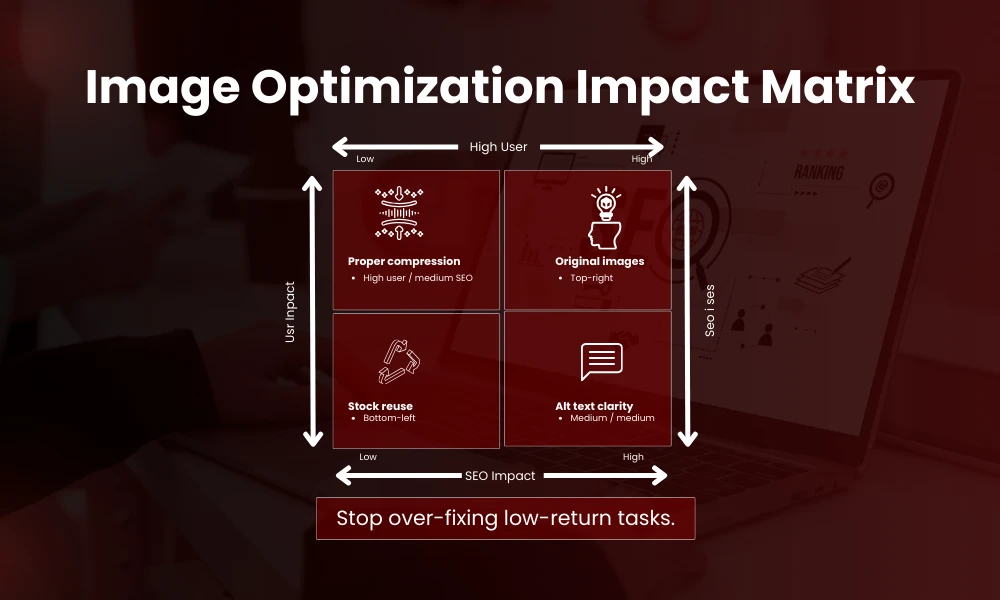
Image Optimization Impact Table
| Optimization Action | SEO Impact | User Impact |
| Proper compression | Medium | High |
| Correct aspect ratio | Medium | High |
| Alt text clarity | Medium | Medium |
| Original images | High | High |
| Stock image reuse | Low | Low |
| Image sitemap | Low | None |
Performance and trust fight each other here. Balance is manual.
Performance vs Perception
Heavy images kill performance. Over-compressed images kill trust.
Use modern formats. WebP, AVIF where supported. JPEG still fine for photos if optimized.
Compression should remove invisible data not visible detail. Tools differ. Results vary.
Always zoom in. Check edges. Text clarity. Faces.
Page speed affects image rankings indirectly. Slow pages lose crawl priority. User signals drop.
This connection is subtle but real.
EXIF Data Myths and Reality
EXIF gets talked about more than it deserves. Still worth understanding.
What Still Matters and What Doesn’t
EXIF data once mattered more. Now less.
Location data is mostly stripped. Camera data rarely used.
But sometimes EXIF helps Google Lens understand orientation or context. Rare cases.
Don’t rely on it. Don’t obsess.
Focus elsewhere.
Image Sitemaps Still Have a Role
Not glamorous. Still useful.
Discovery for Large and Dynamic Sites
Large sites benefit. Ecommerce. Portfolios. Media heavy platforms.
Image sitemaps help discovery. Especially for images loaded via JavaScript or galleries.
They don’t guarantee ranking. They guarantee indexing chance.
That’s enough.
Analyzing Image Performance Properly
Without measurement, optimization becomes superstition.
Using Search Console Image Reports
Search Console has an Image search filter. Use it.
Look at impressions vs clicks. High impressions low clicks often signal poor thumbnails or irrelevant queries.
Low impressions mean indexing or relevance issues.
Segment by page. Not image alone.
Tie performance back to intent.
This analysis step is where image search techniques mature from guesswork to system.
Advanced Image Search Techniques for Ecommerce
Product Visibility and Conversion Signals
Products live or die visually.
White backgrounds help recognition. Context shots help conversion. Both needed.
Use multiple images per product. Different angles. Use cases. Scale reference.
Combining visual optimization with a structured e-commerce SEO checklist helps improve both visibility and conversions.
Google indexes all of them.
Avoid reusing manufacturer images only. That creates duplication across sites.
Unique images create unique relevance.
Short truth. Original images rank better.
Image Search for Local Businesses
Local trust is visual before it’s verbal.
Geo-Relevance and Trust Signals
Local image search is underrated.
Photos of storefronts, interiors, staff, work in progress. These rank for branded and near me queries.
Geo relevance comes from page context and Google Business Profile. Images support trust.
Use real photos. Not stock.
Consistency matters. Same visuals across site and profile reinforce identity.
Image Search for Content and Blogs
Diagrams, Screenshots, and Visual Explanation
Charts, screenshots, diagrams. These perform well.
But only if labeled and placed correctly.
Screenshots need explanation text. Diagrams need captions.
Otherwise they float. And floaters sink.
Use descriptive file names. Add context before and after.
It’s boring work. It pays.
AI Generated Images and Search Risk
AI images compress effort. They also compress uniqueness.
Pattern Detection and Generic Visuals
AI images are everywhere now.
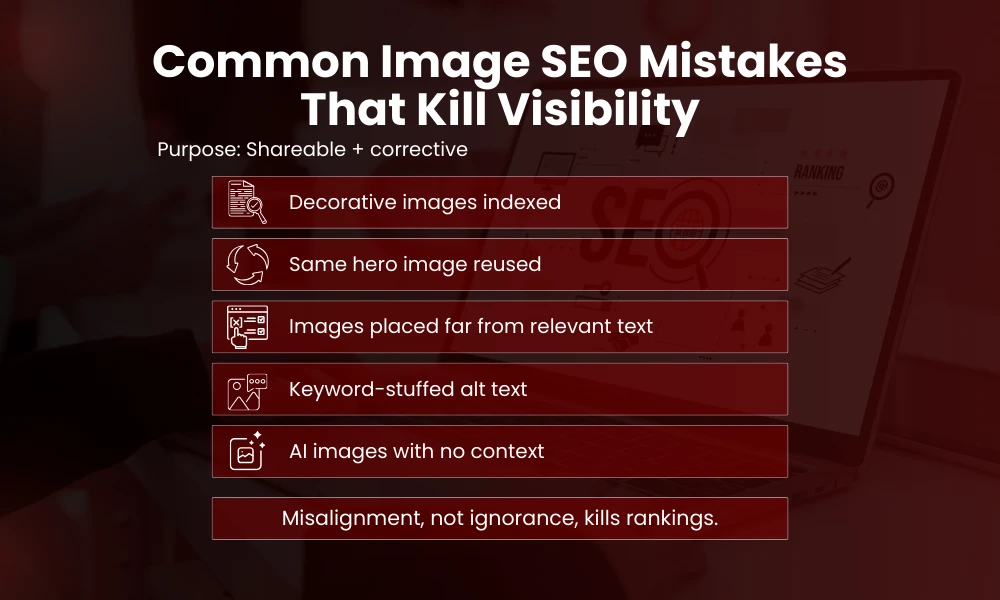
Search engines don’t penalize them automatically. But patterns emerge. Repetition. Generic style. Lack of specificity.
This challenge connects with the broader debate around AI vs human content, where originality and contextual relevance play a critical role.
AI images often lack contextual grounding. They look right but say nothing real.
If you use them, customize heavily. Edit. Add overlays. Tie to specific data.
Otherwise image search techniques lose power.
Visual Duplication and Cannibalization
Ownership and Signal Splitting
Multiple pages using the same hero image. Common mistake.
Search engines struggle to decide which page owns the image.
That splits signals. Weakens all.
Assign unique visuals to key pages. Especially commercial ones.
Reuse selectively. Not blindly.
Image Accessibility and Rankings
Engagement, Compliance, and Indirect SEO
Accessibility improves rankings indirectly.
Alt text. Proper contrast. Readable text overlays.
Accessible images lead to better engagement. Better engagement feeds algorithms.
This loop is slow but steady.
Ignore it and rankings decay quietly.
Advanced Image Search Techniques for Social Platforms
Each platform reads images differently.
Platform-Specific Visual Discovery
Pinterest behaves like visual Google. Optimize descriptions. Boards. Image style.
Instagram search now uses text and visuals. Alt text exists there too. Few use it.
TikTok thumbnails influence discovery even if video dominates.
Cross platform image optimization creates compound returns.
But styles differ. Adjust.
Measuring Success Without Obsessing
Perfection kills momentum.
Assisted Conversions and Trend Tracking
Don’t chase one image ranking.
Track trends. Growth in impressions. Click share. Assisted conversions.
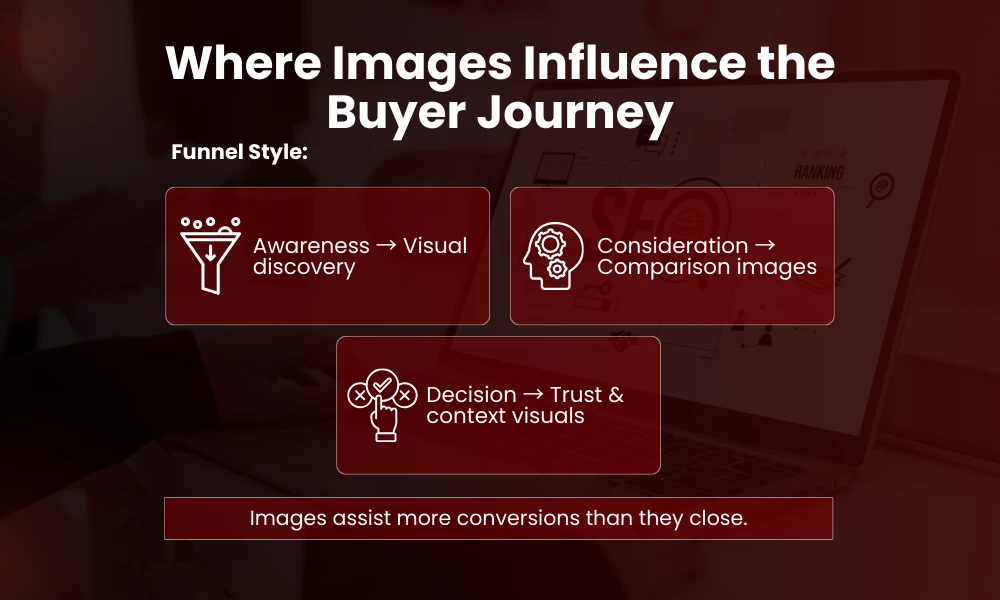
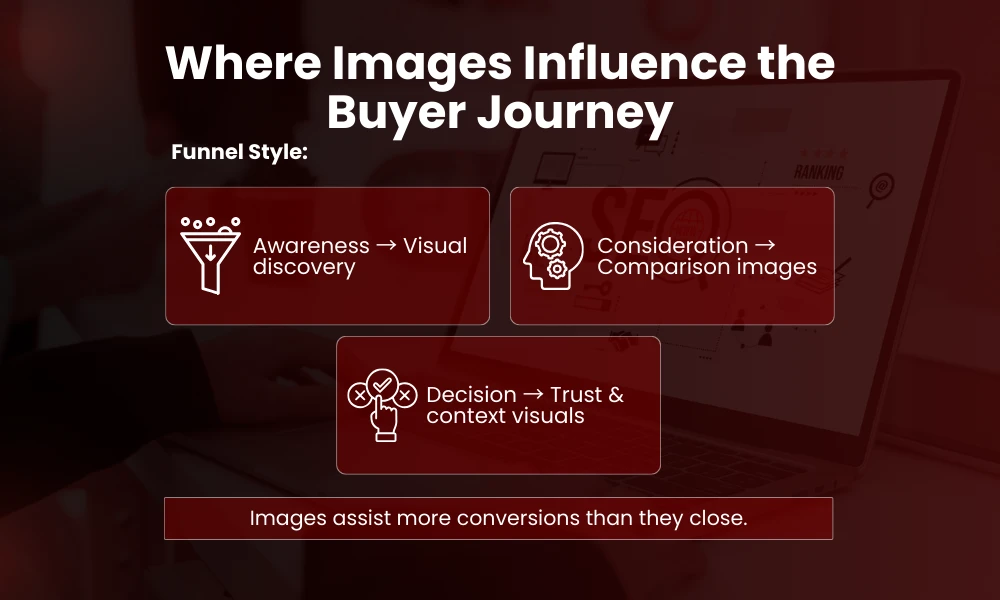
Images often assist journeys. Not finish them.
Accept that.
One line again. Images influence more than they close.
Future of Advanced Image Search Techniques
Visual-First Search Behavior
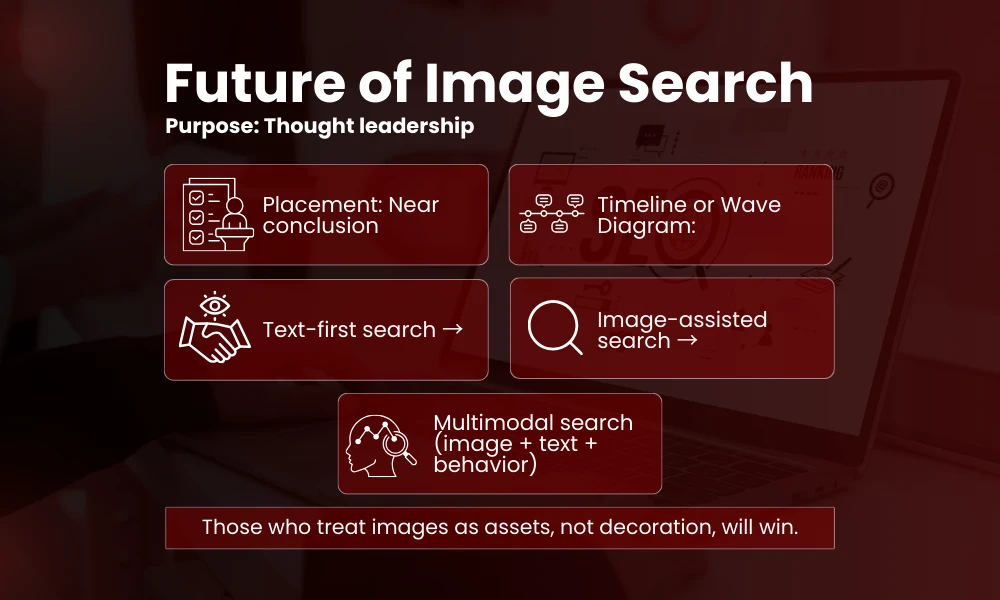
Visual search will become default for certain queries. Fashion. Home. Travel. Food. Events.
Text will support images not the other way around.
As search evolves, emerging technologies like LLMs in SEO will further shape how visual and textual data work together.
Search engines will rely more on multimodal understanding. Image plus text plus behavior.
Advanced image search techniques will blend with UX and CRO.
Those who treat images as assets not decoration will win.
FAQs
What are advanced image search techniques in simple terms
Advanced Image search techniques are methods used to help images appear in search results. They include how images are named, described, placed, compressed, and connected to page context. It’s not one trick. It’s alignment.
Does image SEO really bring traffic
Yes. For ecommerce, blogs, local sites, and visual niches it can drive significant traffic. Often users land through images and continue browsing. It’s undercounted value.
Is alt text enough for image optimization
No. Alt text helps but surrounding text, file names, page relevance, image quality, and performance matter just as much. Alt text alone won’t rank an image.
Can AI images rank in Google Image Search
They can. But generic AI images struggle. Custom, edited, context specific visuals perform better. Originality still matters even if creation is automated.
How long does it take for images to rank
It varies. Days for high authority sites. Weeks for new ones. Image sitemaps and proper placement speed discovery. Ranking depends on relevance and competition.
Should every image be indexed
No. Decorative images don’t need optimization. Focus on images that add meaning. Over indexing creates noise.