

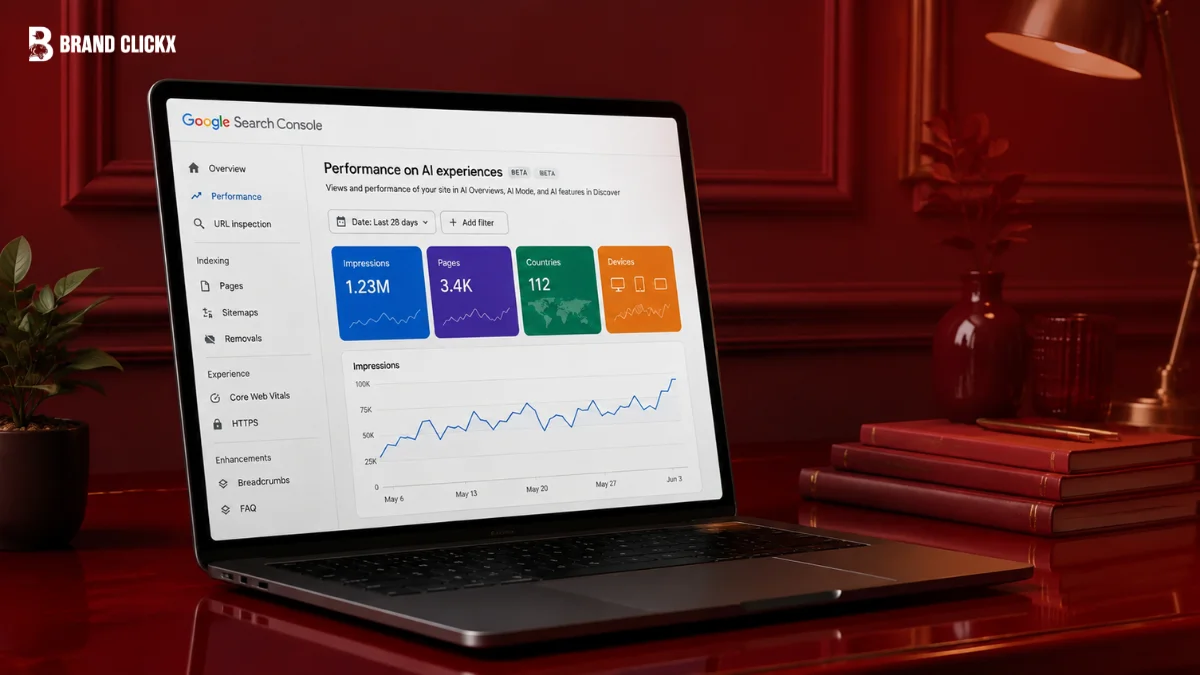
The Generative AI report has no query data. The regular Performance report does, and AI Mode queries are sitting in it. John Mueller confirmed it on LinkedIn. Here is how to spot them.
Summary
Google’s Generative AI performance reports in Search Console, launched on 3 June 2026, show impressions from AI Overviews and AI Mode but contain no query data. John Mueller has confirmed that AI Overviews and AI Mode information is included in the general Performance report which does have queries. That means AI Mode queries are already visible, just not labelled.
Key Takeaways
- Google’s Generative AI reports contain no query or click data
- John Mueller confirmed AI Overviews and AI Mode data is in the general Performance report
- The general report does include query data, blended with regular search
- Each follow-up question in AI Mode counts as a new query
- AI Mode queries average roughly three times the length of traditional searches
- The Generative AI report launched 3 June 2026 to a subset of sites
- Opt-out enforcement for AI features began 17 June 2026
- One large study found AI Overview CTR fell from 1.76% to 0.61%, then rebounded to 2.4%
What Mueller Confirmed
The exchange happened on LinkedIn, and it resolves a question SEOs have been guessing at since June.
Anastasia Kourou posted screenshots of unusual-looking queries appearing in her Search Console Performance report long, conversational strings that did not look like normal search behaviour.
Mueller’s reply: “Search Console includes information on AI Overviews and AI Mode in the general performance report.”
He linked to Google’s documentation, which adds the mechanical detail:
“If a user asks a follow-up question within AI Mode, they are essentially performing a new query. All impression, position, and click data in the new response are counted as coming from this new user query.”
So the data exists. It is in the report SEOs already use, mixed in with everything else.
The Reporting Split That Confuses People
| Generative AI report | Regular Performance report | |
| Impressions | Yes | Yes |
| Pages | Yes | Yes |
| Countries and devices | Yes | Yes |
| Clicks and CTR | No | Yes |
| Query data | No | Yes |
| AI Mode included? | Yes, isolated | Yes, blended |
The dedicated report isolates AI visibility but strips out the two things most people want. The general report keeps clicks and queries but blends AI Mode traffic in with everything else.
Neither view gives you the full picture on its own, which is the practical problem.
How to Identify AI Mode Queries
The tell is length. AI Mode queries average roughly three times the length of traditional searches, according to Google’s own March 2026 figures.
What to look for in your Performance report:
- Unusually long query strings full sentences rather than keyword fragments
- Conversational phrasing questions written as someone would speak them
- Multi-part or compound questions in a single query
- Follow-up-shaped queries that read like the second or third turn of a conversation
- Queries you have never seen before and would never have targeted
That last one is the practical signal. Because each follow-up inside AI Mode registers as a new query, a single user session can generate several entries that look nothing like your keyword research.
A caution: none of this is definitive. Google does not label these, and long conversational queries also arrive from voice search and ordinary users typing full questions. Treat this as inference, not identification.
What the Generative AI Report Actually Gives You
Launched 3 June 2026, initially to a subset of websites while Google tests and gathers feedback.
It appears under Performance → Generative AI, split into two views: one under Search results, one under Discover.
What you get: total impressions, the URLs that appeared, and breakdowns by country, device and date.
What you do not get: clicks, click-through rate, or queries.
Eligibility depends on not being opted out. A site must be included in Search generative AI features to appear at all meaning it is not blocked via robots settings or meta tags. Google’s separate opt-out toggle, which lets site owners exclude content from AI Overviews and AI Mode without affecting organic rankings, began enforcement on 17 June 2026.
Why the Missing Clicks Matter
Impressions without clicks is exactly the wrong half of the data for this particular question.
The central concern about AI Overviews has always been that they satisfy the query without sending a visit. A report that shows you appearing more often, without showing whether anyone arrived, cannot answer that.
The available data on the impact is striking, and not in one direction. A study covering 2.43 billion impressions across 53 brands and 5.47 million queries found organic CTR on AI Overview queries fell from 1.76% to 0.61% a decline of roughly 65% before rebounding to around 2.4% by February 2026.
That rebound is the part worth pausing on. It ended higher than the starting point. Whether that reflects user behaviour adapting, Google adjusting the feature, or changes in which queries trigger AI Overviews is not established.
The practical implication: a page can appear more often inside an AI Overview while sending fewer total visitors, or more. Impression data alone will not tell you which, which is why this report should never be read in isolation from analytics.
The Scale Behind It
AI Overviews now reach roughly 2 billion monthly users across more than 200 countries.
How often they appear depends entirely on who is measuring:
| Source | AI Overview prevalence |
| Conservative industry benchmarks | 21–25% of searches |
| BrightEdge | 48% across major industries |
| Some US trackers | 60–65% |
That spread is wide enough that any single figure should be treated with caution. It varies enormously by industry, query type and country.
What to Actually Do
- Export both reports for the same URLs and date ranges, and compare them
- Pair impressions with analytics sessions Search Console tells you about visibility, not outcomes
- Use a meaningful date range. Rollout data from a few days is noise
- Do not attribute changes to one edit. Demand, seasonality, competitor activity and Google’s own systems all move simultaneously
- Look for sustained trends following substantial revisions, not three-day movements
The temptation to change one heading, watch the graph rise, and announce you have reverse-engineered AI Mode is strong. It is also how bad SEO advice gets written.
Frequently Asked Questions
Can I see AI Mode queries in Search Console?
Yes, but not in the Generative AI report, which has no query data. John Mueller confirmed that AI Overviews and AI Mode information appears in the general Performance report, where query data is available but not labelled as AI-driven.
How do I identify which queries came from AI Mode?
There is no label. The main signal is length Google says AI Mode queries average about three times the length of traditional searches. Look for long, conversational, multi-part questions you would not have targeted.
Why does each follow-up count separately?
Google’s documentation states that a follow-up question within AI Mode is essentially a new query, with all impression, position and click data in the new response counted against it. One session can therefore produce several entries.
What does the Generative AI report show?
Impressions from AI Overviews and AI Mode, the URLs that appeared, and breakdowns by country, device and date. It does not show clicks, click-through rate or queries. It appears under Performance, separately for Search and Discover.
Why can’t I see the Generative AI report?
Google launched it on 3 June 2026 to a subset of websites while testing. Sites also need to be eligible for generative AI features, meaning they have not opted out via robots settings, meta tags or Google’s opt-out control.
Has AI Overviews reduced click-through rates?
One study across 2.43 billion impressions found organic CTR on AI Overview queries fell from 1.76% to 0.61%, then rebounded to roughly 2.4% by February 2026. Impact varies considerably by query type and industry.
How often do AI Overviews appear?
Estimates vary widely. Conservative benchmarks put it at 21% to 25% of searches, BrightEdge finds 48% across major industries, and some US trackers report 60% to 65%. Prevalence differs sharply by sector and country.
Should I use the Generative AI report on its own?
No. It reports impressions without clicks or conversions, so it shows visibility rather than value. Pair it with analytics session data for the same URLs and dates to understand what AI visibility is actually worth.
Conclusion
The confusion here is a reporting design problem rather than a data problem. Google built a dedicated AI view and left out the two fields people most wanted, while the fields exist in the report everyone was already using.
AI Mode queries have been in your Performance report all along. They are the long, conversational, oddly specific strings you did not recognise and probably dismissed.
Mueller’s confirmation does not give you a filter. It gives you permission to stop assuming those queries were noise.


