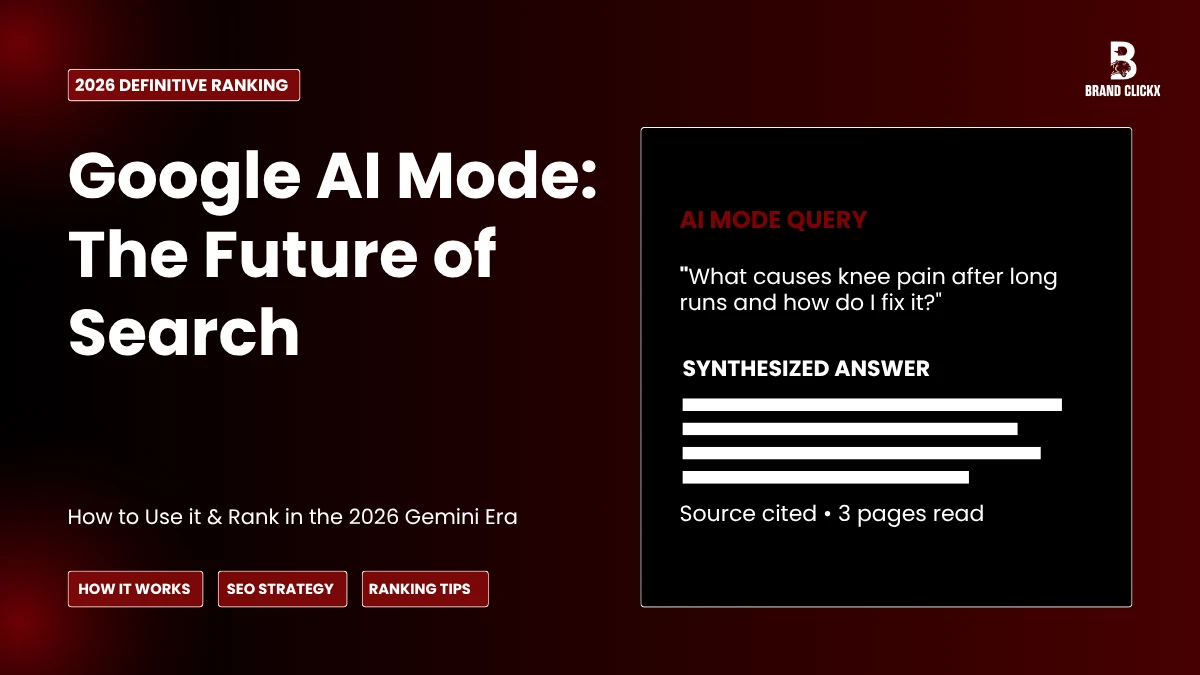
What Is Google AI Mode? (Quick Answer)
Google AI Mode is a conversational search experience that delivers synthesized, paragraph-style answers instead of a list of links. When you search in AI Mode, Google’s Gemini model reads multiple relevant pages and writes you a direct response — then remembers what you asked so you can ask follow-up questions without starting over.
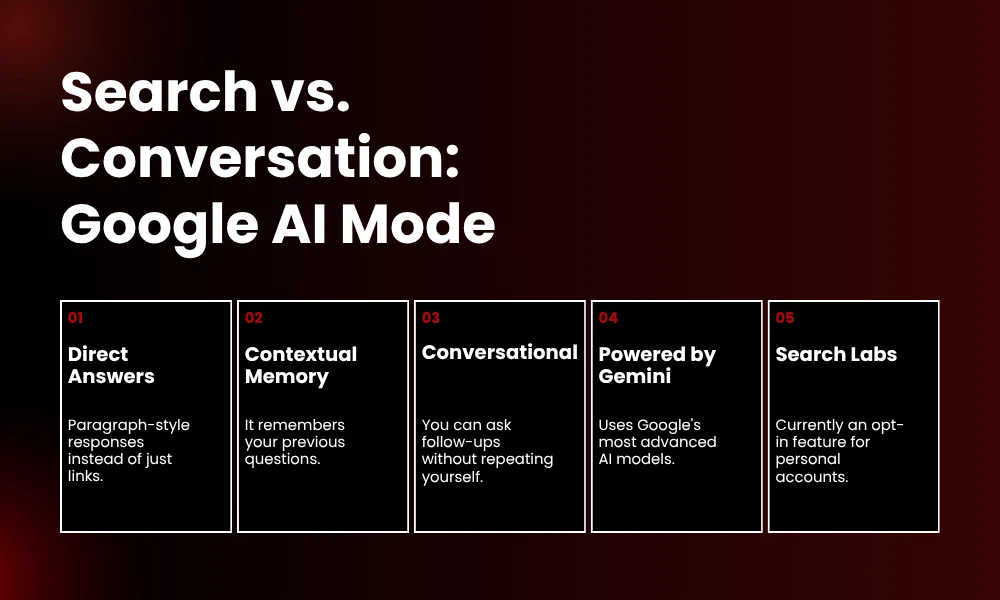
AI Mode is available through Google’s Search Labs opt-in program and is distinct from AI Overviews (the summary boxes that appear automatically in standard search results). As of 2026, AI Mode handles a measurable share of search traffic across industries including healthcare, automotive, travel, and finance.
What Does Google AI Mode Actually Do?
Traditional Google search matched keywords against an index and returned ranked links. You clicked through, read the page, came back if it was unhelpful, and tried again with different wording.
AI Mode removes most of that friction. Instead of returning links, the system: interprets the intent behind your query (not just the words), reads a batch of relevant pages in real time, writes a synthesized answer directly in the search interface, and holds the context of your conversation so follow-up questions don’t require re-explaining.
Example: If you ask ‘What causes knee pain after long runs and how do I fix it?’ AI Mode delivers a structured answer covering causes and solutions. You can then ask ‘What about trail running specifically?’ without repeating yourself.
The tradeoff: you’re trusting the system to read and summarize accurately. AI Mode cites its sources, so verification is possible — but most users don’t click through to check.
What Technology Powers Google AI Mode?
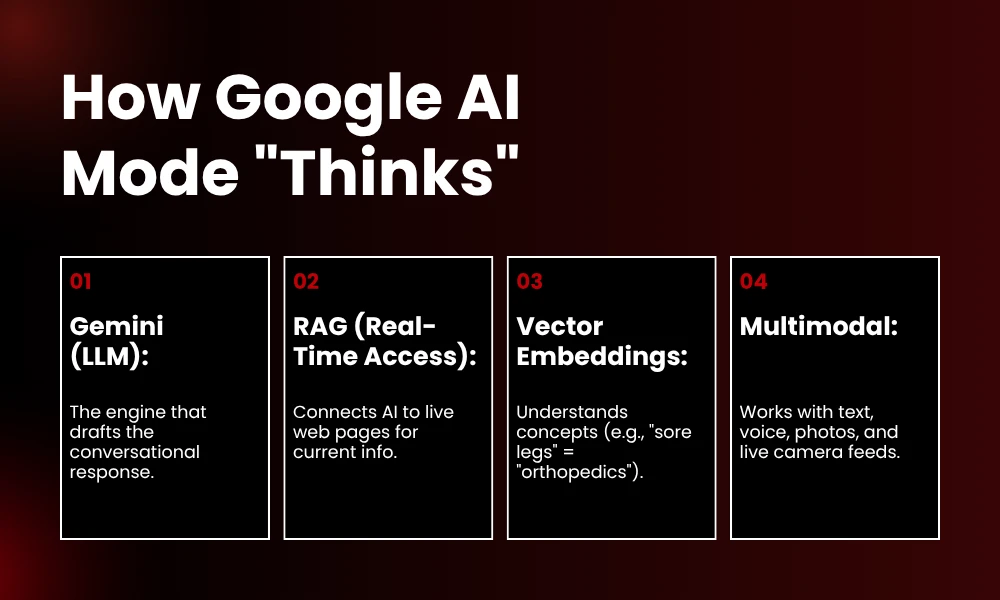
Google AI Mode runs on four core technologies working together to interpret your query and generate a reliable answer in real time.
Large Language Models (Gemini): Google uses its Gemini model family to process your query and draft the response. Gemini reads your input, reasons about intent, and generates a conversational answer.
Retrieval-Augmented Generation (RAG): RAG connects the model to live web content at the moment of your search. Answers reflect current pages — not a training snapshot from months ago.
Vector Embeddings: These let the system understand conceptual relationships. A query about ‘sore knees after running’ connects to orthopedic content even if that content never uses that exact phrase. This is why keyword stuffing doesn’t help — semantic relevance does.
Multimodal Processing: AI Mode handles more than text. You can search using a photo, a voice note, or your phone’s live camera pointed at something in front of you.
What Is the Difference Between AI Mode and AI Overviews?
These two features are frequently confused. Here’s the clear distinction:
| Feature | AI Overviews | AI Mode |
| How it appears | Automatically, above standard results | Only after opt-in through Search Labs |
| User control | Passive — no choice | Deliberate — you choose it |
| Interaction | One-shot summary | Full conversational session with follow-ups |
| Context memory | None — each query is independent | Yes — remembers the whole session |
| Best for | Quick informational lookups | Research, multi-part, comparison queries |
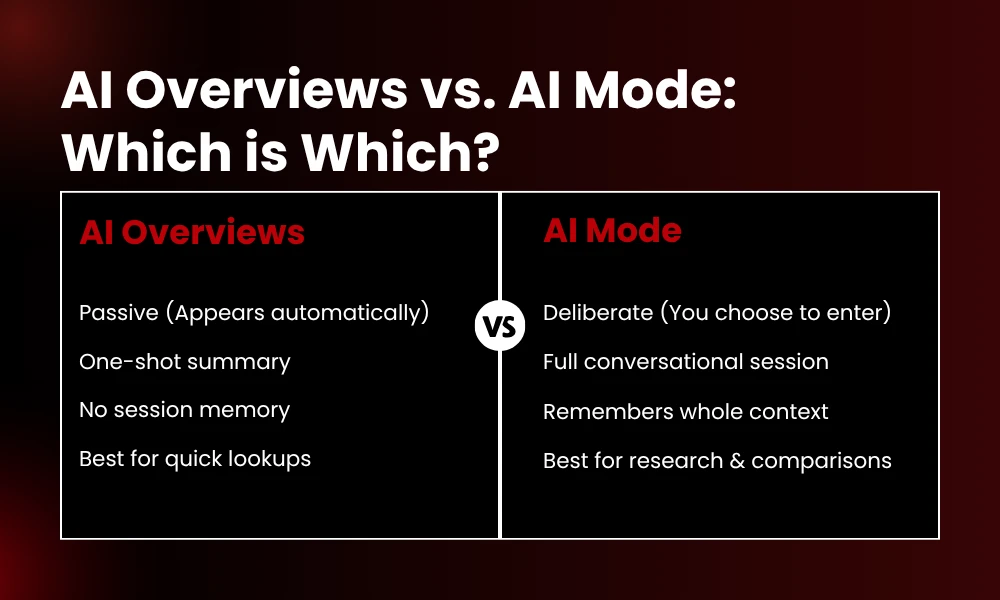
Bottom line: AI Overviews are passive and one-shot. AI Mode is deliberate and iterative. Both draw from the same index, but AI Mode is the more powerful, conversational version.
How Do I Enable Google AI Mode?
AI Mode is available through Search Labs, Google’s opt-in testing environment.
On Desktop
- Open Google Chrome and sign into a personal Google account. (Workspace accounts — work and school emails — are not eligible as of this writing.)
- Go to google.com.
- Click the flask icon in the top-right corner to open Search Labs.
- Scroll to the AI Mode card and flip the toggle ON.
- Run a search — you’ll see the new conversational interface at the top.
On Mobile
- Open the Google app on your phone.
- Go to Settings → Search Labs.
- Find the AI Mode card and toggle it on.
Troubleshooting: If you don’t see the flask icon, confirm you’re using a personal (non-Workspace) account and that Search Labs is available in your region.
How Do I Get Better Answers from AI Mode?
A few adjustments make a meaningful difference in answer quality:
- Write full questions, not keyword strings. ‘What causes knee pain after long runs and how do I fix it?’ works better than ‘knee pain running fix.’
- Use follow-up questions liberally. If the first answer is too broad, ask it to narrow down. The session tracks your entire exchange.
- Request a specific format. ‘Give me a numbered list’ or ‘Summarize in two sentences’ both work reliably.
- Check cited sources for high-stakes info. AI Mode cites sources below every answer — verify before making decisions based on the response.
Where Else Is AI Mode Used? (Cameras, Gaming, Business)
AI Mode principles extend well beyond Google Search into cameras, gaming, and enterprise software.
Smartphone Cameras: Modern phone cameras use AI mode for scene detection, low-light frame merging, portrait background separation, real-time object identification, text translation in frame, and plant or animal identification. The camera has become a query interface, not just a shutter button.
Gaming: Google’s Circle to Search feature lets you draw a circle around anything on screen — a puzzle, a character ability, an unfamiliar item — and get information as an overlay without leaving the game. Developers also use AI mode on the backend to adjust difficulty in real time and generate NPC dialogue responsive to player choices.
Business Software: Microsoft 365 Copilot, Google Workspace Duet AI, and Salesforce Einstein all use AI mode principles. You can ask a spreadsheet to summarize data in plain English, have your email client draft a reply based on a thread it read, or query a CRM with natural language instead of building filter rules.
How Do I Optimize Content to Rank in Google AI Mode?
When AI Mode generates an answer, it draws from pages in Google’s index. The pages it selects and cites share consistent characteristics. Understanding these is the foundation of AI Mode SEO.
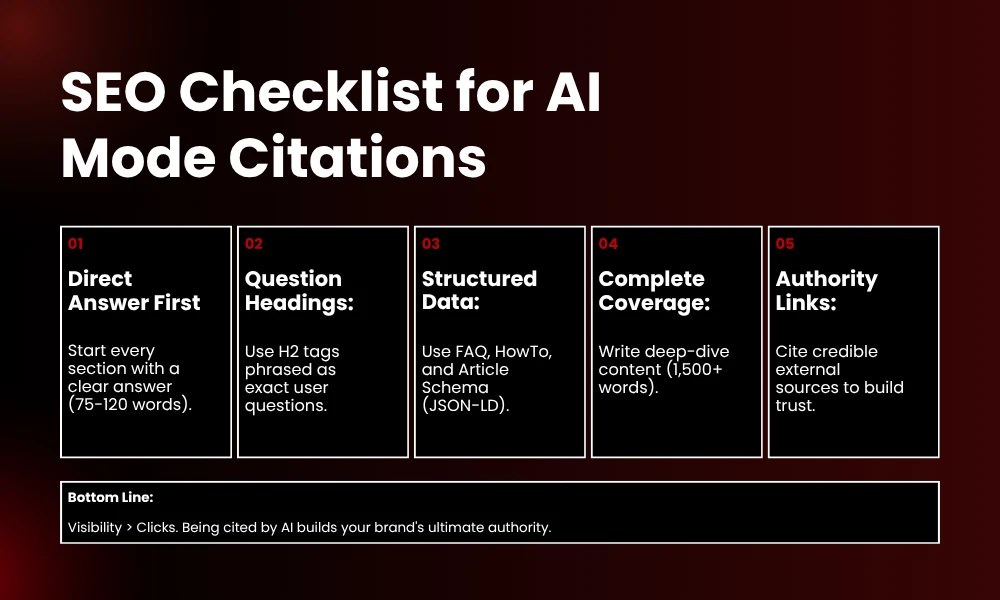
The fundamental shift: with traditional search, a well-ranked page got traffic when users clicked. With AI Mode, a well-cited page gets referenced even when users never visit it. Visibility and traffic are now separate outcomes.
1. Open Every Section With a Direct Answer
AI systems extract content in chunks. The first 75–120 words of each section carry the most weight for citation likelihood. Lead with the answer, not a wind-up.
Instead of: ‘There are many factors to consider when thinking about knee pain in runners…’
Write: ‘Knee pain after running is most commonly caused by poor running form, overtraining, or worn-out footwear. Here’s how to identify each cause and address it.’
2. Write H2 Headings as Questions
Question-format headings match the way users type queries into AI Mode. The system sees an explicit answer to an explicit question, which increases citation likelihood.
3. Add Structured Data Markup
FAQPage schema for Q&A sections, HowTo schema for step-by-step content, Article schema for editorial pieces. Implement in JSON-LD and validate with Google’s Rich Results Test.
4. Cite Your Sources Inline
Pages that reference credible external sources are treated as more authoritative. Link to original research, official documentation, and established publications — not only internal pages.
5. Achieve Complete Topic Coverage
Partial coverage means another page fills the gaps and gets cited instead of you. For most AI Mode topics, thorough coverage requires 1,500+ words.
AI Mode Content Checklist: Structure That Gets Cited
| Element | What to Do |
| Title tag | Primary keyword in first 60 characters. No padding or filler phrases. |
| Meta description | 150–160 characters. Answer the query directly. Include target keyword naturally. |
| H1 | One per page. States exactly what the page covers. Matches search intent. |
| H2 headings | Phrased as the exact question a reader would type into search. |
| Opening paragraph | Primary keyword within first 100 words. Leads with the answer, not a wind-up. |
| Section openings | Answer first, elaborate second. First 100 words carry most citation weight. |
| Body length | Cover the topic completely. For most AI Mode topics: 1,500+ words minimum. |
| FAQ section | Short, direct answers. One question, 2–3 sentence answer. FAQPage schema. |
| Schema markup | FAQPage + HowTo + Article schema. Validate with Google’s Rich Results Test. |
| Internal links | Contextual anchor text to related pages on your site. Not ‘click here.’ |
| External citations | Link to credible sources. Increases your page’s perceived authority. |
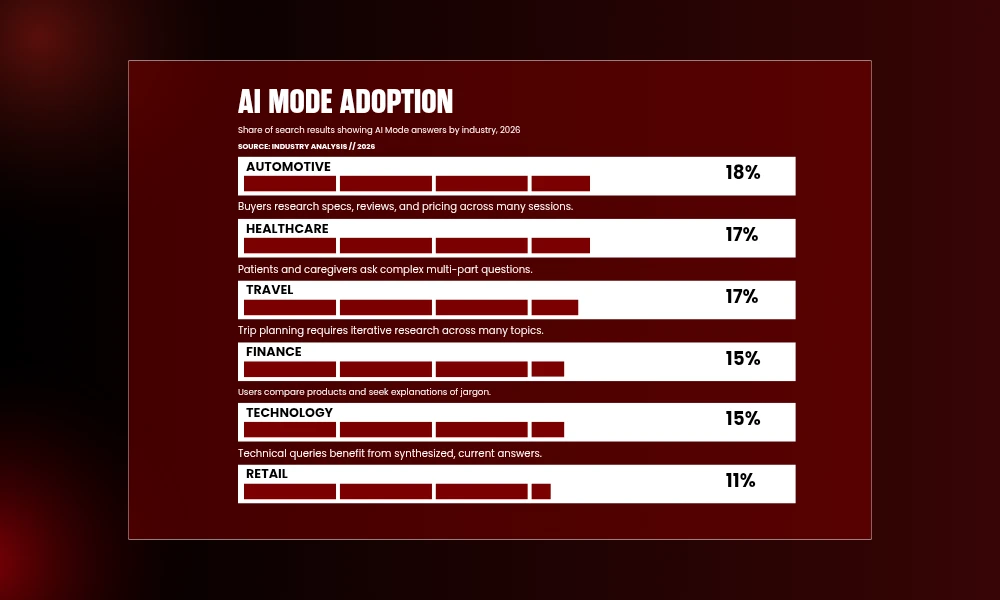
Which Industries See the Most Google AI Mode Results?
| Industry | AI Mode Presence |
| Automotive | ~18% of search results |
| Healthcare | ~17% of search results |
| Travel | ~17% of search results |
| Finance | ~15% of search results |
| Technology | ~15% of search results |
| Retail | Growing — no stable benchmark yet |
Who Benefits from Google AI Mode — Users and Businesses?
For users: AI Mode delivers a synthesized answer faster than reading three separate pages. You can ask follow-ups without losing the thread, search with a photo or your voice, and receive answers shaped by your location and context over time.
For businesses and publishers: your content can get cited in AI answers without generating a click — visibility goes up, traffic may not follow. Being cited repeatedly builds authority in Google’s model, which also improves traditional rankings. Pages with clean structure and direct answers outperform pages built around keyword density. Early movers in AI-optimized content hold an advantage that is difficult to close because citations compound over time the same way backlinks do.
What Is the Future of Google AI Mode?
AI That Takes Actions: Google is testing ‘agentic’ features where the AI books a restaurant, buys a ticket, or fills out a form on your behalf. This is live in limited form through Google’s Project Mariner. For businesses, being the chosen vendor in an agentic transaction — not just cited in an answer — will become the new conversion metric.
Richer Visual Inputs: Google’s Project Astra demonstrated an AI that watches a live camera feed and answers questions about what it sees in real time. These capabilities are rolling out incrementally through the Google app and Google Lens.
Personalized Results: Google is building toward answers that account for who is asking — location, search history, stated preferences. Two people asking the same question about mortgage refinancing may receive answers calibrated to their different financial situations. This raises real privacy questions that Google has not fully resolved publicly.
The Bottom Line: What AI Mode Means for Your Rankings
Google AI Mode has been in development since Google began testing AI Overviews in 2023. By 2026 it handles a measurable share of search traffic, ships in consumer phones and enterprise software, and is actively changing how people find and trust information online.
For users: learn to ask in full sentences and use follow-up questions when the first answer misses the mark.
For publishers and marketers: the structural habits that make pages perform well in AI Mode — direct answers, question-format headings, schema markup, credible citations — are identical to the habits that make pages good for readers. The difference is urgency.
Start here: pick one page covering a topic your audience searches for. Check whether the opening paragraph answers the question immediately or builds up to it slowly. If it builds up slowly, fix that first. That single change will do more for your AI Mode visibility than any other optimization on this list.
Need help optimizing your content for Google AI Mode and AI Overviews? Book a free consultation with the BrandClickX team.
Frequently Asked Questions
What exactly is Google AI Mode?
Google AI Mode is a conversational search feature that delivers synthesized answers instead of a list of links. You ask a question in natural language, the system reads relevant web pages and writes a direct response, and you can ask follow-up questions within the same session.
Is Google AI Mode the same as Gemini?
No. Gemini is the large language model that powers AI Mode. AI Mode is the product feature built into Google Search. The relationship is similar to how Chrome (the product) runs on V8 (the engine) — related, but distinct things.
How do I enable AI Mode on my device?
On desktop: sign into a personal Google account, go to google.com, click the flask icon for Search Labs, find the AI Mode card, and toggle it on. On mobile: go to Settings → Search Labs in the Google app and enable AI Mode there. Workspace accounts cannot access AI Mode as of this writing.
Will AI Mode replace traditional Google Search?
Unlikely to fully replace it. Google has a financial incentive to maintain both: AI Mode answers reduce ad inventory, while traditional results continue serving ads. The more realistic near-term outcome is that informational queries migrate to AI Mode while transactional queries stay in traditional results.
How can my business appear in Google AI Mode responses?
Write content that directly answers the questions your customers search for. Use question-format H2 headings. Open each section with the answer, not a wind-up. Add FAQPage and Article schema markup. Build backlinks from credible sources. Pages ranking highly for a query tend to be cited in AI Mode answers for that same query.
Does AI Mode show paid ads?
AI Mode currently shows fewer traditional ads than standard search results. Google is testing advertising formats within AI Mode responses, but as of 2026 it functions primarily as an organic visibility channel.
What is the difference between AI Mode and AI Overviews?
AI Overviews are automatic one-shot summary boxes that appear above standard results without any user action. AI Mode is an opt-in conversational experience with context memory — you can ask follow-up questions and the system remembers what you said. AI Overviews are passive; AI Mode is deliberate and iterative