
The first thing I noticed while researching enterprise AI projects was how confusing the timelines can look.
One company says it can deploy AI in 90 days. Another talks about six months. Then you find enterprise transformation projects taking 12 to 24 months.
So which one is right?
Honestly, all of them can be right.
The problem is that enterprise AI implementation timeline does not describe one single type of project. A small AI assistant, a machine learning model connected to an ERP system, and an enterprise-wide AI transformation are completely different jobs.
This guide breaks down the timeline by project size, explains what happens at each stage, and looks at real enterprise examples so you can build a more realistic schedule for your own company.
AI Overview: How Long Does Enterprise AI Implementation Take?
A realistic enterprise AI implementation can take anywhere from 2–6 weeks for a proof of concept to 12–24+ months for an enterprise-wide transformation.
For a single production use case, 3–6 months is a more useful planning range. A tightly scoped project with existing data, clear security boundaries, and one workflow can sometimes reach production in about 60–90 days. Scaling AI across multiple departments normally takes 6–12 months, while larger transformation programs can take 12–24 months or longer.
The important part is this:
Don’t ask only, “How long does AI take?” Ask, “What exactly are we trying to put into production?”
That one question changes the timeline completely.
Key Takeaways
- A simple AI proof of concept may take 2–6 weeks.
- A controlled enterprise pilot commonly takes 6–12 weeks.
- One production AI use case usually needs around 3–6 months.
- Scaling across departments can take 6–12 months.
- Full enterprise AI transformation can take 12–24+ months.
- Data quality, security, governance, integrations, procurement, and employee adoption can add substantial time.
- A 90-day deployment is possible, but usually only when the scope is narrow and the company is already prepared.
- Getting an AI model to work is not the same thing as getting an AI system approved, integrated, adopted, and producing business value.
What Is the Typical Enterprise AI Implementation Timeline?
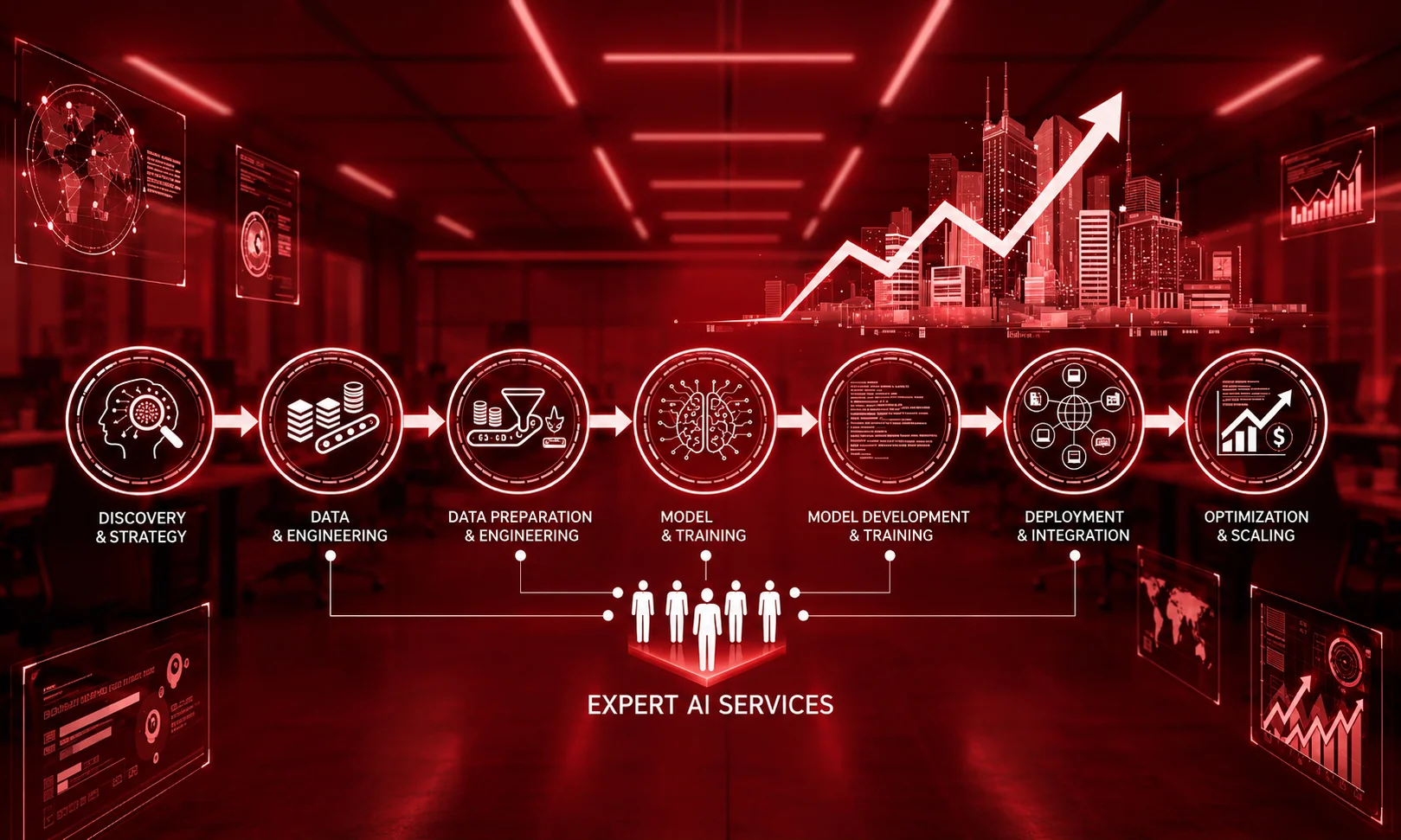
A typical enterprise AI implementation takes about 3–6 months for one production use case, although the full timeline depends on project complexity. A proof of concept can take 2–6 weeks, a controlled pilot 6–12 weeks, scaling across departments 6–12 months, and an enterprise-wide transformation 12–24+ months.
| Implementation level | Typical timeline |
| Proof of concept | 2–6 weeks |
| Focused enterprise pilot | 6–12 weeks |
| First production use case | 3–6 months |
| Multi-department rollout | 6–12 months |
| Enterprise-wide transformation | 12–24+ months |
These are planning ranges rather than guarantees. The supplied 2026 research also shows that tightly scoped projects can reach initial production in roughly 60–90 days.
How Long Does Enterprise AI Implementation Take?
If you need one number for planning, I would start with 3–6 months for a single production use case.
That gives enough room for discovery, data preparation, development, testing, security review, integration, and the first production rollout.
But there is a big difference between testing an idea and deploying something that employees or customers actually depend on.
A proof of concept might only prove that an AI model can answer questions.
Production is different.
Now you have to think about permissions, monitoring, security, accuracy, failure handling, integrations, user training, compliance, and what happens when the AI gives a bad answer.
This is why some 90-day AI projects look very fast on paper while a broader enterprise rollout takes a year or more.
The research reviewed for this article puts most traditional enterprise implementations around 6–12 months, while highly focused projects can reach production in 60–90 days.
Enterprise AI Implementation Timeline: From Week 1 to Month 12+
Here is the timeline I would use as a starting point when planning an enterprise AI project.
Weeks 1–3: Discovery and Use-Case Selection
The first few weeks are not really about building AI. They are about deciding what the AI should actually do. This sounds obvious, but it is where many projects become messy.
The team needs to answer questions like:
- What business problem are we solving?
- Who will use the system?
- What does success look like?
- What data does the AI need?
- What systems must it connect to?
- What decisions can AI make?
- Where must a human remain involved?
- What are the security and compliance requirements?
A good first use case is usually narrow enough to measure.
For example, instead of saying, “We want AI for customer service,” a better starting point could be, “We want AI to draft responses to common support questions while a human approves every response.”
That gives the team something concrete to build and measure. The research reviewed here describes the first one or two weeks as an assessment and scope stage focused on identifying a high-impact workflow and checking data readiness.
Weeks 2–8: Data and Infrastructure Preparation
This is the part people often underestimate.
You may have a great AI model available through an API, but that does not mean your company is ready to use it.
The required information might be sitting in five different databases.
Some records may be outdated. Some documents may have inconsistent formats. Permissions may not be clear. Important information might not even be available to the AI team.
And suddenly the “90-day AI project” has lost several weeks.
The supplied research identifies poor or unstandardized data as one of the biggest causes of delays, with some projects adding 2–8 weeks because of data problems.
This is also why data preparation should often happen at the same time as early development rather than waiting until the previous phase is completely finished.
Weeks 4–12: Build the Pilot
Once the team understands the use case and has access to usable data, actual development becomes easier.
Depending on the project, this might involve:
- Generative AI
- Retrieval-Augmented Generation (RAG)
- machine learning models
- AI agents
- workflow automation
- predictive analytics
- document processing
- internal AI assistants
The goal here is not to build the perfect enterprise system. The goal is to prove that the solution works well enough to justify production.
For example, a company might start with 20 employees using an internal AI assistant rather than immediately releasing it to 20,000 employees.
That smaller group gives the team a chance to find problems before those problems become expensive.
Weeks 8–16+: Testing, Security and Governance
This is another stage that gets left out of optimistic timelines.
An AI system can work technically and still not be ready for production.
Security teams may need to review it. Legal teams may need to check how data is handled.
Compliance teams may ask where information is stored. IT may need to approve integrations. Business leaders may want additional testing. And users will probably find problems that developers did not notice.
Human-in-the-loop testing is particularly important for systems that can affect real business decisions. The research describes an initial validation period where operational experts review AI outputs before they influence real-world operations.
This is one reason the calendar can stretch even when the AI model itself is already working.
Months 3–6: First Production Use Case
At this point, the project moves from “Can we make this work?” to “Can we safely run this inside the business?”
That is a major difference.
A production system needs things like:
- monitoring
- access controls
- logging
- error handling
- human escalation
- performance tracking
- security controls
- rollback procedures
- ongoing maintenance
The first production deployment is often the most important milestone because it gives the company evidence that the AI can survive outside a controlled experiment. For most companies, this 3–6 month window is a sensible planning benchmark for a standard production use case.
Months 6–12: Scale Across Departments
Once one use case works, the company usually starts asking a different question:
“Where else can we use this?”
That sounds easy.
It isn’t always.
The next department may use different software. Its data may have different permissions. Its employees may need different training. Its risk profile may also be different.
This is where AI implementation starts becoming an organizational project rather than only a technology project. Scaling can involve multiple workflows, departments, regions, vendors, and data sources.
That is why a company may successfully launch one AI application in three months but still need another six months to build a broader AI capability.
The Enterprise AI Timeline Nobody Talks About

There is a hidden timeline inside almost every enterprise AI project.
I call it the waiting time.
The AI team might be ready, but the project is waiting for:
- access to a database
- security approval
- legal review
- procurement
- API credentials
- data cleaning
- stakeholder approval
- user feedback
- integration with an old system
- budget approval
This is something I noticed repeatedly when looking across the implementation timelines: the calendar does not always move because somebody needs more time to train a model.
Sometimes the team is simply waiting for another part of the organization. And this matters because technical estimates often focus on development time while business timelines include everything around development.
You can build something in six weeks and still need another two months before the company is comfortable putting it into production.
Development Time vs. Deployment Time vs. Adoption Time
These three should not be treated as the same thing.
Development time is how long it takes to build the system.
Deployment time includes testing, integration, security, governance, and the actual production launch.
Adoption time is how long it takes employees or customers to use the system properly and consistently.
A project can finish development quickly but still take months to reach meaningful adoption. That distinction is especially important when someone promises a “90-day AI implementation.”
Ask them what happens on day 91.
What Actually Causes Enterprise AI Projects to Get Delayed?
The AI model is not always the main problem. In many cases, the surrounding enterprise environment is.
1. Poor Data Quality
AI needs usable information. If data is incomplete, duplicated, outdated, badly structured, or spread across disconnected systems, the team has more work before the AI can be trusted.
2. Data Access Problems
Sometimes the company has good data but the AI team cannot access it easily. Permissions and privacy controls can slow down the project.
3. Legacy Systems
Older ERP, CRM, and internal applications can be difficult to connect with modern AI tools. A simple API integration may take days. A poorly documented legacy system can take much longer.
4. Security and Compliance
An enterprise cannot simply send sensitive information to an AI service because a developer says it works. Security teams need to understand what data is being processed, where it goes, who can access it, and what happens to it.
Strict regulatory requirements can add weeks or months of review.
5. Unclear Business Goals
“We need AI” is not a business goal.
Reducing average support handling time by 20% is measurable. Reducing document-processing time from two hours to 20 minutes is measurable. The clearer the target, the easier it is to decide whether the project is working.
6. Procurement
Enterprise procurement can move slower than the technology. Vendor contracts, security questionnaires, licensing, legal terms and budget approvals can all become dependencies.
7. Employee Adoption
This one is easy to forget. People have to actually use the system. If employees don’t trust it, don’t understand it, or think the system is being introduced only to replace them, adoption can become a serious problem.
8. Scope Creep
A pilot starts with one workflow.
Then somebody asks for another department. Then another integration. Then another language. Then customer access. Suddenly a three-month pilot has quietly become a two-year transformation project. Keep the first scope small.
Can You Really Deploy Enterprise AI in 90 Days?
Yes.
But there is an important “if.”
A 90-day enterprise AI deployment is realistic when the company chooses one clearly defined workflow and already has much of the required foundation.
A 90-day project becomes much more difficult when the team is simultaneously trying to:
- clean years of company data
- replace legacy systems
- create new governance policies
- connect ten departments
- build a custom AI model
- train thousands of employees
- satisfy complicated regulatory requirements
That isn’t really a 90-day project.
It is a transformation program pretending to be a pilot.
The research describes a 90-day sprint model around assessment, building, optimization/testing, and scaling, while other evidence places normal enterprise implementations in the 6–12 month range.
So, if somebody tells you, “We can implement AI in 90 days,” ask:
“Which workflow will be live after those 90 days?”
That is a much better question.
Enterprise AI Timeline by Project Type
Not every AI project has the same level of difficulty.
| AI project | Rough planning range |
| Simple AI assistant | 2–4 weeks |
| Document extraction | 2–4 weeks |
| Focused RAG workflow | 8–12 weeks |
| AI workflow automation | 8–12 weeks |
| Custom machine learning system | 3–6+ months |
| Complex AI agent connected to legacy systems | 6–12 months |
| Multi-system enterprise AI platform | 6–24 months |
The research identifies simple assistants and document extraction as some of the fastest projects, while autonomous systems connected across multiple legacy databases can take substantially longer.
The lesson is pretty simple:
AI complexity is not only about the model.
A very simple model connected to ten old systems may be harder to deploy than a sophisticated model operating inside one controlled workflow.
Real Enterprise AI Implementation Examples
Looking at real companies helps because timelines become easier to understand when you stop talking only in abstract phases.
Klarna
Klarna is one of the more widely discussed examples of aggressive AI deployment.
The research reviewed for this article reports that Klarna’s AI system handled a large share of customer conversations and was associated with approximately $39 million in savings.
The useful lesson is not simply “Klarna used AI.” It is that a clearly defined, high-volume business workflow can create a strong reason to move quickly.
Siemens GBS
Siemens Global Business Services is another useful example because the use case was tied to customer and service operations. The supplied case-study material reports that AI handled around 90% of inbound calls autonomously.
For timeline planning, the important point is that enterprise AI can move beyond a small chatbot experiment when the workflow, data, controls and operational ownership are properly established.
LegalZoom
LegalZoom provides a different example.
The research reports that the company focused generative AI on a specific legal workflow and achieved productivity improvements in under 90 days.
This is exactly why I don’t think “AI takes 12 months” is a useful answer by itself. A narrow workflow can move much faster.
Samsara
The supplied research also identifies Samsara as an example of targeted AI deployment across support workflows, with a roughly three-month implementation timeframe. Again, the pattern is familiar: define the workflow, keep the scope controlled, and measure the result.
What These Cases Actually Teach Us
These examples don’t prove that every company can deploy AI in 90 days.
They show something more useful.
The scope of the project has a huge effect on the timeline.
A company can move quickly when it has one clear problem, usable data, a committed team and manageable integration requirements. The timeline becomes much longer when AI is expected to become part of the company’s entire operating model.
How to Build an Enterprise AI Timeline for Your Own Company
If you are responsible for planning an AI project, don’t copy somebody else’s timeline blindly.
Build your own.Here is a simple way to do it.
Step 1: Pick One Business Problem
Don’t begin with the technology.
Begin with the problem.
For example: “Customer support agents spend too much time searching internal documentation.”
That’s better than: “We want a generative AI solution.”
Step 2: Define the Success Metric
Choose something you can actually measure.
It could be:
- response time
- cost per transaction
- employee productivity
- resolution rate
- error rate
- customer satisfaction
- revenue
- processing time
Step 3: Check Your Data
Ask:
Where is the data? Who owns it? Is it clean? Can the AI team access it? Does it contain sensitive information?
This step can save you weeks later.
Step 4: Map the Integrations
Write down every system the AI needs to touch.
CRM?
ERP?
Knowledge base?
Email?
Internal database?
Customer portal?
The more systems involved, the more integration work you should expect.
Step 5: Define Security and Governance Before the Pilot
Don’t wait until the last week.
Decide early:
- what data AI can access
- what users can access
- when human approval is required
- what gets logged
- what happens when the AI fails
- who owns the system
Step 6: Run a Controlled Pilot
Start small.
A pilot should answer one important question: Does this work well enough to justify production?
Not: Can we make AI do everything?
Step 7: Create a Production Gate
Before moving forward, check:
- Is accuracy acceptable?
- Is security approved?
- Is monitoring ready?
- Are users trained?
- Is the ROI visible?
- Is there a rollback plan?
- Does someone own the system after launch?
If the answer is no, the project isn’t finished just because the model works.
Step 8: Add Buffer Time
This is probably the most practical advice I can give. Don’t make your timeline so tight that one delayed security review destroys the entire schedule. Enterprise projects have dependencies. Give yourself some breathing room.
Enterprise AI Implementation Timeline Checklist
Before you promise a launch date, check these items:
- Business problem clearly defined
- Single initial use case selected
- Success metric agreed
- Data sources identified
- Data quality checked
- Security requirements defined
- Compliance requirements reviewed
- Required integrations mapped
- AI vendor/model selected
- Pilot users identified
- Human review process defined
- Monitoring planned
- Production approval criteria established
- Employee training planned
- Post-launch owner assigned
- Timeline buffer included
So, How Long Should You Actually Budget?
If you’re sitting down today to plan an enterprise AI project, I wouldn’t start by writing “12 months” on the calendar.
I would start with the use case.
If you’re testing an idea, think 2–6 weeks If you’re running a serious pilot, think 6–12 weeks. If you’re putting one AI workflow into production, plan around 3–6 months. If you’re scaling across departments, think 6–12 months.
And if the goal is to change how the whole organization operates with AI, 12–24+ months is a much more realistic starting point. The biggest mistake is treating all of these as the same thing.
One thing becomes very clear when you look across enterprise AI case studies: the fastest projects are usually not the projects trying to do everything at once.
They start with one useful problem. They prove it. They make it safe.
Then they scale. That is probably the better way to think about your own enterprise AI implementation timeline in 2026.
Frequently Asked Questions
How long does enterprise AI implementation take?
For one production use case, a realistic planning range is around 3–6 months. A narrow, well-prepared project may reach production in 60–90 days, while multi-department rollouts can take 6–12 months and full enterprise transformations 12–24+ months.
Can enterprise AI be implemented in 90 days?
Yes, but usually only with a tightly scoped workflow, accessible data, limited integrations, clear security requirements and a decision-maker who can remove blockers quickly. A 90-day sprint should normally be treated as a focused deployment rather than complete enterprise transformation.
How long does an AI pilot take?
A focused AI pilot commonly takes around 6–12 weeks. Very simple proof-of-concept projects can take 2–6 weeks, while complex pilots involving multiple systems, sensitive data or custom machine learning may take longer.
What is the biggest cause of AI implementation delays?
Data problems are one of the biggest causes. Poor data quality, disconnected systems and difficult data access can add weeks to the schedule. Security, governance, procurement, legacy integrations and unclear business goals can also create major delays.
How long does it take to move an AI pilot into production?
A pilot can be built relatively quickly, but production requires additional testing, security, governance, integration, monitoring and operational approval. For a standard enterprise use case, planning around 3–6 months from initial work to production is safer than assuming the pilot itself is the launch.
Is generative AI faster to implement than traditional machine learning?
It can be. Generative AI tools and existing foundation models can reduce the amount of model development required, especially for assistants, RAG systems and document workflows. However, enterprise integration, security and governance can still make a generative AI project take several months.
Why do some companies take 12–24 months?
Large transformation programs involve more than an AI model. They may require multiple departments, legacy integrations, new data infrastructure, governance processes, employee training and organizational change. At that point, the project is closer to business transformation than a single AI deployment.
What should I budget for the first AI implementation?
The timeline should be planned together with the budget, because project complexity, integration requirements, data work and change management all affect cost. A small AI pilot and a multi-system enterprise platform should not use the same budget assumptions.