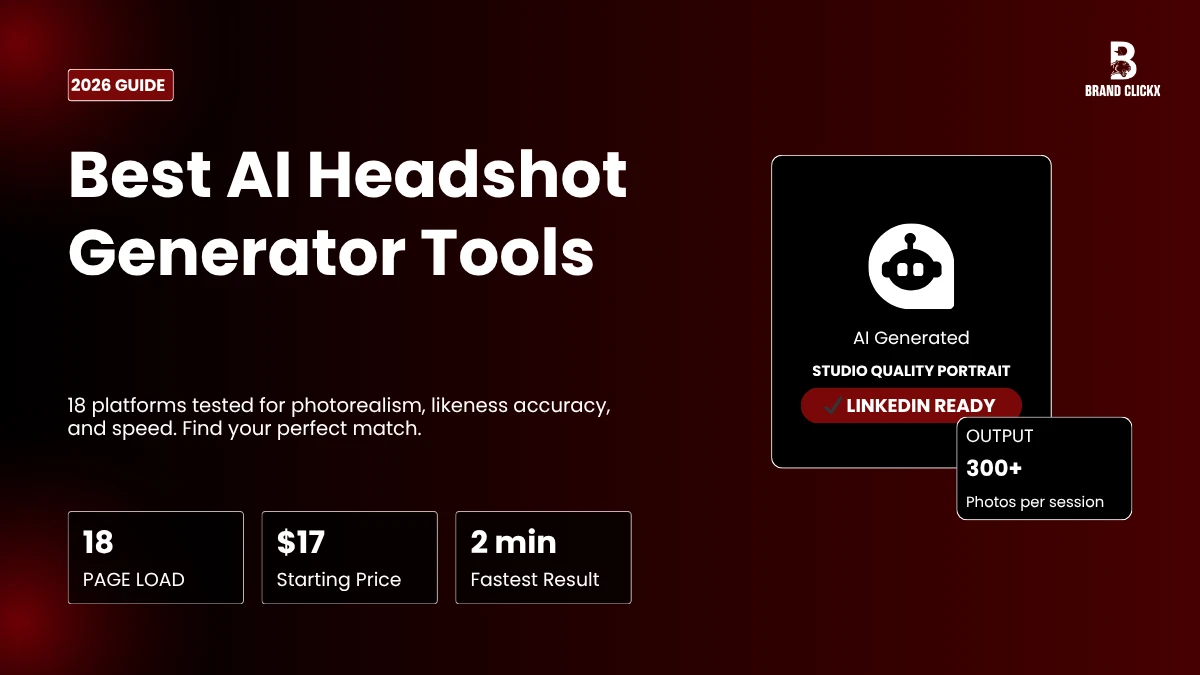
That LinkedIn photo is not doing you any favors. You know the one. Taken at a cousin’s wedding, maybe cropped from a group shot, definitely not recent. Booking a real photographer costs $300 minimum and half your day. So more and more professionals are just using an AI headshot generator instead, uploading a few photos and getting something polished back within the hour.
The gap between AI output and studio photography has closed fast. In 2026, the better platforms produce portraits that genuinely fool people. Upload 10 to 20 reference photos, pick a style, wait less than an hour. Done.
Below are 18 platforms worth knowing about, evaluated on photorealism, how well they preserve your face, speed, pricing, and privacy. One of them will fit your situation.
What Actually Matters Before You Pick One
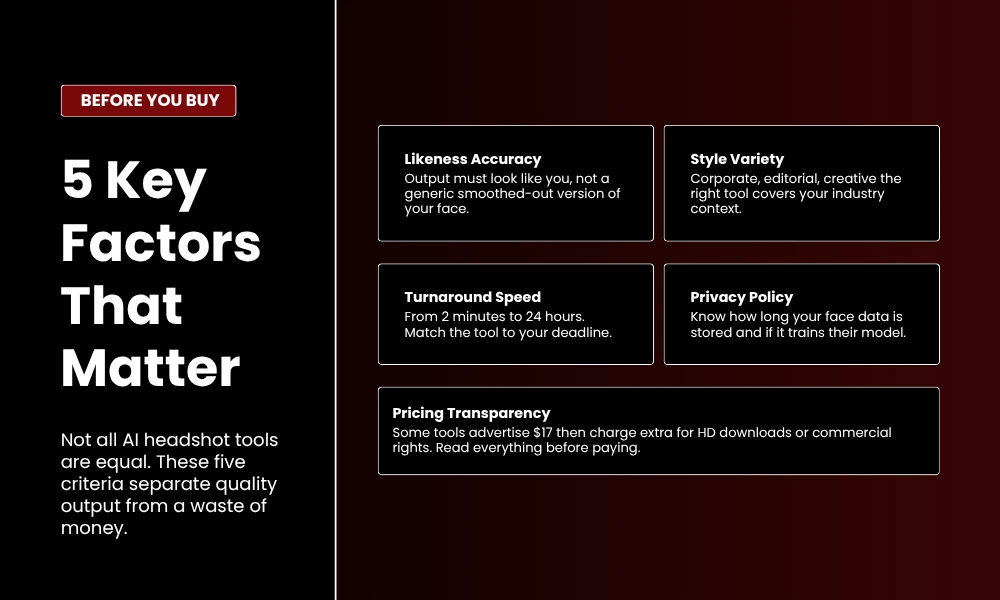
Most review articles list features. This one is blunter about it.
Likeness accuracy is the thing that makes or breaks a tool. If the output does not look like you, it is useless regardless of how sharp the background looks. Cheap platforms blur features together or shift bone structure slightly. Good ones do not.
Style range matters depending on your industry. Finance and law want conservative corporate. Design and media want something with more edge. Not every platform does both. Check.
Speed is only a dealbreaker in specific situations. If you need something by tomorrow morning, a 48-hour queue does not work. Most good tools are under two hours. The fastest hit two minutes.
Privacy is the part people skip. You are uploading your face to a third-party server. Read the policy. Know how long they keep files and whether your photos get used for training data.
Pricing transparency is genuinely bad across this category. Some tools advertise $17 then charge separately for high-resolution files. Read what is actually included before paying.
18 Best AI Headshot Generator Tools for 2026
1. MagicShot
MagicShot is the most complete option here. More than 50 presets across corporate, outdoor, editorial, studio, and creative styles. Skin rendering is sharp and hair edges stay clean, two things that regularly fall apart on cheaper tools. Your face stays consistent across every variation.
The subscription also covers portrait series, product photos, AI video, avatars, and over 50 other tools. Starts at $9.99 per month. Most styles finish in under 60 seconds. Best all-around pick for people who need ongoing visual content.
2. HeadshotsByAI
$29 gets you over 100 headshots in about 10 minutes. Likeness accuracy tests highest here among independently evaluated tools. AI editing credits are bundled into every tier so you can adjust outfits, backgrounds, and lighting without leaving the platform.
No subscription. One payment. Commercial rights included. Good starting point for freelancers and job seekers who do not want to overthink it.
3. Aragon AI
More than 2.3 million users have run photos through this one. Results arrive in 15 minutes or less. The platform reports a 90 percent usable rate, meaning most photos are worth keeping rather than discarding. Style direction leans corporate. Works well for LinkedIn and sales team directories. $35 for 40 headshots.
4. BetterPic
After AI generates the base images, real human editors step in for skin retouching, background correction, and color grading. That extra step shows in the final output. Every tier ships in 4K resolution. The Expert plan at $79 includes unlimited human edits with roughly a two-hour turnaround. For executive portraits and investor-facing materials, this is the right call.
5. HeadshotPro
One of the older platforms in this space and still reliable. $29 for 30 headshots with solid volume pricing for larger teams. A LinkedIn preview tool shows exactly how your photo will display on your profile before you download anything. Turnaround around two hours. Best suited for companies refreshing entire team pages.
6. Secta Labs
Flat $49 for over 300 headshots. That volume-to-price ratio beats everything else in this category right now. More than 130 styles available covering corporate, creative, and actor-specific looks. The fine-tuning process handles likenesses better than most generic models.
An on-platform editor handles outfit swaps, expression changes, background adjustments, and retouching without external software. Under two hours.
7. Dreamwave
Up to 300 headshots per session. Standard turnaround around five minutes. Free redos available. Unlimited human editing on the top tier. Consistency is slightly lower than the leaders, so expect to sort through more to find the best ones. The Premium plan at $99 produces the strongest results.
8. Try It On AI
Two minutes. One selfie. $17. That covers emergency situations where you need something fast and have no time to be picky. Limited style options and likeness accuracy can slip if your source photo has bad lighting. It does what it promises for a narrow use case.
9. The Multiverse AI
More editorial than corporate. Dramatic lighting, magazine-style presets, creative outputs with actual visual energy. Skin realism is a step behind the leaders, but if you want your profile to stand out from a sea of identical blue-background headshots, this does that. $29 with a few hours of turnaround. Built for creative directors, designers, and founders.
10. Portrait Pal
No complicated setup. Bright, soft, and neutral lighting presets with a handful of background options. Face retention holds up consistently across varied skin tones and hair textures. Reliable choice for professionals updating resumes or portfolio pages.
11. Pixelpose
Gives you more direct control than most. Background tone, framing, expression, clothing style — all adjustable before generation. Templates cover tech, creative, and academic settings. A quality filter removes distorted images before delivery, which cuts down sorting time significantly.
12. AI SuitUp
Builds business attire into the generation process so you do not need a physical suit or blazer. Preview panel lets you check the look before generating a full batch. Adjust color, fabric, background, and lighting conditions to match what you actually need.
13. Instaheadshots
Results within 30 minutes with multiple poses, backgrounds, and clothing variations. Identity retention is strong when reference photos are clear and taken from different angles. Post-generation tools handle brightness, contrast, and light facial refinements.
14. HeadshotKiwi
Focuses on natural-looking output without heavy post-processing artifacting. Backgrounds read like real studio sets rather than digital fakes. Clear upload guidance reduces defects in the final batch.
15. Remini
Does not generate new portraits. It enhances photos you already have. The upscaler sharpens blurry detail, fixes flat lighting, and smooths imperfections in seconds. iOS and Android. Best for fast profile refreshes when you have an existing photo that just needs work.
16. Lensa AI
Popularized AI portrait generation with Magic Avatars. Skews stylized rather than photorealistic. Mobile-first approach suits personal branding and social content more than conservative business use. Not the right pick if you need something a hiring manager would take seriously.
17. ProfilePicture.AI
Over 35 styles. Up to 900 images depending on the package. Covers LinkedIn and business looks but branches into artistic territory as well. Starts at $25 with under two hours of turnaround. Suits content creators who need variety across multiple platforms.
18. ProPhotos AI
Dedicated iOS app. Selfies become polished business portraits entirely within the app. Tiers range from 40 to over 160 headshots with 30 to 90-minute turnaround. No desktop browser required, which works well for people who want to handle everything from their phone.
AI Headshot Generator vs. Hiring a Photographer
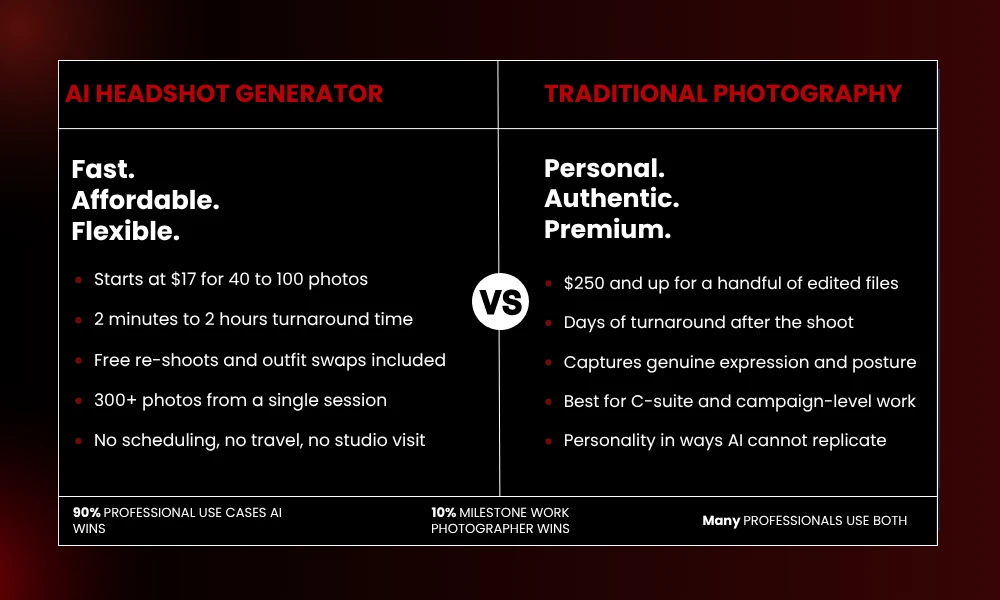
Photographers still have a real advantage for campaign-level work and C-suite portraits where genuine expression and posture matter. A real person behind the camera can direct you in ways AI cannot replicate.
For most professional needs, an AI headshot generator is just the practical answer. Studio sessions start around $250 for a small set of edited files. AI tools start at $17 for 40 to 100 images. Turnaround drops from days to minutes. Outfit changes and re-shoots cost nothing extra.
Many professionals use both now. AI for routine updates and LinkedIn refreshes, a photographer for milestone work like a book launch or rebrand.
Getting the Best Results
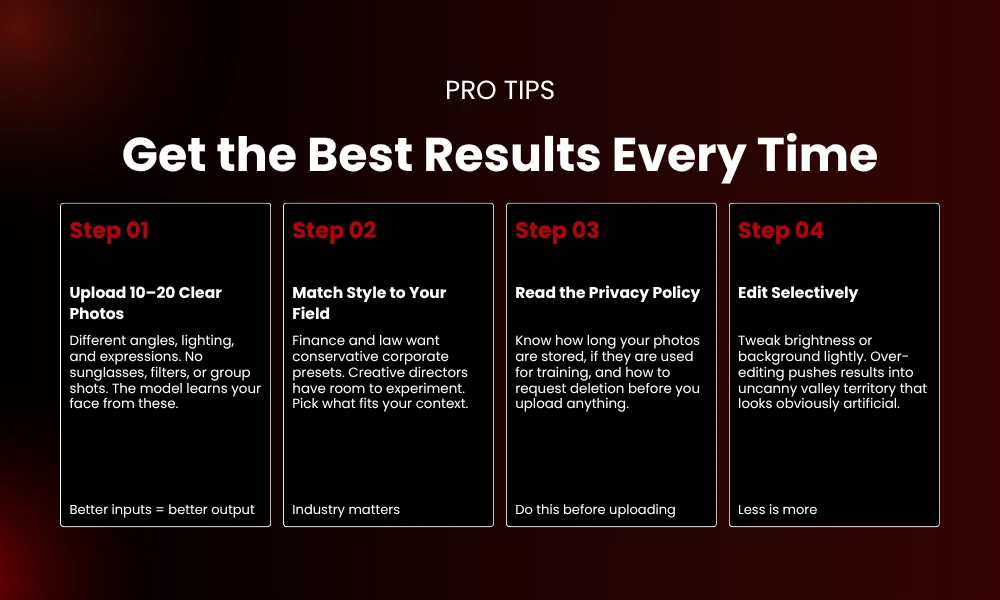
Send 10 to 20 clear photos with different angles, lighting, and expressions. No sunglasses, no heavy filters, no group shots. The model builds from what you give it. Better source material consistently produces better output.
Match style presets to your field. A financial advisor should use something conservative. A creative director has more room to experiment. The right platform offers enough options to match your context without guesswork.
Read the privacy policy before uploading. Understand storage timelines, training data practices, and how to request deletion. Trustworthy services delete files within days and include full commercial rights.
Go easy on post-generation edits. Most tools let you tweak brightness, background, and clothing color. Over-editing pushes results into territory that looks obviously artificial.
Frequently Asked Questions
What is an AI headshot generator?
Software that uses machine learning to convert casual photos into professional portraits with studio-style lighting, polished backgrounds, and appropriate attire.
How much does an AI headshot generator cost?
Entry-level tools start around $17 to $29 for 30 to 100 headshots. Mid-range options run $35 to $49 and include more editing features. Premium services with human editing reach $79 to $99. Most use one-time payments rather than subscriptions.
How long does the process take?
Two minutes on the fast end. Most quality platforms deliver in 15 minutes to two hours. Human-edited services occasionally push 24 hours at peak times.
Are AI headshots good enough for LinkedIn?
Yes, when you use a quality platform and upload clear source photos. MagicShot, BetterPic, and Aragon AI are specifically optimized for LinkedIn-ready results.
Can I use these headshots commercially?
Most paid services include commercial rights in the purchase. Free tiers and trials often watermark images or restrict business use. Verify licensing before using generated photos in marketing.