Spend twenty minutes with the wrong AI logo generator and you’ll walk away with a swoosh, a circle, and a font you’ve seen on seventeen other businesses this week. That’s not an exaggeration. A lot of these platforms tap the same icon library, the same font stack, the same five layout patterns. At some point the outputs stop looking like logos and start looking like each other.
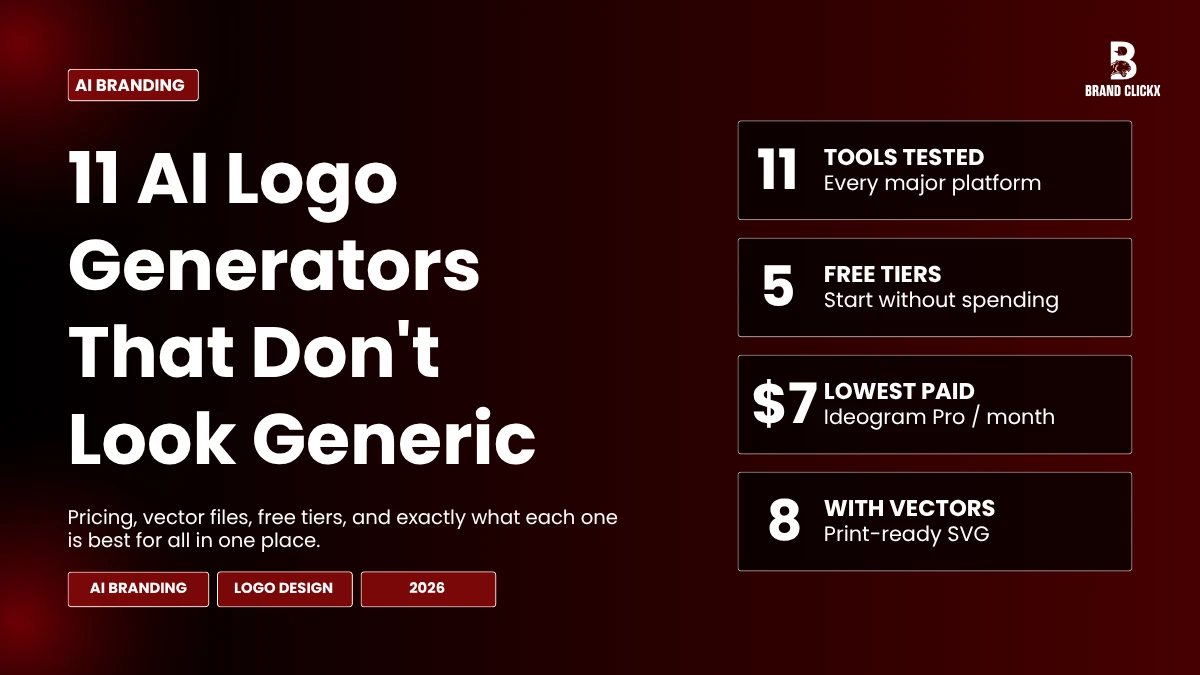
There are better options. Eleven of them, specifically, and they work differently enough from each other that picking the right one depends almost entirely on what you’re trying to do. This guide covers all of them.
Tool Comparison at a Glance
A quick-reference breakdown of pricing, vector file availability, free tiers, and the primary use case for each tool.
| Tool | Starting Price | Vector Files | Free Tier | Best For |
|---|---|---|---|---|
| Designs.ai | Paid plans | ✓ Yes (SVG) | ✕ No | Balanced professional output, print + digital |
| Looka | $20 (PNG) | ✓ $65 tier | ✕ No | Brand kits, style-preference-driven generation |
| Logomaster.ai | $29 (digital) | ✓ $129 tier | ✓ Free to create | Low-risk concept testing before committing |
| Wix Logo Maker | $20 (PNG) | ✓ $50 tier | ✕ No | Wix website owners, brand consistency |
| Fiverr Logo Maker | Free (basic) | ✓ $60 tier | ✓ Yes | Brands needing style variety (vintage, 3D, cartoon) |
| LogoAI | $29 (basic) | ✓ $59 Pro tier | ✕ No | Deep post-generation editing control |
| Brandmark | $25 (PNG) | ✓ $65 tier | ✕ No | Non-designers, complete brand identity systems |
| Ideogram | $7/mo | ✕ Raster only | ✓ 10 credits/day | Wordmarks and text-heavy logo designs |
| DALL-E 3 | ChatGPT Plus | ✕ Raster only | ✓ Bing Image Creator | Concept exploration, mood boards, style testing |
| Midjourney | $10/mo | ✕ Raster only | ✕ No | Rapid visual ideation, direction-finding at scale |
| Logo Diffusion | $24/mo | ✓ On paid tiers | ✓ 80 credits/mo | Original marks via text-to-logo generation |
Why Most AI Logo Generators Look the Same
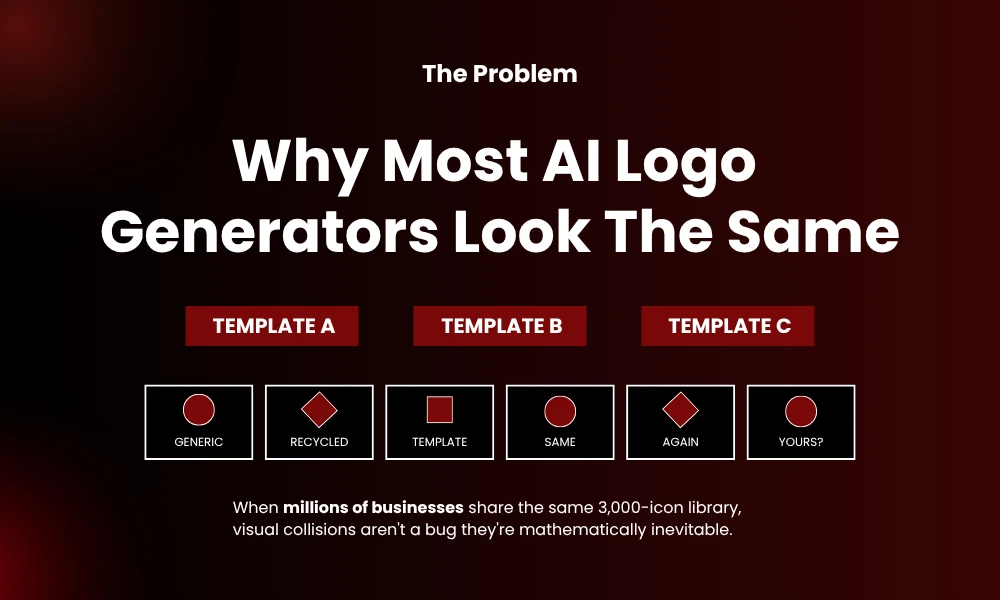
The short version: template libraries have a ceiling.
When a platform gives every user access to the same 3,000 icons and the same 40 font pairings, collisions are mathematically inevitable. Pick “wellness brand” from the style quiz and you’ll probably get a leaf or a circle with soft green tones. Pick “tech startup” and you’re likely getting something sharp, blue, and vaguely geometric. Not because the tool is bad at its job, but because it’s working from a shared inventory that millions of people pull from daily.
Typography adds a separate problem. General AI image generators weren’t designed for logo work. Letters distort. Spacing goes off. Some tools produce characters that don’t quite exist in any real font. If the brand name itself is carrying the visual weight of your identity, a tool that can’t render text reliably is a non-starter.
That’s why the tools below are worth separating from the crowd. Some use description-based generation instead of templates. Others give you editing depth that most competitors skip. A few are just better at the specific thing they do.
1. Designs.ai
Designs.ai moves fast without cutting corners on flexibility. You input preferences, get results, and then have enough post-generation control to push the output somewhere that feels specific to your brand rather than assembled from parts.
SVG, PNG, JPG, and PDF exports are all available, so print and digital are both covered from one purchase. Commercial rights are clearly explained upfront. For founders who need professional output without the agency budget, this one holds up well.
2. Looka
Looka’s intake process asks about your aesthetic preferences before generating anything. Style references, color directions, icon types , you narrow it down first, and the platform generates a grid based on those inputs rather than just showing you a catalog.
Results tend toward cleaner, simpler marks. That’s not a weakness depending on your business type. Service businesses, consultants, and professional practices often benefit from a logo that reads clearly over one that tries too hard to be clever. The mockup previews are genuinely useful for visualizing how a mark scales across different contexts before spending anything.
Pricing lands around $20 for basic PNG files. The $65 package adds vectors and full commercial rights. The brand kit , 300-plus templates covering social formats, business cards, and marketing materials , makes this a practical all-in-one for early-stage brands.
3. Logomaster.ai
Five minutes to a usable logo concept isn’t marketing copy with this one. The workflow is legitimately quick: company name, optional slogan, reference styles, color preferences, done. Nothing about those initial choices is permanent. Every setting adjusts freely after generation, so you can experiment through a dozen directions without starting from scratch each time.
The freemium structure makes sense. Create as much as you want for free, pay only when you’ve found something worth keeping. $29 covers digital-quality files. $129 gets you print-ready output with unlimited changes and multiple variations. Low financial risk, decent ceiling on output quality.
4. Wix Logo Maker
The questionnaire here reads more like a brand discovery exercise than a product form. It asks about your business type, your design preferences, your general aesthetic instincts. From that input it generates over 130 options, each built as a unique combination rather than selected from a pre-made shelf.
If you’re already on Wix for your website, the integration handles brand consistency across your whole online presence without extra work on your end. The drag-and-drop editor is accessible for people with no design background.
Worth knowing before you buy: edits after purchase cost extra. It’s a one-time payment model at $20 for basic files and $50 for vectors. Do your customizing before downloading, not after.
5. Fiverr Logo Maker
The style categories here are what set Fiverr apart: Minimalist, Hand-Drawn, 3D, Geometric, Vintage, Cartoon. Most logo tools default to flat minimalism because it photographs well and scales cleanly. Fiverr gives you actual range, and that starting point diversity is harder to find than it sounds.
Output quality varies by category. The selected style doesn’t always translate perfectly to the final result. But if your brand has personality , if you’re building something that should feel warm, retro, playful, or textured , the variety here opens doors that most competitors simply don’t have. Basic packages include image rights. Vectors start at the $60 tier.
6. LogoAI
The generation process is straightforward enough. Where LogoAI separates itself is in the editing suite afterward. Spacing adjustments, symbol swaps, typography controls, layout modifications , the depth of post-generation customization starts to feel like working in actual design software rather than tweaking a template.
The Pro plan at $59 includes high-resolution vector files. Commercial usage rights aren’t clearly stated on the website, so contact support before deploying anything publicly. For someone who wants fine-grained control over the final output without the Illustrator learning curve, this is worth a look.
7. Brandmark
Short questionnaire, fast results, no design experience required. Brandmark works well for professionals and service businesses who need something polished without wanting to spend time learning a tool.
The Ideas feature is what makes it worth including here over similar options. Once you select a logo direction you like, Ideas shows that same mark across different color systems, font pairings, symbol placements, and layout variations. You’re not generating new concepts from scratch , you’re exploring the full range of one concept. That’s a different and often faster way to find what actually works.
$25 gets web-ready PNGs. The $65 Designer package adds a style guide, profile icons, and full ownership rights.
8. Ideogram
Not a dedicated logo platform. Still the best tool for wordmarks right now, and it’s not a close comparison.
The persistent failure of AI image generators with text is a real limitation for logo work. Letters come out wrong. Spacing goes uneven. Words get invented. Ideogram was built specifically to solve that. Text renders accurately, letterforms stay consistent, and the output is actually usable without running it through correction software afterward.
Ten free credits daily. Paid plans start at $7/month. If your brand name is doing the visual work , if the logo IS the name , this tool is non-negotiable.
9. DALL-E 3
DALL-E 3 runs through ChatGPT and Bing Image Creator. You describe what you want in plain language and the model interprets that creatively. The range of styles and combinations it can reach far exceeds what any template system offers.
Prompt quality drives output quality. “Simple flat vector logo of an eagle on a white background” lands better than “logo for my business.” The more specific the description, the cleaner the result. Even so, text rendering is unreliable, and everything comes out as a raster file.
Use DALL-E for concept exploration and direction-finding. Take your strongest idea into Illustrator or Figma to finish it properly.
10. Midjourney
For visual ideation speed, nothing else comes close. Dozens of completely different concepts in minutes, across styles you might never have considered , minimal geometric marks, retro badge treatments, abstract shapes, illustrated icons. The community has built extensive prompt libraries specifically for logo styles, and those are worth using as starting scaffolding.
Limitations for production work are significant. No vector output. Typography is inconsistent. Generated images frequently include gradients, complex backgrounds, and extra details that need cleanup before the mark is usable.
The workflow that makes sense: use Midjourney to determine direction, then execute that direction in a dedicated logo tool or with a designer. Don’t try to use Midjourney output directly.
11. Logo Diffusion
Logo Diffusion generates from text descriptions instead of template menus. Describe what you want, iterate on the output, adjust one variable at a time. Sketch-to-logo conversion is available if you want to start from a rough hand-drawn idea rather than words.
Because the generation is description-based, two businesses using this tool are far less likely to end up with overlapping marks than two businesses using a template platform. That distinction matters when you’re thinking about trademark registration down the road.
80 free credits monthly. Paid tiers run $24 to $99/month depending on usage volume.
How to Choose the Right AI Logo Generator
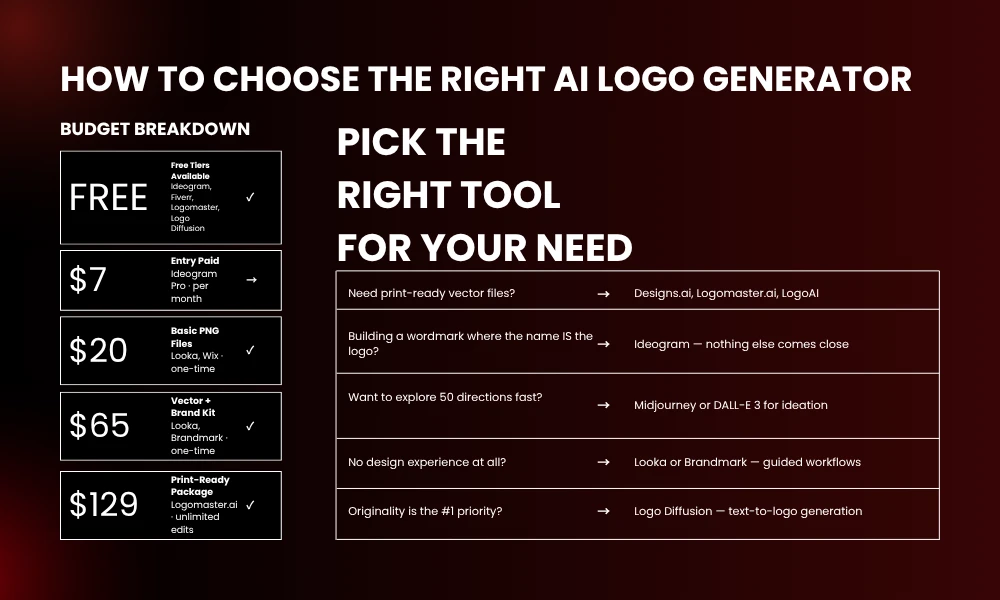
Vector files for print production? Designs.ai, Logomaster.ai, and LogoAI all deliver SVG at their premium tiers. Building a wordmark? Use Ideogram before anything else. Exploring fifty directions before committing to one? Midjourney generates concepts faster than any dedicated platform.
Your design experience matters too. Looka and Brandmark were built for people with no design background , the workflows guide you step by step. Logo Diffusion and Midjourney assume you know what you’re looking for and will iterate until you find it.
Avoiding Generic Output: Practical Tips
Write a creative brief before opening any of these tools. One paragraph covering your target audience, your brand personality, and what your competitors’ logos look like. The more specific your inputs, the more specific your outputs.
Push past category defaults. Every coffee brand has a steaming cup. Every law firm has a scale or a shield. If your first instinct is a recognizable industry symbol, it’s probably an overused one. Ask for abstract representations, unexpected color combinations, or geometric interpretations of a concept instead of the concept itself.
Test everything small. If a mark doesn’t read at favicon size, it doesn’t work. Logo performance at 16×16 pixels is a real design constraint that AI tools won’t automatically optimize for.
Confirm commercial rights before deploying anything. Terms vary by platform, and some AI-generated content sits in a gray area for trademark registration depending on jurisdiction.
The Hybrid Approach: AI Plus Human Refinement
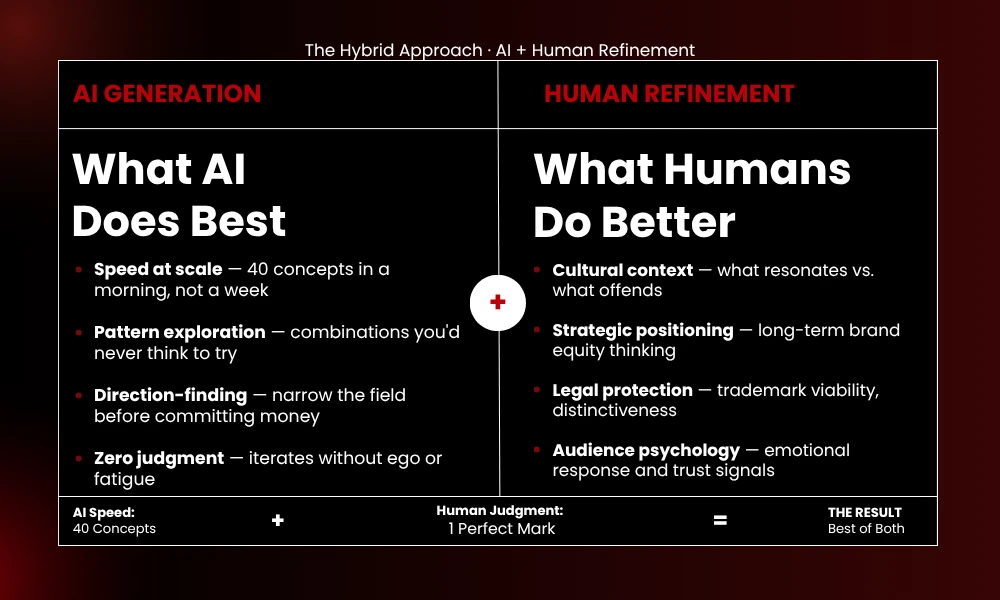
AI generates fast. Humans decide what’s strategically right.
Generate 40 concepts in a morning instead of commissioning 5 from a designer. Narrow to two or three directions you’d actually use. Then bring a designer in on the execution. They’ll take the strongest direction and make it production-ready, legally protectable, and tuned to your audience in ways that no generation tool currently handles on its own.
The combination is more efficient than either approach alone, and the output is better than what you’d get from either in isolation.
Frequently Asked Questions
What is the best AI logo generator for small businesses?
Looka and Brandmark are the easiest starting points if you want professional output without a learning curve. Both include brand kit options that cover more than just the logo. If you’re prioritizing originality over convenience, Logo Diffusion’s text-to-concept approach produces more original results.
Can AI logo generators create truly unique designs?
Some can, with caveats. Logo Diffusion and Midjourney work from text descriptions rather than shared template libraries, so outputs are less likely to overlap with other users. For trademark purposes, human redesign is usually still necessary to ensure the mark is legally distinct.
Do AI logo generators provide vector files?
Many do, but vector exports are typically locked behind higher pricing tiers. Designs.ai, Logomaster.ai, and LogoAI include SVG files in their premium packages. Midjourney and DALL-E only produce raster files , vectorization requires a separate step in Illustrator or a similar tool.
Are AI-generated logos legally safe for commercial use?
Dedicated logo platforms generally grant commercial rights with purchase. Read the terms rather than assuming. Content from general tools like Midjourney may not qualify for copyright protection in all jurisdictions, which creates complications for trademark filing. Human redesign before registration is the safer route.
How much should I budget for an AI logo generator?
Basic PNG packages start around $20-25. Professional packages with vector exports and brand kits typically fall between $50-130 as one-time fees. Subscription tools like Logo Diffusion run $24-99 monthly.
Conclusion
Template-driven platforms still dominate the AI logo generator market, and most of them deserve the criticism they get. The eleven tools above work differently enough to produce something better , whether through description-based generation, deep editing capability, or specialized text rendering.
Pick based on your actual constraints. Designs.ai for professional balance. Ideogram for wordmarks. Midjourney for concept volume. Logo Diffusion when originality is the priority. No single tool covers every situation, and the best results usually come from combining two or three of them across different phases of the process.
Treat first outputs as drafts. Iterate. The difference between a forgettable mark and a good one is almost always in the refinement, not the initial generation.