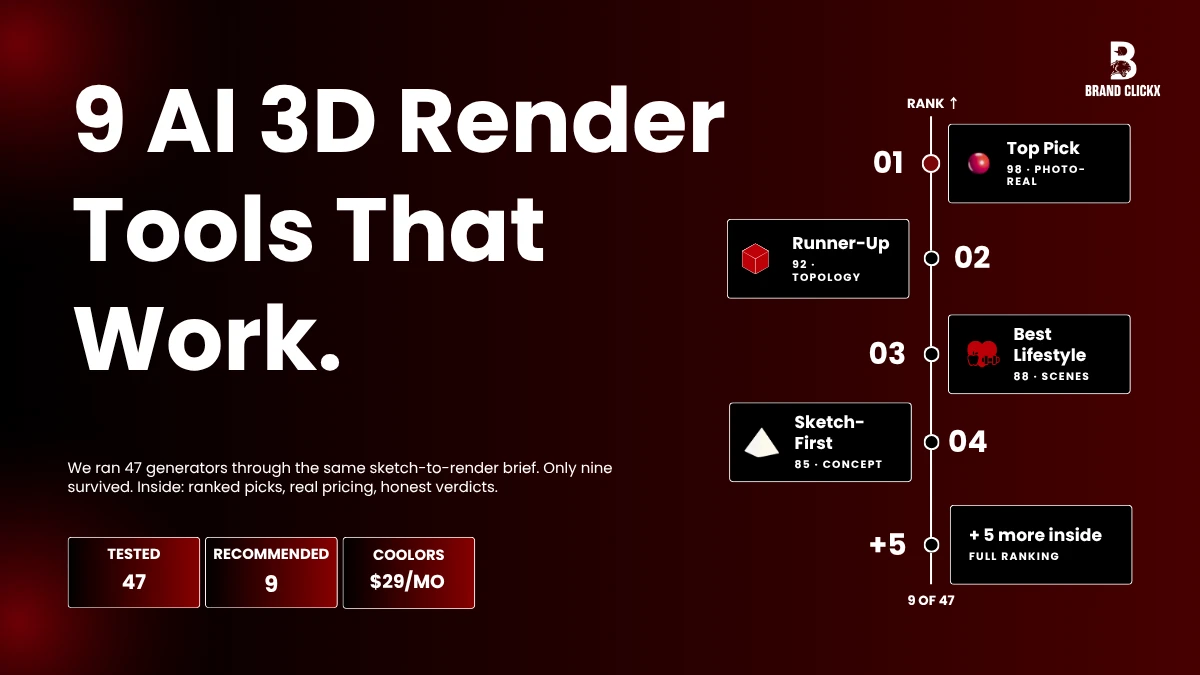
Okay, here’s where things actually stand. Pick the right AI 3D render generator and what used to be a two-week shoot turns into one afternoon of work. Sounds like marketing fluff, I get it. But brands are pulling this off every single day and the gap between them and the brands still booking studios just keeps getting wider.
Old studio shoots used to drain budgets dry. Book the space. Hire a photographer. Source props. Wait three days for edits. Then redo half of it because someone hated the lighting on shot four. Brutal cycle, really. Small brands had basically zero shot keeping up with bigger catalogs running on real budgets.
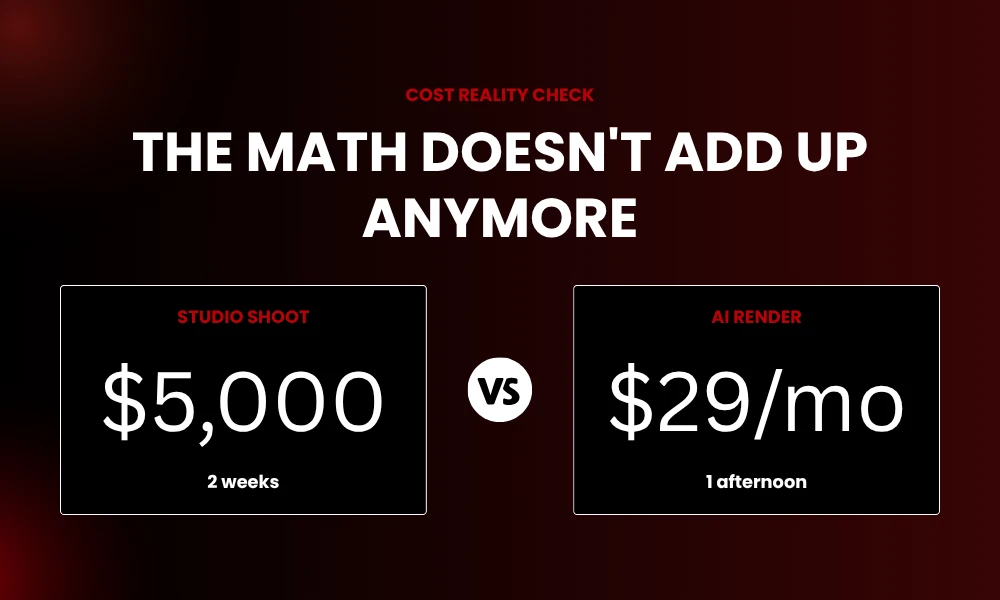
Now though? A packshot or a rough scribble turns into a polished render in less than a minute. The math just doesn’t add up the way it used to. Five-grand shoot replaced by a $29 monthly subscription. Wild stuff but here we are.
Below are nine tools I’ve put through real work this year. Some crush raw 3D geometry. Others nail lifestyle scenes. A couple are built for designers who grab a pencil before they touch a mouse. By the end you’ll know which one earns a slot in your stack and which to skip without a second thought.
Why AI Product Rendering Took Off So Fast
Traditional 3D work is slow. Painfully slow if I’m being honest. Anybody who’s wrestled with UV maps in Blender on a quiet Saturday night already knows the pain. Model the product.
Unwrap the geometry. Set up lights. Bake textures. Then pray the final render doesn’t look like a 2009 game cutscene with weird shadows hanging in the corners.
An AI 3D render generator skips the worst parts of that grind. The tool eats the technical layers and leaves you free to focus on what the shot needs to feel like. Five color tests before lunch? Easy enough. Beach scene by tomorrow morning? Done before coffee.
Then there’s the cost side too. Studio shoots run $200 to $5,000 a pop depending on who you book and where. AI renders cost pennies per image. For a brand juggling 500 SKUs that gap basically is the entire game.
1. Meshy AI: The Everything Tool
Meshy keeps topping the 2026 lists and honestly, that’s earned. It does most things well. Text-to-3D, image-to-3D, texture work, even basic animation, all under one roof. Drop a photo in, write a short prompt, watch a textured 3D model show up in roughly a minute.
The control surprised me to be honest. You can remesh outputs for cleaner topology, flip between sculpted and PBR styles, and export to FBX, OBJ, GLB, USDZ, or STL. Plays nice with Blender, Unity, Unreal, Maya.
Worth knowing:
- Most jobs wrap up under 60 seconds
- Style presets across realistic, cartoon, low-poly
- Basic rigging handles simple animation
- Free tier is actually useful, not just a tease
The catch is hard-surface stuff. Phones. Appliances. Anything with crisp planes and sharp edges sometimes comes out a bit warped or melty looking. For most ecommerce work though, Meshy holds up fine.
2. Vizcom: Sketch In, Render Out
Vizcom is the tool that finally made sketch-to-render feel real to me. Scribble a shape on a tablet. Describe the material. Watch it turn photorealistic right in front of you. Footwear designers swear by it. So do car concept artists and product designers who think in pencil first.
It works best at the messy front of a project, before anyone wants to touch CAD yet. You iterate visually, lock the look, then hand it off to engineering with a clear vision instead of a vague brief that gets misread three times.
Pricing is simple enough. Free tier exists but it’s pretty limited. Pro runs around $40 a month. Enterprise is custom pricing.
3. Spline AI: Easiest Way In
Spline AI made browser-based 3D feel approachable, which used to be a rare thing in this whole space. Everything runs in the browser. No downloads. No GPU drama. No four-hour tutorial slog before you make anything you’d actually show someone.
Features cover the basics well enough. Text-to-3D, AI style transfer, 2D-to-3D conversion, all sitting in one tab. Each prompt also kicks out four variants, which helps a lot when you’re not totally sure what you want yet. Real-time collab feels a bit like Figma but for 3D scenes.
Pricing starts around $9 a month. Cheap enough for solo creators, freelancers, and lean marketing teams that can’t justify something bigger yet.
4. Rodin by Hyper3D: Detail That Survives a Zoom-In
Rodin nails something most AI tools straight up fumble, which is geometry that actually holds up when someone zooms in close. Detail stays sharp. Surfaces look believable. Anatomy stays accurate on complex shapes that usually trip other generators up.
It’s especially strong for products with organic curves or fine texture work. Jewelry. Sculpted packaging. Footwear silhouettes. Premium accessories where craftsmanship is half the sales pitch anyway.
Where it earns its keep:
- Hero shots for premium launches
- 3D printing prototypes needing real accuracy
- Pitch deck visuals with serious polish
- Marketing renders for luxury or design-led brands
If your product lives or dies on close-up shots, give Rodin a proper test before locking in anything else.
5. Luma AI: Real Light, Real Spaces
Luma AI takes a totally different swing from the rest. Instead of building models from prompts, it captures real environments using video footage. The underlying tech, Neural Radiance Fields (or NeRF if you want to sound smart at the next team meeting), produces lighting and depth that genuinely feels like the real world.
For product teams this opens up some clever workflows. Film your studio. Or your store. Or a cool alley downtown if you’ve got one. Drop your AI product render into that captured space. The result feels less obviously synthetic, which builds shopper trust way faster than fully generated scenes ever do.
Phone-based capture is the big deal here too. No fancy gear needed. Decent light and a steady hand, that’s basically it. Free tier lets you mess around before committing to anything paid.
6. Tripo AI: Clean Topology, Real Pipelines
Tripo AI cares about something most AI tools just shrug off, which is topology. That’s the polygon mesh underneath the surface of a 3D model. Bad topology breaks rigs, kills real-time performance, and turns AR previews into a slideshow nobody wants to use.
Tripo produces clean topology optimized for real-time rendering, and that matters way more for serious workflows than most beginners realize.
It bundles modeling, retopology, and rigging into one workspace. For small studios and freelancers that cuts a real chunk out of monthly software fees. Built-in tutorials and a community asset library help newer users skip the steep climb that usually scares folks off.
Building product configurators, AR try-on features, or anything that needs to run smoothly on a phone? Tripo’s clean output saves real hours of cleanup work later.
7. Booth.ai: Lifestyle Shots, No Studio
Booth.ai lives in this interesting spot between rendering and virtual photography. Upload a few reference photos of your product and the AI builds full lifestyle scenes around it. Picture your candle on a marble counter at golden hour. Or your sneaker on a rainy city sidewalk at dusk. That kind of vibe.
Fashion, accessories, home goods, those categories pull the most value out of it. Instead of booking models, locations, and props for every campaign launch, you describe the scene and let the AI build it. Booth.ai is best for lifestyle image generation, especially when surrounding context matters more than tiny product detail.
Trade-off is less control on the fine stuff. If you sell electronics with engraved logos or jewelry with subtle finishes, pair Booth with something more detail-focused so nothing important gets fudged in the process.
8. Pebblely: The Budget Pick That Actually Works
Pebblely is for sellers who just want clean shots without learning a whole new craft. Upload a product photo. Pick a theme or write a quick scene description. Polished backgrounds appear fast. No tutorial marathon required.
The 2026 update brought in a smarter “Surprise Me” feature that picks scene themes based on your product’s shape and color palette. Small touch but it lands well. Pebblely can add shadows and subtle reflections to ground products, improving realism for marketing placements, which is one of those tiny details separating obvious AI fakes from shots that actually convert customers.
Where it earns its spot:
- Quick Shopify product backgrounds
- Seasonal campaign variations
- Social batch content
- Creative testing for paid ads
For solo sellers and small ecommerce brands working on tight budgets, this one’s honestly tough to beat at the price point.
9. Rendair AI: For Pros Who Hate Black Boxes
Rendair AI is built for pros who refuse to hand creative control over to a guessing AI. It handles both sketch-to-render and 3D-model-to-render workflows, which basically covers most of the product cycle. Start with a napkin sketch. Refine the concept. Upload a CAD model from Rhino, SolidWorks, or Fusion 360 when you’re ready to polish.
What sets Rendair apart is that it actually respects designer intent. Most generic AI image tools reinterpret geometry in strange ways that drive designers up the wall. Rendair holds the line. Material prompts like “matte polycarbonate with brushed aluminum accents” come through clean, not as some weird halfway guess.
Cloud-based too, so no $4K workstation tower humming in the corner. Any decent laptop handles it just fine.
How to Pick the Right Tool
Three honest questions will narrow this whole thing down fast.
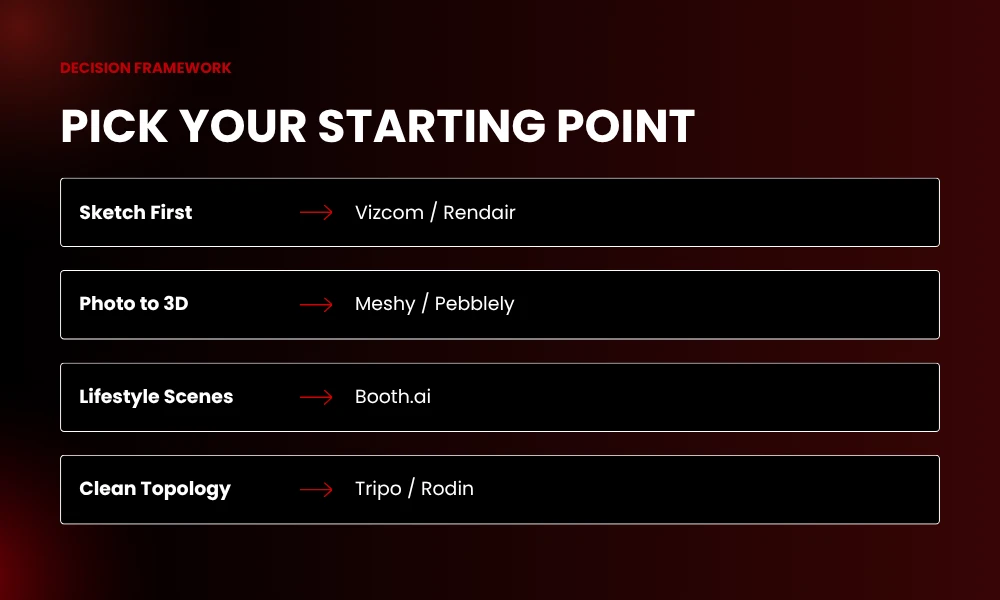
What are you starting with? Photos point you at Pebblely, Booth.ai, or Meshy. Sketch-first designers should test Vizcom or Rendair. Teams sitting on CAD files will pull more value from Rendair, Tripo, or Rodin.
How much control do you actually need? Social posts forgive small AI weirdness. Hero shots for a launch absolutely do not. Budget tools handle the first job. Specialist platforms cover you on the second one.
Where do the renders end up? AR, web 3D, and game engines need clean topology, which puts Tripo or Meshy ahead. Static ads and landing pages care more about pure image quality, where Booth.ai or Rendair pull ahead.

Frequently Asked Questions
What is an AI 3D render generator?
Short answer, it’s software that uses AI to build 3D product visuals out of text prompts, sketches, or flat photos. The tool handles modeling, lighting, and texturing on its own. You get a realistic render without doing the manual 3D grunt work yourself.
Can these tools actually replace traditional 3D rendering software?
Not fully, not yet anyway. They crush quick concepts, prototypes, and most marketing work no problem. But heavy stuff like architecture, automotive, or VFX still leans on engines like Unreal, Blender, or V-Ray when teams need real precise control over lighting and materials.
Are AI-generated 3D product renders safe to use commercially?
In most cases yes. Paid plans from Rendair, Meshy, Vizcom, and Booth.ai usually hand over commercial rights for whatever you make. Free tiers tend to come with stricter rules though, so always read the terms before tossing AI renders into paid ads or print packaging.
How fast can one of these tools actually produce a render?
A first draft usually lands in 30 seconds to 2 minutes flat. Refinements, higher resolutions, and busier scenes might stretch that to 5 or 10 minutes total. Compared to old-school rendering eating hours per frame, the speed still feels a bit unreal honestly.
Do I need 3D modeling skills to use one?
Nope, not really. Most tools are built for users with zero 3D background. Spline AI, Pebblely, and Vizcom run fine on text prompts, sketches, or photo uploads alone. Tripo and Rendair do reward some basic 3D knowledge, but none of them require formal training to start.
Final Thoughts
The 2026 lineup has grown up fast. What felt like a clever party trick last year now ships commercial-grade visuals to paying customers every single day. Brands that jumped in early are already cutting production costs by 80% or more while pushing out way more creative work each month than they used to manage in a full quarter.
So pick one tool that matches your main use case. Run your full catalog through it. Measure the results before stacking anything else on top. The smartest teams resist the urge to subscribe to everything at once. They go deep on one AI 3D render generator, learn its quirks, and only expand when the workflow genuinely demands a second tool.
The brands winning the next two years won’t be the ones with the fanciest photo studios. They’ll be the ones who learn to direct AI like a creative team member. Clear briefs. Sharp taste. Quick feedback loops. That’s the whole game now.