

A few years ago, creating clean audio meant spending hours removing background noise, fixing uneven volume, and learning complicated editing tools before you could even finish a simple project.
Today, the situation is different. A podcaster recording in a bedroom, a YouTuber editing voiceovers, or a musician building a track at home can access powerful tools that once belonged only to professional studios.
The challenge is no longer finding an audio editor. The challenge is choosing the right one.
The best audio editing software depends on what you actually need: professional restoration, podcast production, music creation, quick voice cleanup, or an affordable tool that simply works.f
This guide compares the strongest options in 2026, including professional editors, free tools, AI-powered platforms, and creator-focused solutions. You’ll discover which software fits your workflow, where each tool performs best, and which limitations you should understand before investing your time or money.
AI Overview: Best Audio Editing Software in 2026
The best audio editing software in 2026 depends on your workflow. Adobe Audition is one of the strongest all-around choices for professionals because of its advanced editing, restoration, multitrack capabilities, and AI-powered features. Audacity remains the top free option, while REAPER and Logic Pro are highly recommended for music production.
For creators who work mainly with podcasts, interviews, and spoken content, AI-powered tools such as Auphonic, Adobe Enhance Speech 2.0, and transcript-based editors can significantly reduce editing time.
The right choice is not always the most expensive software. It is the tool that matches your editing goals, technical skills, and production needs.
Key Takeaways
- Adobe Audition is a leading professional choice for audio restoration, podcasts, and video post-production.
- Audacity remains one of the best free audio editing software options with cross-platform support.
- REAPER offers strong value for users who need advanced routing, automation, and production features.
- Logic Pro is one of the strongest choices for Mac users creating music and complex audio projects.
- AI tools like Adobe Enhance Speech 2.0 and Auphonic are changing how creators clean and process voice recordings.
- Beginners often benefit from simpler tools before moving to professional Digital Audio Workstations (DAWs).
- The best software choice depends on your workflow, not simply the number of features.
Featured Snippet: What Is the Best Audio Editing Software?
The best audio editing software in 2026 is Adobe Audition for professional audio work, Audacity for free editing, REAPER for advanced value-focused users, and Logic Pro for Mac-based music production. The ideal choice depends on whether you need podcast editing, music production, voice enhancement, or simple audio cleanup.
Best Audio Editing Software Compared: Quick Overview
Choosing audio software becomes easier when you compare the tools based on their real strengths instead of marketing promises.
| Software | Best For | Platform | Pricing | Main Strength |
| Adobe Audition | Professionals, podcasts, video audio | Windows, macOS | About $20.99/month | Restoration, AI cleanup, multitrack editing |
| Audacity | Beginners and free editing | Windows, macOS, Linux | Free | Simple editing and recording |
| REAPER | Music production and advanced users | Windows, macOS, Linux | $60 discounted license, $225 commercial | Customization and routing |
| Logic Pro | Mac music creators | macOS | $199.99 one-time | Music production and Apple integration |
| Acoustica Standard | Budget professional editing | Windows | License-based | Restoration tools |
| Camtasia Audiate | Voice creators and tutorials | Windows/macOS | Included in Camtasia plans | Text-based editing |
| Auphonic | Podcast cleanup | Web-based | Freemium/subscription | Automated mastering |
| Riverside | Remote recording creators | Web-based | Free and paid plans | Recording plus AI tools |
| ocenaudio | Quick audio edits | Windows, macOS, Linux | Free | Simple interface |
How We Evaluated These Audio Editors
The biggest mistake people make when choosing an audio editor is comparing feature lists without considering their actual workflow.
A musician, podcast creator, and video editor may all need “audio editing software,” but their priorities are completely different.
This comparison focuses on the areas that affect real-world decisions: editing power, learning curve, AI capabilities, pricing, platform support, and overall value.
Editing Features and Workflow
Professional users often need more than basic cutting and trimming.
Features such as multitrack editing, spectral repair, plugins, automation, and precise audio processing separate basic editors from advanced Digital Audio Workstations.
Adobe Audition, REAPER, and Logic Pro are designed for complex workflows, while tools like Audacity and ocenaudio focus on accessibility and speed.
AI Capabilities
AI has become one of the biggest changes in audio editing.
Adobe Enhance Speech 2.0, Audacity’s OpenVINO AI effects, and tools like Auphonic help creators remove noise, improve speech quality, and speed up repetitive editing tasks.
However, AI is not perfect.
Over-processing can make voices sound unnatural, so human review remains important.
Pricing and Long-Term Value
The cheapest option is not always the most affordable choice.
A free editor may handle simple tasks, while paid software can save hours through faster workflows, automation, and professional features.
For example, Audacity costs nothing, while REAPER offers a discounted license at $60 and Adobe Audition uses a subscription model of approximately $20.99 per month.
Platform Compatibility
Your device matters.
Logic Pro is limited to macOS, while Audacity and REAPER support multiple operating systems.
Before choosing software, check whether it fits your computer, plugins, and existing workflow.
Top 10 Best Audio Editing Software in 2026
There is no single winner for everyone.
The right editor depends on whether you are cleaning podcast recordings, producing music, editing YouTube videos, creating voiceovers, or simply removing unwanted noise from an audio file.
Below are the strongest options based on their capabilities, pricing models, workflow strengths, and limitations.
1. Adobe Audition Best Overall Audio Editing Software for Professionals
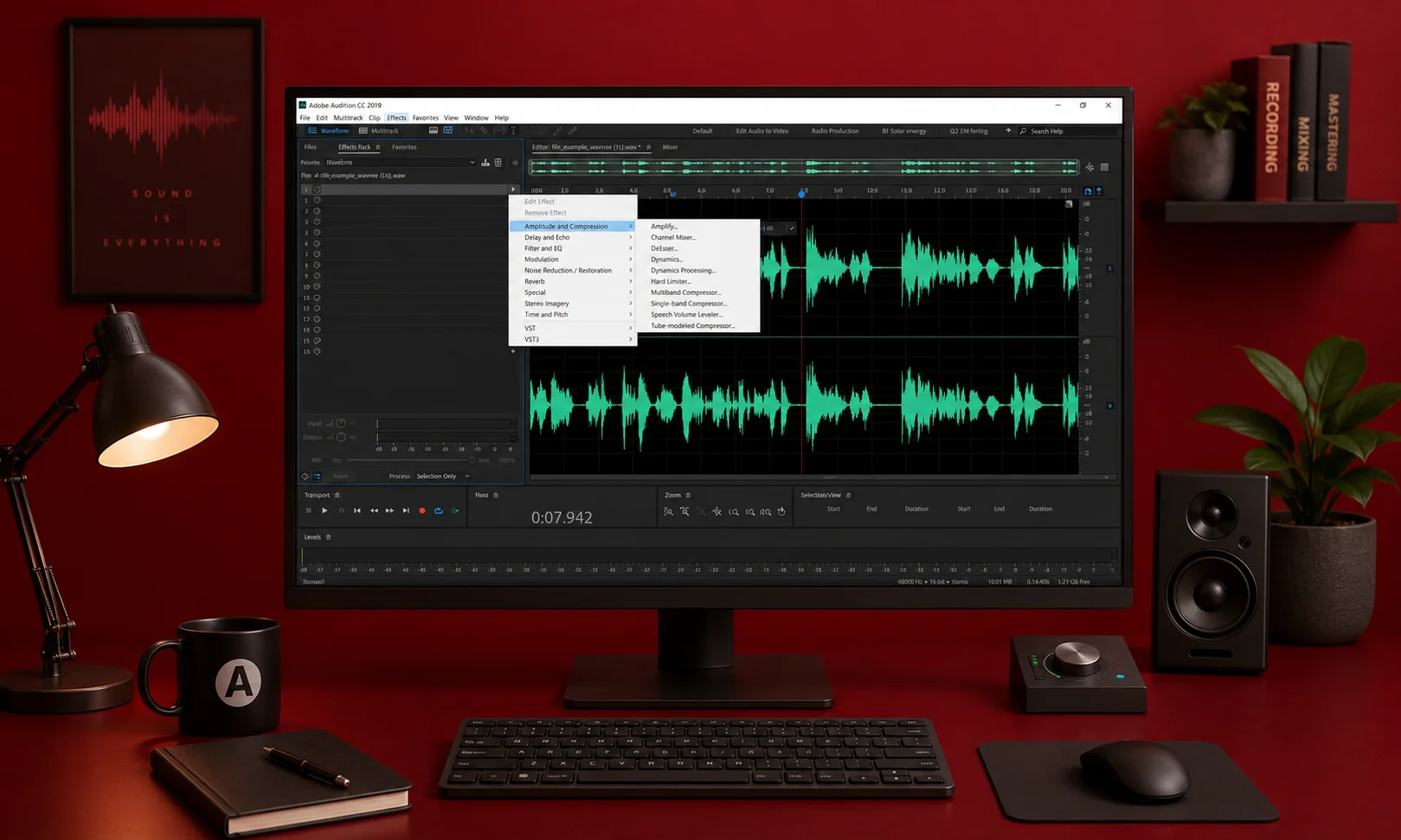
Adobe Audition remains one of the most powerful choices for professional audio editing in 2026.
It combines waveform editing, multitrack production, spectral repair, plugin support, and advanced restoration tools into one professional environment.
For creators working with podcasts, broadcast audio, interviews, and video production, it provides the level of control needed for polished results.
According to 2026 industry comparisons, Adobe Audition is frequently positioned as the strongest all-around editor because of its combination of traditional editing tools and newer AI-powered features.
The latest 2026 updates include Adobe Enhance Speech 2.0, which improves voice cleanup workflows by helping remove unwanted noise and improve speech quality.
Key Features
- Multitrack audio editing
- Spectral frequency repair
- AI-powered speech enhancement
- Noise reduction tools
- Creative Cloud integration
- Professional plugin support
Pricing
Adobe Audition costs approximately $20.99 per month through Adobe Creative Cloud.
Who Should Use Adobe Audition?
- Professional podcast producers
- Video editors
- Broadcast creators
- Voice-over professionals
- Businesses producing high-quality content
Who Should Avoid Adobe Audition?
- Users who only need simple trimming
- Beginners who want a completely free solution
- People who dislike subscription-based software
Main Limitation
The biggest drawbacks are the subscription cost and learning curve.
Some users also report that professional features require more powerful computers, especially for larger projects.
2. Audacity Best Free Audio Editing Software
For many beginners, Audacity is still the easiest place to start.
The open-source editor has remained popular because it provides essential recording and editing features without requiring payment.
It supports Windows, macOS, and Linux, making it one of the most accessible audio editing tools available.
Recent updates have also pushed Audacity toward modern workflows by adding OpenVINO AI effects, including AI-assisted audio improvements.
Key Features
- Free and open source
- Multitrack editing
- Audio recording
- Noise reduction
- Plugin support
- Cross-platform availability
Pricing
Free.
Who Should Use Audacity?
- Beginners learning audio editing
- Students
- Independent creators
- Users needing basic recording and cleanup
Who Should Avoid Audacity?
- Professional studios requiring advanced automation
- Teams needing advanced collaboration
- Users who want the most modern interface
Main Limitation
Audacity provides impressive functionality for a free tool, but its interface feels dated compared with newer paid editors.
Advanced workflows can also feel slower compared with professional software.
3. REAPER Best Value Audio Editing Software for Power Users
REAPER has built a strong reputation among musicians, producers, and advanced editors who want professional capabilities without a high subscription cost.
Its biggest advantage is flexibility.
The software provides deep routing, automation options, customization, and support for complex production workflows.
Many users choose REAPER because it delivers professional-level features at a lower cost than many competing Digital Audio Workstations.
Key Features
- Advanced routing
- Automation tools
- Multitrack production
- Plugin support
- Lightweight performance
- Customizable workflow
Pricing
REAPER offers a $60 discounted license and a $225 commercial license.
It also provides a 60-day trial period.
Who Should Use REAPER?
- Music producers
- Audio engineers
- Advanced creators
- Users who want long-term value
Who Should Avoid REAPER?
- Complete beginners wanting simplicity
- Users who prefer built-in polished effects
- People looking for AI-first editing
Main Limitation
REAPER is powerful, but that power comes with a learning curve.
New users may need time to understand routing, customization, and advanced workflows.
4. Logic Pro Best Audio Editing Software for Mac Users
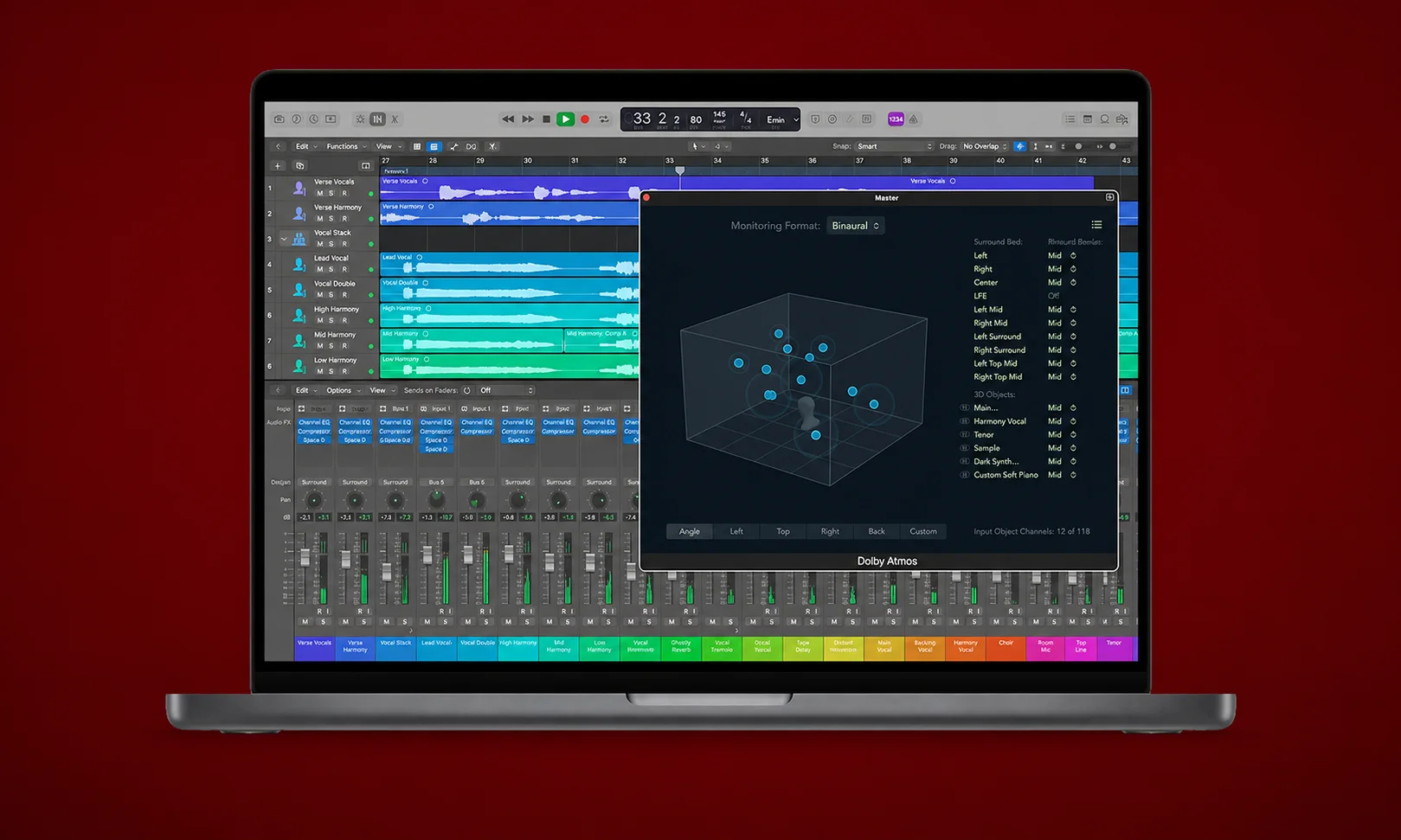
Logic Pro is one of the strongest choices for musicians and producers using Apple devices.
Built specifically for macOS, it combines recording, editing, mixing, and music production features into one professional environment.
Its latest updates continue improving tools such as Flex Time, Flex Pitch, and spatial audio workflows.
Key Features
- Professional music production
- Advanced mixing tools
- Flex Time and Flex Pitch
- Apple ecosystem integration
- Virtual instruments
Pricing
Logic Pro costs $199.99 as a one-time purchase.
Who Should Use Logic Pro?
- Mac users
- Musicians
- Producers
- Songwriters
- Audio creators building complex projects
Who Should Avoid Logic Pro?
- Windows users
- Podcast creators who mainly need speech editing
- Users looking for a free tool
Main Limitation
Logic Pro is only available on macOS.
For spoken-word workflows, some users may prefer dedicated editors like Adobe Audition.
5. Acoustica Standard Best Budget Alternative for Restoration
Acoustica Standard is designed for users who want advanced editing and restoration features without moving into the highest-priced professional category.
It is often considered a budget-friendly alternative for users who need more than basic editing.
Key Features
- Audio restoration
- Editing tools
- Noise processing
- Professional-style workflow
Pricing
Pricing depends on the edition and licensing option.
Who Should Use Acoustica Standard?
- Budget-conscious creators
- Users needing restoration features
- Editors looking beyond free software
Who Should Avoid Acoustica Standard?
- Users who need a large ecosystem
- Beginners wanting the simplest interface
Main Limitation
The software has a smaller ecosystem compared with Adobe Audition and Logic Pro.
6. Camtasia Audiate Best for Text-Based Audio Editing
Camtasia Audiate takes a different approach to editing.
Instead of only working with waveforms, it focuses on editing spoken content through transcripts.
This makes it useful for creators producing tutorials, podcasts, and educational content.
Key Features
- Transcript-based editing
- Voice cleanup
- Speech-focused workflow
- Integration with Camtasia
Pricing
Available through Camtasia plans, depending on the package.
Who Should Use Camtasia Audiate?
- Course creators
- Tutorial makers
- Podcast creators
- People editing large amounts of speech
Who Should Avoid Camtasia Audiate?
- Music producers
- Users needing advanced mixing
- Studio professionals
Main Limitation
It is designed mainly for spoken audio rather than complex music production.
7. Auphonic Best AI Audio Enhancement Tool for Podcasts
Auphonic focuses on one specific problem: making recorded audio sound cleaner with less manual work.
It is popular among podcast creators who want automated mastering, loudness adjustment, and noise cleanup.
Key Features
- AI audio mastering
- Loudness normalization
- Noise reduction
- Voice cleanup
Pricing
Offers free usage limits and subscription plans depending on requirements.
Who Should Use Auphonic?
- Podcasters
- Interview creators
- Voice content producers
Who Should Avoid Auphonic?
- Musicians needing detailed manual control
- Users wanting a complete DAW
Main Limitation
Automation saves time, but it provides less manual control than full audio editors.
8. Riverside Best All-in-One Recording and Editing Platform
Riverside combines remote recording with built-in audio tools.
It has become popular among podcast and video creators who want a simpler workflow from recording to publishing.
Its features include AI-based tools such as Autodub and enhancement options.
Key Features
- Remote recording
- Audio improvement tools
- Creator workflow features
- AI-assisted editing
Pricing
Offers free and paid plans.
Who Should Use Riverside?
- Remote podcasters
- Interview creators
- Video content creators
Who Should Avoid Riverside?
- Professional audio engineers
- Users needing deep editing control
Main Limitation
Because it is cloud-based, advanced editing may still require dedicated software.
9. Ocenaudio Best Simple Audio Editor for Quick Changes
Not every project requires a professional Digital Audio Workstation.
Sometimes you only need to trim a recording, remove unwanted sections, adjust volume, or make a few quick improvements. That is where ocenaudio fits well.
It is a lightweight audio editor designed around simplicity. Compared with more complex tools, it provides a cleaner interface that helps beginners complete basic editing tasks faster.
Key Features
- Simple waveform editing
- Fast audio trimming
- Effects preview
- Cross-platform support
- Lightweight performance
Pricing
Free.
Who Should Use ocenaudio?
- Beginners
- Students
- Users editing short recordings
- People who need quick audio fixes
Who Should Avoid ocenaudio?
- Music producers creating complex projects
- Users needing advanced multitrack workflows
- Professional studios
Main Limitation
Its biggest limitation is that it is not designed for complex projects.
Unlike Adobe Audition, REAPER, or Logic Pro, it focuses on straightforward editing rather than advanced production.
10. Pro Tools Best Audio Editing Software for Professional Studios
Pro Tools has been one of the most recognized names in professional audio production for years.
While many modern creators now choose flexible tools like REAPER or AI-focused platforms for faster workflows, Pro Tools remains associated with professional recording, mixing, and studio environments.
It is designed for users who need advanced control over complex audio projects, including recording sessions, mixing workflows, and professional post-production.
Key Features
- Professional multitrack recording
- Advanced mixing tools
- Studio-focused workflow
- Plugin support
- Professional audio production environment
Pricing
Pricing depends on the available subscription plans and licensing options.
Who Should Use Pro Tools?
- Professional recording studios
- Audio engineers
- Music producers working on large projects
- Professionals involved in advanced mixing workflows
Who Should Avoid Pro Tools?
- Beginners looking for a simple editor
- Casual users who only need basic trimming
- Creators who prefer free software
Main Limitation
The biggest challenge with Pro Tools is that its professional workflow can feel overwhelming for beginners.
For users creating simple podcasts or basic voice recordings, lighter tools may provide a faster and easier experience.
Best Audio Editing Software by Use Case
The “best” tool changes depending on what you create.
A podcast producer and a music composer may both need audio editing software, but their workflows are completely different.
Choosing based on your actual needs will save time, money, and frustration.
Best Audio Editing Software for Beginners: Audacity
If you are editing your first recording, Audacity is usually the easiest starting point.
It gives you essential tools without requiring a subscription or expensive hardware.
You can record audio, cut clips, remove noise, and export files without investing money upfront.
However, beginners should understand that learning professional tools later may require adjusting to more advanced workflows.
Best Audio Editing Software for Podcasts: Adobe Audition and Auphonic
Podcast creators usually care about three things:
- Clear voices
- Fast editing
- Consistent sound quality
Adobe Audition works well for creators who want complete control over editing, restoration, and mixing.
Auphonic is useful for creators who prefer automated cleanup and mastering.
For many podcast workflows, a combination of manual editing and AI enhancement can create a faster production process.
Best Audio Editing Software for Music Production: REAPER and Logic Pro
Music production requires more than cutting audio clips.
You need tools for recording instruments, arranging tracks, managing plugins, automation, and detailed mixing.
REAPER is a strong option for users who want flexibility and value across multiple platforms.
Logic Pro is especially strong for Mac users who want deep integration with Apple’s ecosystem and professional music production features.
Best Audio Editing Software for YouTube Creators: Adobe Audition and Riverside
YouTube creators often work with voice recordings, interviews, background music, and video workflows.
Adobe Audition works well for creators who want advanced audio control alongside video production.
Riverside is useful for creators who record remote interviews and want an integrated recording and editing workflow.
Best Audio Editing Software for Voiceovers: Adobe Audition and Camtasia Audiate
Voice-over work requires clean speech, accurate timing, and efficient editing.
Adobe Audition provides professional restoration tools, while Camtasia Audiate makes speech editing faster through transcript-based workflows.
Creators producing tutorials, courses, and educational content may find transcript editing especially useful.
Free vs Paid Audio Editing Software: Which One Should You Choose?
The right decision depends on your goals.
Free software can be enough for simple projects, but paid tools often save time through advanced workflows, automation, and professional features.
| Feature | Free Editors | Paid Editors |
| Basic cutting and trimming | Available | Available |
| Audio recording | Available | Available |
| Noise reduction | Available | More advanced options |
| AI-powered cleanup | Limited | More advanced tools |
| Multitrack editing | Available in some tools | Professional workflows |
| Plugins and automation | Limited | Extensive support |
| Collaboration features | Limited | Better options |
When Free Audio Editing Software Is Enough
Free tools are usually suitable when you need:
- Basic audio cleanup
- Simple recordings
- Podcast editing at a beginner level
- Voice trimming
- File conversion
Audacity remains one of the strongest free choices because it provides professional-level basics without payment.
When Paid Software Is Worth It
Paid software becomes valuable when your time matters.
Professional editors benefit from faster workflows, better restoration tools, advanced effects, and improved production capabilities.
For example, Adobe Audition’s AI cleanup and spectral editing features can save significant manual effort for demanding projects.
How to Choose the Right Audio Editing Software
Before choosing an editor, think about the type of work you will actually do.
Buying the most powerful software is not always the smartest decision.
A simpler tool that matches your workflow can often produce better results because you will use it consistently.
Start With Your Main Goal
Ask yourself:
Are you editing podcasts?
Creating music?
Cleaning voice recordings?
Producing videos?
Your answer should determine your software choice.
A musician needs production features, while a podcast creator may prioritize speech cleanup.
Check Your Operating System
Your computer can immediately remove some options.
For example:
- Logic Pro is designed for macOS.
- Audacity and REAPER support multiple platforms.
- Cloud-based tools like Riverside work through browsers.
Always check compatibility before investing time in learning a platform.
Consider AI Features Carefully
AI tools are becoming a major part of modern audio editing.
Features like noise removal, transcription editing, and voice enhancement can reduce repetitive work.
However, AI should support your editing process, not replace quality control.
Over-processing can create unnatural or robotic-sounding audio.
Think About Long-Term Value
A beginner may start with Audacity and later move to professional software.
A creator producing regular content may benefit from investing earlier in tools that improve speed.
The best choice is the one that continues supporting your projects as your skills grow.
AI Audio Editing Features Changing the Industry in 2026
Audio editing has moved beyond simple cutting and mixing.
Artificial intelligence is changing how creators clean, improve, and prepare audio.
AI Voice Enhancement
Tools like Adobe Enhance Speech 2.0 help improve spoken recordings by reducing unwanted noise and improving clarity.
This is especially useful for creators recording outside professional studios.
AI Transcription-Based Editing
Editors such as Camtasia Audiate show a growing trend: editing audio through text.
Instead of searching through a timeline manually, creators can work from transcripts to remove unwanted sections and organize speech.
Automated Audio Mastering
Auphonic focuses on automated processing for podcasts and spoken content.
It can help with loudness consistency, noise cleanup, and improving overall listening quality.
AI Voice and Dubbing Tools
ElevenLabs represents another growing category.
Rather than traditional editing, these tools focus on AI-generated voices, dubbing, and voice-related workflows.
They can be useful for specific creator needs but are not replacements for complete audio editors.
Common Mistakes When Choosing Audio Editing Software
Many users choose software based only on popularity.
That can lead to paying for features they never use.
1. Choosing More Power Than You Need
Professional tools offer impressive features, but beginners may find them overwhelming.
Start with software that matches your current workflow.
2. Ignoring Learning Curve
Powerful software requires learning.
REAPER and professional DAWs provide flexibility, but beginners may need more time before becoming comfortable.
3. Focusing Only on Price
Free software can be excellent, but paid tools may save hours through automation and advanced features.
The cheapest option is not always the most efficient.
4. Depending Too Much on AI
AI cleanup is useful, but poor settings can damage audio quality.
Always listen carefully after applying automatic processing.
5. Forgetting Future Needs
Your first project may be simple.
Your tenth project may require better plugins, collaboration, or advanced editing.
Choose software that can grow with your work.
Practical Application: How to Choose and Use the Right Audio Editing Software
Choosing audio editing software is only the first step.
The real difference comes from matching the tool with your workflow and using the right features for your specific type of content.
A beginner editing a short voice recording does not need the same setup as a podcast producer publishing weekly episodes or a musician creating full tracks.
Use this practical approach before committing to any software.
A Simple Process to Choose Your Audio Editor
Step 1: Identify What You Create
Start with your main goal.
If you create podcasts or interviews, prioritize speech cleanup, noise reduction, and fast editing workflows.
Adobe Audition, Auphonic, and Camtasia Audiate are strong options because they focus heavily on spoken audio workflows.
If you create music, look for production-focused tools.
REAPER and Logic Pro provide deeper control over recording, arrangement, automation, and mixing.
Step 2: Match the Software to Your Skill Level
Your experience level matters.
Beginners usually need an interface that helps them complete projects quickly.
Audacity and ocenaudio are good starting points because they provide essential editing features without the complexity of professional Digital Audio Workstations.
Advanced users may benefit from tools like REAPER, Logic Pro, Adobe Audition, or Pro Tools because they offer more control.
Step 3: Test Your Most Important Workflow
Before purchasing software, test the tasks you will perform regularly.
For example:
- Importing recordings
- Removing background noise
- Editing multiple tracks
- Exporting final audio
- Adding effects
- Managing plugins
A tool may have hundreds of features, but your daily workflow usually depends on a small number of important actions.
Step 4: Consider Your Future Needs
Your first project may only require basic editing.
However, your needs can change as your skills improve.
A podcast creator may eventually need better noise removal, collaboration tools, or faster production workflows.
A musician may need advanced routing, plugins, and automation.
Choosing software with room to grow can prevent switching platforms later.
Which Audio Editing Software Should Different Users Choose?
For Beginners
Recommended:
- Audacity
- ocenaudio
- GarageBand for Mac users
These tools help beginners understand the basics of recording, trimming, effects, and exporting without a large learning investment.
For Podcast Creators
Recommended:
- Adobe Audition
- Auphonic
- Camtasia Audiate
- Riverside
Podcast creators should prioritize clean speech, efficient editing, and consistent audio quality.
AI-powered tools are especially useful when dealing with regular publishing schedules.
For Musicians
Recommended:
- REAPER
- Logic Pro
- Pro Tools
Music production requires deeper control over instruments, effects, mixing, and track management.
A simple waveform editor may feel limiting for complex musical projects.
For YouTube Creators
Recommended:
- Adobe Audition
- Riverside
- REAPER
Video creators often need clear dialogue, background music balancing, and reliable audio processing.
A dedicated audio editor can improve the final video quality significantly.
Real Limitations You Should Know Before Choosing
Every audio editor has weaknesses.
Understanding them before buying prevents disappointment.
Adobe Audition
Strong professional features come with a subscription model.
Some users also find advanced tools require time to learn.
Audacity
It provides impressive free features, but the interface feels older compared with modern alternatives.
REAPER
It offers excellent flexibility, but beginners may find customization and routing difficult initially.
Logic Pro
It is powerful for Mac users, but Windows users cannot use it because it is limited to Apple’s platform.
AI Audio Tools
AI cleanup can save time, but aggressive processing may create unnatural or robotic-sounding voices.
The best results usually come from combining automation with human review.
Final Verdict: Finding the Best Audio Editing Software for Your Needs
When you first start looking for the best audio editing software, it is easy to focus on features, pricing pages, and long comparison lists.
But the best choice is usually much simpler.
Think back to that first moment when you recorded audio and noticed the problems: background noise, uneven volume, or a voice that did not sound professional.
The right editor is the one that solves those problems without creating new frustration.
Adobe Audition remains one of the strongest choices for professionals who need powerful editing and restoration tools. Audacity continues to be the best free option for many beginners. REAPER and Logic Pro stand out for music production, while AI-focused tools like Auphonic help creators produce cleaner audio faster.
The best audio editing software is not the tool with the longest feature list.
It is the one that fits the way you create, the projects you produce, and the quality you want to achieve.
Good audio does not come from software alone. It comes from choosing the right tool and learning how to use it well.
Frequently Asked Questions About the Best Audio Editing Software
What is the best audio editing software overall in 2026?
Adobe Audition is one of the best choices for professional audio editing. It offers advanced editing, restoration tools, multitrack support, and AI-powered features.
What’s the best free audio editor right now?
Audacity is one of the best free audio editing software options. It supports recording, editing, noise reduction, and works on Windows, macOS, and Linux.
Is Adobe Audition worth the subscription?
Yes, for professionals and frequent creators. Its AI cleanup, restoration features, and advanced workflow tools can save time compared with basic editors.
What is the best audio editing software for podcasts?
Adobe Audition is great for professional podcast editing, while Auphonic helps with automatic cleanup and mastering. Camtasia Audiate is useful for transcript-based editing.
What is the best audio editing software for beginners?
Audacity is a strong starting point because it is free and easy to learn. ocenaudio is also a good option for quick and simple edits.
What audio editing software do professionals use?
Professionals commonly use Adobe Audition, Pro Tools, REAPER, and Logic Pro. The best choice depends on whether they work in podcasts, music production, or post-production.
Is free audio editing software good enough for professional work?
Yes, free tools like Audacity can handle many professional-quality tasks. However, paid software usually offers faster workflows, better AI tools, and more advanced features.
Are AI audio editing tools reliable?
AI tools like Adobe Enhance Speech 2.0 and Auphonic are useful for noise removal and voice improvement. However, users should review results because too much processing can make audio sound unnatural.
Should I use a DAW or an audio editor?
Use an audio editor for simple tasks like cutting and cleaning recordings. Choose a DAW if you need music production, advanced mixing, instruments, and complex projects.
What is the future of audio editing software?
Audio editing is moving toward AI-powered cleanup, transcript-based editing, and all-in-one creator platforms. These trends are expected to make editing faster and easier for creators.



