

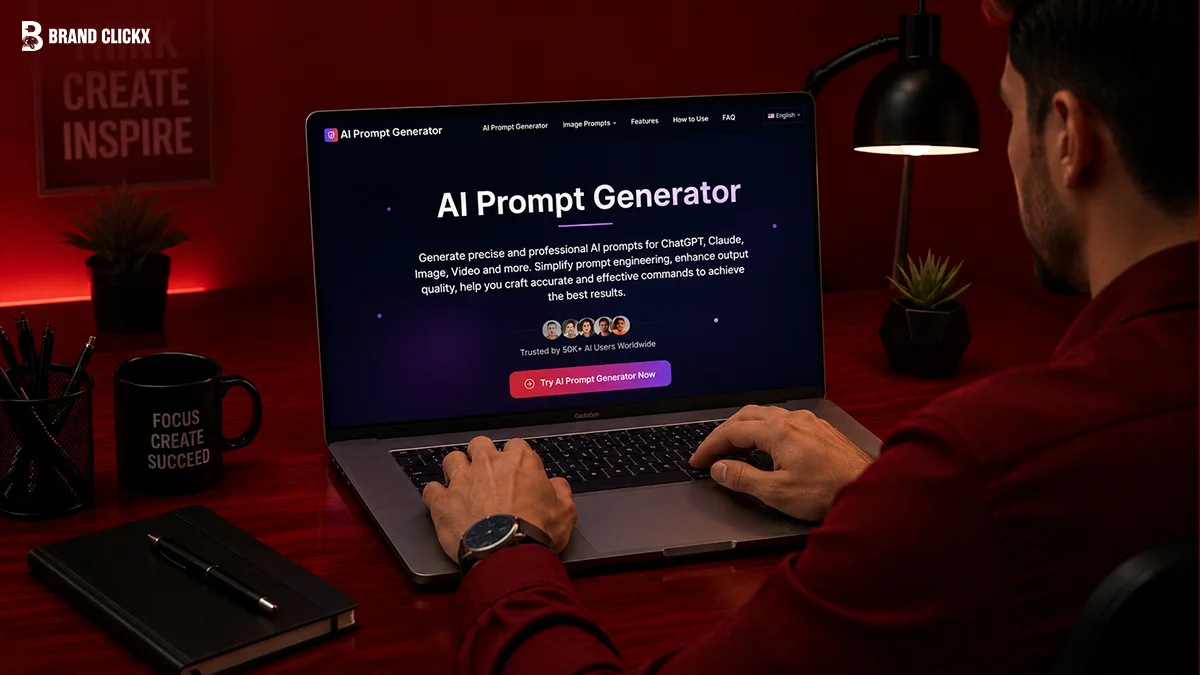
Imagine asking ChatGPT to write an article and getting a generic answer. Then you make one small change, adding clear instructions, context, and the exact format you want, and suddenly the result feels like it came from an expert. That difference isn’t luck. It’s the power of a well-crafted prompt.
An AI Prompt Generator helps you create those high-quality prompts automatically. Instead of guessing what to type, it builds structured prompts that work better with AI models like ChatGPT, Claude, Gemini, and Midjourney.
Whether you’re a marketer, writer, developer, or student, the right tool can save time and improve your AI results from the very first response.
In this guide, you’ll discover the 12 best AI Prompt Generator tools available in 2026, how they compare, which ones are worth using, and how to choose the right one for your workflow.
You’ll also learn practical tips to write better prompts, avoid common mistakes, and get consistently better AI outputs without becoming a prompt engineering expert.
AI Overview
An AI Prompt Generator converts a simple idea into a structured prompt by adding context, instructions, constraints, and the desired output format. These tools reduce trial and error, improve response quality, and support leading AI models such as ChatGPT, Claude, Gemini, and Midjourney.
Modern generators also include prompt templates, optimization features, and model-specific formatting to help you get more accurate results.
Key Takeaways
- AI Prompt Generators create structured prompts that produce more accurate AI responses.
- The best tools support multiple AI models, including ChatGPT, Claude, Gemini, and Midjourney.
- Some platforms focus on beginners, while others offer advanced prompt optimization and testing.
- Free tools are enough for casual users, but professionals often benefit from paid features.
- Choosing the right tool depends on your workflow, AI model, and customization needs.
What is an AI Prompt Generator?
An AI Prompt Generator is a tool that transforms a plain-language request into a structured prompt with clear instructions, context, constraints, and formatting. It helps users generate higher-quality responses from AI models like ChatGPT, Claude, and Gemini while reducing the need for manual prompt engineering.
How AI Prompt Generators Work
An AI Prompt Generator doesn’t just rewrite your request; it organizes it into a format that AI models understand more effectively. By adding role assignments, context, constraints, and output instructions, it helps produce more accurate and consistent responses.
Think of it as automated prompt engineering. Rather than learning different prompting techniques for every AI model, the generator applies proven best practices for you. The final prompt is ready to paste into ChatGPT, Claude, Gemini, or other supported AI tools.
How Does an AI Prompt Generator Work?
Most AI Prompt Generators follow a simple process:
- You describe what you want in plain language.
- The tool identifies your goal, audience, tone, and desired format.
- It builds a structured prompt with clear instructions and constraints.
- Some tools optimize the prompt for a specific AI model, such as ChatGPT or Claude.
- You copy the finished prompt into your preferred AI assistant and refine it if needed.
Why Use an AI Prompt Generator?
The biggest advantage is consistency. A vague prompt often produces vague answers, while a structured prompt gives the AI enough information to generate accurate and useful responses.
According to research from sqmagazine.co.uk on prompt engineering statistics, structured prompts can reduce AI errors by up to 76% in some workflows. That means fewer revisions and more reliable results, especially for content creation, coding, marketing, and business tasks.
Another benefit is cross-platform compatibility. Tools such as PromptPerfect can optimize the same prompt for multiple AI models, saving you from rewriting instructions every time you switch between ChatGPT, Claude, or Gemini.
The 12 Best AI Prompt Generator Tools (2026)
Not every AI Prompt Generator is built for the same purpose. Some are ideal for beginners, while others focus on prompt optimization, team collaboration, or developer workflows.
Here’s a quick comparison before we review each tool in detail.
| Tool | Best For | Free Plan | Starting Price |
| Jotform AI Prompt Generator | Beginners | Yes | Free |
| SurePrompts | Templates | Yes | $3.99/month |
| PromptPerfect | Multi-model optimization | Yes | $19.99/month |
| Ralphable | Claude workflows | Yes | $20/month |
| Pretty Prompt | Professionals | No | $5.99/month |
| PromptLayer | Developers | Yes | $49/month (Teams) |
| AIPRM | ChatGPT templates | Yes | $9/month |
| WordRocket AI | SEO & content | Limited | See website |
| PromptHero | Image prompts | Yes | Free |
| Velocity | Budget users | Yes | $7/month |
| OpenAI Playground Prompt Optimizer | GPT users | Included | Varies |
| Coze Prompt Builder | AI agents | Yes | Varies |
The 12 Best AI Prompt Generator Tools (2026)
Choosing the right AI Prompt Generator depends on how you use AI. Some tools are built for beginners who need quick prompts, while others focus on developers, marketers, or teams managing complex AI workflows.
1. Jotform AI Prompt Generator – Best for Beginners
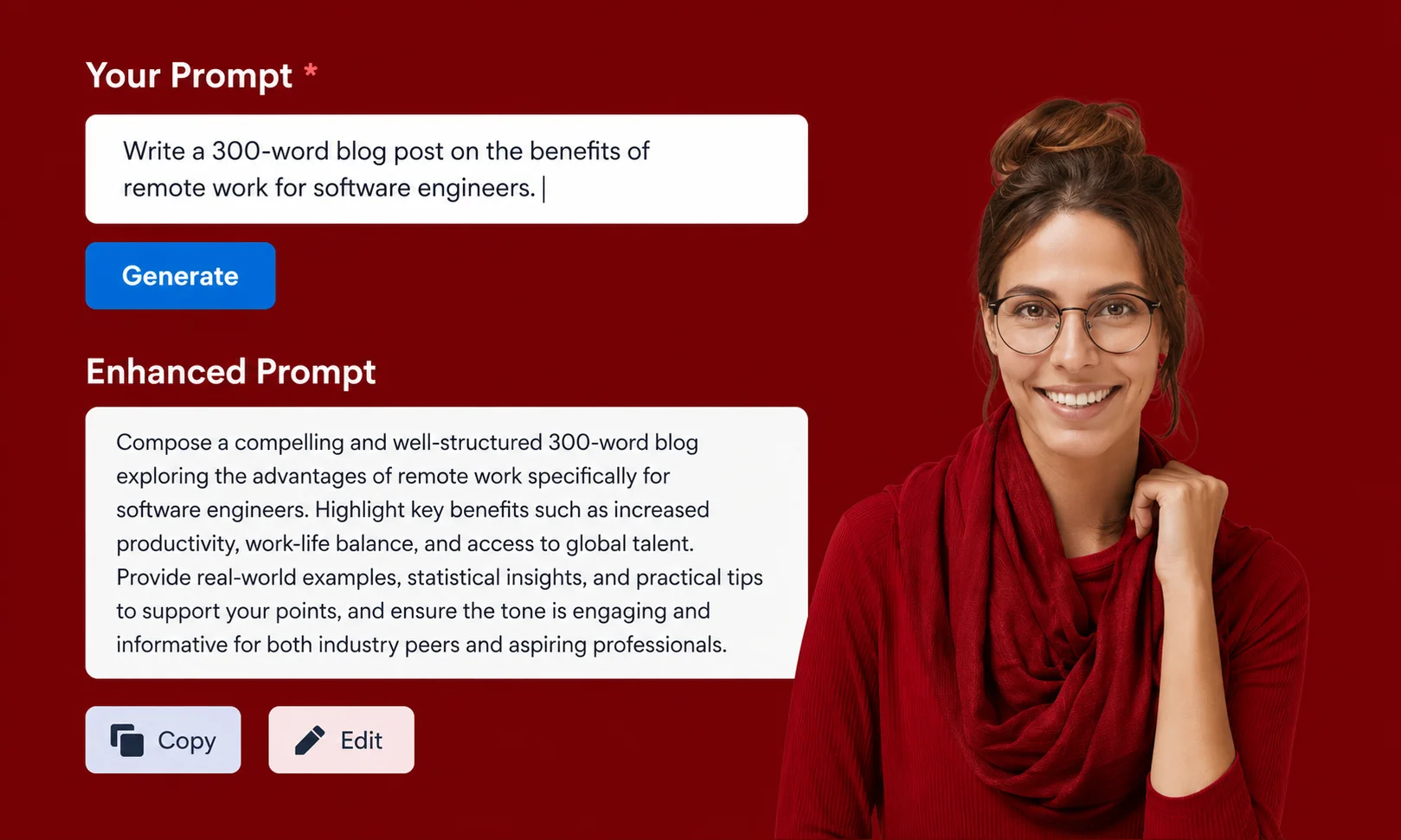
If you’re new to AI, Jotform AI Prompt Generator is one of the easiest places to start. It lets you describe your task in plain English and instantly creates a structured prompt without requiring prompt engineering knowledge.
Key Features
- Free and unlimited prompt generation
- Supports ChatGPT, Claude, Gemini, Midjourney, Flux, Stable Diffusion, and Ollama
- Simple, beginner-friendly interface
- Ready-to-copy prompts
Pros
- Completely free for prompt generation
- Supports multiple AI models
- Very easy to use
Cons
- No built-in prompt testing
- Limited prompt refinement features
Pricing
- Free
- AI Agent plans start at $39/month.
Best For: Beginners, students, freelancers, and small businesses.
2. SurePrompts – Best Prompt Template Library
SurePrompts focuses on ready-made templates instead of making you start from scratch. It includes hundreds of prompts designed for different AI models and industries.
Key Features
- 330+ prompt templates
- Model-specific generators
- ChatGPT, Claude, and Gemini support
- Beginner-friendly interface
Pros
- Affordable
- Large template collection
- Good for everyday tasks
Cons
- No API
- Limited prompt testing
Pricing
- Free plan available
- Pro starts at $3.99/month.
Best For: Content creators, marketers, and beginners.
3. PromptPerfect – Best for Multi-Model Optimization
If you regularly switch between ChatGPT, Claude, and Gemini, PromptPerfect is designed to optimize the same prompt for each model automatically.
Instead of manually rewriting prompts, it adjusts formatting and structure to match each AI model’s strengths.
Key Features
- Multi-model optimization
- Prompt rewriting
- Web application
- Advanced optimization engine
Pros
- Excellent prompt quality
- Saves time
- Supports multiple AI platforms
Cons
- Higher price
- Interface can feel overwhelming for beginners
- No Chrome extension
Pricing
- Free tier
- Paid plans start at $19.99/month.
Best For: Professionals, agencies, and advanced AI users.
4. Ralphable – Best for Claude Code Workflows
Ralphable is built for users creating advanced AI workflows rather than simple one-off prompts. Its Ralph Loop methodology helps AI refine its own work until it meets predefined quality standards, making it a strong choice for teams using Claude Code.
Key Features
- Claude Code skill generator
- Version control
- Prompt testing
- Team collaboration
- Ralph Loop quality workflow
Pros
- Excellent for complex projects
- Built-in quality control
- Supports reusable AI workflows
Cons
- Claude-only
- Free plan is limited to 3 generations per day
Pricing
- Free (3 prompts/day)
- Pro starts at $20/month.
Best For: Developers, AI teams, and Claude power users.
5. Pretty Prompt – Best All-Rounder for Professionals
Pretty Prompt is a Chrome extension that improves prompts directly inside ChatGPT, Claude, and Gemini. Instead of switching between tools, it enhances your prompt while you work.
Key Features
- Browser extension
- One-click prompt enhancement
- Works with ChatGPT, Claude, and Gemini
- Professional prompt rewriting
Pros
- Fast workflow
- Easy to use
- Excellent prompt quality
Cons
- Paid only
- Requires Chrome
Pricing
- $5.99/month.
Best For: Content creators, marketers, consultants, and freelancers.
6. PromptLayer – Best for Developers
PromptLayer is more than an AI Prompt Generator. It’s a complete prompt management platform with testing, version control, and analytics for development teams.
Key Features
- Prompt versioning
- A/B testing
- Team collaboration
- API integration
- Prompt tracking
Pros
- Powerful developer features
- Great for production AI apps
- Built-in testing tools
Cons
- Steeper learning curve
- More features than casual users need
Pricing
- Free tier available
- Teams start at $49/month.
Best For: Developers, SaaS companies, and AI product teams.
7. AIPRM – Best for ChatGPT Templates
AIPRM is one of the most popular Chrome extensions for ChatGPT. It provides access to thousands of community-created prompt templates for SEO, marketing, coding, business, and education.
Key Features
- 10,000+ prompt templates
- ChatGPT integration
- Community marketplace
- Custom prompt collections
Pros
- Huge template library
- Easy installation
- Active community
Cons
- Template quality varies
- Primarily designed for ChatGPT
Pricing
- Free plan available
- Premium starts at $9/month.
Best For: ChatGPT users who want ready-made prompts.
8. WordRocket AI – Best for SEO and Content Marketing
WordRocket AI is designed for professionals creating SEO content. It includes a Smart Context Engine that helps generate prompts based on your audience, writing style, and project goals.
Key Features
- Smart Context Engine
- SEO-focused prompt generation
- Team workspaces
- Content planning tools
Pros
- Excellent for SEO workflows
- Strong collaboration features
- Rich feature set
Cons
- Better suited for content teams than developers
- Pricing varies by plan
Pricing
- Visit the official website for current plans.
9. PromptHero – Best for AI Image Prompts

If you create images with Midjourney or Stable Diffusion, PromptHero is one of the largest prompt communities available. Instead of generating prompts from scratch, it helps you discover and adapt prompts that have already produced impressive results.
Key Features
- Large community prompt library
- Supports Midjourney, Stable Diffusion, and Flux
- Search by style, artist, or subject
- Free community access
Pros
- Excellent for image creators
- Massive collection of tested prompts
- Easy to browse and learn
Cons
- Better for image generation than text prompts
- Limited prompt customization
Pricing
- Free community access.
Best For: Designers, digital artists, and AI image creators.
10. Velocity – Best Free AI Prompt Generator
Velocity is a lightweight Chrome extension that improves prompts directly inside AI chat tools. It’s a practical choice if you want better prompts without paying for expensive software.
Key Features
- One-click prompt enhancement
- Chrome extension
- Daily free prompt improvements
- Works with popular AI platforms
Pros
- Free plan available
- Fast and easy to use
- Great for everyday tasks
Cons
- Limited to five free enhancements per day
- Privacy controls are less advanced than some competitors
Pricing
- Free (5 enhancements/day)
- Pro starts at $7/month.
Best For: Students, freelancers, and budget-conscious users.
11. OpenAI Playground Prompt Optimizer – Best for GPT Models
If you mainly use OpenAI models, the Prompt Optimizer built into OpenAI Playground can improve prompts using OpenAI’s own best practices. Because it’s designed for GPT models, the generated prompts often require little manual editing.
Key Features
- Built into OpenAI Playground
- GPT-focused prompt optimization
- Uses OpenAI prompt best practices
- No third-party extensions required
Pros
- Reliable GPT optimization
- Easy for existing OpenAI users
- Produces structured prompts
Cons
- Limited to OpenAI’s ecosystem
- Not designed for Claude or Gemini workflows
Best For: Developers and professionals building with GPT models.
You can also explore the official OpenAI Prompt Engineering Guide to learn proven techniques for writing more effective AI prompts.
12. Coze Prompt Builder – Best for AI Agent Development
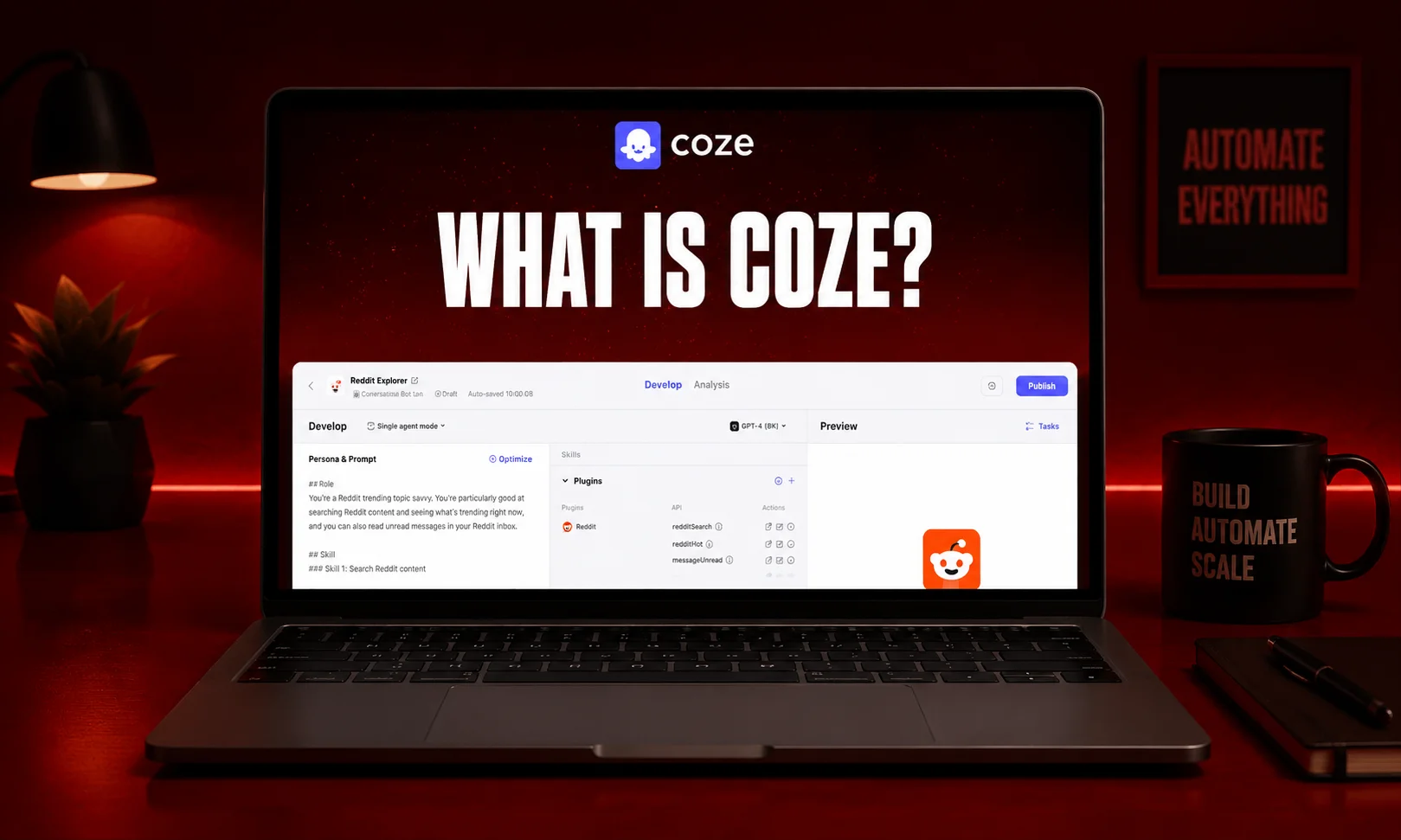
Developed by ByteDance, Coze is more than a prompt generator. It helps you build AI agents with integrated prompt optimization, making it useful for automation and conversational AI projects.
Key Features
- AI agent builder
- Integrated prompt optimization
- Workflow automation
- Bot development tools
Pros
- Excellent for AI automation
- Combines prompts with agent workflows
- Suitable for advanced projects
Cons
- More complex than beginner-focused tools
- Better suited to technical users
Best For: Businesses, developers, and teams building AI assistants.
Which AI Prompt Generator Should You Choose?
| If You Need… | Recommended Tool |
| Best overall for beginners | Jotform AI Prompt Generator |
| Best free option | Velocity |
| Best for ChatGPT | AIPRM |
| Best for Claude | Ralphable |
| Best for Gemini | PromptPerfect |
| Best for SEO & content writing | WordRocket AI |
| Best for developers | PromptLayer |
| Best for AI image prompts | PromptHero |
| Best budget option | SurePrompts |
| Best professional workflow | Pretty Prompt |
There’s no single tool that’s perfect for everyone. If you’re just starting out, Jotform AI Prompt Generator offers the easiest experience. For professionals who need higher-quality outputs across multiple AI models, PromptPerfect and Pretty Prompt are stronger choices. Developers will benefit most from PromptLayer, while PromptHero remains the top pick for image-generation prompts.
How to Choose the Best AI Prompt Generator
Not every AI Prompt Generator is right for every user. The best choice depends on your AI model, workflow, budget, and the level of prompt customization you need.
1. Check AI Model Compatibility
Some tools only work with specific AI models, while others support multiple platforms.
Choose a tool that works with the AI you use most:
- ChatGPT: AIPRM, Pretty Prompt
- Claude: Ralphable
- Gemini: PromptPerfect, SurePrompts
- Multiple AI Models: Jotform AI Prompt Generator, PromptPerfect
2. Look for Ready-Made Templates
If you frequently write blog posts, marketing copy, emails, or code, templates can save hours every week.
A good template library also helps beginners learn what a well-structured prompt looks like instead of starting with a blank page.
3. Compare Prompt Quality
The best tools don’t just rewrite your request, they improve it.
Look for features such as:
- Role assignment
- Context blocks
- Output formatting
- Constraints
- Model-specific optimization
These elements help AI produce more accurate and consistent responses.
4. Consider Ease of Use
If you’re new to AI, choose a tool with a clean interface and simple workflow.
For developers or teams, features like version control, A/B testing, and collaboration may be more valuable than simplicity.
5. Compare Free vs. Paid Plans
Free tools are ideal for learning and occasional use.
If you create content daily or manage AI workflows for a business, paid plans usually offer better prompt optimization, collaboration features, and advanced testing.
Free vs. Paid AI Prompt Generators
| Feature | Free Tools | Paid Tools |
| Prompt Generation | Yes | Yes |
| Prompt Templates | Limited | Extensive |
| Prompt Optimization | Basic | Advanced |
| Team Collaboration | Rare | Common |
| Version History | Limited | Yes |
| A/B Testing | No | Often Included |
| Best For | Beginners | Professionals & Teams |
For most casual users, a free AI Prompt Generator is enough. If you rely on AI for business, marketing, or software development, upgrading to a paid solution can improve both productivity and output quality.
AI Prompt Generator vs. Manual Prompt Writing
Many users wonder whether they still need an AI Prompt Generator when they can ask ChatGPT to write prompts.
The answer depends on your workflow.
| AI Prompt Generator | Manual Prompt Writing |
| Creates structured prompts automatically | Requires prompt engineering knowledge |
| Faster for repeated tasks | Slower for complex prompts |
| Uses built-in best practices | Depends on your experience |
| Often optimized for specific AI models | Must be adjusted manually |
| Consistent output quality | Results vary with prompt quality |
If you only use AI occasionally, manual prompting may be enough. But if you create content, write code, or automate business tasks every day, a dedicated AI Prompt Generator can save time while improving consistency.
Best Use Cases for AI Prompt Generators
An AI Prompt Generator isn’t just for writers. It can improve productivity across many industries.
- Content Writing: Generate blog outlines, articles, product descriptions, and social media posts.
- SEO: Build keyword-focused prompts for content briefs, meta descriptions, and optimization tasks.
- Marketing: Create email campaigns, ad copy, landing pages, and customer personas.
- Programming: Generate coding prompts, debugging instructions, and documentation.
- AI Image Generation: Create detailed prompts for Midjourney, Stable Diffusion, Flux, and similar image models.
Common Mistakes to Avoid
Even the best AI Prompt Generator can’t fix every mistake. Avoid these common issues:
- Giving vague instructions without enough context.
- Skipping important constraints like tone, format, or audience.
- Using the same prompt for every AI model.
- Assuming the first AI response is always the best.
- Choosing a tool based only on price instead of features.
Spending a few extra seconds refining your prompt often leads to much better results.
Practical Tips to Get Better AI Results
Using an AI Prompt Generator is only the first step. The quality of your output still depends on the information you provide. These simple habits can make a noticeable difference.
Give the AI a Clear Role
Start by telling the AI who it should be.
For example:
- “Act as an SEO specialist.”
- “Act as a senior software developer.”
- “Act as a professional copywriter.”
A defined role helps the model understand the perspective it should use.
Add Context
Avoid short requests like:
“Write a blog post.”
Instead, explain the purpose, audience, tone, and goal.
The more relevant context you provide, the better the AI can tailor its response. AI Prompt Generators automatically organize this information into a structured prompt.
Specify the Output Format
Tell the AI exactly how you want the response.
Examples include:
- Bullet points
- Table
- Step-by-step guide
- Blog article
- JSON
- HTML
Clear formatting instructions reduce unnecessary editing later.
Test and Refine
Don’t expect the perfect answer on the first attempt.
Many advanced tools allow you to improve prompts through multiple iterations or A/B testing, helping you find the version that delivers the best results.
Final Verdict
The best AI Prompt Generator depends on what you want to accomplish.
If you’re a beginner looking for a free and simple solution, Jotform AI Prompt Generator is an excellent starting point. It supports multiple AI models and makes prompt creation effortless.
For professionals who need stronger optimization across ChatGPT, Claude, and Gemini, PromptPerfect offers powerful multi-model enhancements. Developers building AI applications will get the most value from PromptLayer, while PromptHero remains the top choice for image-generation prompts.
As AI tools continue to improve, writing effective prompts is becoming less about memorizing prompt engineering techniques and more about choosing the right tool for your workflow.
A quality AI Prompt Generator can help you produce more accurate, consistent, and useful results while saving time on every project.
Frequently Asked Questions
What is an AI Prompt Generator?
An AI Prompt Generator is a tool that converts a plain-language request into a structured prompt with clear instructions, context, constraints, and formatting. It helps improve the quality of responses from AI models like ChatGPT, Claude, and Gemini without requiring advanced prompt engineering skills.
Which is the best AI Prompt Generator?
There isn’t a single best option for everyone. Jotform AI Prompt Generator is ideal for beginners, PromptPerfect is best for multi-model optimization, PromptLayer suits developers, and PromptHero is a strong choice for AI image prompts. Your ideal tool depends on your workflow and preferred AI platform.
Are AI Prompt Generators free?
Many AI Prompt Generators offer free plans with basic features. Tools such as Jotform AI Prompt Generator, SurePrompts, Velocity, PromptHero, and AIPRM allow users to get started without paying, while premium plans unlock advanced optimization, collaboration, and testing features.
Do AI Prompt Generators work with ChatGPT, Claude, and Gemini?
Yes. Many modern tools support multiple AI models. Some, like PromptPerfect and Jotform AI Prompt Generator, are designed to optimize prompts across ChatGPT, Claude, Gemini, and other popular AI platforms, reducing the need to rewrite prompts manually.
Can AI Prompt Generators improve AI responses?
Yes. By adding structure, context, role assignments, and formatting instructions, these tools help AI understand your request more accurately. Independent testing cited in the research found that structured prompts can reduce AI errors by up to 76% in certain workflows.
What’s the difference between an AI Prompt Generator and a Prompt Optimizer?
An AI Prompt Generator creates a structured prompt from your initial idea. A Prompt Optimizer improves an existing prompt by making it clearer, more detailed, or better suited to a specific AI model. Some platforms combine both capabilities, while others focus on one approach.


