
Alexa commands can do more than play music, set an alarm, or tell you the weather. The problem is that many people never find its more useful features. They use Alexa for the same few tasks every day without realizing that a simple voice request can also help with cooking, shopping, communication, travel, entertainment, and smart home control.
The good news is that you do not need to recall a special language to use Alexa. In most cases, you can say what you want in a normal sentence. Adding a name, time, place, duration, or device can make the request more useful.
This guide focuses on commands worth knowing rather than basic requests that everyone already knows. Some features require a suitable device, account, connected service, Skill, or smart home setup, so the exact response can change.
Alexa Commands That Make Everyday Use Easier
Some of Alexa’s best features are that you may not notice until you need them. They can make conversations with Alexa feel less difficult and save you from reaching for your phone for small tasks.
“Alexa, what did I miss?”
Alexa can use supported notification and communication features to help Inform you may have missed.
“Alexa, turn on whisper mode.”
When you speak quietly, Alexa can respond quietly too. This is useful when someone nearby is sleepi,ng or you simply do not want a loud response.
“Alexa, turn on follow-up mode.”
You can ask another question after Alexa answers without immediately saying the wake word again. This makes a short conversation feel much more natural.
These commands are a good reminder that Alexa does not have to work like a simple question-and-answer machine. You can have a more natural back-and-forth with it.
Alexa Commands for Managing Your Day
Alexa has several ways to help you keep track of things, but you do not need to use every time-related feature just because it exists. The useful approach is to choose the feature that matches the situation.
“Alexa, set an alarm for my medicine every day at 9 PM.”
This creates a frequent alarm for a regular schedule.
“Alexa, set a sleep timer for 30 minutes.”
Useful when you are listening to music or another supported audio service before sleeping.
“Alexa, remind me to pay the electricity bill tomorrow.”
A reminder can be useful when something needs your attention later but does not belong on a regular alarm schedule.
“Alexa, add a dentist appointment to my calendar.”
If your calendar service is connected, Alexa can help add events without requiring you to stop what you are doing.
The difference between these requests is small but important. An alarm is useful for a regular time, a timer counts down from now, a reminder brings something back to your attention later, and a calendar event represents a planned appointment or activity.
Alexa Weather Commands That Help You Make a Decision
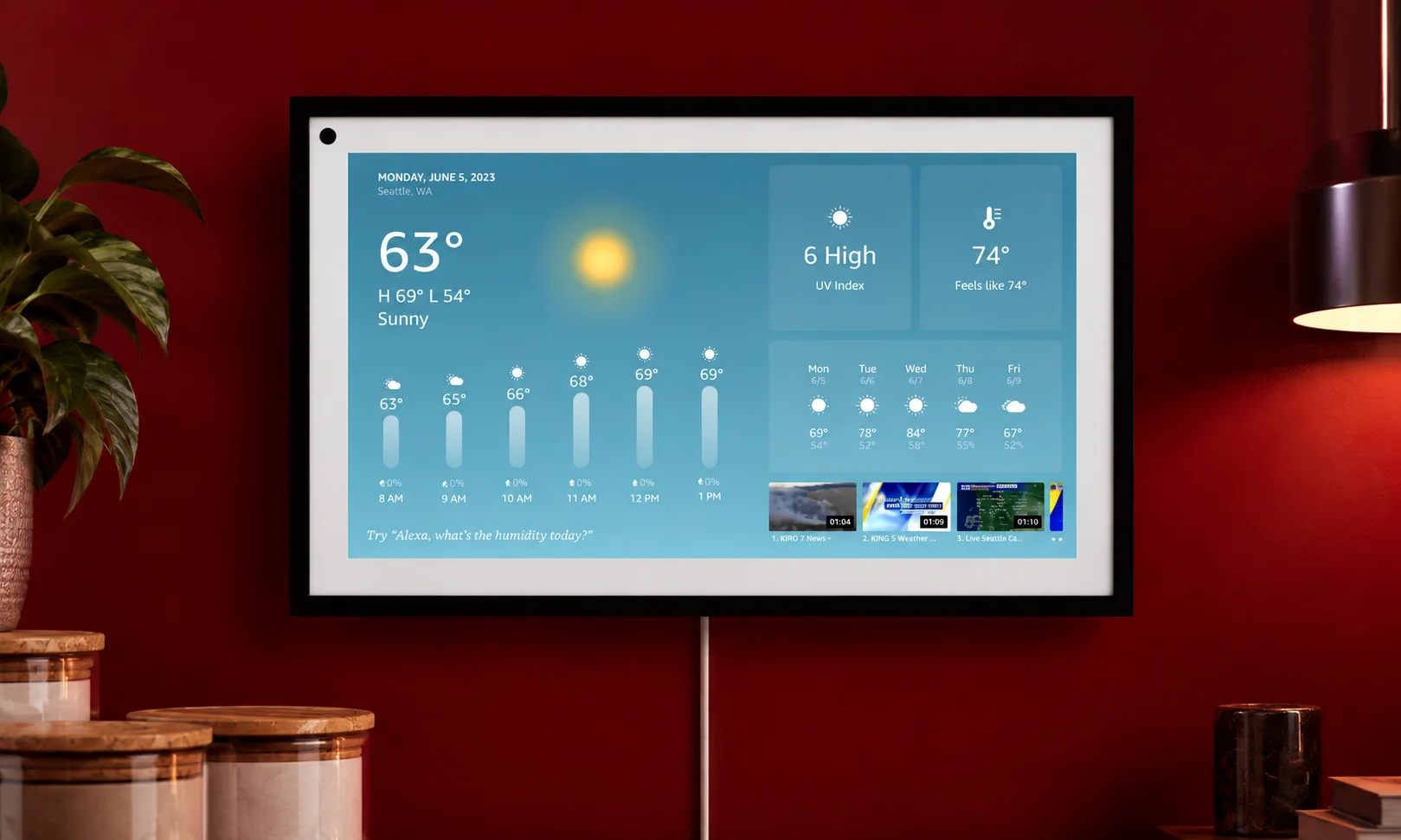
Asking Alexa for the temperature is easy, but weather information becomes more useful when you connect it to something you actually plan to do.
“Alexa, should I carry an umbrella today?”
Instead of asking only for the forecast, you are asking about something that affects your day.
“Alexa, should I go outside in this hot weather?”
This can help you check current conditions before making outdoor plans.
“Alexa, is it cold outside right now?”
A quick way to decide what to wear before leaving home.
The information Alexa provides can depend on your location and the weather information available to your device. For important travel or safety decisions, it is still better to check detailed current conditions.
Alexa Commands for News and Quick Updates
Sometimes you do not want to open an app and scroll through dozens of headlines. You just want to know what is happening.
“Alexa, what’s happening in the news today?”
This gives you a spoken update through the news services available with your Alexa setup. It can be useful while making breakfast, getting ready for work, or doing something around the house. The news available to you can vary by location and the services connected to your account, so the experience will not necessarily be identical for every user.
Alexa Commands for Travel and Local Information
You can use Alexa for small travel questions before leaving home. These requests are especially useful when you need a quick answer but do not want to stop and search through several apps.
“Alexa, is there heavy traffic on my way to work?”
A quick traffic check can help you decide whether you need more time.
“Alexa, how far away is the airport from here?”
Useful when you want a rough idea of the distance before planning your trip.
“Alexa, is there a good restaurant near me?”
This can help when you want a nearby option without manually searching.
Local information and traffic features can depend on your location, device, account, and available services.
Alexa Commands for Quick Questions and Language Help
Alexa can also act like a quick reference tool when you need a small piece of information. These requests are useful when stopping to search would take longer than simply asking.
“Alexa, how tall is Mount Everest?”
A simple example of a general knowledge question.
“Alexa, who was the first person to walk on the Moon?”
Useful when you need a quick historical fact.
“Alexa, how do you say hello in Spanish?”
A convenient way to get a basic translation while studying or communicating.
“Alexa, can you spell necessary for me?”
Helpful when you know a word but are not sure about its spelling.
“Alexa, what does ‘bonjour’ mean?”
You can ask for the meaning of a word or phrase without opening a dictionary.
For complicated subjects or important translations, Alexa’s answer may not provide enough context, so a more detailed source or translation tool can still be useful.
Alexa Commands for Math and Conversions
You do not always need a calculator or conversion app. Alexa can handle many simple calculations and unit conversions by voice.
“Alexa, what’s 25 percent of 800?”
Useful for quick percentage calculations while shopping, budgeting, or working.
“Alexa, how many kilometers is 10 miles?”
A simple distance conversion.
“Alexa, what’s 72 Fahrenheit in Celsius?”
Helpful when dealing with temperatures given in a different measurement system.
The nice thing about these requests is that you can phrase them naturally. You do not have to remember a special format before asking.
Alexa Commands for Sports Updates
Sports fans often want one small piece of information rather than a full sports report. Alexa can provide quick updates for supported sports and competitions.
“Alexa, what’s the score of the game right now?”
A fast way to check a current score when you are away from a screen.
“Alexa, when do they play next?”
Useful when you want to know the next scheduled game.
“Alexa, who’s on top of the Premier League?”
A quick way to check the current league leader.
Available sports information depends on the sport, competition, location, and services supported by your Alexa setup.
Alexa Commands That Can Save Time in the Kitchen

The kitchen is one of the places where voice control makes the most sense. Your hands may be covered in food, your phone may be across the room, and you may not want to touch a screen while cooking.
“Alexa, can you find me a chicken curry recipe?”
You can ask for a recipe without stopping your preparation.
“Alexa, how long do I need to boil an egg?”
Useful when you need a quick cooking time.
“Alexa, what can I use instead of butter?”
A handy question when you discover that you are missing an ingredient.
You can also use Alexa for measurements and timers while cooking, making the kitchen one of the easiest places to turn voice commands into a real time saver.
Alexa Shopping Commands You May Actually Use
Shopping commands are most useful when they remove small tasks from your day. You can add items to a list, check what you still need, and use supported shopping features connected to your account.
“Alexa, track my Amazon order.”
A quick way to check the status of a supported order.
“Alexa, reorder paper towels.”
For eligible products and accounts, Alexa can help with repeat purchases.
“Alexa, what’s still on my shopping list?”
Useful when you are already at the store and want to know what you still need.
Shopping features can vary by country, account, and the services connected to Alexa.
Alexa Music and Audio Commands Beyond Playing Songs
Most people discover Alexa through music, but audio control can go beyond simply asking for a song.
“Alexa, play music in every room.”
With a compatible multi-room setup, you can send audio to multiple speakers.
“Alexa, play white noise to help me sleep.”
Alexa can provide supported sounds that are useful for relaxation or sleep.
“Alexa, what song is this?”
When supported, Alexa can identify music that is currently playing.
“Alexa, lower the volume just for alarms.”
This lets you control a specific part of the audio experience rather than simply changing the main volume.
Some audio commands depend on your device and the music or audio services connected to it.
Alexa Commands for Calls, Messages and Announcements
Alexa can also help you communicate around your home without picking up your phone.
“Alexa, send an announcement to all my speakers.”
Useful when you need to tell everyone in the house something at once.
“Alexa, drop in on the kitchen speaker.”
With supported devices and settings, Drop In can let you communicate with another Alexa device.
“Alexa, send Mom a message.”
Supported communication features can let you send messages through Alexa.
These functions depend on your contacts, devices, account settings, and regional availability.
Alexa Smart Home Commands That Do More Than Turn Lights On
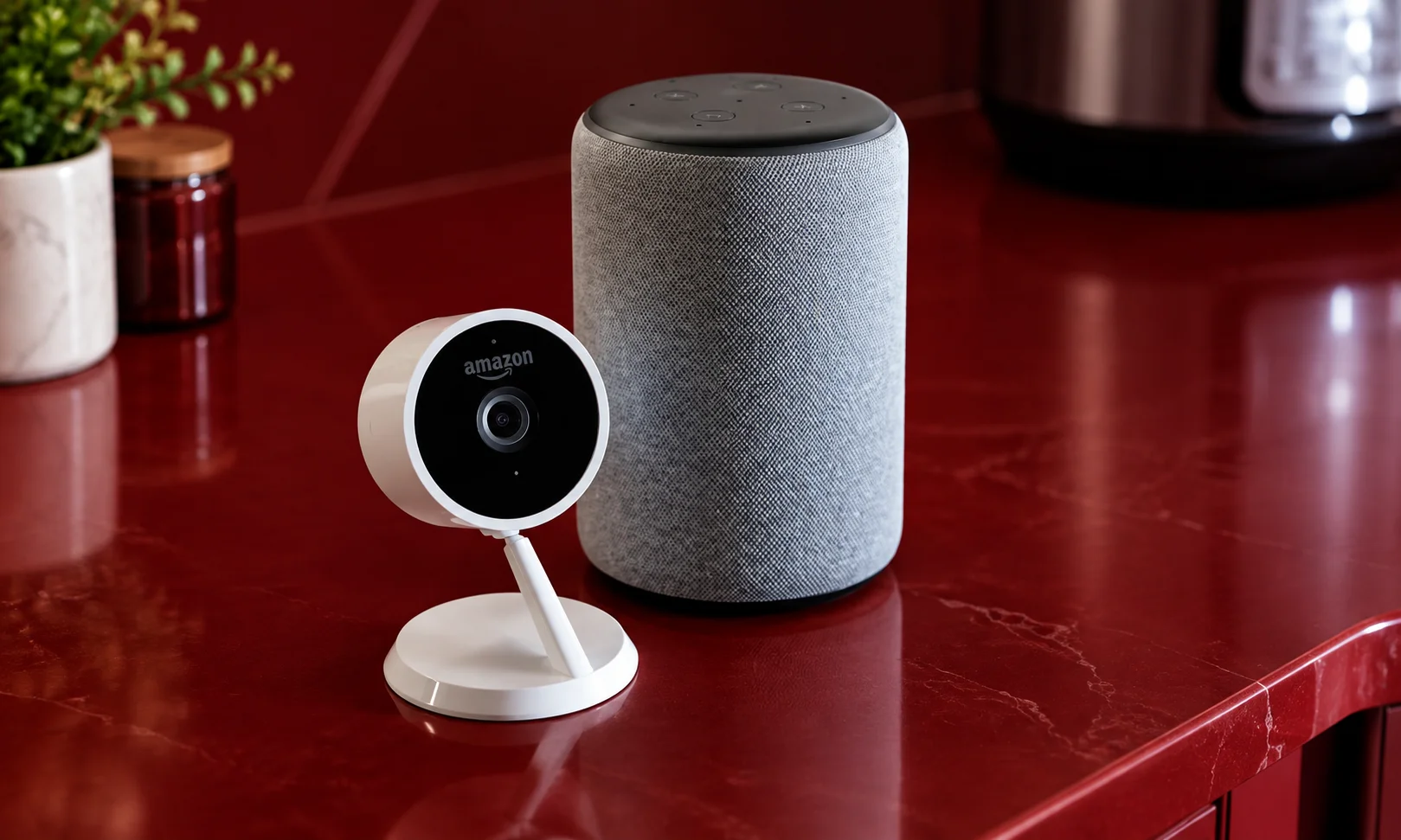
Smart home control becomes much more interesting when Alexa is connected to several devices. Instead of using Alexa as a simple light switch, you can combine devices and actions into routines.
“Alexa, dim the bedroom lights a bit.”
You can make a small adjustment without getting up.
“Alexa, did I lock the front door?”
With a compatible smart lock, Alexa can provide supported status information.
“Alexa, show me who’s at the front door.”
With a compatible camera and display, Alexa can show the camera feed.
“Alexa, start my morning routine.”
A routine can combine several actions into one request, such as adjusting lights, playing information, or controlling compatible devices.
“Alexa, I’m leaving.”
Supported Guard features can use compatible sensors and devices to help monitor for certain sounds while you are away, such as smoke or carbon monoxide alarms and breaking glass. This is an additional smart home feature, not a replacement for a dedicated security system.
The real benefit of smart home routines is that you can control several things with one request instead of giving separate commands for every device.
Alexa Commands for Fun and Games
Not every Alexa command needs to make you more productive. Sometimes you just want something entertaining for a few minutes.
“Alexa, beatbox for me.”
“Alexa, sing me a song.”
“Alexa, let’s play trivia.”
“Alexa, flip a coin for me.”
These commands show another side of Alexa. You can use it for casual entertainment, family activities, or simply try something unexpected when you are bored.
How to Talk to Alexa Naturally
You do not normally need to memorize the exact sentences in this guide. Think about what you want and ask for it in a way that feels natural. For example, instead of trying to remember a fixed command for a cooking task, you can explain what you need. Adding details such as a person’s name, a time, a location, a duration, or a specific device can help Alexa understand the request more clearly.
This also makes Alexa easier to use because you do not have to think about commands as a special language. You can treat them more like short conversations. If Alexa does not understand something, try saying the request in a simpler way. If a feature still does not work, check whether your device, account, connected service, Skill, or smart home equipment supports it.
Why Some Alexa Commands May Not Work
Not every Alexa command works for every person. Some features require a particular Alexa device. Others depend on a connected service, Skill, calendar, shopping account, smart home product, or regional support. For example, a command involving a camera obviously needs a compatible camera and display.
A calendar request requires a supported calendar connection. Shopping functions can also vary by country and account. This is why two people can say the same Alexa command and get different results. Before assuming that Alexa cannot do something, check whether the feature is supported by your device and whether the required service has been connected.
20 Alexa Commands Worth Remembering
If you do not want to remember the entire list, start with these:
- “Alexa, what did I miss?”
- “Alexa, turn on whisper mode.”
- “Alexa, turn on follow-up mode.”
- “Alexa, set a sleep timer for 30 minutes.”
- “Alexa, should I carry an umbrella today?”
- “Alexa, what’s happening in the news today?”
- “Alexa, is there heavy traffic on my way to work?”
- “Alexa, how do you say hello in Spanish?”
- “Alexa, what’s 25 percent of 800?”
- “Alexa, what’s the score of the game right now?”
- “Alexa, can you find me a chicken curry recipe?”
- “Alexa, what can I use instead of butter?”
- “Alexa, track my Amazon order.”
- “Alexa, what’s still on my shopping list?”
- “Alexa, play music in every room.”
- “Alexa, what song is this?”
- “Alexa, send an announcement to all my speakers.”
- “Alexa, did I lock the front door?”
- “Alexa, start my morning routine.”
- “Alexa, let’s play trivia.”
Our Editorial Approach to Alexa Commands
At BrandClickX, we focus on Alexa commands that people can actually use in everyday situations instead of filling the article with basic or repeated requests.
We review how different commands work across areas such as daily tasks, cooking, shopping, communication, entertainment, travel, and smart home control. We also explain when a command may depend on a compatible device, connected service, account, Skill, or location so readers do not assume every feature will work the same way for everyone.
Our goal is to keep the information simple, practical, and easy to follow while helping readers understand how to speak to Alexa naturally.
Conclusion
Alexa becomes much more useful when you move beyond the commands you already know. It can help with small jobs around the house, answer quick questions, help while you cook, manage shopping tasks, provide sports and news updates, handle communication, and control compatible smart home devices.
The best part is that you do not need to speak like a robot. Start with what you want to accomplish and say it naturally. Add the details that matter, such as who, when, where, or which device you mean.
Some features will depend on your Alexa device, account, location, connected services, and smart home setup. But once you know what your setup supports, you may find that Alexa can take care of many small tasks that you normally do by hand.
FAQs
Do I always need to say “Alexa” before every command?
Usually, yes. Alexa needs its wake word to know when you are speaking to it. However, follow-up mode can allow you to ask another question for a short period without repeating the wake word. You can also change the wake word through supported device settings.
What is whisper mode?
Whisper mode allows Alexa to respond quietly when you speak to it quietly. It can be useful when someone is sleeping or when you want to keep the volume down. You can ask Alexa to turn whisper mode on or off.
What does Alexa Guard actually do?
Supported Guard features can monitor for certain sounds while you are away, including smoke or carbon monoxide alarms and breaking glass. Alexa can send an alert when supported activity is detected. It should be treated as an additional smart home feature rather than a replacement for dedicated security equipment.
Can I create my own Alexa routines?
Yes. Alexa routines can combine multiple supported actions and let you trigger them with a phrase or another supported trigger. For example, one routine can control lights, audio, and other compatible smart home devices instead of requiring several separate commands.
Does Alexa work without the internet?
Alexa generally needs an internet connection for its main voice assistant features. Some basic functions may continue to work locally on certain devices, but normal Alexa requests usually depend on an internet connection.
Why does an Alexa command work for someone else but not me?
Alexa features can depend on the device you own, your account, location, connected services, Skills, and smart home equipment. If a command does not work, check whether the required feature or service is available and properly connected to your setup.