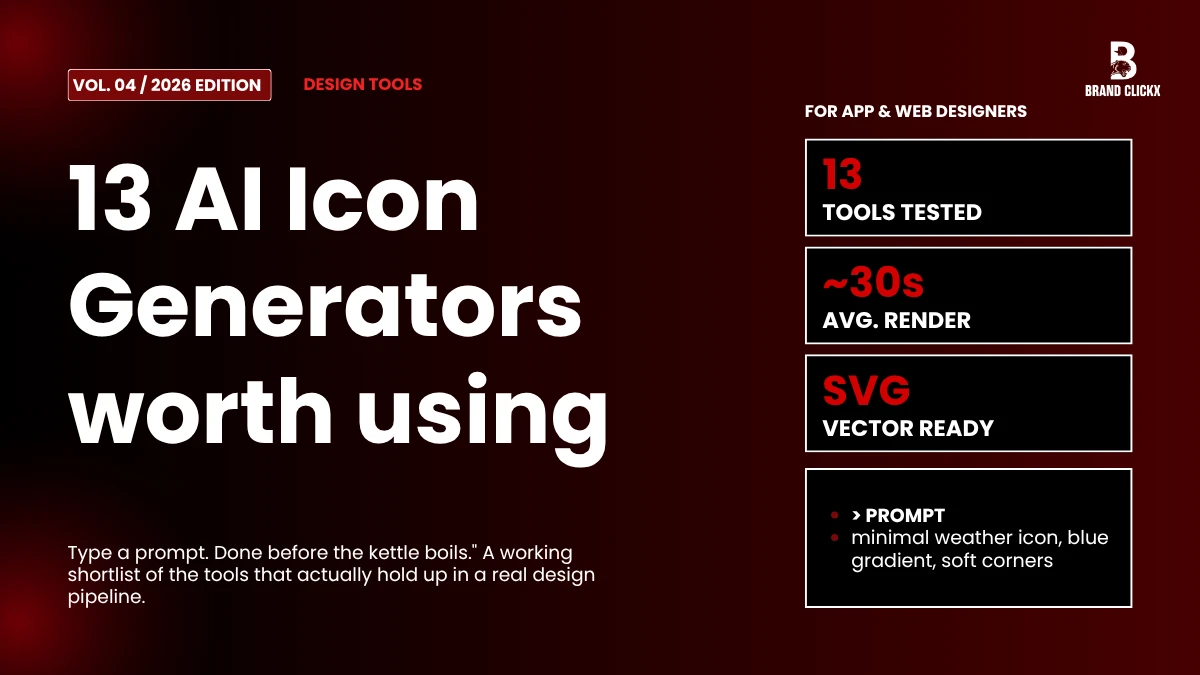
Picking the right AI icon generator can claw back hours of your week. There was a time when designers burned whole afternoons on vector tracing, or hunting around for assets that almost matched the brief but never quite did. Type a prompt now. Done before the kettle boils. Plenty of tools aren’t worth your time though, and what looks the same on a landing page often plays out very differently inside a real design pipeline.
What follows are 13 picks I think hold up in 2026. I dug into each for vector quality, whether full sets actually feel like they belong together, what the export options give you, and the licensing fine print most reviews skip past. Solo designer, agency lead, app developer, web team, something in here will land for you.
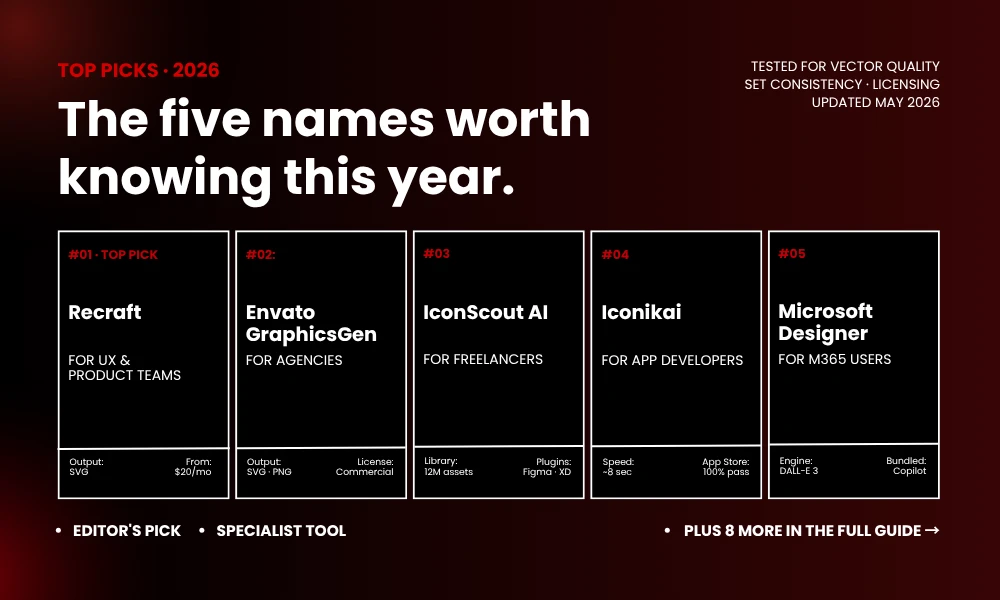
An AI icon generator is a tool that converts text prompts into scalable icons for app, web, and brand work. The names worth knowing in 2026 are Recraft, Envato GraphicsGen, IconScout AI, Iconikai, and Microsoft Designer.
Three things really separate the pros from the rest: clean SVG output you can scale freely, set-level style consistency that doesn’t fall apart, and commercial rights that hold up under client scrutiny. Free tiers exist almost everywhere now. Paid options usually run $10 to $30 monthly and unlock things like batch generation, watermark removal, and licensing for teams.
What an AI Icon Generator Actually Does
Imagine a translator fluent in design. You feed it “minimal weather icon, blue gradient, soft corners,” and several versions appear in seconds. Decent engines grasp the unwritten rules that make an icon work, not just look pretty: clean geometry, a centered composition, readability down at 16 pixels, and a sense of harmony when you line up the whole set side by side.
General image generators are pretty bad at this, by the way. They reach for texture, depth, atmosphere, the exact stuff that wrecks an icon at thumbnail size. Specialised AI icon generator tools are trained on icon datasets specifically, which is why their output stays simple and balanced instead of veering into mini digital paintings.
Why Designers Are Switching
A few things keep coming up in design Slacks, Discords, and quiet group chats:
- Speed. A six-icon set goes from a three-hour grind to about half a minute.
- Iteration cost. Different style direction needed? Rewrite the prompt. Nothing to redraw.
- Consistency. Sets stay locked to one style without anyone manually policing it.
- Cost. Per-icon freelance rates land between $15 and $50. Most AI tools sit at a flat monthly fee.
Quality used to be the real catch. Mostly resolved at this point, at least with the better names.
The 13 Best AI Icon Generators in 2026
1. Recraft
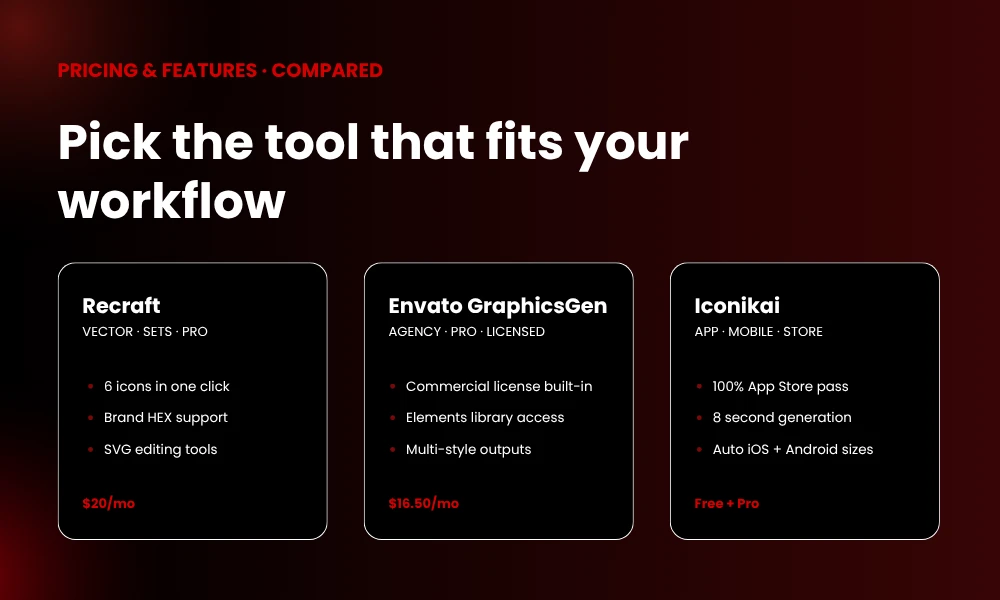
Most designer shortlists this year start with Recraft. Six related icons come out of one click, sharing a single style throughout. Pick a preset, build your own from a reference image, or feed in HEX codes if brand colours are non-negotiable.
Quality genuinely lands at production level, not just demo-friendly. SVGs export clean, the editor goes deep, iteration feels quick. Pro plans kick in at $20 a month, with a free tier worth running through first.
Best for: UX teams and product designers who want cohesive icon sets in one sitting.
2. Envato GraphicsGen (AI Icon Maker)
This is the benchmark right now for serious icon work, in my opinion. It hooks straight into Envato Elements, so generated icons sit alongside matching templates, fonts, and other vectors you might pull in.
The licensing piece is where it pulls ahead. Envato’s commercial license covers every icon, which is an actual relief on agency work where one bad asset audit can wreck a project. Vector quality? Top tier. Style range? Wide enough to cover everything from frosted bubbles to terracotta risograph if you don’t want default-corporate.
Best for: Agencies and presentation designers who need icons that come pre-cleared for client work.
3. IconScout AI
IconScout pairs a 12-million-asset library with AI generation built in, which is unusual at this scale. Type what you want, vectors come out, then you tweak colours and shapes in the browser before exporting. Plugins for Figma, Adobe XD, Sketch, and PowerPoint drop the asset straight into your file with no download dance.
There’s also an AI Vectorizer that turns raster images into clean SVGs, which has personally saved me cash on a standalone tool that did just that. Every AI icon comes with full commercial rights, and IconScout is firm that contributor content isn’t fed into training.
Best for: Freelancers, marketers, and small agencies done with juggling four or five subscriptions.
4. Iconikai
Iconikai trained its model specifically on app store icons that actually performed, and you can feel it in the output. Generation lands around eight seconds. Files come out as PNG, SVG, and ICO with auto-sizing across every iOS and Android dimension you’d ever submit.
In hands-on testing across hundreds of icons, Iconikai cleared App Store Connect validation 100% of the time. No other tool managed a perfect score. Five generations a day on the free tier is enough to seriously evaluate it.
Best for: iOS and Android devs who want store-compliant icons without a designer on retainer.
5. Microsoft Designer
Underneath, this is DALL-E 3 with icon-specific templates layered over the top. The “Icon” template handles geometric simplification, centered composition, and limited palettes for you, which keeps results from drifting into illustration territory.
Word, PowerPoint, and Photos integration matters a lot if you live in Microsoft 365 already. Credits roll over monthly inside the broader Copilot allowance, so there’s no second subscription to track.
Best for: Microsoft 365 subscribers wanting icons inside the apps they already use daily.
6. Adobe Firefly
For anyone already paying for Creative Cloud, Firefly is the obvious pick. It’s wired into Illustrator, Photoshop, and Express. The image-to-image feature lets you drop in a logo as reference, and Firefly works new icons around that existing visual identity.
It’s bundled with the All Apps plan, so no extra spend if you’re already in the ecosystem. Output quality stays consistent and the integration depth is, honestly, hard to match if Adobe is your daily driver.
Best for: Working designers already living inside Creative Cloud.
7. Canva AI
Canva wins almost entirely on accessibility. The interface walks non-designers through the prompt and styling, which suits quick projects fine. Output works for slide decks, social posts, and the kind of small business branding work where speed matters more than vector purity.
Vector control is shallower than the pro tools, and licensing depends on which Canva tier you’re paying for. Building a structured design system or shipping commercial UI? Skip it and grab something else off this list.
Best for: Beginners, marketing teams, and anyone outside the design world needing visuals fast.
8. Midjourney
Different beast entirely. Highest artistic quality on the list, no question, but it isn’t built for icon work. Strong prompt engineering pulls out distinctive icons that template-based tools won’t get near.
The “Vary” function lets you spin alternates from a base icon. Free generations stay public by default though, which is a real problem for proprietary brand work unless you upgrade for the privacy.
Best for: Designers chasing creative concepts and willing to invest in prompt skills.
9. Appicons.ai
This one’s pointed straight at app icon work. Describe your app concept, get multiple polished options sized for App Store and Play Store submission, and commercial rights come standard on paid plans.
It also handles the technical small print: alpha channels, corner radius, 1024×1024 output, all automatic. That’s real time saved compared to wrestling general-purpose AI into store compliance manually.
Best for: Indie developers and small studios shipping mobile apps without a design team.
10. IconifyAI
IconifyAI throws its weight behind app icons and clean interface graphics. Prompt-based generation produces consistent output across mobile and web contexts. Watermarks ship with the free tier. Paid plans at $15 to $30 monthly clear them out and add commercial licensing.
Output style sits modern, minimal, and slightly playful, which lands well in SaaS branding and consumer apps where personality counts.
Best for: Mobile and SaaS designers who want a tight, focused icon tool.
11. Freepik AI
Freepik baked AI generation into its huge stock library. Mix AI icons with millions of stock vectors, illustrations, and photos in one workspace. Commercial licensing kicks in on paid plans.
Output quality is more uneven than dedicated tools, I’ll be honest. That said, if Freepik is already in your stack for stock content, the AI layer is solid added value with no extra spend.
Best for: Designers already subscribed to Freepik for stock work.
12. SVGMaker
SVGMaker has one job and does it without fuss: prompt to clean, editable SVG. Output scales properly and ships ready for production. Batch generation creates related icons in one go, which keeps the set looking like a set without manual work.
Free tier hands you six daily credits. Premium starts at $10 a month. Paid plans get you full commercial rights.
Best for: Developers and product teams building whole icon systems on a tight budget.
13. Icon Generator AI
Simple and credit-based, no surprises. Every icon exports at 1024×1024 PNG, ready for stores, websites, favicons, print, whatever. Plain-language prompts plus type, style, and colour preset controls.
Per-dollar pricing is more generous than several names on this list. None of those $10-for-10 credit tricks, just a flat allowance you actually use.
Best for: Developers who want a steady, affordable icon pipeline without subscription bloat.
How to Pick the Right Tool
Three questions narrow it down quickly:
- Vector or raster output? SVG is the answer for design systems or anything needing to scale. PNG is fine for app store submissions and one-off use.
- Single icon or a full set? Set generators like Recraft and Envato handle consistency on autopilot. Single-icon tools work fine when one is all you need.
- Licensing situation? Client work and commercial products need clean rights. Free tiers often restrict commercial use or push attribution links on you.
Run those three filters and your shortlist gets short fast. Match the tool to your actual workflow, not whichever brand shouted loudest on Product Hunt this month.
Quick Tips for Better AI Icon Output
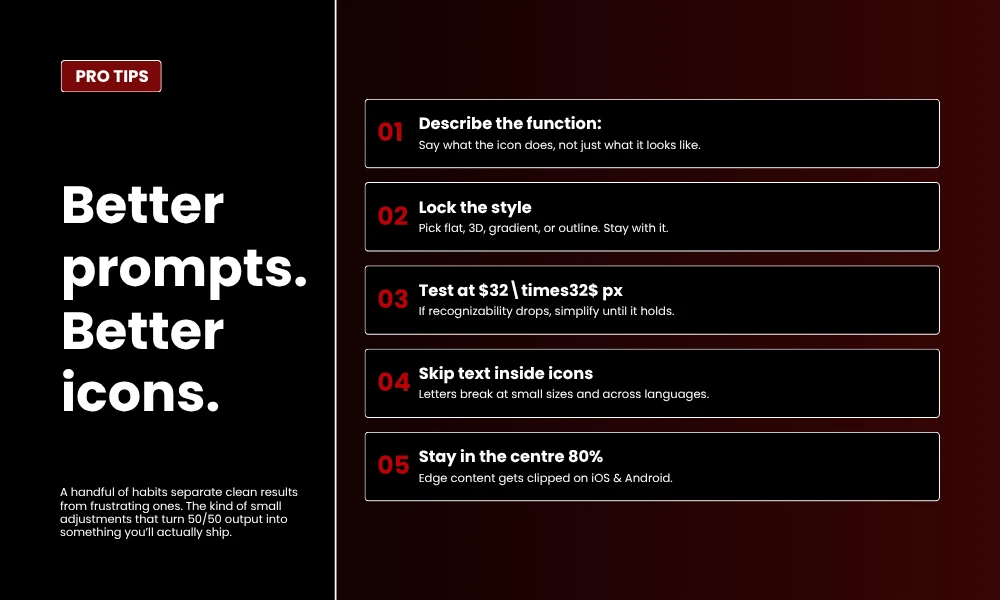
A handful of habits separate clean results from frustrating ones:
- Describe what the icon does, not just what it looks like. “Weather app icon showing partly cloudy skies” beats “blue cloud” every time.
- Lock the style down before generating. Pick flat, 3D, gradient, or outline. Stay with it across the set.
- Test at 32×32 pixels. If recognizability drops off, simplify until it holds.
- Skip text inside icons. Letters go unreadable at small sizes and break across languages anyway.
- Keep the important stuff inside the centre 80% of the canvas. iOS and Android crop differently per device, and edge content gets clipped.
What’s Coming Next
Icon generation is moving past plain text prompts. “Vibe coding” is starting to show up, where designers feed in mood boards or whole brand guideline documents as input. The tool reads colours, typography, and visual style off that, then produces a cohesive icon set without per-icon prompt engineering.
Image-to-image is also getting noticeably sharper. Drop in an existing logo or reference, the AI builds new icons aligned with that identity. For established brands, that’s a much bigger deal than starting from a blank prompt every single time.
Frequently Asked Questions
Is there a free AI icon generator that works for commercial use?
Yes, several. SVGMaker, Iconikai, and Recraft all run free tiers with commercial rights attached, daily generation caps aside. IconScout AI gives you free generations with commercial use as well, and Microsoft Designer credits come bundled with any Microsoft 365 subscription you might already have.
Which AI icon generator produces the best vector SVG output?
Recraft and IconScout AI are the two leaders on vector quality right now. Both export clean, editable SVGs that scale without losing fidelity. Envato GraphicsGen and SVGMaker push out strong vector work too.
Can I match AI-generated icons to my existing brand style?
You can, yes. Adobe Firefly, Recraft, and IconCraft accept reference images or logo uploads and produce new icons aligned with that style. Recraft also takes brand HEX codes directly for accurate colour matching.
How fast does an AI icon generator actually produce icons?
Most tools sit somewhere between 5 and 30 seconds. Iconikai averages around 8 seconds for app icons. Recraft turns out a six-icon set in roughly 30 seconds. Midjourney runs 30 to 60 seconds depending on server load.
Are AI-generated icons accepted on the App Store and Google Play?
They are, provided they meet the technical specs. App Store wants 1024×1024 PNG with no transparency, Play Store listings want 512×512 PNG. Specialised tools like Iconikai and Appicons.ai handle those requirements without you thinking about it.