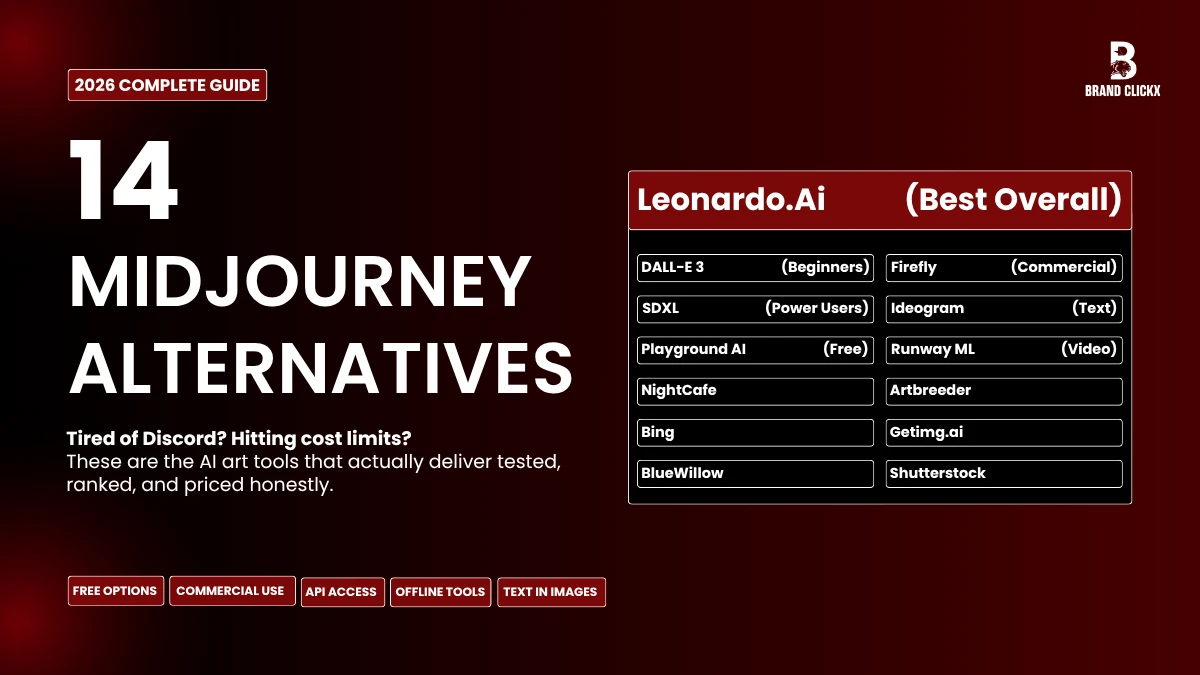
Let me say something unpopular before this list starts: Midjourney is great, and there’s a reason so many people still use it, but more users are now exploring Midjourney alternatives. Actually, it was great. Not marketing-copy great, genuinely impressive in ways that took real effort to build. If you’re using it and it’s working for you, there’s no shame in that.
But a lot of people using it are tolerating things they don’t need to tolerate. Discord as your primary workspace. Costs that keep nudging upward. Outputs that all carry that same unmistakable Midjourney look, beautiful, sure, but recognizable. Sometimes you need something that doesn’t look like Midjourney made it.
I tested all of these for real work. Not demos, not cherry-picked examples from product pages. Actual usage, across months, for different kinds of projects. Here’s what I found.
So Why Are People Actually Leaving Midjourney?
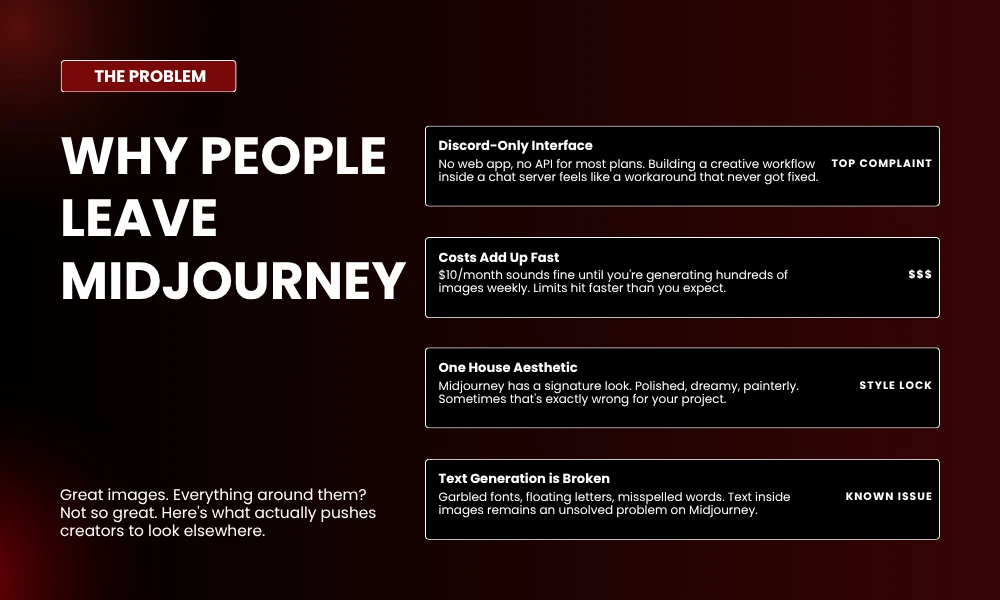
The images aren’t the problem. V7 output is stunning and I’m not going to pretend otherwise.
What’s pushing people toward Midjourney alternatives is everything else. Discord still being the only real interface in 2026 is strange. It made sense early on. It doesn’t anymore. For anyone who needs API access or a clean browser-based app, working inside a chat server feels like a workaround that never got fixed.
Pricing is the other thing. Ten dollars a month sounds reasonable. It stops sounding reasonable when you’re generating hundreds of images a week and constantly watching your limit tick down.
And then there’s the style issue. Midjourney has a house aesthetic. Polished, painterly, slightly dreamy. That’s exactly wrong for plenty of projects, things that need vector art, or stock-photo realism, or something that matches a specific visual identity rather than Midjourney’s default one.
The tools below each solve something Midjourney doesn’t.
The 14 Best Midjourney Alternatives—Ranked by What They’re Actually Good At
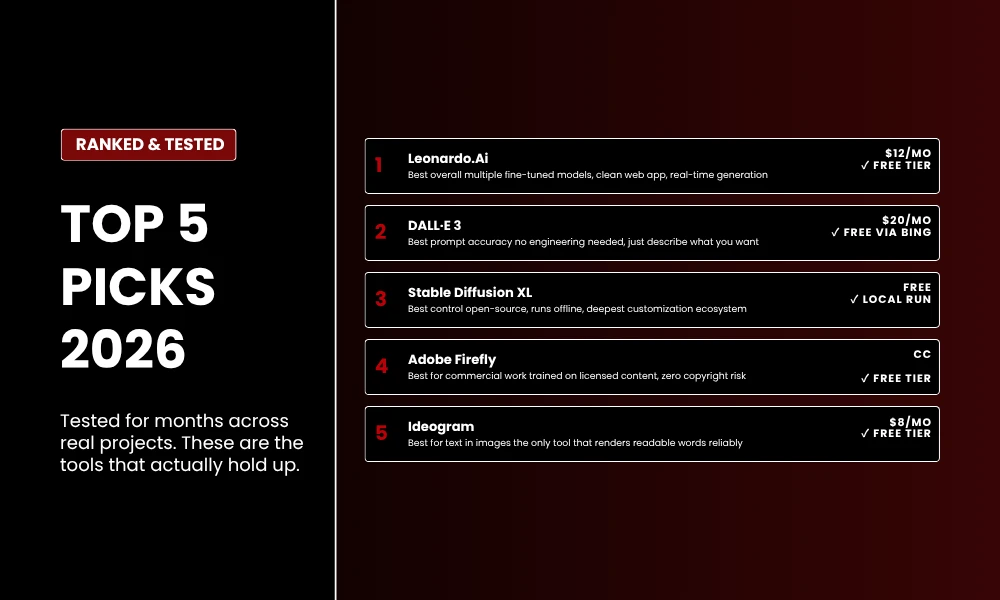
1. Leonardo.Ai – Best Overall
Leonardo started as a game asset tool. Most people don’t know that. It explains a lot about why it handles diverse visual styles without breaking down the way more narrowly focused platforms do.
The model selection is genuinely useful. DreamShaper for artistic work. Absolute Reality when you need photorealism. Separate anime engines for that specific niche. The web interface stays out of your way—nothing cluttered, nothing that makes you hunt for basic options. In painting and outpainting work on the canvas without much fiddling. Real-time generation, where you watch the image build as you type, sounds like a gimmick until you use it for a few hours and realize you’ve stopped using anything else.
Pricing: Free plan covers 150 daily tokens. Paid plans around $12/month.
Best for: Artists and game designers who want Midjourney-level output through an actual web app.
2. DALL·E 3 – Best Starting Point for Beginners
People sleep on DALL·E 3 because it’s been around long enough to feel old. That’s a mistake.
What it does better than anything else is actually follow the prompt. Not approximately. Not in spirit. Literally. You write “a red bicycle leaning against a blue Victorian house with sunflowers in the garden” and that’s what shows up. No wrestling with prompt syntax, no five attempts to get close. It’s built into ChatGPT Plus and Microsoft Copilot, so if you’re paying for either of those, you already have it.
Pricing: Comes with ChatGPT Plus ($20/month). Free through Bing Image Creator with daily limits.
Best for: Writers and marketers who need accuracy over artistic interpretation.
3. Stable Diffusion XL – Best for Power Users
This is the one tool on the list that does whatever you actually tell it to. No house style, no creative restrictions, no waiting on a company to ship a feature you need.
It’s open-source. You can run it locally. The ecosystem around it—LoRAs, custom checkpoints, ControlNet for controlling poses and depth—goes deeper than anything a closed platform offers. SDXL image quality competes directly with Midjourney. With a refiner model on top, the detail gets seriously impressive. The trade-off is real: there’s a learning curve, and setup takes time.
Pricing: Free if you run it on your own hardware. Cloud options like RunDiffusion run $0.50–$2/hour.
Best for: Technical users who want to own the entire pipeline, not rent access to someone else’s.
4. Adobe Firefly – Best for Commercial Licensing
Most AI image tools come with a question mark around ownership and licensing. Adobe didn’t leave that question open.
Firefly was trained on Adobe Stock content, openly licensed work, and public domain material. Outputs come with clear terms. You can use them commercially without legal second-guessing. Beyond that, it does image generation, background extension, object removal, and text effects. Photoshop, Illustrator, and Express integration means assets go straight into existing workflows. If you’re in the Adobe ecosystem already, it fits without friction.
Pricing: 25 free generative credits per month. Full access through Creative Cloud.
Best for: Designers and agencies who need commercially safe assets, full stop.
5. Ideogram – Best for Text Inside Images
Every AI image generator handles text badly. It has been the industry’s standing joke for years—garbled fonts, letters that drift apart, misspellings on things that otherwise look polished and professional.
Ideogram is the exception. Before I tested it I was skeptical. After testing it, I use it specifically for any image that needs readable words in it. Logos, event posters, book covers, social graphics with copy on them. The consistency isn’t perfect but it’s genuinely far ahead of everything else.
Pricing: Free tier available. Paid from $8/month.
Best for: Graphic designers and marketers creating text-forward visuals.
6. Playground AI – Best Free Plan
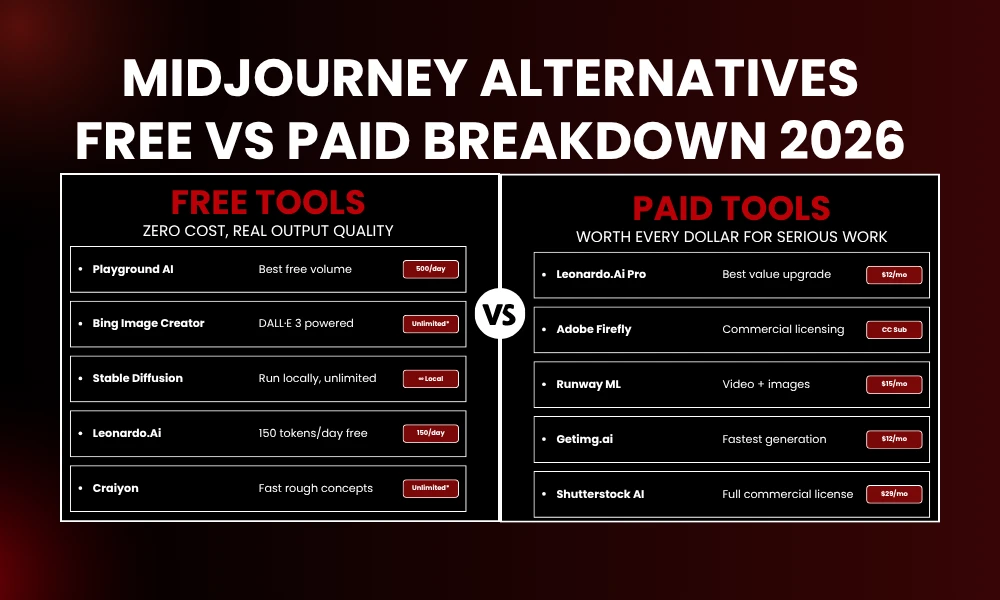
Five hundred images per day. No watermark. No credit card.
That’s what Playground AI offers on the free plan and I still don’t think enough people know about it. Stable Diffusion models run behind a web interface that doesn’t require any technical knowledge. Outpainting, mixed image editing, multiple models including SDXL and Playground’s own v2.5—all accessible without writing code. For anyone who wants to do real AI image generation work without paying for it upfront, start here.
Pricing: 500 free images daily. Pro at $15/month for higher resolution and uncapped usage.
Best for: Students, hobbyists, and heavy users testing before they commit to a subscription.
7. NightCafe – Best for Community
NightCafe is the only platform here where the community is actually part of the product design, not just a Discord server someone attached to a website.
Daily challenges, themed contests, credit earning through participation, the ability to remix other people’s work—it creates reasons to come back that have nothing to do with getting a specific image done. If you like making things with an audience watching and responding, this is the Midjourney alternative built for that. Multiple algorithm support (Stable Diffusion, DALL·E, Neural Style Transfer) gives you options. The evolve feature, which lets you refine an image through iterations, suits people who think through ideas gradually.
Pricing: Credit-based. Plans from $4.79/month for 100 credits.
Best for: Creators who want feedback, competition, and a community around their work.
8. Bing Image Creator – Best for Zero Budget
Nothing to install. Nothing to pay. Just a Microsoft account.
Bing Image Creator runs on DALL·E 3 and the free access is genuine—not a trial, not a limited window before the paywall. The Designer integration turns generated images into social graphics, invitations, or finished posts without extra tools. Boosts that speed up generation refill weekly. For casual use or small businesses operating on tight budgets, this is hard to argue against.
Pricing: Free. Boosts refill weekly.
Best for: Casual users and small businesses with no image budget at all.
9. Craiyon – Best for Fast, Rough Concepts
Craiyon isn’t competing with anyone on this list for quality. It’s not trying to. It went viral in 2022 as DALL·E mini and it’s still the fastest way to get a rough visual idea out of your head and onto a screen.
Use it for brainstorming. Use it when you need something quick to show a client directionally. Use it for whatever goes in the group chat. Don’t expect production-ready output—you won’t get it—but for low-stakes quick generation, nothing is faster or simpler.
Pricing: Free with ads. $5/month removes ads and cuts wait times.
Best for: Rapid brainstorming and directional concepts.
10. Artbreeder – Best for Character Consistency
Artbreeder doesn’t use text prompts in the traditional sense. You blend images together using sliders. Age, expression, gender presentation, artistic style—all adjustable with precision. It’s less like describing a scene and more like tuning parameters.
Pricing: Free tier with 10 monthly credits. Paid at $8.99/month.
Best for: Authors, game developers, and character designers who need visual consistency.
11. Runway ML – Best for Images and Video Together
Runway is the only tool here that works across still images and motion without making you switch platforms halfway through a project.
Background removal, motion tracking, infinite image expansion, and video generation all live together. The Gen-2 video model is the most capable AI video tool consumer-level budgets can currently access. If you’re working on anything that spans static assets and moving footage, the platform difference matters. Runway removes it.
Pricing: Free tier with 125 credits. Standard at $15/month.
Best for: Video creators and multimedia artists who don’t want to context-switch between tools.
12. BlueWillow – Best for Discord Users Who Want to Spend Less
BlueWillow runs almost identically to Midjourney. Same slash commands, same channel structure, same general workflow. If you’ve built habits around how Midjourney operates inside Discord and don’t want to rebuild them, the transition here is minimal.
Quality is close to Midjourney. Not quite at the same level. For most casual or mid-level use cases, that difference won’t be the deciding factor. For work where image quality is the whole point, it might matter.
Pricing: Free tier available. Paid from $5/month.
Best for: Discord-native users who want familiar workflows without Midjourney’s price.
13. Getimg.ai – Best for Speed and API Work
Getimg.ai runs on Stable Diffusion and optimizes aggressively for generation speed. Under two seconds per image. That gap adds up fast when you’re generating in bulk.
DreamBooth training lets you build custom models from your own photos or art style. The API is clean and reasonably priced, which makes it practical for developers building on top of it or running large batches. It’s underrated and not talked about as much as it should be.
Pricing: Free tier includes 100 monthly credits. Paid from $12/month.
Best for: Developers and anyone running high-volume image generation jobs.
14. Shutterstock AI – Best for Commercially Licensed Stock
Shutterstock trained their generator on their own ethically sourced library and attached a standard Shutterstock license to every output. Commercial use is covered, clearly, without ambiguous fine print.
Outputs look like stock photography. That’s intentional—it’s what they’re built to produce. For corporate marketing, decks, and business content where that visual register is exactly right, it fills the gap well.
Pricing: Subscription-based from around $29/month.
Best for: Corporate teams that need licensed visuals fast without legal uncertainty.
Quick Comparison: All 14 Tools Side by Side
| Tool | Best For | Starting Price | Free Tier? |
|---|---|---|---|
| Leonardo.Ai | Overall quality | $12/mo | Yes (150 tokens/day) |
| DALL·E 3 | Prompt accuracy | $20/mo (ChatGPT) | Yes (via Bing) |
| Stable Diffusion XL | Full control | Free local / ~$1/hr cloud | Yes |
| Adobe Firefly | Commercial licensing | CC subscription | 25 credits/mo |
| Ideogram | Text in images | $8/mo | Yes |
| Playground AI | Volume on free plan | $15/mo | 500 images/day |
| NightCafe | Community | $4.79/mo | Yes (credits) |
| Bing Image Creator | Zero budget | Free | Yes (boost-limited) |
| Craiyon | Quick concepts | $5/mo | Yes (with ads) |
| Artbreeder | Character consistency | $8.99/mo | 10 credits/mo |
| Runway ML | Video + images | $15/mo | 125 credits |
| BlueWillow | Discord workflow | $5/mo | Yes |
| Getimg.ai | Speed and API | $12/mo | 100 credits/mo |
| Shutterstock AI | Licensed stock | $29/mo | Limited trial |
Frequently Asked Questions
What is the best free alternative to Midjourney?
For output quality at no cost, Bing Image Creator is the strongest option—it runs on DALL·E 3 and requires nothing but a Microsoft account. If you need volume, Playground AI’s 500 free images per day puts it in a category of its own. Most other free tiers cap out well below that.
Is there a Midjourney alternative that doesn’t use Discord?
Most of them. Leonardo.Ai, Adobe Firefly, Playground AI, Ideogram, and DALL·E 3 all run in a browser with no Discord involved. If that’s been your main frustration with Midjourney, you have a lot of options.
Can I use these tools for commercial work?
Depends on the platform. Adobe Firefly and Shutterstock AI are the safest bets—both were built with commercial use in mind and have clear licensing. Leonardo.Ai, Playground AI, and DALL·E 3 typically allow commercial use on paid plans, but terms change, so check before publishing anything client-facing. Stable Diffusion is open-source and has no commercial restrictions, though individual custom models you download may have their own terms attached.
Which one comes closest to Midjourney’s image quality?
Leonardo.Ai and SDXL are the closest. Leonardo is easier to get running without much setup. SDXL gives you more to work with if you’re willing to configure it properly.
Final Thoughts: Which Midjourney Alternative Should You Actually Use?
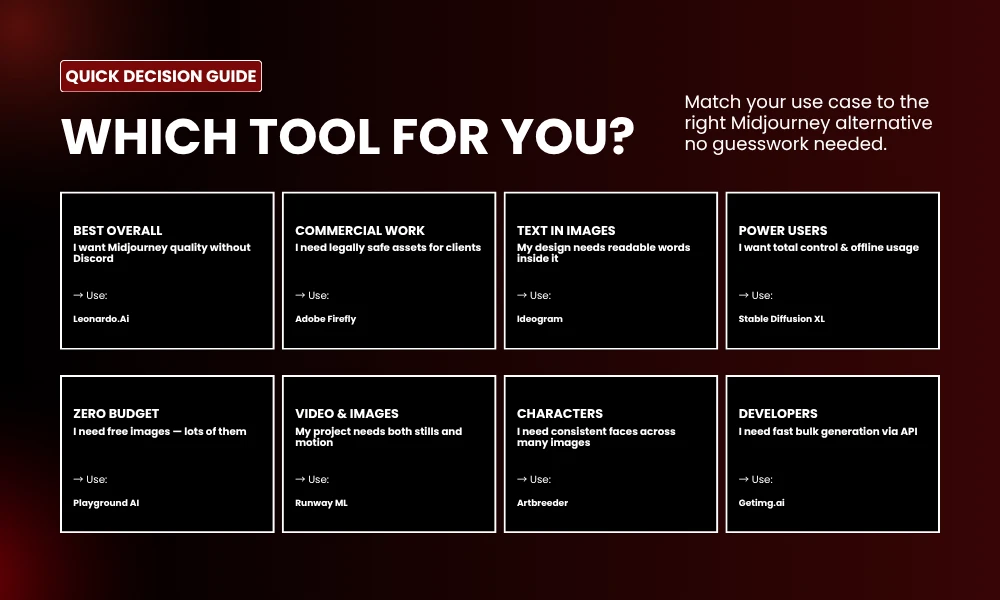
After months of hands-on testing, here’s where I land on this.
For Midjourney quality without Discord, Leonardo.Ai is the first thing to try. For commercial work where licensing has to be clean, Adobe Firefly is the responsible call—nothing else on this list gives you the same clarity. For full technical control with no restrictions, Stable Diffusion XL is worth the learning curve. For free heavy use, Playground AI or Bing Image Creator will get you further than you’d expect. For anything with text in the image, Ideogram is the only tool that consistently delivers.
No single platform covers everything well. That’s actually the point. Midjourney earned its reputation, but these alternatives prove that the best tool depends entirely on what you’re making and how you work. Use the free tiers, compare outputs for your actual projects, and stop building your process around what’s most popular when something more useful might be two clicks away.
The AI art space in 2026 is more competitive than it’s ever been. For creators, that competition is a real advantage. Use it.