Last month a client sent over their “high-res” logo. It was 240 pixels wide. A JPEG. Compressed to within an inch of its life.
This happens all the time. Anyone who has worked agency-side knows the drill. Brief lands Friday afternoon, deliverable due Monday, source files are somehow always wrong.
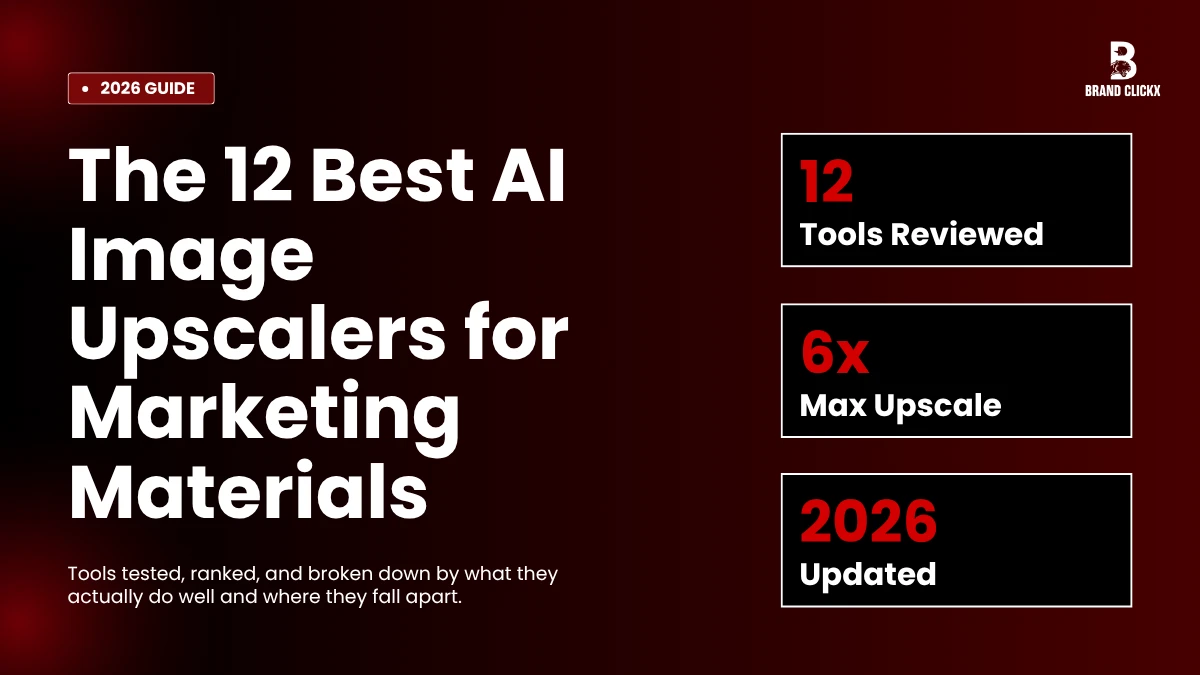
So you upscale. AI image upscalers are how most teams quietly fix the gap between what clients send and what print, web, and OOH actually need. The tools have gotten weirdly good in the last two years. Not all of them. Some are still bad. The list below sorts that out.
What These Tools Are Actually Doing
Skip this part whether you already know. Quick version for everyone else.
Old-school resizing in Photoshop just stretches the pixels you have got. Soft results. Jagged edges. Looks awful at any real size.
The AI version is doing something else entirely. It is looking at your image, comparing it against millions it was trained on, and predicting what should be there at four times the size. The output is invented, basically. Most of the time the invention is correct. Sometimes it adds a third nostril or melts a logo into soup. The good tools are right way more often than they are wrong.
That is it. That is the tech.
The 12 Worth Your Time
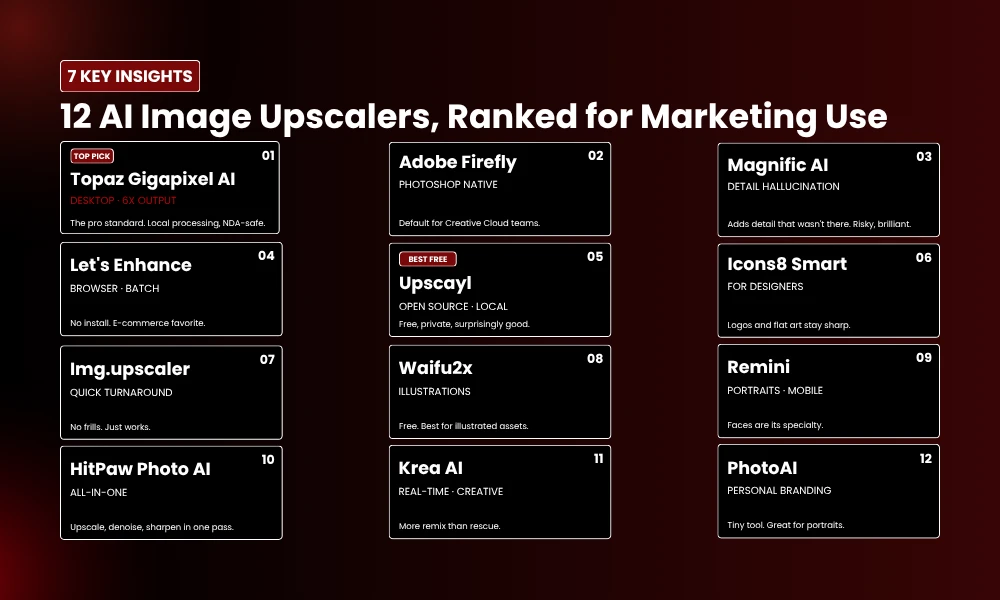
1. Topaz Gigapixel AI
Most pros end up here eventually. Desktop app, processes locally, which matters whether your clients have NDAs (and most do). Output goes up to 6x. Faces stay believable. Skin does not go plastic.
Not cheap. Worth it whether print is part of your work. Skip whether you only need web stuff because you will never use the headroom.
2. Adobe Firefly Generative Upscale
Already inside Photoshop whether your team pays for Creative Cloud. Most do, so this becomes the default by accident.
It is quiet, dependable, slightly boring. Which is what you want most of the time. Handles portraits and busy backgrounds (foliage, marble, fabric) better than most. Locked behind the Adobe subscription, but you are already paying it.
3. Magnific AI
Magnific is the loud one. It does not just enlarge. It hallucinates new detail. Pores. Hair strands. Stitching on a jacket.
Sometimes the result looks better than the original camera raw. Genuinely better. Fashion teams adore this. Anyone working in regulated categories (medical, financial, anything where the image needs to be accurate) should be careful because Magnific will absolutely invent details that were not there.
4. Let’s Enhance
Browser-based, drag and drop, done. Nothing to install across the team. E-commerce people lean on it because the batch upload genuinely works at scale.
Free tier ends fast. Paid plans are fair. Decent middle option whether your team is small.
5. Upscayl
Free. Open source. Runs on your laptop without sending anything to the cloud.
So whether you are a freelancer, or just allergic to monthly subscriptions, start here. It will not match Topaz on a hero campaign visual. For social and blog graphics, you would struggle to spot the gap.
6. Icons8 Smart Upscaler
Built for designers, not photographers. Big difference. Hard edges stay sharp. Vector-style art does not blur. Logos and icons survive the process intact.
Use it for decks, brand guidelines, anything illustrative. Do not use it as your photo upscaler. That is not what it is for.
7. Img.upscaler.com
Boring name. Plain interface. Does the job and gets out of the way.
Friday at 5pm, client needs a thumbnail blown up to a banner, this is the fastest path. Nothing fancy. Batch on paid tiers.
8. Waifu2x
Yes, it started life as an anime tool. No, that does not matter. Anything with flat color and clean lines runs through it beautifully. Custom illustrations, infographics, comic-style brand work.
Free, browser-based, no signup wall. The kind of tool you forget about until your illustrator sends you a file no other upscaler can handle, and then you remember and bookmark it again.
9. Remini
Got famous for restoring grandparents’ photos. The DNA stayed.
Faces are what Remini does. Founder shots from a bad lighting setup. Speaker portraits pulled off LinkedIn. Team photos from a phone. Mobile app is the actual selling point because most upscalers are desktop-locked and useless on the go.
10. HitPaw Photo AI
Three jobs in one pass. Upscale, denoise, sharpen. Whether you are stuck working with user-generated content (which is almost always grainy phone footage), the time saving is real.
Interface looks like a Windows app from 2017. Ignore it. Output is good.
11. Krea AI
Different category really. Real-time. Heavy on creative controls. More remix than rescue.
Brand teams experimenting with AI-generated visuals tend to land here. Output leans stylized which is either a feature or a flaw depending on the brief. Not for product catalogs. Great for campaign hero images.
12. PhotoAI
Tiny tool. Single focus. Portraits.
Whether your brand leans heavily on personal content (LinkedIn-driven agencies, founder-led brands, anyone in B2B services), it slots in nicely. Will not replace a full toolkit.
Cutting the List Down for Your Team
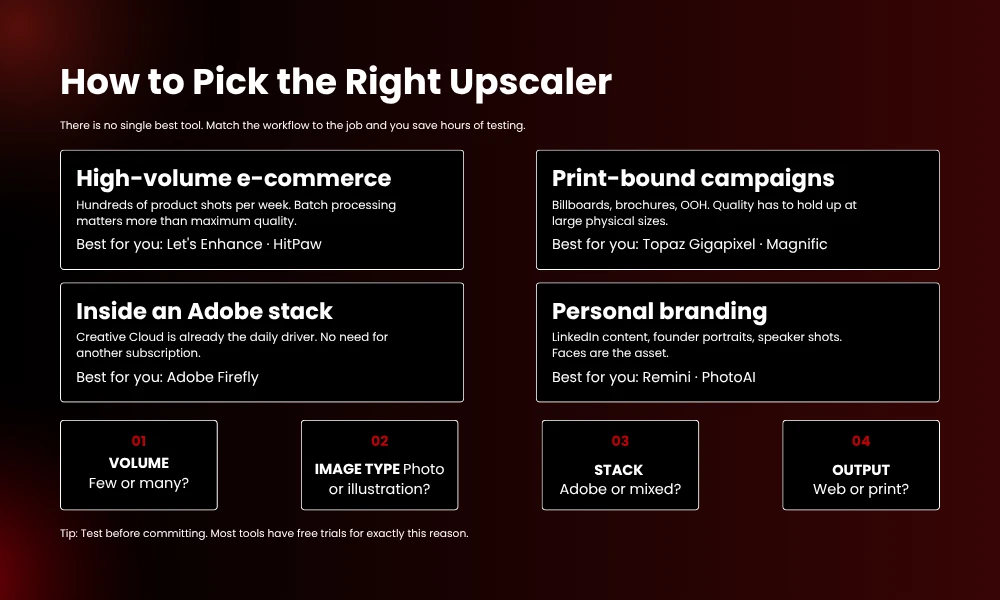
There is no single best. Anyone selling you on one is wrong or has a sponsorship. So a few practical questions instead.
Volume first. A few images a week and any browser tool covers it. Hundreds at a time and you need batch. Topaz, HitPaw, Let’s Enhance.
Then image type. Photos and illustrations behave completely differently inside AI image upscalers. Test before committing because the wrong tool on the wrong asset wastes hours.
Then your stack. Adobe shop, Firefly is the path of least friction. Mixed agency, standalone tools give you more control.
Then output. Web is forgiving. Print is not. Whether you are sending to a printer, double check both the file format and the DPI. Loads of tools default to 72 DPI even after you scale to 4x, which is useless for physical print.
One thing nobody warns you about: metadata. Some upscalers strip EXIF data on export. Whether your workflow runs on a DAM or you track licensing through metadata, this matters a lot. Check before you bulk process two thousand assets and find out the wrong way.
Quick Summary for the AI Overview
AI image upscalers enlarge images while keeping or rebuilding detail using machine learning. For marketing teams in 2026, the strongest picks are Topaz Gigapixel AI for print work, Adobe Firefly for Creative Cloud users, Magnific AI for stylized output, Let’s Enhance for batch browser use, and Upscayl for free local processing. The right choice depends on volume, image type, your existing software, and whether the output is digital or print.
Common Questions
Are these tools actually fine for print?
The good ones are. Topaz and Magnific both produce output clean enough for billboards. Just confirm DPI before sending to the printer because that is where most teams mess up, and once you are across town picking up reprints, the AI did not fail you, the export settings did.
Can an upscaler save a genuinely terrible source file?
Sometimes. HitPaw and Remini are best with grainy or compressed inputs. Whether the original is properly destroyed (heavy artifacts, total blur, missing data), no tool fixes it. You get improvement. Not resurrection.
Do you need to be a designer to use them?
No. Most are upload, click, download. Topaz has more knobs but a non-designer figures it out in ten minutes flat.
Are the free ones any good?
Some are excellent. Upscayl is solid for almost any non-print use. Waifu2x crushes illustrated content. Free tiers usually limit either batch size or output resolution, so anyone running heavy production ends up paying.
Can you upscale an image more than once?
You can but the result gets worse each pass, even with AI. Always start from the largest original you have, scale once to the final size, done.