You spend an afternoon preparing a video. You organize your thoughts, check the recording, make the edits, and finally publish it. By the following morning, you are already wondering what to post next.
Meanwhile, that finished video may contain several useful ideas that most people have never seen.
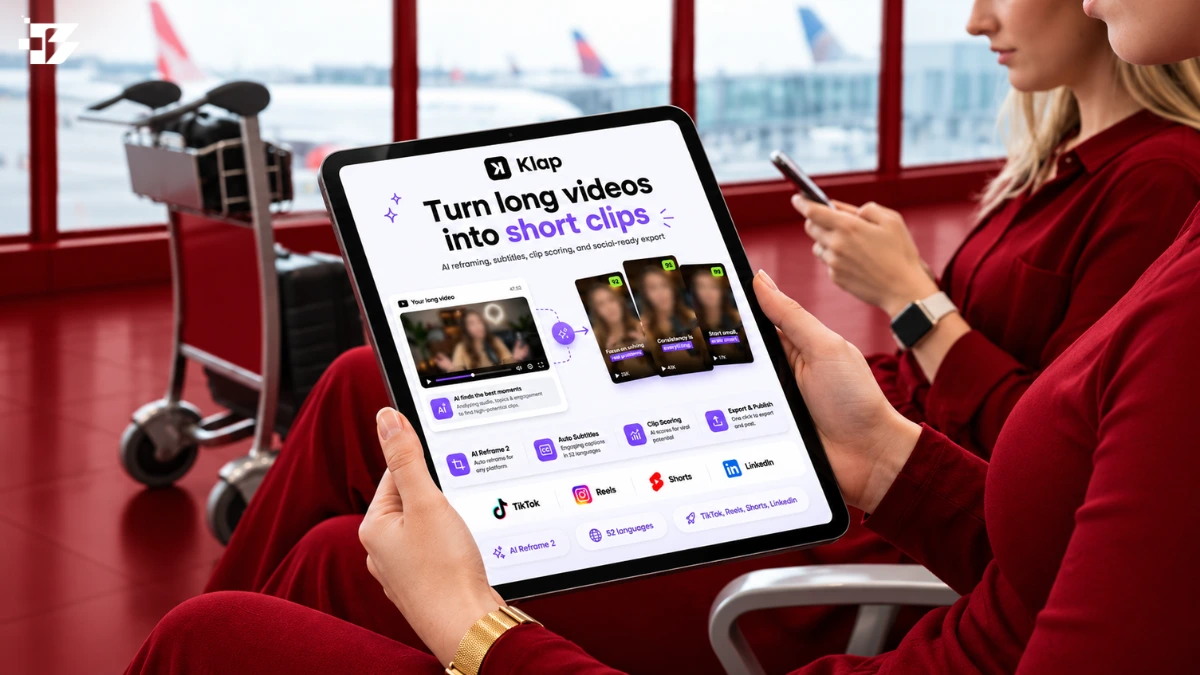
Klap helps you turn those moments into shorter videos. It uses AI to suggest highlights, add captions, and adapt the framing for social media. For creators with a library of interviews, tutorials, webinars, or video podcasts, it offers a practical starting point for a more consistent publishing routine.
The opportunity is simple: give each worthwhile idea enough space to reach the people who need it. A thoughtful answer buried halfway through a recording can become a useful short video of its own.
Affiliate disclosure: This article contains affiliate links. We may earn a commission if you purchase through them.
Key Takeaways
- Klap helps turn existing recordings into shorter, captioned videos.
- A useful clip answers one question or communicates one complete idea.
- Planning distinct angles helps you avoid publishing repetitive highlights.
- Review every clip for context, caption accuracy, and framing.
- Build your publishing schedule around the quality of the material available.
- Try promo code 7N2QRYEL for the supplied offer of 30% off your first payment, subject to checkout acceptance and applicable terms.
Why Does Good Video Content Often Get Used Only Once?
Recording and publishing require so much attention that repurposing becomes an afterthought.
A creator finishes a tutorial, shares the link, and moves on. A business hosts a webinar, sends the replay to attendees, and starts planning the next event. The original recording remains available, but its individual explanations rarely receive another introduction.
That creates a discovery problem.
Someone may need the answer you gave in minute 23 without knowing that your full video exists. Another person may recognize the problem only after seeing a short demonstration in their feed.
Short clips give those people a smaller entry point. They can introduce your expertise, answer a focused question, or help someone decide whether the longer recording deserves their time.
This works best when each clip delivers something useful on its own.
What Does Klap Do With Your Recording?
Klap’s central workflow begins with an existing video. You upload a file or provide a supported link, then use its AI-assisted tools to generate shorter clips.
Its published features include automatic highlight selection, animated captions, reframing, and publishing options. These address several recurring production tasks: finding a moment, preparing it for a different screen shape, and making the spoken explanation easier to follow. klap.app
Consider a recorded interview about starting a small business. The guest might explain how they chose a service, found their first customer, and handled an early mistake.
Those are three potential stories. Each has a different purpose and may appeal to a different viewer.
Your editorial job is to decide whether the selected moment tells enough of that story. The software can prepare an initial cut; you decide whether it deserves to represent your work.
Which Video Should You Repurpose First?
Start with a recording that already explains something clearly.
Your longest video is not automatically your strongest candidate. A focused conversation with several complete answers may be easier to repurpose than a lengthy recording full of interruptions and unfinished points.
Look for material with three qualities.
A Clear Subject
Choose footage where the viewer can quickly understand what is being discussed.
A tutorial about organizing a content calendar offers a recognizable subject. A casual conversation that changes direction every few minutes requires more judgment to turn into coherent clips.
Specific Examples
Examples give short videos substance.
“Understand your customers” is broad advice. An explanation of how a business changed its enquiry form after repeatedly receiving the wrong requests gives the viewer something concrete to consider.
Complete Answers
A useful clip usually contains enough of the problem, explanation, and conclusion to stand independently.
If the speaker’s answer depends on a slide shown much earlier, you may need to include that visual context or select a different section.
Before uploading, ask yourself: Which questions does this recording answer well?
Write down three to five. Those questions become your guide when reviewing the suggested clips.
How Can One Recording Support a Week of Content?
A week of content does not have to mean seven versions of the same point.
Instead, look for different jobs the recording can perform. One section might introduce a problem. Another could demonstrate a solution. A third might explain a mistake or answer a common objection.
Here is an illustrative schedule for a recording about creating a business website.
| Publishing slot | Content angle | What the viewer should gain |
| Monday | A common planning mistake | Recognize a problem before spending time on it |
| Tuesday | One practical demonstration | Understand how to complete a specific task |
| Wednesday | A frequently asked question | Get a direct answer to an uncertainty |
| Thursday | A decision explained | Learn when one approach may suit their needs |
| Friday | A useful takeaway | Leave with a manageable next step |
This is a planning example, rather than a promise that every recording contains five publishable clips.
If you find three strong moments, publish three. Leave room for another subject, an audience question, or a fresh recording.
A sustainable schedule respects the quality of the source material.
How Do You Use Klap Without Making Every Clip Feel the Same?
Begin with the purpose of each clip before choosing its presentation.
An instructional answer needs a clear sequence. A story needs enough setup to make the outcome meaningful. A product demonstration needs the relevant action to remain visible.
Applying the same opening, length, and caption treatment to every segment can make distinct ideas feel repetitive.
Klap advertises transcript editing and natural-language prompts for directing clip selection. These are useful options to explore when you want to focus on a particular subject or refine an initial result.
The brief can remain straightforward:
Find moments where the speaker explains a common mistake when planning a business website. Keep enough context to understand the mistake and the suggested correction. Avoid selecting several clips that make the same point.
After reviewing those results, try a separate angle:
Find a complete practical demonstration that a beginner could follow. Include the explanation needed to understand each visible step.
These briefs serve different editorial goals. That difference should carry through to the finished videos.
What Makes a Short Clip Worth Watching?
A useful clip gives viewers a reason to continue and then delivers on that reason.
The opening might identify a familiar problem, ask a clear question, or introduce an example. It should accurately represent what follows.
Suppose a consultant explains why a contact form receives poor enquiries. A suitable opening might be:
“Your enquiry form may be asking the wrong questions.”
That gives the viewer a specific subject. The rest of the clip then needs to explain which questions create problems and how the consultant would approach them.
An exaggerated opening about “the mistake destroying every business” would weaken the same material. It promises far more than a focused explanation can support.
Clarity also matters at the end. Avoid stopping just before the speaker explains an exception or completes the practical advice. A tidy cut is only useful when it preserves the answer.
How Should You Handle Captions and Vertical Framing?
Treat captions as part of the explanation.
Check the words that carry the most meaning: names, figures, product terms, and short words such as “can” and “cannot.” A small transcription error can reverse what someone intended to say.
Read the captions while watching the video. This helps you notice whether the text moves too quickly or covers something important.
For framing, think about what the viewer needs to see.
A speaker’s face may be the focus during an interview. During a demonstration, the relevant object, screen, or action could matter more. Watch for cuts that preserve the person but lose the information.
Keep the visual treatment readable and consistent. A recognizable style can support your brand without drawing attention away from the explanation.
Can You Write Better Social Captions From the Same Recording?
Yes. Start with the specific value of the selected clip.
A social caption should help someone understand why the moment is relevant. It can introduce the question, explain the situation, or invite a useful response.
For a clip about choosing website pages, you might write:
“Before adding another page to your website, decide what question it needs to answer. This is a useful place to start.”
That gives the clip context without repeating every spoken sentence.
If you use a writing assistant, provide the transcript of the selected segment and a clear brief:
Write three natural social captions for this clip. Identify its main practical takeaway. Keep the wording accurate and specific, avoid exaggerated promises, and do not add claims absent from the transcript.
Review the results in your own voice. Replace generic phrases with language that fits the subject and your audience.
How Can the Recording Also Support an Article?
Some explanations deserve more room than a short video provides.
An article can develop the reasoning, organize several related answers, and add verified information where the recording leaves gaps. This is particularly useful when viewers keep asking follow-up questions.
Use the transcript as source material with a separate writing assistant. Choose one reader question, then build around it.
A useful planning prompt is:
Review this transcript and identify one article topic that answers a clear reader question. Suggest a focused title and outline. Show which sections the transcript supports and flag any information requiring further research. Do not invent examples, quotations, or results.
Once the outline is sound, use a drafting brief:
Write an article using the approved outline, transcript, and verified research notes. Answer the main question early. Organize the explanation naturally, preserve important qualifications, and attribute direct quotations accurately. Avoid repeating the transcript word for word throughout the article.
The finished article should help a reader who has never watched the video. Check its facts, structure, and completeness before publication.
How Do You Know Whether Repurposing Is Working?
Measure the result against the purpose of the content.
If you want people to discover your full interviews, examine whether clips lead to relevant channel activity and longer-video viewing where your analytics allow that connection.
If your aim is education, look at retention, saves, and the questions viewers ask. For a business, relevant enquiries may matter more than a large number of unrelated views.
Production effort matters too. Track how long it takes to move from recording to approved clips.
After a few publishing cycles, review:
- Which topics held attention.
- Which openings accurately attracted the right viewers.
- Which clips needed extensive correction.
- Which formats encouraged useful responses.
- Whether the workflow reduced your overall production effort.
Use those findings to shape the next recording. Repeated questions may reveal a subject worth explaining more clearly or covering in greater depth.
What Should You Check Before a Clip Goes Live?
A short final review can prevent avoidable problems.
- The clip answers a recognizable question or communicates one complete idea.
- The opening makes sense without the full recording.
- The cut preserves the speaker’s meaning and relevant qualifications.
- Captions, names, and numbers are accurate.
- Important visual information remains visible.
- The title and social caption match the content.
- You have permission to reuse the recording.
- Any commercial relationship is disclosed.
- You have watched the finished export from beginning to end.
Make this part of the publishing routine. It is easier to maintain quality when the review happens consistently.
How Can You Get 30% Off Your First Klap Payment?
Visit Klap and enter promo code 7N2QRYEL at checkout for the supplied offer of 30% off your first payment.
Confirm that the discount appears before completing your purchase. Review the billing period, plan allowance, renewal price, and any eligibility conditions. The offer concerns the first payment; do not assume it applies to future renewals.
Start with a representative recording so you can judge how comfortably the workflow fits your content. The most valuable result is a selection of clips you are happy to publish and a process you can repeat.
Frequently Asked Questions
What Is Klap Used For?
Klap helps repurpose existing videos into shorter clips using AI-assisted selection, captions, and reframing. It is relevant to creators working with interviews, tutorials, webinars, and other recordings containing useful standalone moments.
Can One Video Really Provide a Week of Content?
It can, if the recording contains enough distinct, complete ideas. The schedule should follow the material available. Some recordings may provide several strong clips; others may support only one or two.
Should You Publish Every Clip the AI Suggests?
Review the suggestions and select those that serve your audience. Remove repetition, restore missing context where possible, and leave out clips that do not communicate something useful.
Does Klap Guarantee Viral Videos?
No. Audience response depends on the topic, presentation, relevance, originality, and distribution. Automated editing can support production, but it cannot guarantee views or growth.
Can You Repurpose Older Recordings?
Yes, provided you have the necessary rights and the information remains accurate. Review older advice, offers, product details, and references before presenting them to a new audience.
What Is the Klap Promo Code?
The code supplied for this offer is 7N2QRYEL, offering 30% off the first payment, subject to checkout acceptance and applicable terms.
Affiliate and promotional disclosure: We may earn a commission from purchases made through the Klap links in this article. Product descriptions are based on published information rather than hands-on testing. The supplied offer is 30% off the first payment with code 7N2QRYEL; checkout acceptance, eligibility, and current terms have not been independently verified.